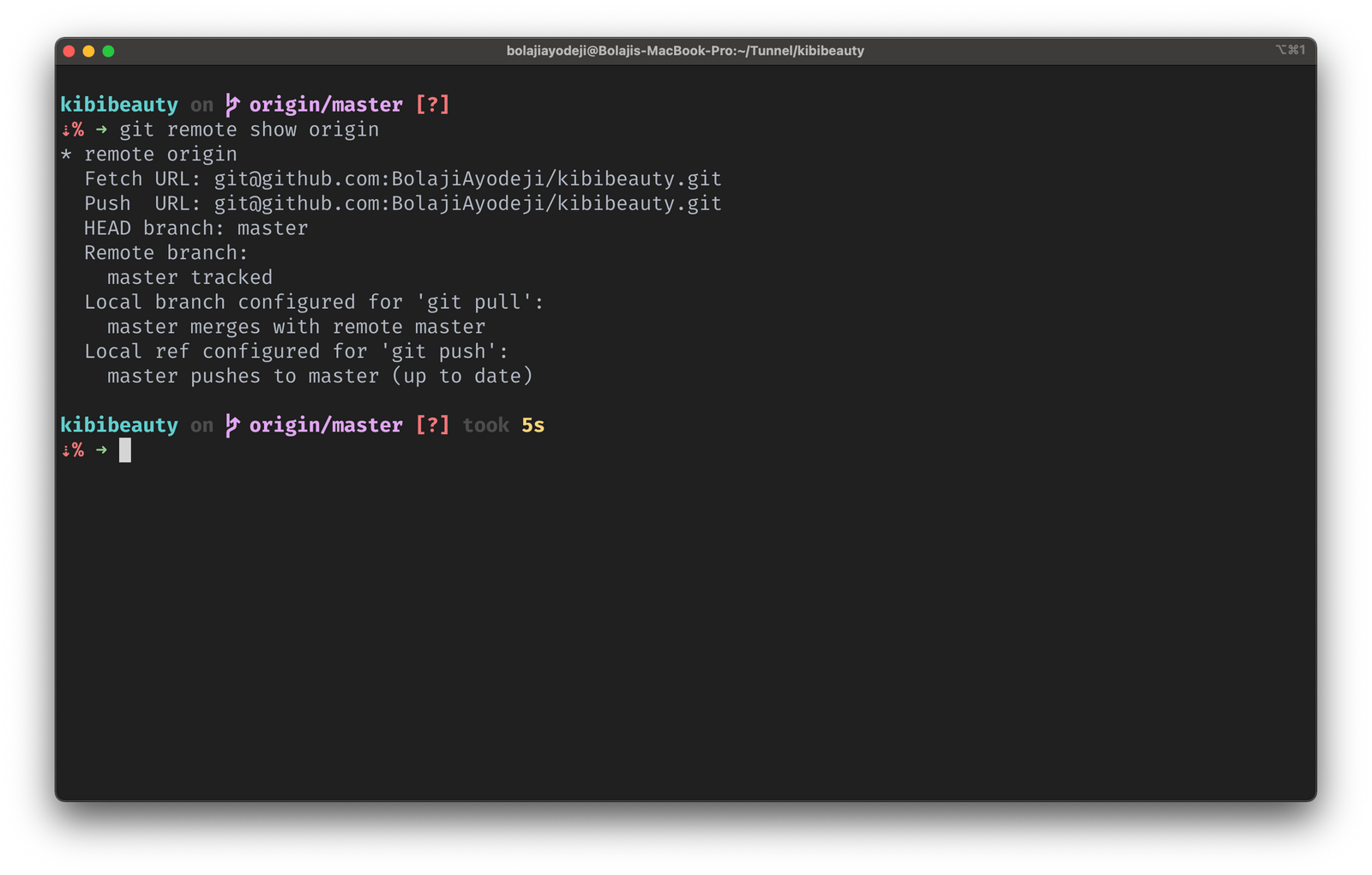
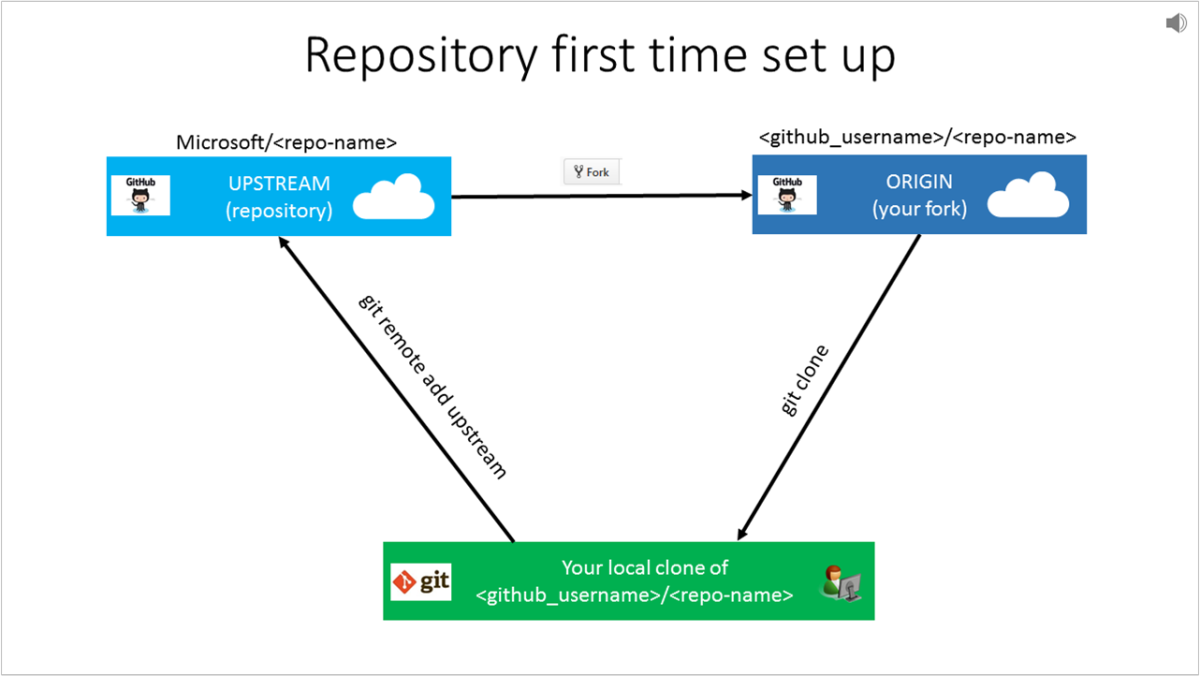
Git Remote Add Origin New Repository Git Add Remote Origin Repository Merchantbinger Git And GitHub Operating Systems 2018 Git Remote Repository Git Add Remote Origin U Soundsatila 34 Creating The First Repository In GitHub Get Remotes List In The Web git remote add name URL Add a remote git remote remove name Remove a remote What is origin If you try running git remote v in your repositories you ll probably see something called origin You may notice origin in many messages from Git origin is the human friendly name for the URL that the remote repository is stored at
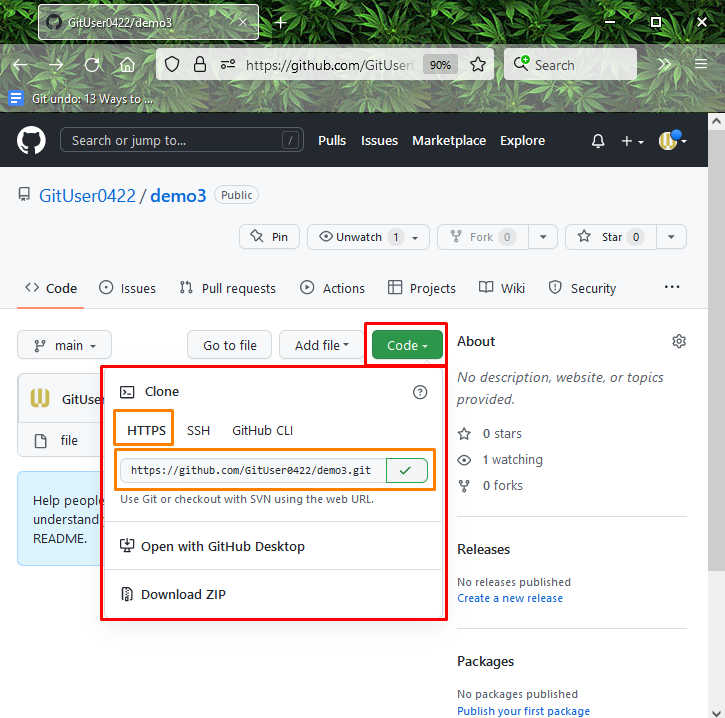
Web 6 August 2022 Git really does include some strange names commands and terminology and certain words crop up regularly whose meaning is not obvious In this post I ll explain as clearly as possible what ORIGIN is in Git and how Web git remote add origin lt REMOTE URL gt This associates the name origin with the REMOTE URL You can use the command git remote set url to change a remote s URL Choosing a URL for your remote repository There are several ways to clone repositories available on GitHub
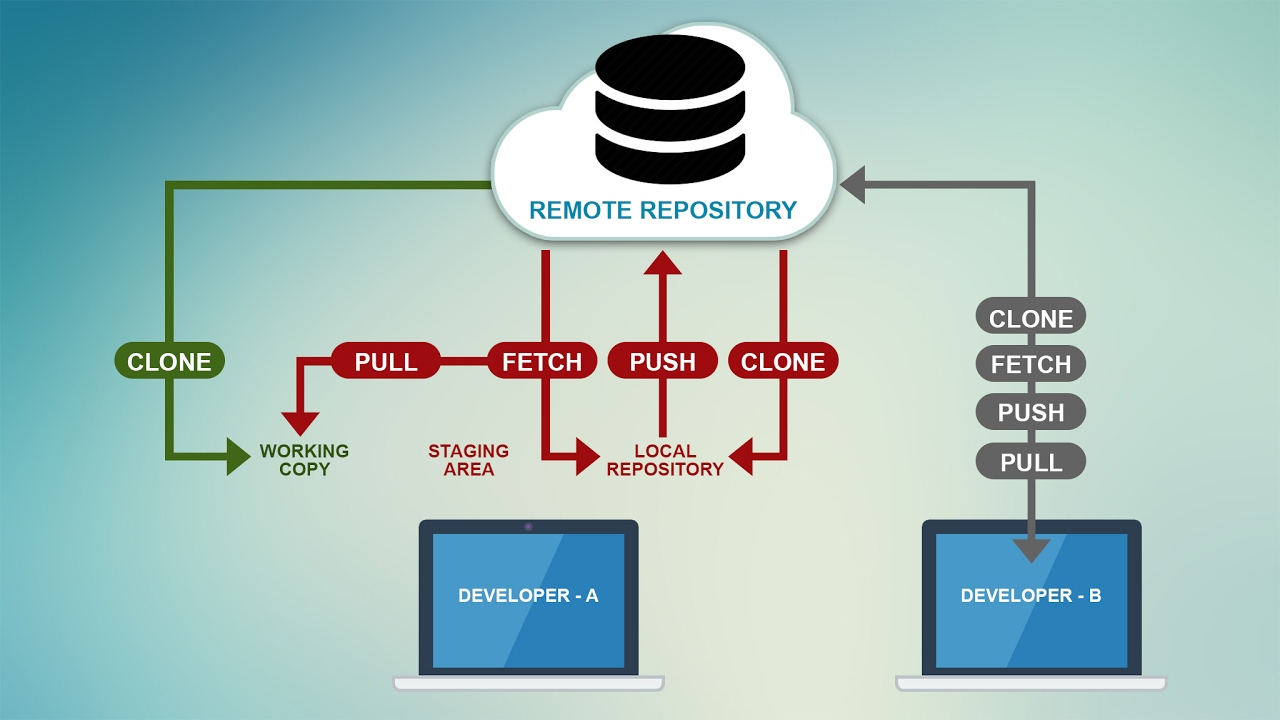
34 Creating The First Repository In GitHub Get Remotes List In The Learn How To Use Local And Remote Repositories In Git YouTube How To Change Git Remote Origin URL DevsDay ru Getting Changes From A Remote Repository GitHub Docs Git Add Remote After Init Stormauctions How To Push Local Git Repository To Github YouTube Git Repository Commands BRS MEDIA TECHNOLOGIES GIT Tutorial Remote Repositories Vividbreeze Dev Blog Apuntes De Git David Poza
Git Remote Add Origin New Repository
 Git Remote Add Origin New Repository
https://www.freecodecamp.org/news/content/images/size/w1600/2021/03/Screenshot-2021-03-08-at-8.23.47-AM.png
Web The following commands will modify the repo s git config file The result of the following commands can also be achieved by directly editing the git config file with a text editor git remote add lt name gt lt url gt Create a new connection to a remote repository
Templates are pre-designed documents or files that can be used for numerous functions. They can save effort and time by offering a ready-made format and design for creating different sort of material. Templates can be used for individual or professional jobs, such as resumes, invitations, leaflets, newsletters, reports, presentations, and more.
Git Remote Add Origin New Repository
Set Up Git Repository Locally Contributor Guide Microsoft Learn
Learn How To Use Local And Remote Repositories In Git YouTube
How To Change Git Remote Origin URL DevsDay ru
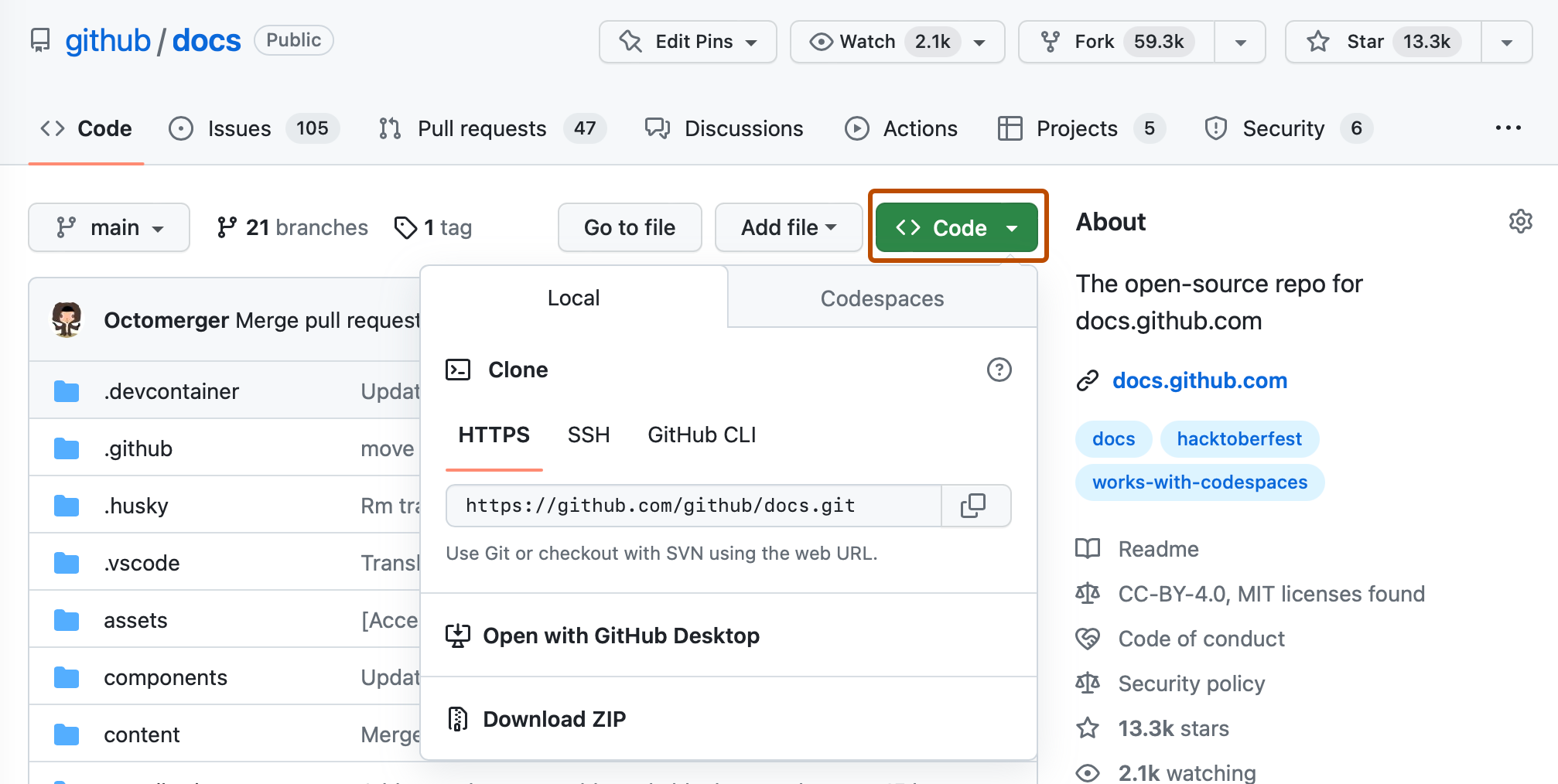
Getting Changes From A Remote Repository GitHub Docs
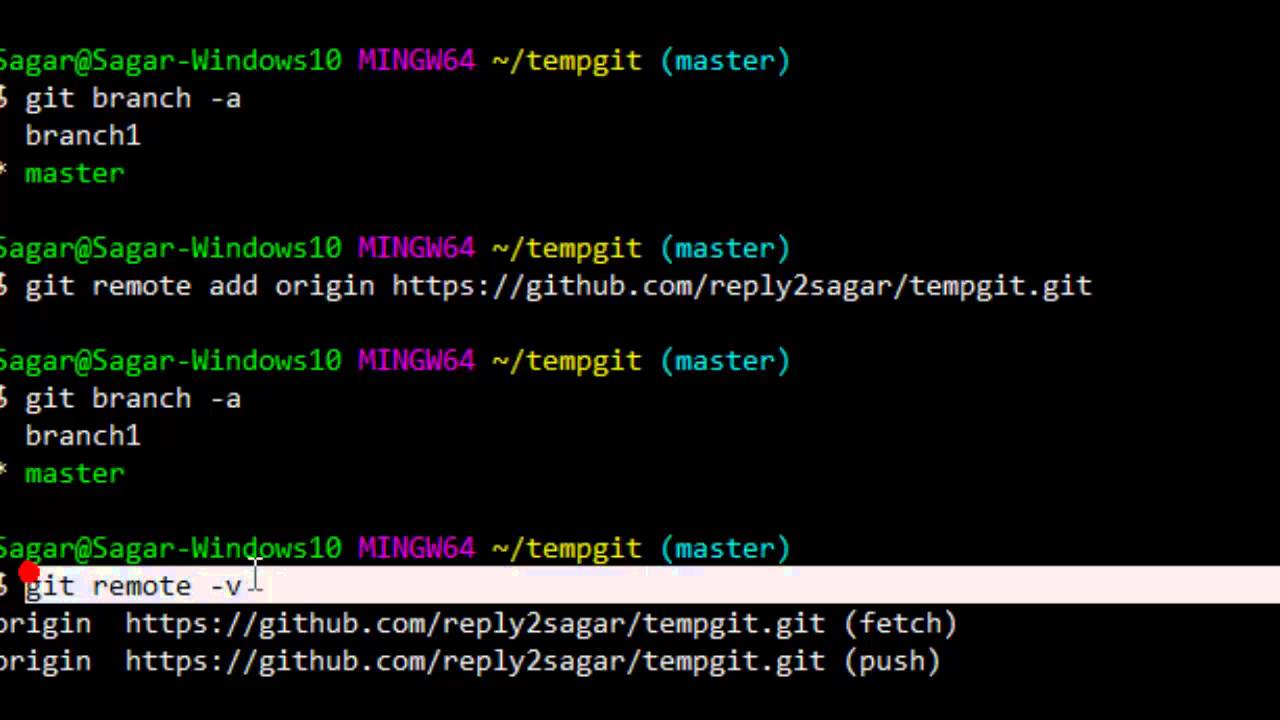
How To Push Local Git Repository To Github YouTube
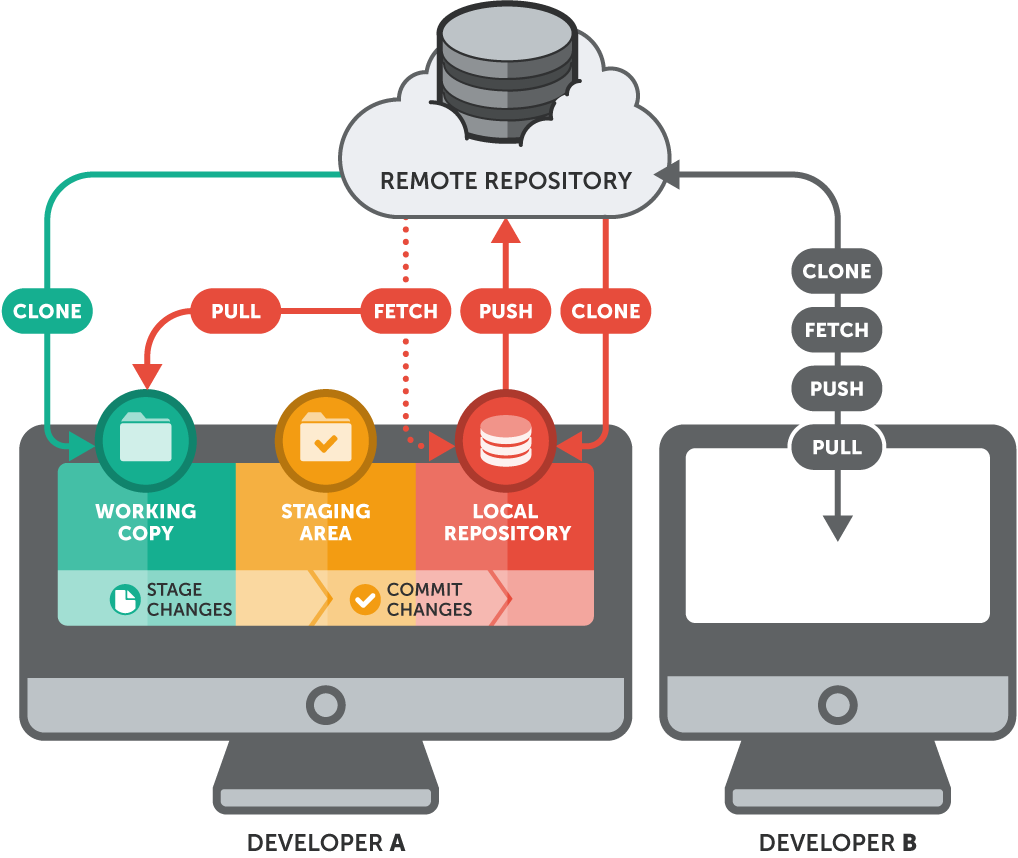
Git Repository Commands BRS MEDIA TECHNOLOGIES

Web 11 Answers Sorted by 1264 below is used to add a new remote git remote add origin git github User UserRepo git below is used to change the url of an existing remote repository git remote set url origin git github User UserRepo git

Web To add a new remote use the git remote add command on the terminal in the directory your repository is stored at The git remote add command takes two arguments A remote name for example origin A remote URL for example https data variablesmand line backticks OWNER REPOSITORY git For example

Web Sep 6 2016 nbsp 0183 32 origin is only an alias to identify your remote repository You can create a new remote reference and push git remote add new origin https github robertmazzo intro to protractor git git push new origin master If you want to remove the previous reference git remote remove origin edited May 16

Web To add a new remote Git repository as a shortname you can reference easily run git remote add lt shortname gt lt url gt git remote origin git remote add pb https github paulboone ticgit git remote v origin https github schacon ticgit fetch origin https github schacon ticgit push

Web Apr 25 2016 nbsp 0183 32 3 Answers Sorted by 331 Using SSH git remote add origin ssh login IP path to repository Using HTTP git remote add origin http IP path to repository However having a simple git pull as a deployment process is usually a bad idea and should be avoided in favor of a real deployment script edited Mar
Web Mar 8 2020 nbsp 0183 32 For example let s say that you want to change the URL of your Git origin remote In order to achieve that you would use the set url command on the origin remote and you would specify the new URL git remote set url origin https git repo new repository git Web Step 1 Create a local Git repo To connect a new project to a remote Git repository you must create a Git repo locally add files and perform at least one commit The terminal window commands to do this are as follows git init git touch alpha txt git add alpha txt git commit m quot Git commit history created quot
Web Aug 31 2023 nbsp 0183 32 The origin is a common name used to refer to the main remote repository To add a remote repository run the following command git remote add origin lt remote repository url gt Replace lt remote repository url gt with the URL of the remote repository you want to add