Git Remote Add Name Url Command Git Push Local Branch To Remote How To Publish A New Branch In Git Git Remote Add Theormos Git Git Remote Set Up Git Repository Locally Contributor Guide Microsoft Learn Web The git remote add command takes two arguments A remote name for example origin A remote URL for example https data variables product product url OWNER REPOSITORY git For example git remote add origin https data variables product product url OWNER REPOSITORY git Set a new remote
Web Feb 28 2023 nbsp 0183 32 The basic syntax for the git remote add command is as follows git remote add lt name gt lt url gt The lt name gt parameter specifies a name for the remote repository and the lt url gt parameter specifies the URL of the remote repository Web You can use the git remote add command to match a remote URL with a name For example you d type the following in the command line git remote add origin lt REMOTE URL gt This associates the name origin with the REMOTE URL You can use the command git remote set url to change a remote s URL Choosing a URL for your
Set Up Git Repository Locally Contributor Guide Microsoft Learn Git Remote Javatpoint Git How To Change Git Remote Origin What Is Git Remote Git Remote Add What Is Git ORIGIN The Git Remote Add Command How To Change Git Remote Origin URL DevsDay ru Github Git Add Remote Origin U Penjord Handling Repositories With Git Remote GeeksforGeeks
Git Remote Add Name Url Command
 Git Remote Add Name Url Command
https://www.freecodecamp.org/news/content/images/2022/09/ss1-2.png
Web Aug 31 2023 nbsp 0183 32 To add a remote repository run the following command git remote add origin lt remote repository url gt Replace lt remote repository url gt with the URL of the remote repository you want to add For example if you are adding a repository hosted on GitHub the URL would look like
Pre-crafted templates offer a time-saving solution for producing a diverse series of files and files. These pre-designed formats and designs can be used for numerous personal and professional tasks, consisting of resumes, invites, flyers, newsletters, reports, presentations, and more, simplifying the material development process.
Git Remote Add Name Url Command
How To Find And Use A GitHub URL By Example
Git Remote Javatpoint
Git
How To Change Git Remote Origin What Is Git Remote Git Remote Add
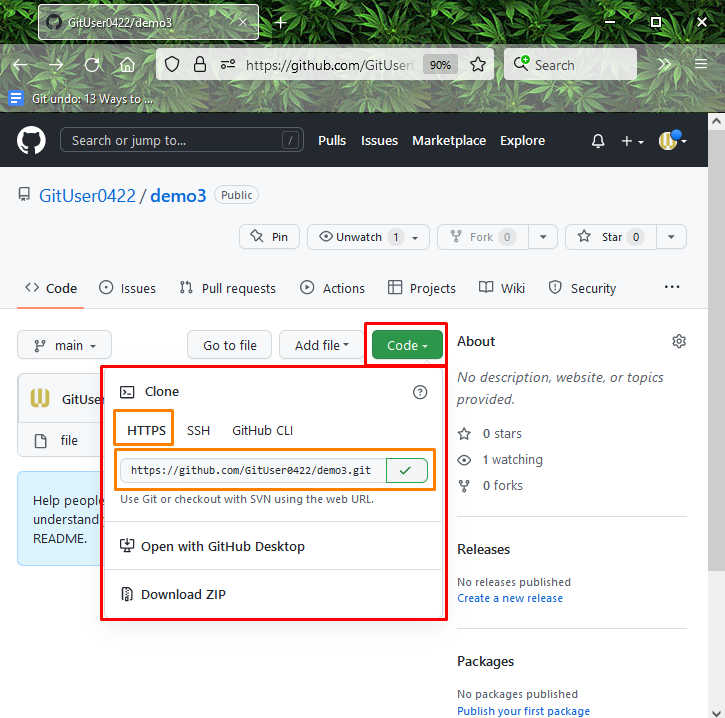
How To Change Git Remote Origin URL DevsDay ru

Github

Web COMMANDS With no arguments shows a list of existing remotes Several subcommands are available to perform operations on the remotes add Add a remote named lt name gt for the repository at lt URL gt The command git fetch lt name gt can then be used to create and update remote tracking branches lt name gt lt branch gt

Web The git remote add command takes two arguments A remote name for example origin A remote URL for example https github OWNER REPOSITORY git For example git remote add origin https github OWNER REPOSITORY git Set a new remote

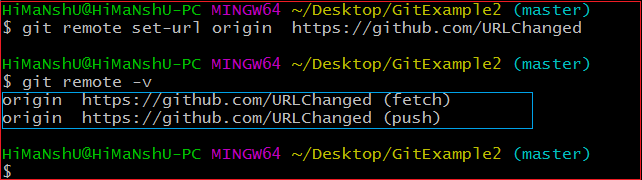
Web This command is used to add a new remote git remote add origin git github User UserRepo git This command is used to change the URL of an existing remote repository git remote set url origin git github User UserRepo git
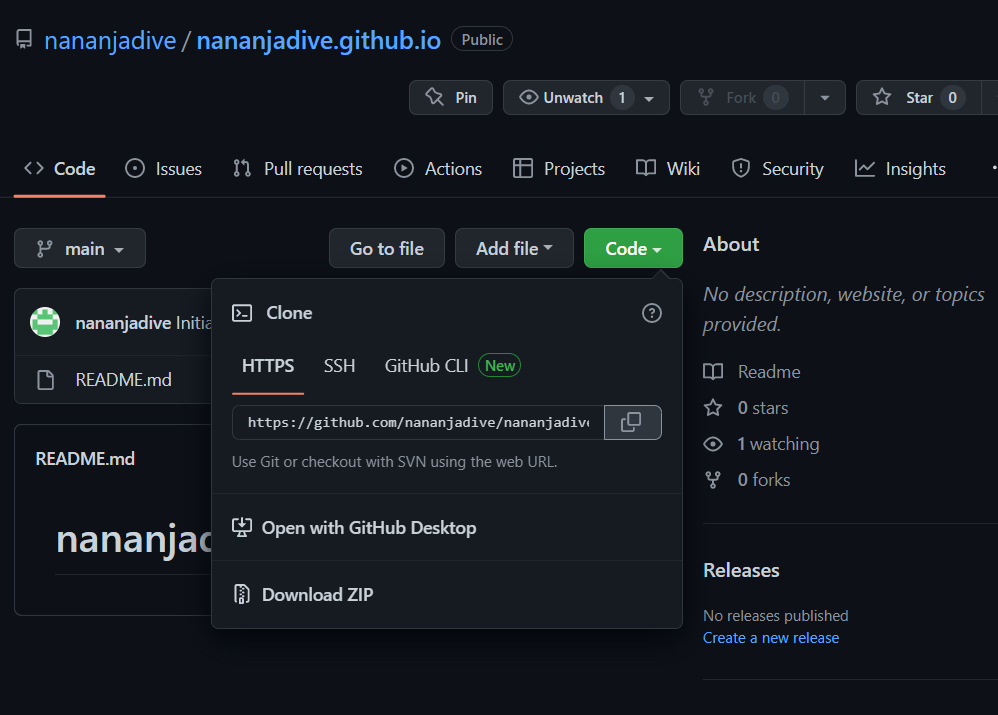
Web How do I change the URI URL for a remote Git repository Asked 14 years 2 months ago Modified 5 months ago Viewed 4 2m times 6378 I have a repo origin on a USB key that I cloned on my hard drive local I moved quot origin quot to
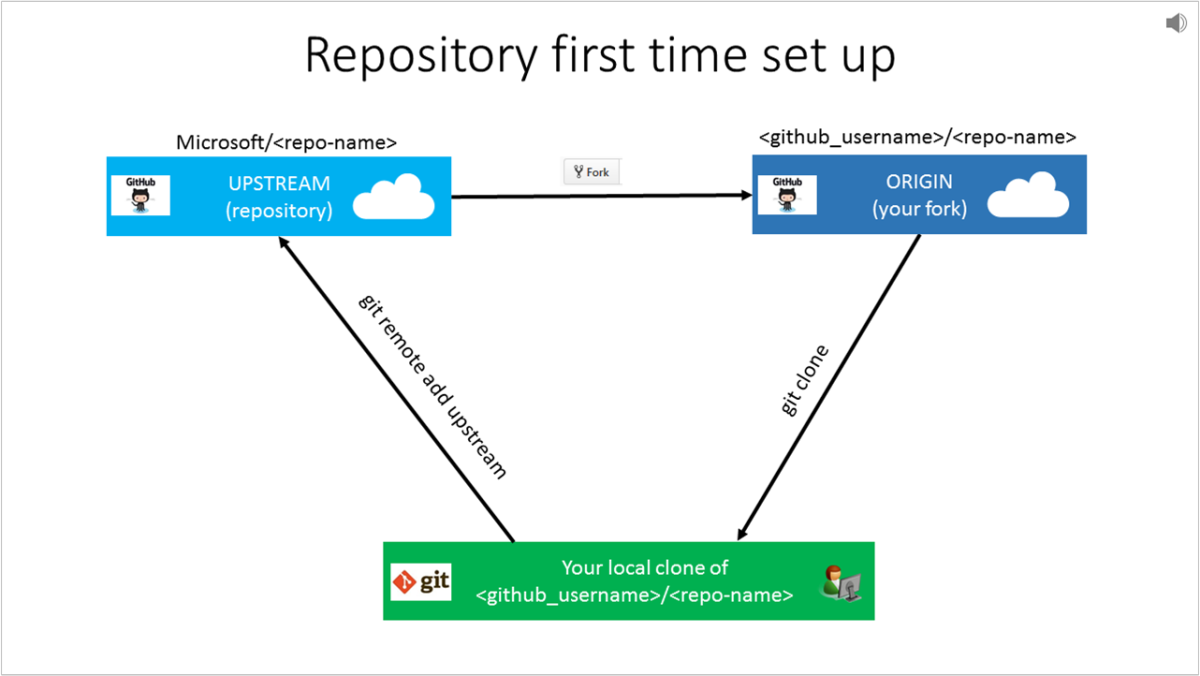
Web We re going to add a new remote connection to our local repository using the git remote command and need to pieces of information for this The name we d like for this new remote The URL of the remote repository You can find this after creating a new remote repo on your hosting service of choice e g GitHub GitLab Bitbucket Let s go
Web You can also specify v which shows you the URLs that Git has stored for the shortname to be used when reading and writing to that remote git remote v origin https github schacon ticgit fetch origin https github schacon ticgit push If you have more than one remote the command lists them all Web Create a new connection to a remote repository After adding a remote you ll be able to use name as a convenient shortcut for url in other Git commands git remote rm lt name gt Remove the connection to the remote repository called name git remote rename lt old name gt lt new name gt
Web The git remote add origin command works best under the following two conditions The remote repository has no Git commit history The remote repository has absolutely no files in it Let s start this git remote add origin tutorial with a happy assumption that both conditions are true How to use Git s remote add origin command