Git Pull Remove Local Changes How To Discard Your Local Changes In Git Example How Do I git Pull And Overwrite My Local Changes By Aram Koukia Force Pull In GitHub How To Overwrite On Local Changes With Git How To Remove Local Untracked Files In Git Working Directory Git Pull Emboll Web Jul 19 2023 nbsp 0183 32 Git the powerful version control system provides a straightforward way to undo or discard local changes and revert to the last committed state In this blog post we ll walk you through the process of discarding local changes in Git using practical examples
Web Download Now for Free Discarding Local Changes in a File Changes that haven t been committed to the local repository are called quot local quot changes in Git They exist in your Working Copy but you haven t wrapped them in a commit yet If you want to discard this type of changes you can use the git restore command git restore index html Web If any of the remote changes overlap with local uncommitted changes the merge will be automatically canceled and the work tree untouched It is generally best to get any local changes in working order before pulling or stash them away with git stash 1
Git Pull Emboll Make Shell Script Committed To Git Executable Pixel Ninja Designer Flutter flutter Upgrade Your Flutter Checkout Has Local Git Pull Force To Overwrite Local Changes Right Way Distracted Boyfriend Meme Imgflip Git Difference Between Git Fetch And Git Pull Chuyen Viec Lam How To Force git Pull To Overwrite A Local Branch WWW Creators How To Delete Remove Git Branch Local And Remote POFTUT Updating SVN Local Changes Is Not Finished In Intellij IDEA 15 0 6
Git Pull Remove Local Changes
 Git Pull Remove Local Changes
https://itknowledgeexchange.techtarget.com/coffee-talk/files/2021/10/discard-local-changes-remove-git.jpg
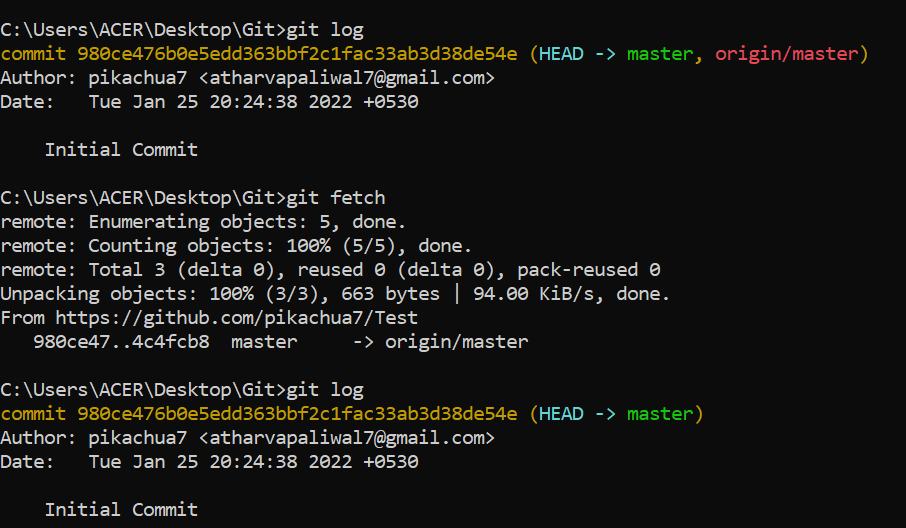
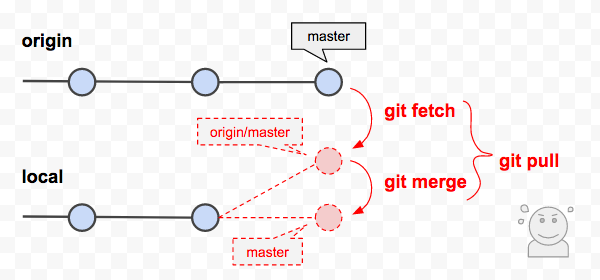
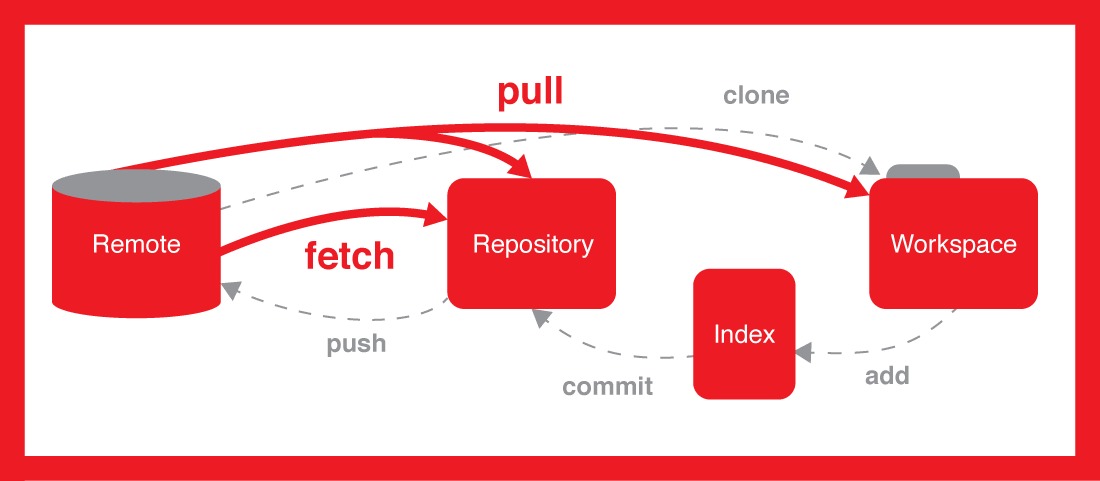
Web Without running git pull your local repository will never be updated with changes from the remote git pull should be used every day you interact with a repository with a remote at the minimum That s why git pull is one of the most used Git commands git pull and git fetch
Templates are pre-designed files or files that can be used for numerous functions. They can save effort and time by supplying a ready-made format and layout for producing different type of material. Templates can be used for personal or expert tasks, such as resumes, invitations, flyers, newsletters, reports, presentations, and more.
Git Pull Remove Local Changes
How To Force Git Pull To Overwrite Local Changes Fedingo

Make Shell Script Committed To Git Executable Pixel Ninja Designer

Flutter flutter Upgrade Your Flutter Checkout Has Local
Git Pull Force To Overwrite Local Changes Right Way
Git Difference Between Git Fetch And Git Pull Chuyen Viec Lam
How To Force git Pull To Overwrite A Local Branch WWW Creators
Web May 30 2019 nbsp 0183 32 This will definitely remove any local changes and pull the latest from the remote repository Be careful with rm R as it will delete your good data if you put the wrong path For instance definitely do not do rm R edit To fix spelling and add emphasis
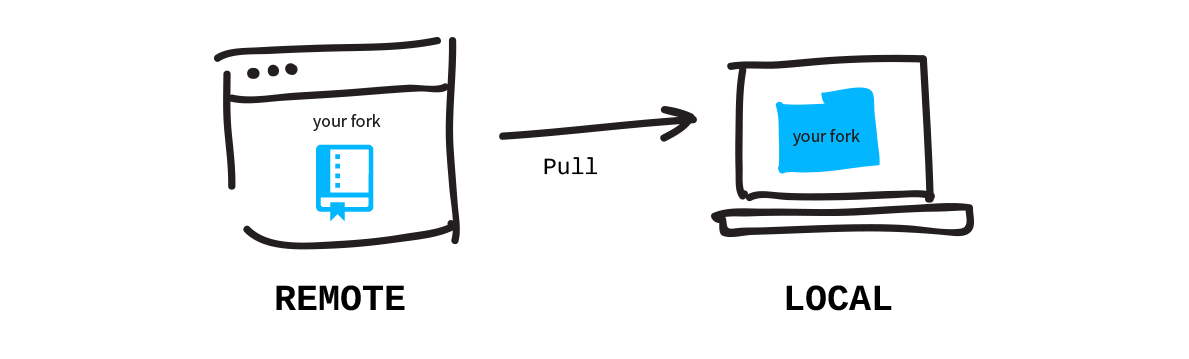
Web Oct 25 2021 nbsp 0183 32 If you mean you want the pull to overwrite local changes doing the merge as if the working tree were clean well clean the working tree git reset hard git pull If there are untracked local files you could use git clean to remove them git clean f to remove untracked files df to remove untracked files and directories

Web Feb 2 2024 nbsp 0183 32 Git Pull The git pull command fetches and merges changes from our remote repositories to the local repository It combines the git fetch and git merge commands We can use the command to overwrite our local repository in the context below
Web Step 1 Cleaning Up the Working Copy First you ll need to make sure your working copy doesn t contain these conflicting changes anymore There are two ways to achieve this a Saving Local Changes on a Stash If you want to preserve your local changes you can safely store them on a Stash
Web 01 Sep 2023 Remove uncommitted changes in Git Git offers you several commands to discard local changes in your working directory These include the following The git stash command which saves uncommitted changes and reset your workspace The git reset command which only touches tracked files
Web Jul 14 2009 nbsp 0183 32 5 Short answer delete and re create branch 1 Delete branch git branch lt branch gt D 2 Reset to a commit before the conflict git reset lt commit gt hard 3 Re create the branch git branch lt branch gt 4 Set tracking to the server git set upstream to origin lt branch gt lt branch gt 5 Pull git pull Nino Filiu Web January 19 2020 Git How to Overwrite Local Files with Git Pull If you feel the need to discard all your local changes and just reset overwrite everything with a copy from the remote branch then you should follow this guide Important If you have any local changes they will be lost
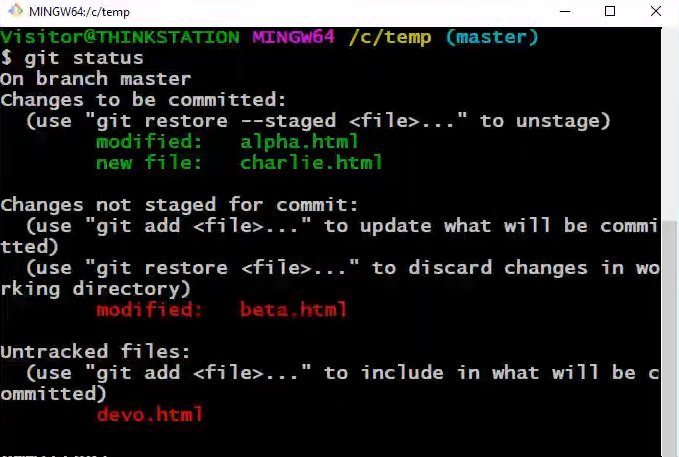
Web Jan 27 2024 nbsp 0183 32 You can do this by running git status This command will show you the state of your working directory and staging area It lets you see which changes are staged unstaged or untracked Discarding Unstaged Changes To discard changes made to unstaged files you can use the git checkout command Here s how git checkout lt file gt