Git List All Release Branches Git List Branches WiseTut Git List All Files Currently Under Source Control YouTube Git Flow Confusion On Release Branch ErrorsFixing Git List All Branches Tags And Remotes With Commit Hash And Date Git List All Files Currently Under Source Control YouTube Viewing releases On GitHub navigate to the main page of the repository To the right of the list of files click Releases At the top of the Releases page click Releases Viewing tags On GitHub navigate to the main page of the repository To the right of the list of files click Releases At the top of the page click Tags
10 20 2022 12 contributors Feedback In this article Keep your branch strategy simple Manage releases Manage deployments Azure DevOps Services Azure DevOps Server 2022 Azure DevOps Server 2019 TFS 2018 Distributed version control systems like Git give you flexibility in how you use version control to share and manage code Build history Four different commands to list branches in git Example 1 git list branches using the git branch command Example 2 git list branches using git branch r command Example 3 git list branches using git branch a command Example 4 git list branches using git show branch command Conclusion
Git List All Files Currently Under Source Control YouTube GIT Commands Basic To Advanced GIT Commands List That You Should Know Git List Branches How To Show All Remote And Local Branch Names Git Create Branch From Terminal Lasopachristian Build Your Own CLI Using GoLang And Cobra Quick GitHub Git 5 Heee s Development Blog How To Switch Branch In Git Youtube Riset Git List Branches How To Show All Remote And Local Branch Names Grafana Pie Chart Label Font Size Design Talk
Git List All Release Branches
 Git List All Release Branches
https://wisetut.com/wp-content/uploads/2021/12/image-768x543.png
Git branch merged master lists branches merged into master git branch merged lists branches merged into HEAD i e tip of current branch git branch no merged lists branches that have not been merged By default this applies to only the local branches
Pre-crafted templates provide a time-saving solution for developing a diverse series of documents and files. These pre-designed formats and layouts can be made use of for numerous personal and professional projects, consisting of resumes, invitations, leaflets, newsletters, reports, discussions, and more, improving the material development process.
Git List All Release Branches
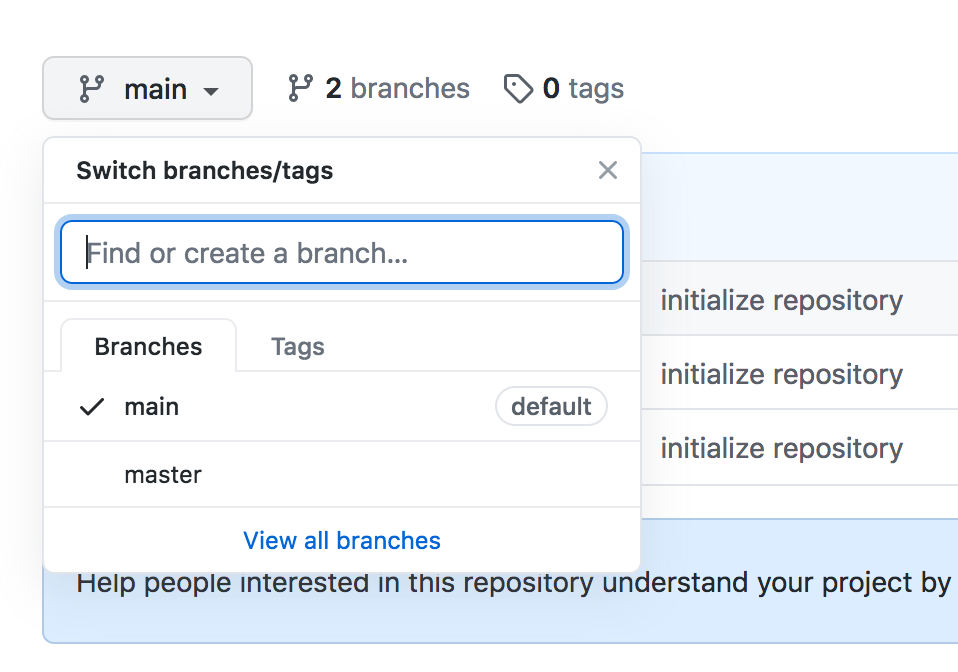
Change The Default Branch On Your Git Repo
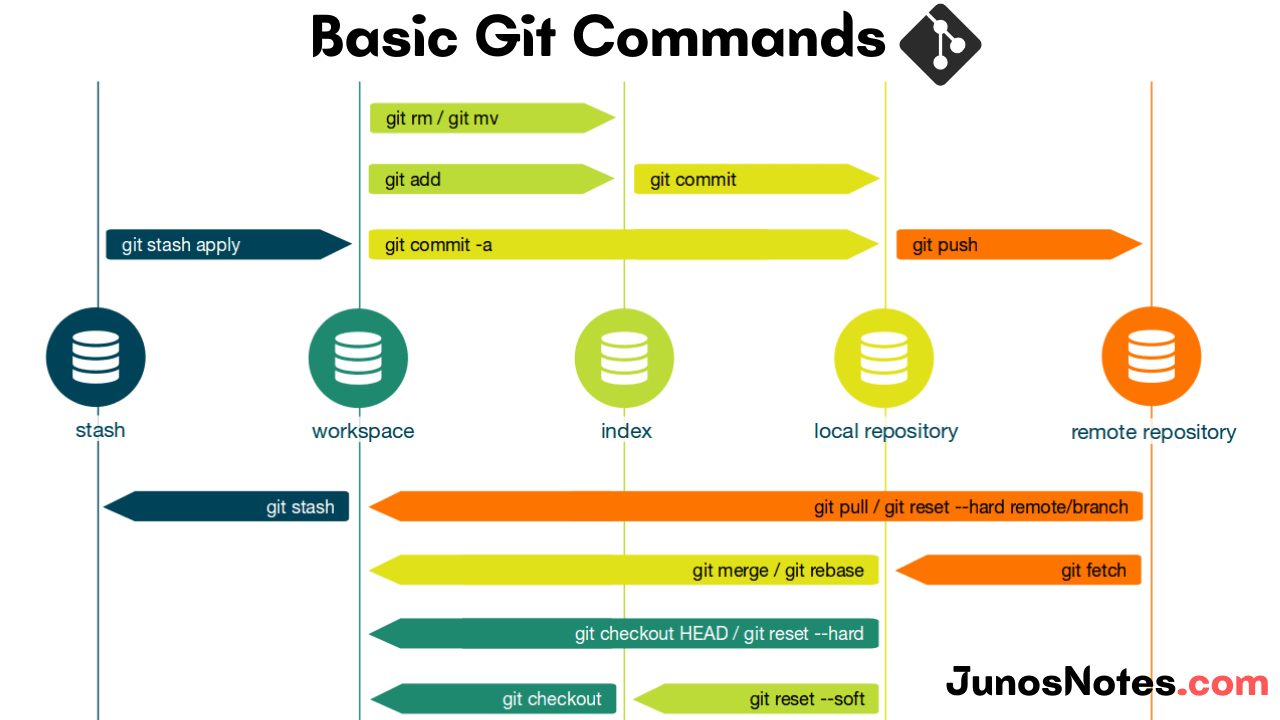
GIT Commands Basic To Advanced GIT Commands List That You Should Know
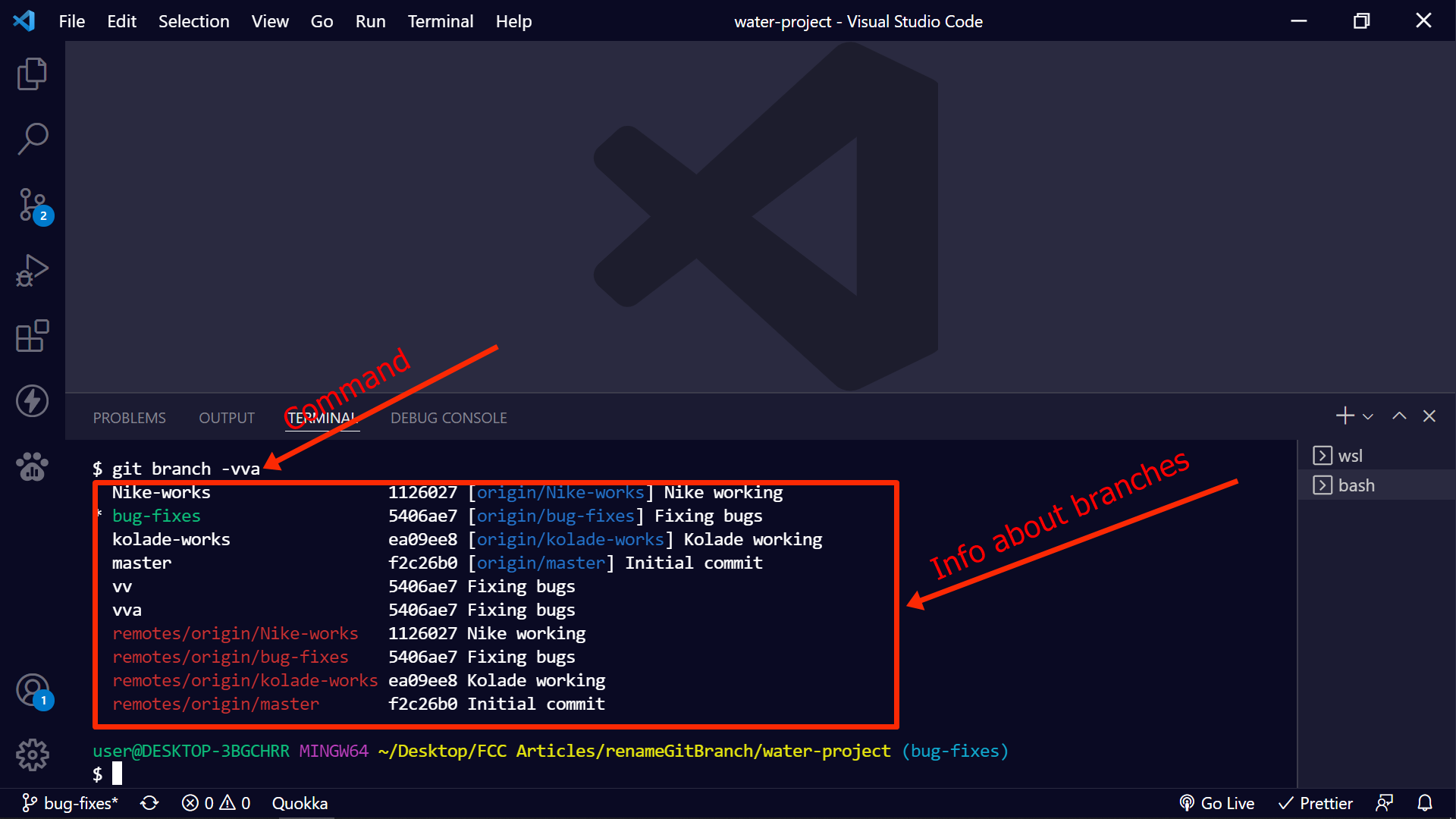
Git List Branches How To Show All Remote And Local Branch Names

Git Create Branch From Terminal Lasopachristian
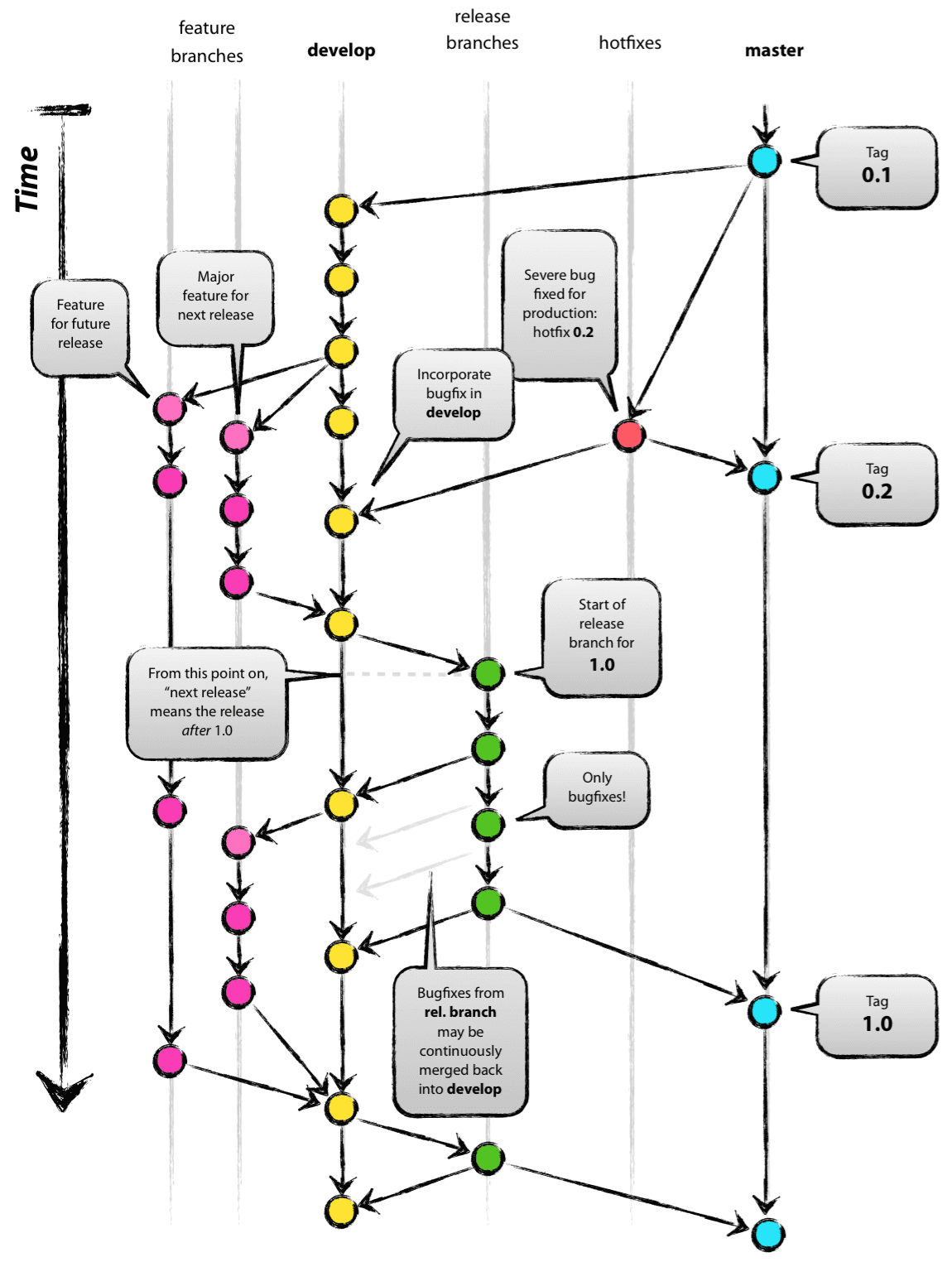
GitHub Git 5 Heee s Development Blog

How To Switch Branch In Git Youtube Riset

March 29 2022 Git Git List Branches How to Show All Remote and Local Branch Names Kolade Chris Git is a version control system used by software developers to track changes in applications and collaborate on projects One feature that makes Git more dynamic is branches

Creating a release On GitHub navigate to the main page of the repository To the right of the list of files click Releases At the top of the page click Draft a new release To choose a tag for the release select the Choose a tag dropdown menu To use an existing tag click the tag

If list is given or if there are no non option arguments existing branches are listed the current branch will be highlighted in green and marked with an asterisk Any branches checked out in linked worktrees will be highlighted in cyan and marked with a plus sign Option r causes the remote tracking branches to be listed and option a shows both local and remote branches

1 Answer Sorted by 21 git tag assumes you have a clone of the repo checked out locally Which is why it complains about not being in a git repository To achieve what you desire you probably want to first clone it then switch to the desired tag

1 029 2 21 43 Note that branch develop contains commits a and b as well I have to guess based on your diagram that you mean that develop identifies commit i and therefore contains i and all of its ancestors all the way to a torek May 30 2019 at 1 21 Yes that s true
For listing all branches in local and remote repositories run this command on the terminal git branch a The result is shown in the graphic below The branches in white are the local branches whereas green master represents the active branch The branches in red are the remote branches i e Copy to clipboard We have been merging feature branches into devel and when we are ready to make a release I create a release branch from devel which can be staged on a cloud server for the customer to review before pushing to production While the customer is reviewing the release candidate we continue developing additional features for the next release
Git branch List all of the branches in your repository This is synonymous with git branch list git branch branch Create a new branch called branch This does not check out the new branch git branch d branch Delete the specified branch This is a safe operation in that Git prevents you from deleting the branch if it has