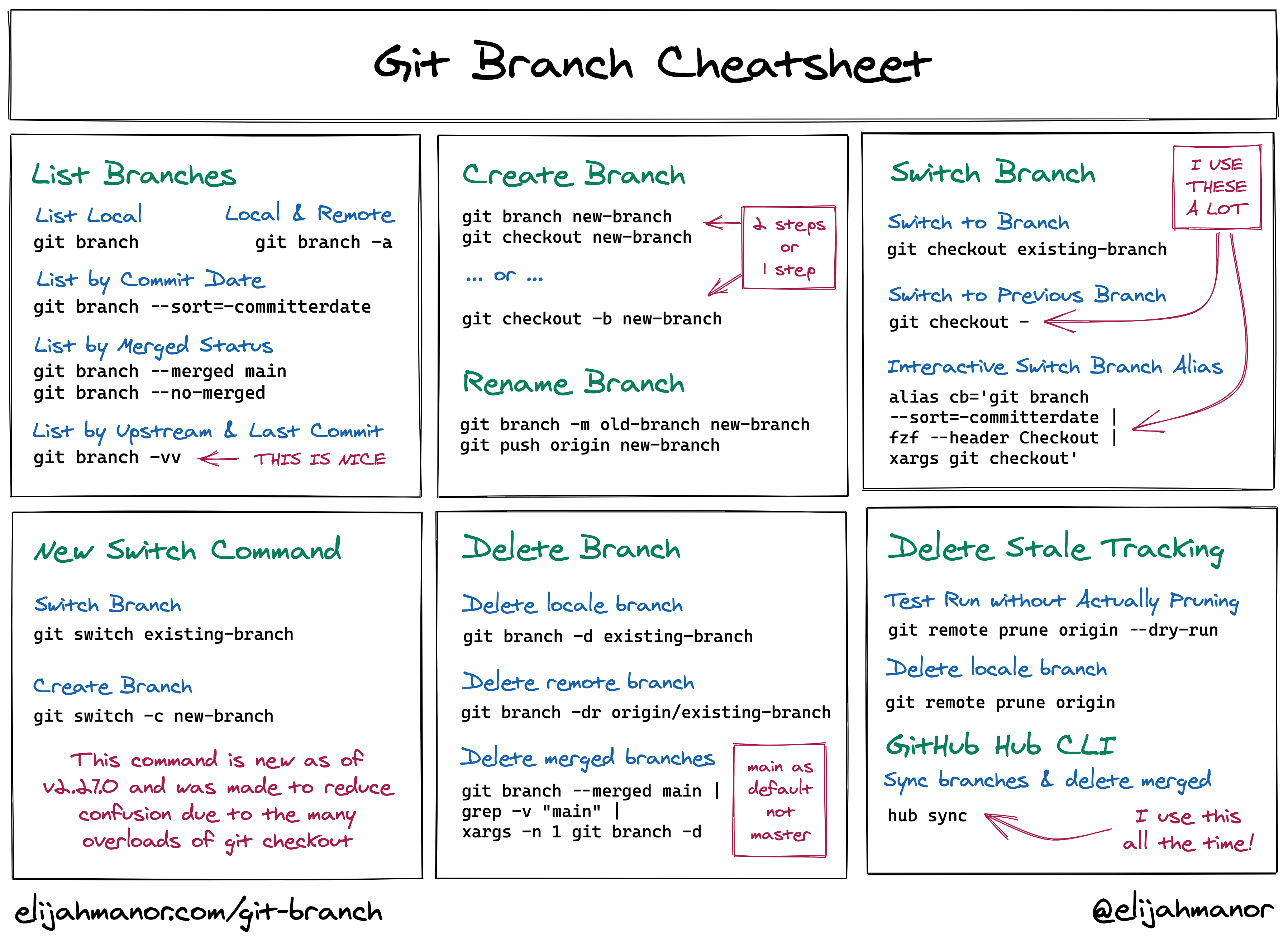
Git List All Branches Command 10 Git Commands Every Developer Should Know Git List All Branches Tags And Remotes With Commit Hash And Date Git List Branches WiseTut GIT Commands Basic To Advanced GIT Commands List That You Should Know Git Create Branch From Existing Branch Opechome To list all local Git branches use the git branch or git branch list command git branch dev feature a feature b hotfix master The current branch is highlighted with an asterisk In this example that is the master branch In Git local and remote branches are separate objects If you want to list both local and remote branches pass the
The branch command helps you create delete and list branches It s the go to command when it comes to managing any aspect of your branches no matter if in your local repository or on your remotes Important Options v a Provides more information about all your branches Show Git Branches Remotely To display all remote branches you can use the same command but include the r flag which stands for remotes git branch r Alternatively you can use the following command to display all remote branches git branch remotes Executing either of these two commands will produce the same result as
Git Create Branch From Existing Branch Opechome Git Create Branch From Terminal Lasopachristian Git Useful Git Commands Programming Mitra Git Git List Branches How To Show All Remote And Local Branch Names Change The Default Branch On Your Git Repo List Of Git Commands For Every Day Git Use CODE Development Different Ways To List Branches In GIT Local Remote GoLinuxCloud
Git List All Branches Command
 Git List All Branches Command
https://blog.testproject.io/wp-content/uploads/2021/03/CommonGitCommands-1024x843.png
The git branch commands primary functions are to create list rename and delete branches To operate further on the resulting branches the command is commonly used with other commands like git checkout Learn more about git checkout branch operations such as switching branches and merging branches on the git checkout page Compared to other
Pre-crafted templates offer a time-saving solution for developing a diverse series of files and files. These pre-designed formats and designs can be utilized for various personal and professional projects, consisting of resumes, invitations, flyers, newsletters, reports, discussions, and more, streamlining the material production procedure.
Git List All Branches Command

How To PROPERLY List Remote Branches In Git GoLinuxCloud

Git Create Branch From Terminal Lasopachristian
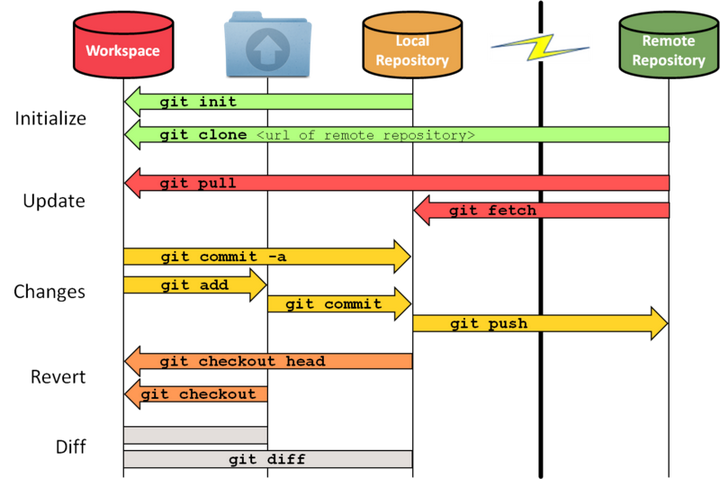
Git
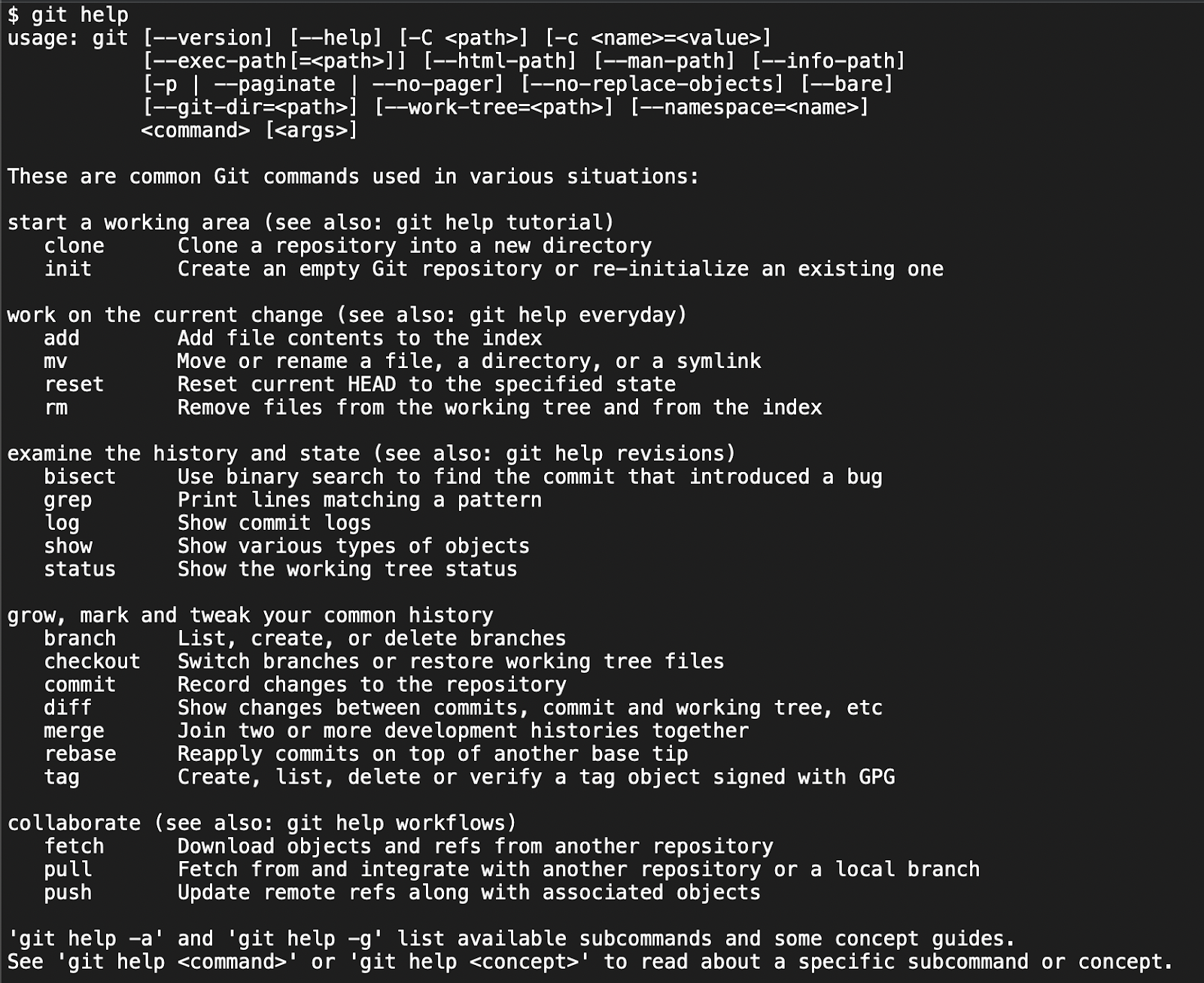
Useful Git Commands Programming Mitra
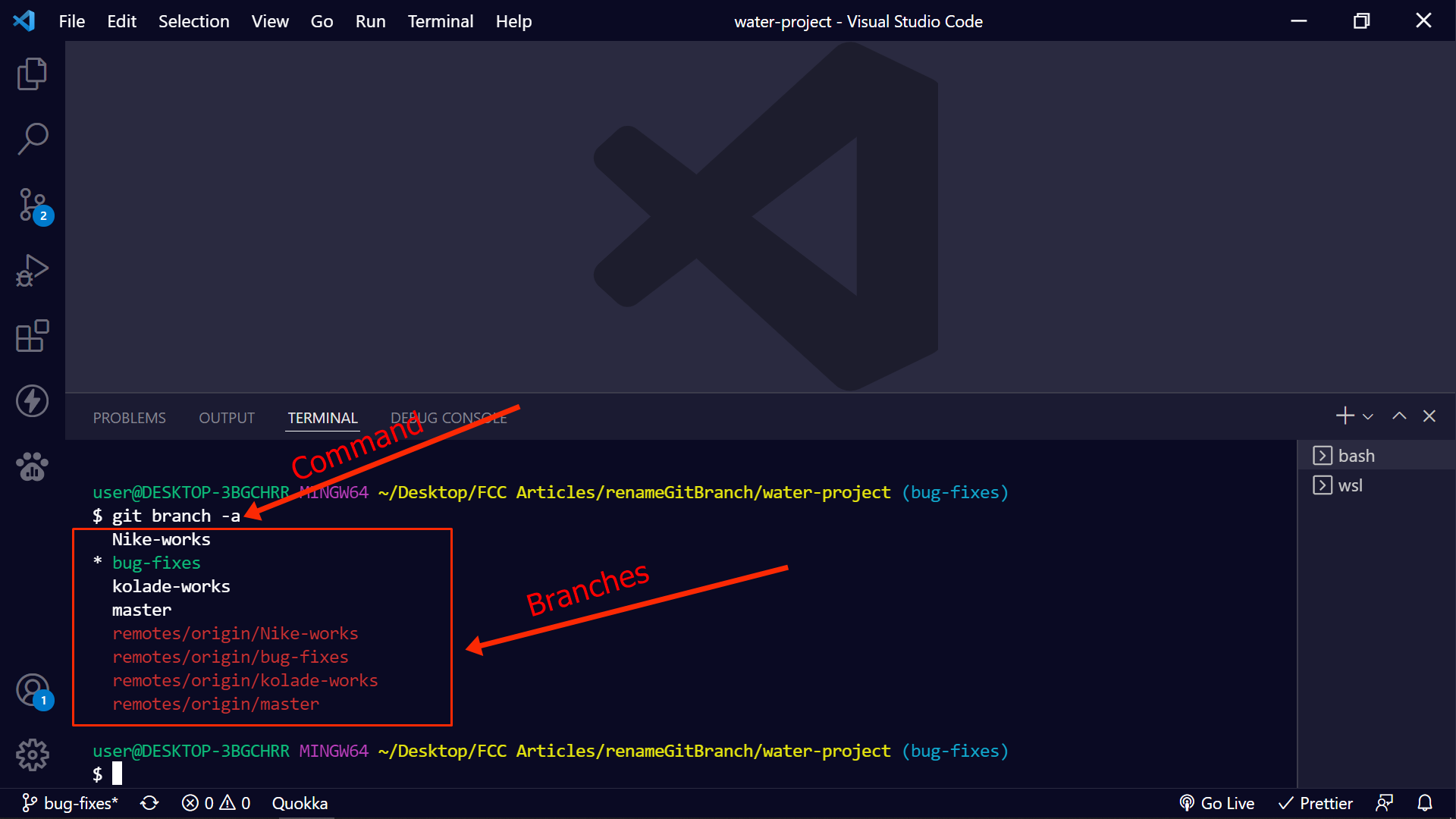
Git List Branches How To Show All Remote And Local Branch Names
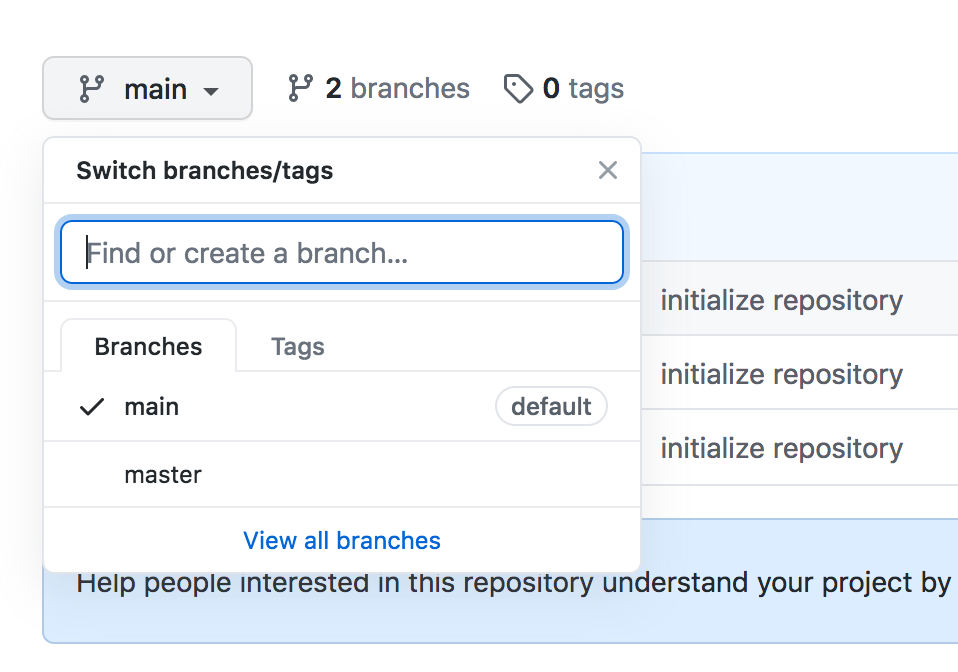
Change The Default Branch On Your Git Repo

How to Show All Remote and Local Branch Names To see local branch names open your terminal and run git branch N B the current local branch will be marked with an asterisk In addition if you re using Git bash or WSL s Ubuntu as your terminal the current local branch will be highlighted in green

DESCRIPTION If list is given or if there are no non option arguments existing branches are listed the current branch will be highlighted in green and marked with an asterisk Any branches checked out in linked worktrees will be highlighted in cyan and marked with a plus sign

Run this command git status List All Branches NOTE The current local branch will be marked with an asterisk To see local branches run this command git branch To see remote branches run this command git branch r To see all local and remote branches run this command git branch a Create a New Branch

The command to list all branches in local and remote repositories is git branch a If you require only listing the remote branches from Git Bash then use this command git branch r You may also use the show branch command for seeing the branches and their commits as follows git show branch
1 There is no information about who created any branch in git Period So short answer is No there is none Romain Valeri Apr 4 2022 at 13 20
There are 4 different Git commands you can enter into your command line to list all of the remote branches of a repo I will show you command line code examples of each of these For all of these examples I will use freeCodeCamp s open source repository Command 1 git branch r This Git command will show you remote branches The most straightforward way to list all branches in a remote repository is to use the following command git branch r Important To ensure you get all the branches from the remote repository run the following command first git fetch all The command downloads the metadata about all the branches on the remote so the output is complete
How can I list all remote existing branches in Git Ask Question Asked 3 years 10 months ago Modified 1 year 2 months ago Viewed 30k times 24 I have tried git remote r to view all remote existing branches but I found the result includes those branches that are deleted remotely Is there a way to filter out these zombie branches git Share