Git List All Files Being Tracked Git List All Files Currently Under Source Control YouTube Git Cheat Sheet DataCamp List All Files Recursively In Git Repository In Tree Format On Windows Git Delft git How To Check The Current Git Branch If you want to list all the files currently being tracked under the branch master you could use this command
About Press Copyright Contact us Creators Advertise Developers Terms Privacy Policy Safety How YouTube works Test new features NFL Sunday Ticket Press Copyright To list all the files currently git show tracked files being tracked under the branch master using git ls tree r master name only This command will list the files that are being tracked currently If you want a list of files that ever existed use
git How To Check The Current Git Branch Git Cheat Sheet Rahmat Subandi Konfigurasi Git Global Setelah Berhasil Menginstal Git Reezza Git List Branches How To Show All Remote And Local Branch Names How To Delete File On Git Removing Files From Git Repository Using Git Cheat Sheet RTFM Linux DevOps Git Cheat Sheet Atlassian Git Tutorial Git Cheating Tutorial Git Bash Cheat Sheet Git Cheat Sheet Cheatsheet Apr 22 2020 Vrogue GIT Command Cheat Sheet SlayTec Cybersecurity Magazine
Git List All Files Being Tracked
 Git List All Files Being Tracked
https://i.ytimg.com/vi/2-eFkziCUXg/maxresdefault.jpg
Lists all of the already committed files being tracked by your git repo Share Follow edited Dec 26 2018 at 16 22 Cory Klein 52 5k 44 190 248 answered Dec 16 2011 at 11 16 karlphillip 92 5k 37 246 429 This works only when we have at least one commit
Pre-crafted templates offer a time-saving service for producing a diverse series of files and files. These pre-designed formats and layouts can be made use of for different personal and expert tasks, consisting of resumes, invitations, leaflets, newsletters, reports, discussions, and more, improving the content development procedure.
Git List All Files Being Tracked
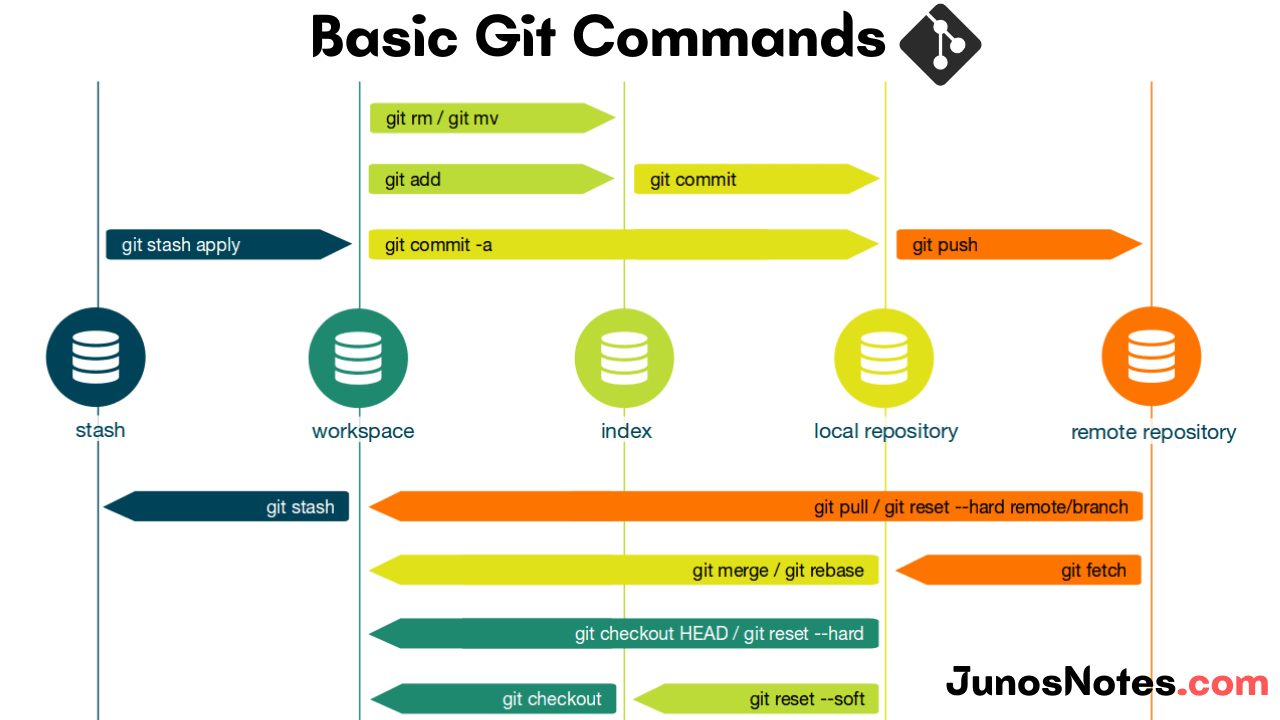
GIT Commands Basic To Advanced GIT Commands List That You Should Know
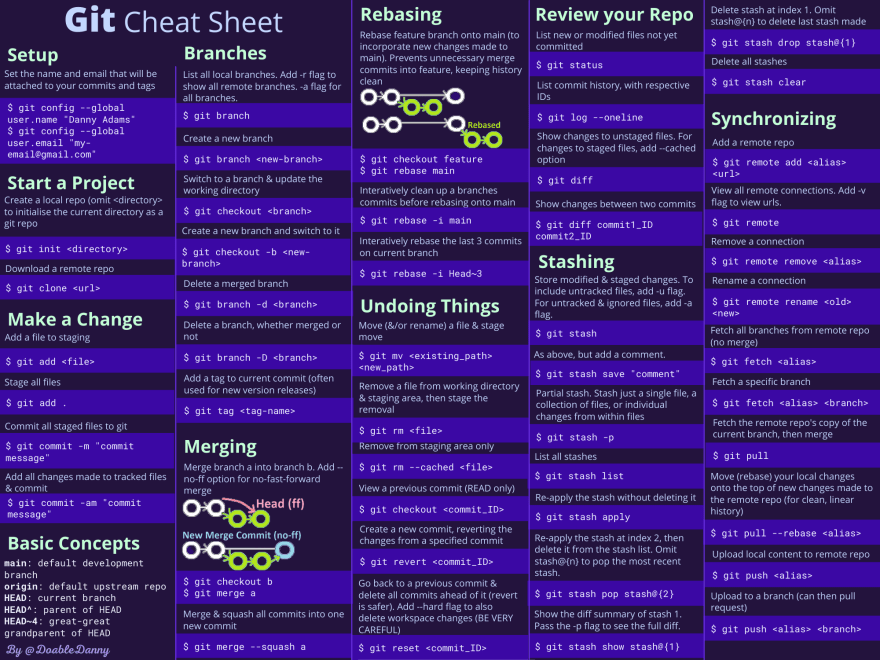
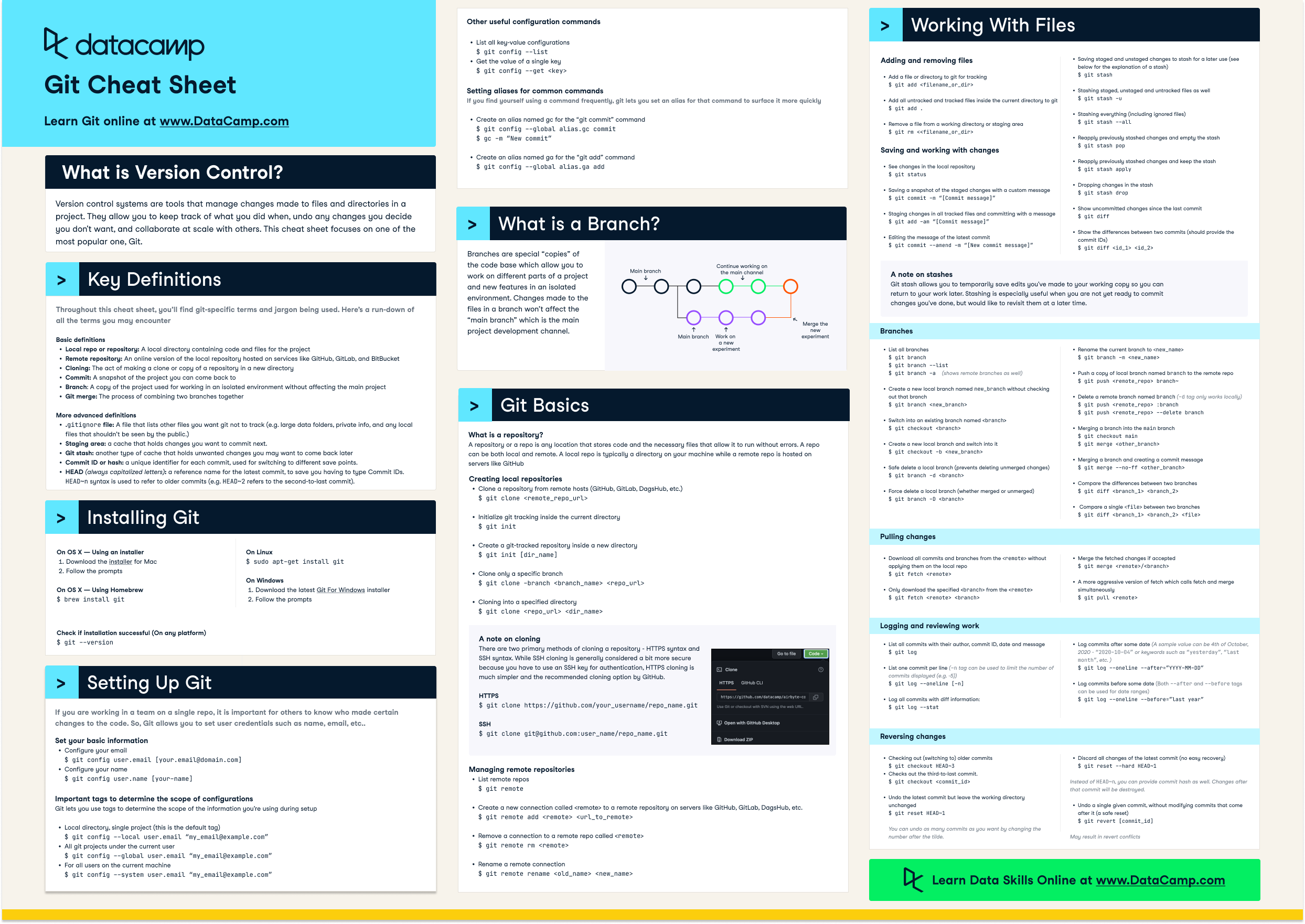
Git Cheat Sheet Rahmat Subandi

Konfigurasi Git Global Setelah Berhasil Menginstal Git Reezza
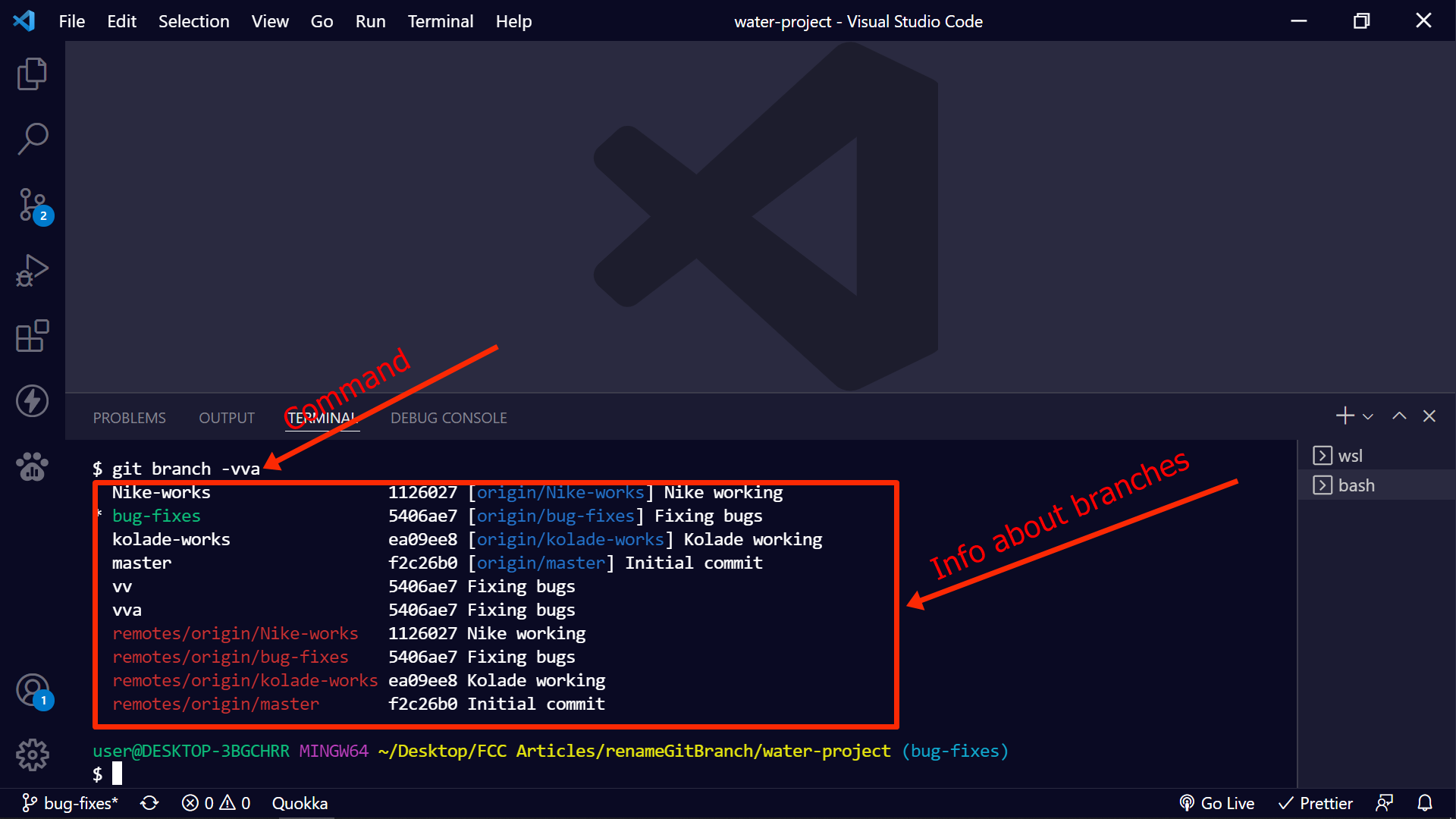
Git List Branches How To Show All Remote And Local Branch Names
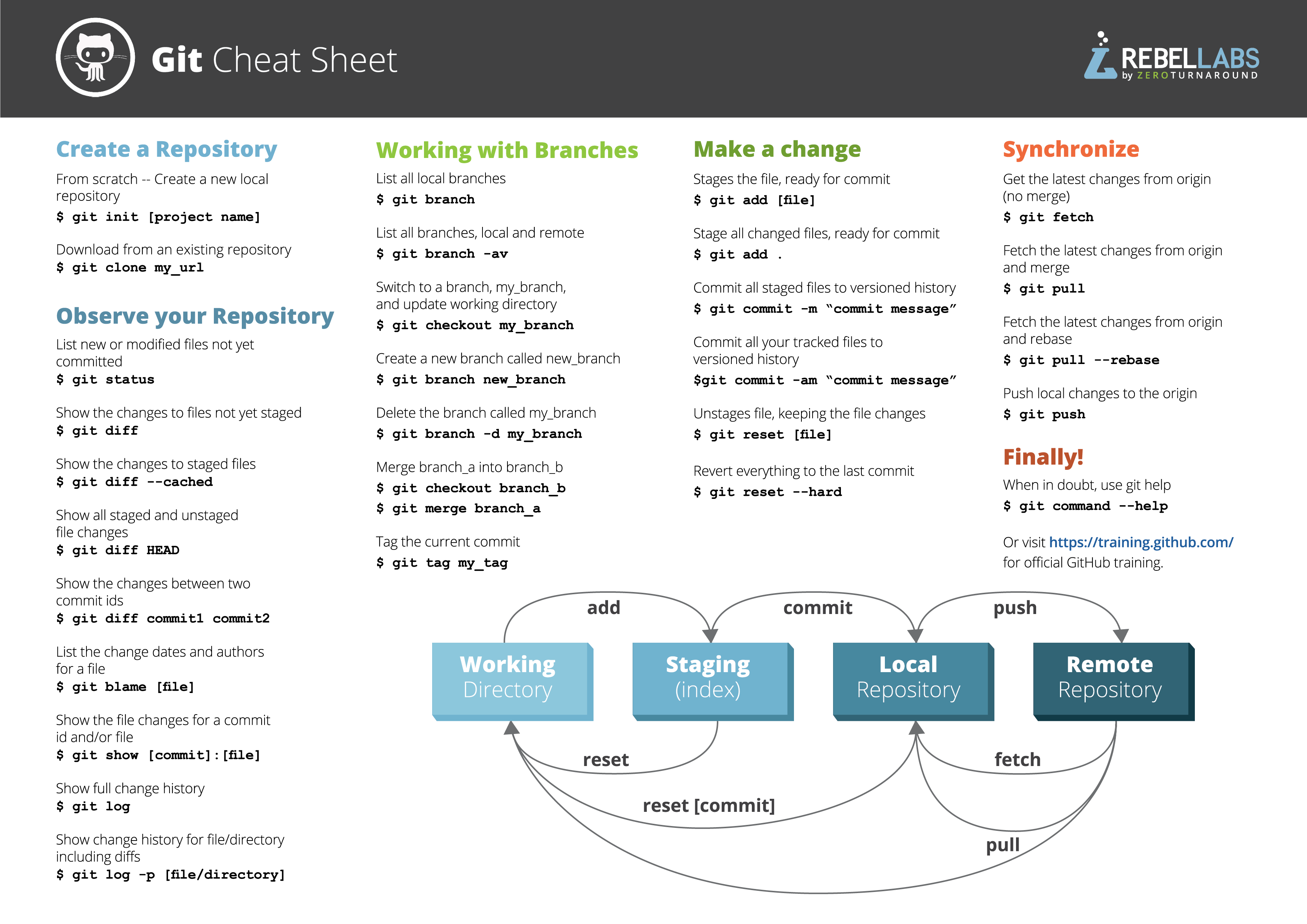
Git Cheat Sheet RTFM Linux DevOps

Git Cheat Sheet Atlassian Git Tutorial Git Cheating Tutorial

2022 01 13 One minute read git All current files In order to show all of the tracked files that have been committed on the current branch run git ls tree full tree name only r HEAD full tree makes the command run as if you were in the repo s root directory r recurses into subdirectories
This command merges the file listing in the index with the actual working directory list and shows different combinations of the two

220 If you want to list all files for a specific branch e g master git ls tree r master name only The r option will let it recurse into subdirectories and print each file currently under version control You can also specify HEAD instead of master to get the list for any other branch you might be in

Best Solution If you want to list all the files currently being tracked under the branch master you could use this command git ls tree r master name only If you want a list of files that ever existed i e including deleted files git log pretty format name only diff filter A sort sed d Related Solutions

To list all the files currently being tracked under the branch master using get ls tree r expert name only This comment will index the files this are being tracked currently If she want one list are archives that ever existed exercise git log pretty format name only diff filter A sort std d
How do I get a list of all file using git I can run git ls tree HEAD r how can I do it with this library the best I could find is for file in repo commit tree blobs print file abspath but that only lists files in the top dictionary Thanks Answered by Byron on Jun 23 2021 You are probably looking for this Making a file tracked is easy You can run a git add which adds it to the staging area and then you commit the change Here are the commands for that using the new file I created in my project git add data articles 108 tracked and untracked files git git commit m add new article By committing this change Git becomes aware of the
In order to add tracked files to your repository in Git there are a few simple code examples that can be used The first step is to use the git add command followed by the name of the file or files that you want to add For example if you want to add all tracked files that have been modified you can use the command git add u