Git Delete Local Commits Not On Remote Git Delete Remote Branch How To Remove A Remote Branch In Git How To Delete A Git Branch Locally And Remotely How To Undo Pushed Commits With Git DEV Community How To Delete Remote Commits In Git DEV Community Kona Ice Now Serving West Bloomfield West Bloomfield MI Patch Nov 19 2017 at 16 55 14 DANGER reset hard can result in loss of work because doing so results in git overwriting your local files your new work with the ones from the web happened to me Questions and answers about git should explicitly state what their commands are doing and what the risks are for readers following JoseOrtiz3
This will delete the commit from both the repositories local and remote If we need to delete it from remote only and not from local then we will execute the following mentioned command git push origin HEAD branch name Before executing these commands we should have a second look because it will delete all our working directory changes Assume you have pushed commits in order A1 B2 C3 in remote repository Now you want to delete commits C3 and B2 The simple solution is as follows using git reset git reset hard A1 commit id git push f origin branch name However you should avoid doing this if anyone else is working with your remote repository and has pulled your
Kona Ice Now Serving West Bloomfield West Bloomfield MI Patch How To Perform A Git Delete On A Local Branch Kinsta Git Delete Remote Branch How To Remove A Remote Branch In Git Should You Require All Developers To Sign All Local Commits Writeabout How To Delete A Git Repository Git Managing Local Commits And Branches Tips Tricks Earthli News Git Delete Local Branch How To Delete A Local Branch How To Delete Git Tag How To Delete Commits In Git Fedingo
Git Delete Local Commits Not On Remote
 Git Delete Local Commits Not On Remote
https://www.freecodecamp.org/news/content/images/2022/08/ss1-3.png
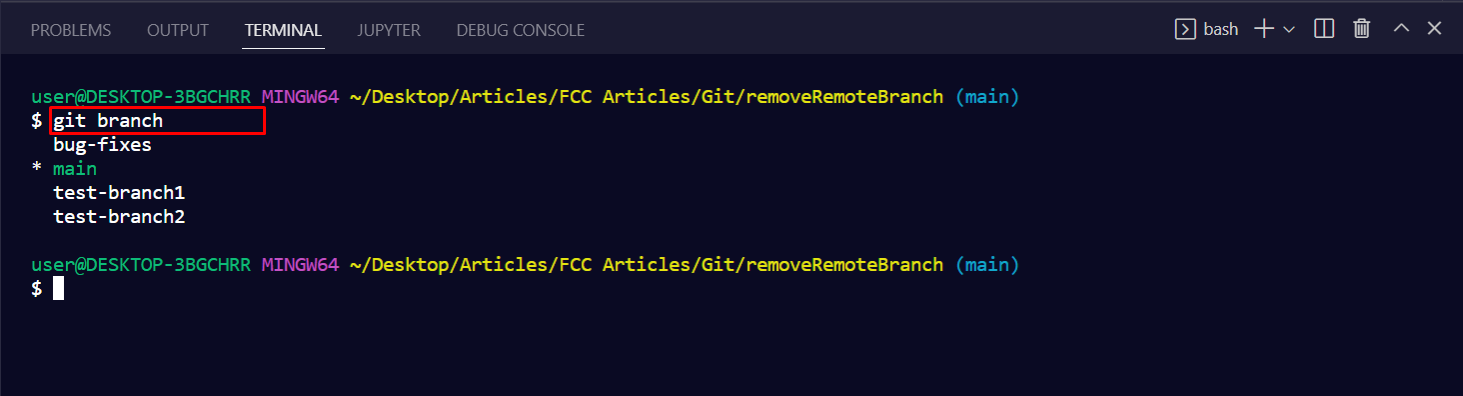
How to Delete a Local Branch in Git Local branches are branches on your local machine and do not affect any remote branches The command to delete a local branch in Git is git branch d local branch name git branch is the command to delete a branch locally d is a flag an option to the command and it s an alias for delete
Templates are pre-designed files or files that can be utilized for different purposes. They can conserve time and effort by providing a ready-made format and design for creating various sort of material. Templates can be used for personal or expert tasks, such as resumes, invitations, flyers, newsletters, reports, presentations, and more.
Git Delete Local Commits Not On Remote

Should You Require All Developers To Sign All Local Commits Writeabout

How To Perform A Git Delete On A Local Branch Kinsta
Git Delete Remote Branch How To Remove A Remote Branch In Git

Should You Require All Developers To Sign All Local Commits Writeabout
Git Managing Local Commits And Branches Tips Tricks Earthli News

Git Delete Local Branch How To Delete A Local Branch

John Wachira Dec 21 2022 Git Git Reset Git Revert This article will discuss the steps to undo local commits We will see how to delete a single commit to multiple commits in Git Delete Local Commits in Git We will discuss how to delete the latest commits in your local repository to kick things up

Step 0 Preparation Before manipulating the Git history ensure that your working directory is clean of any changes using the git status command Step 1 Delete commits locally To delete commits from a remote server first you will need to remove them from your local history 1 1 For consecutive commits from the top

Since deleting a commit history may cause conflict between local not pushed and remote pushed repos it would be best to use the revert command instead of git reset to undo changes you plan to push 3 Git branching Other times you want to git remove commits in a different branch A branch is a single development line

To undo that specific commit use the following command git revert cc3bbf7 no edit The command above will undo the changes by creating a new commit and reverting that file to its previous state as if it never changed Lastly use git push to push the change to the remote branch

Solution To remove any local commits git reset hard HEAD Note s This is kinda equivalent of the famous Linux destructive command rm rf If you want to undo the last 2 commits you ll have something like git reset hard HEAD 2 However if you want to rollback until a specific commit first find the commit ID and run
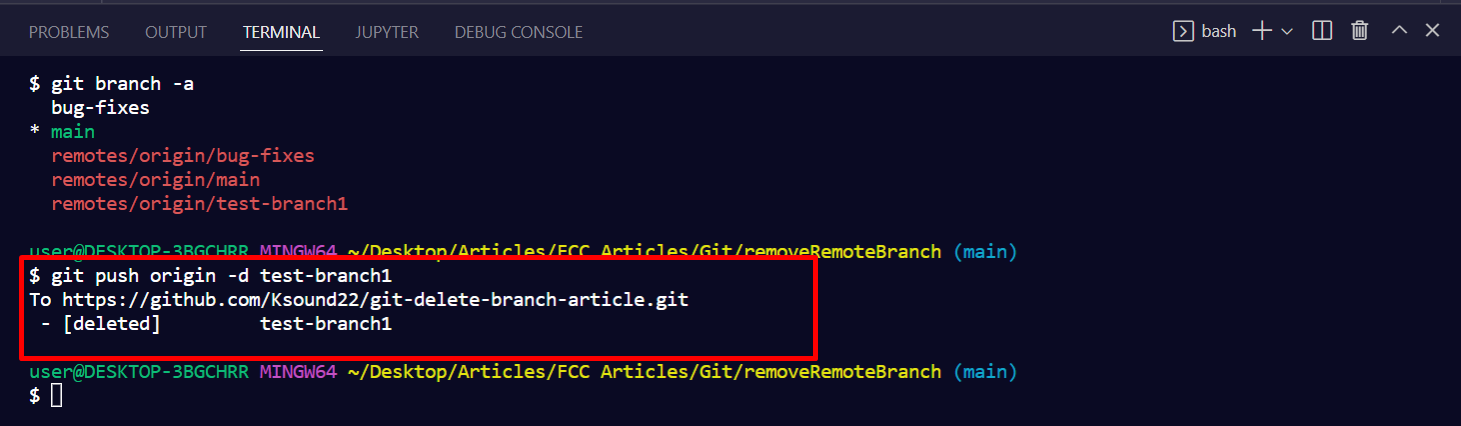
Delete a local branch git branch d D branchName the D option is for force deletion Delete a remote branch git push origin d branchName or git push origin branchName Also we ve understood that removing a branch on a local or remote will not impact the branches on the other side Yes Your solution will work git reset hard commit hash will wipe everything after that commit git push f origin branchname Will make your remote like that too Two precautions to take note of This will clean out your directory
Delete a remote commit Once we have removed the local commit and it s contents we can push this changes to remote using git push command git push origin master The sign tells git to do a force push to master git push origin npvrservice production Total 0 delta 0 reused 0 delta 0