Git Copy File From Remote Repository Set Up Git Repository Locally Contributor Guide Microsoft Learn How To Setup Multiple Git Accounts In The Same Machine Getting Changes From A Remote Repository GitHub Docs How To Create And Sync Git And GitHub Repositories Learn How To Use Local And Remote Repositories In Git YouTube WEB Feb 22 2022 nbsp 0183 32 It basically consists of 3 steps In the source repo filter all the files out of a specific branch that you DON T want to copy to the new repo In the target repo add the source repo as a remote In the target repo create a branch referencing the source repo In the target repo merge the branch It was suprisingly effective Here s the dance
WEB You can clone a repository from GitHub to your local computer to make it easier to fix merge conflicts add or remove files and push larger commits When you clone a repository you copy the repository from GitHub to your local machine WEB Clones a repository into a newly created directory creates remote tracking branches for each branch in the cloned repository visible using git branch remotes and creates and checks out an initial branch that is forked from the
Learn How To Use Local And Remote Repositories In Git YouTube Linux Scp Windows Path BEST GAMES WALKTHROUGH Cultural Analytics Open Science Guide 6 Create A GitHub Account Git Repository Commands BRS MEDIA TECHNOLOGIES GIT Tutorial Remote Repositories Vividbreeze Dev Blog PLEASE HELP Can t Push Code To GitHub Repository Anymore Community How To Transfer Files To Linux From Windows 10 Over SSH How To Create And Sync Git And GitHub Repositories Continuous Integration And DevOps Tools Setup And Tips Git Workflow
Git Copy File From Remote Repository
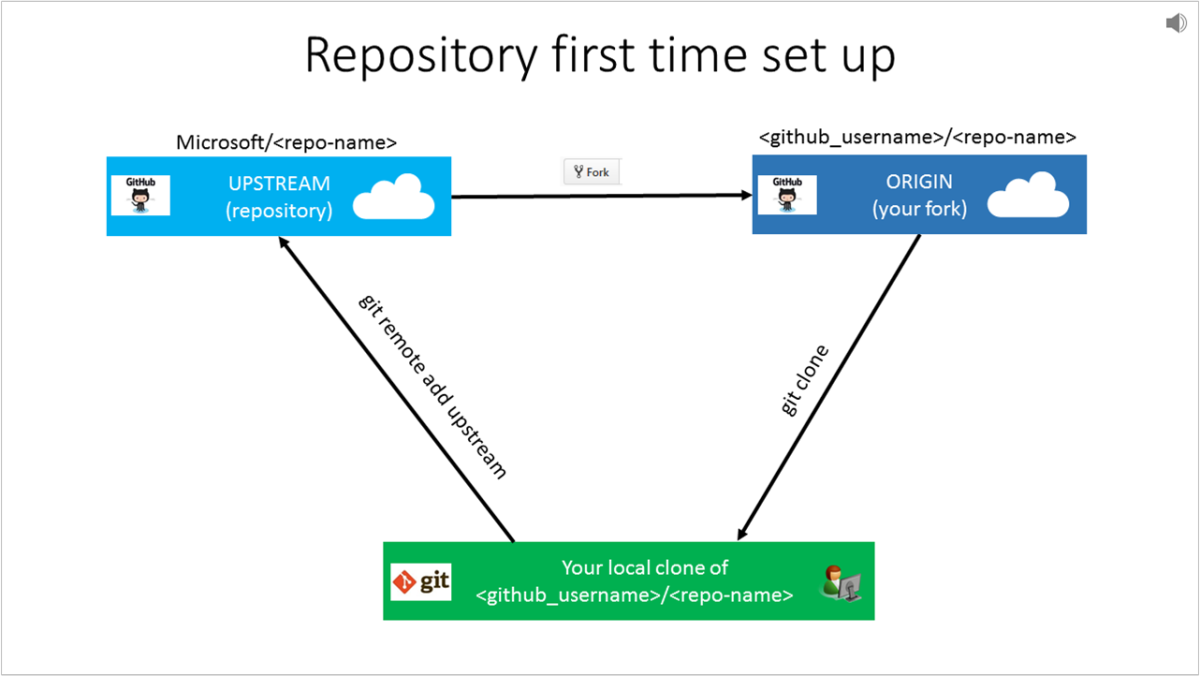 Git Copy File From Remote Repository
https://learn.microsoft.com/en-us/contribute/media/git-and-github-initial-setup.png
WEB Open a terminal and go to the directory where you want to clone the files Run the following command Git automatically creates a folder with the repository name and downloads the files there git clone lt copied URL gt GitLab requests your username and password
Templates are pre-designed files or files that can be utilized for various purposes. They can conserve time and effort by offering a ready-made format and layout for producing various type of material. Templates can be used for personal or expert tasks, such as resumes, invitations, flyers, newsletters, reports, discussions, and more.
Git Copy File From Remote Repository
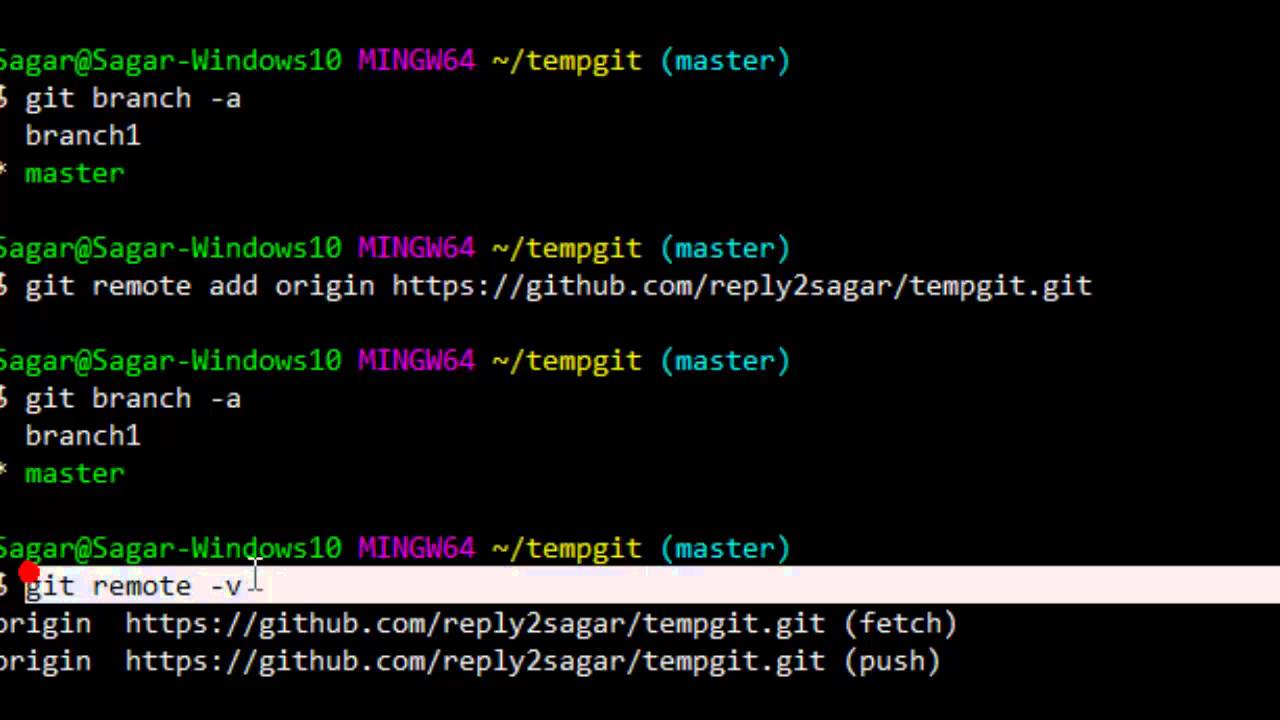
How To Push Local Git Repository To Github YouTube

Linux Scp Windows Path BEST GAMES WALKTHROUGH
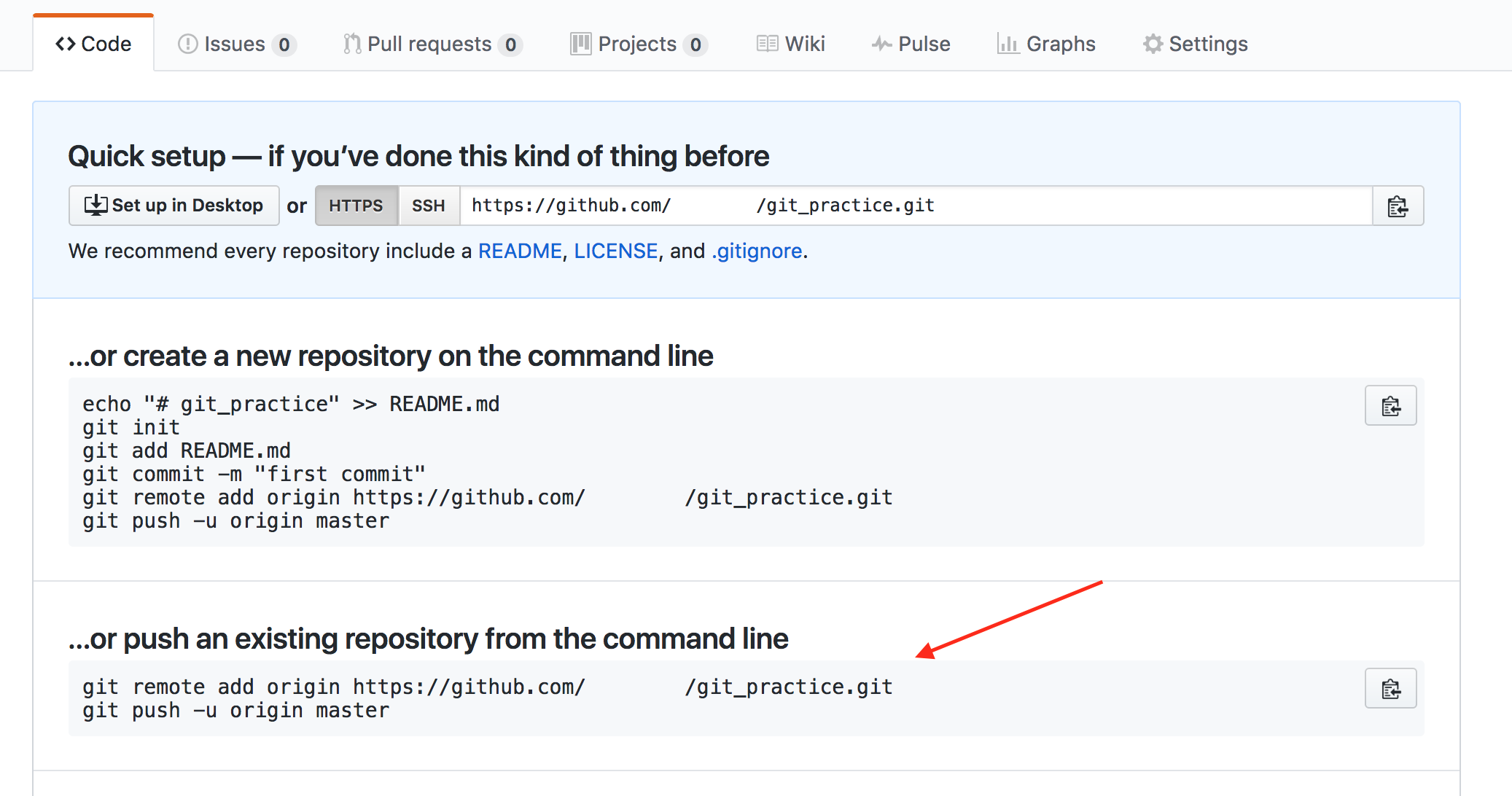
Cultural Analytics Open Science Guide 6 Create A GitHub Account
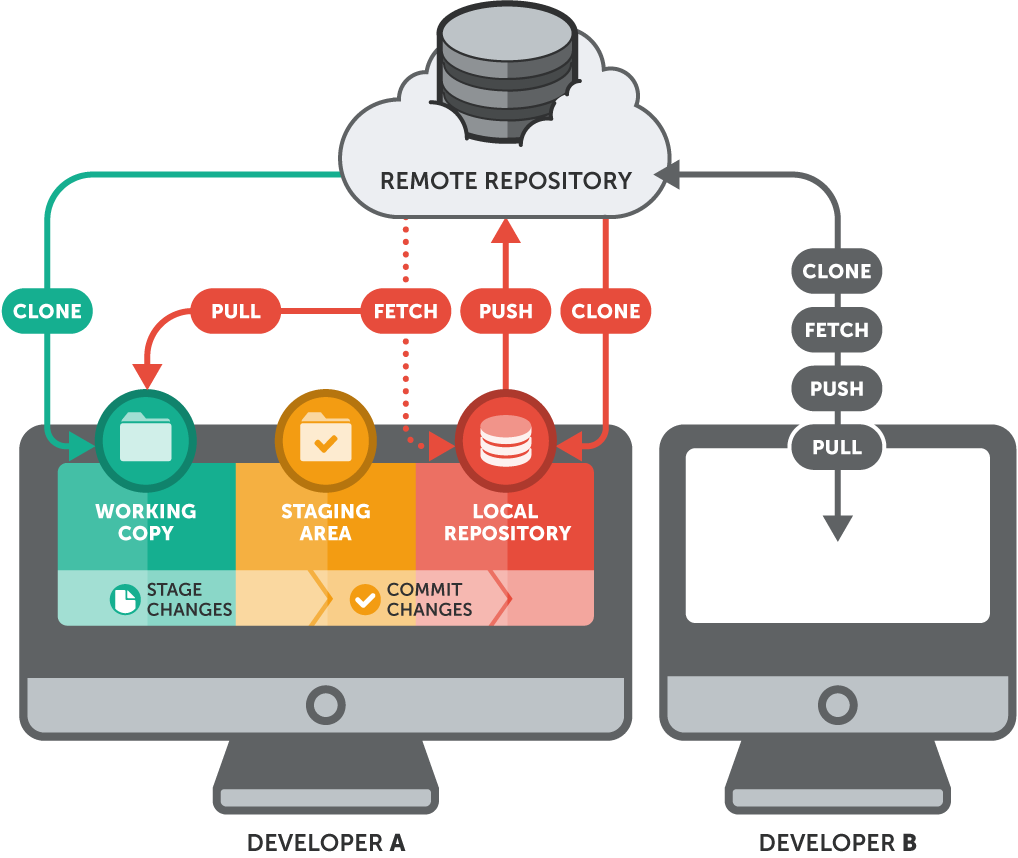
Git Repository Commands BRS MEDIA TECHNOLOGIES

PLEASE HELP Can t Push Code To GitHub Repository Anymore Community
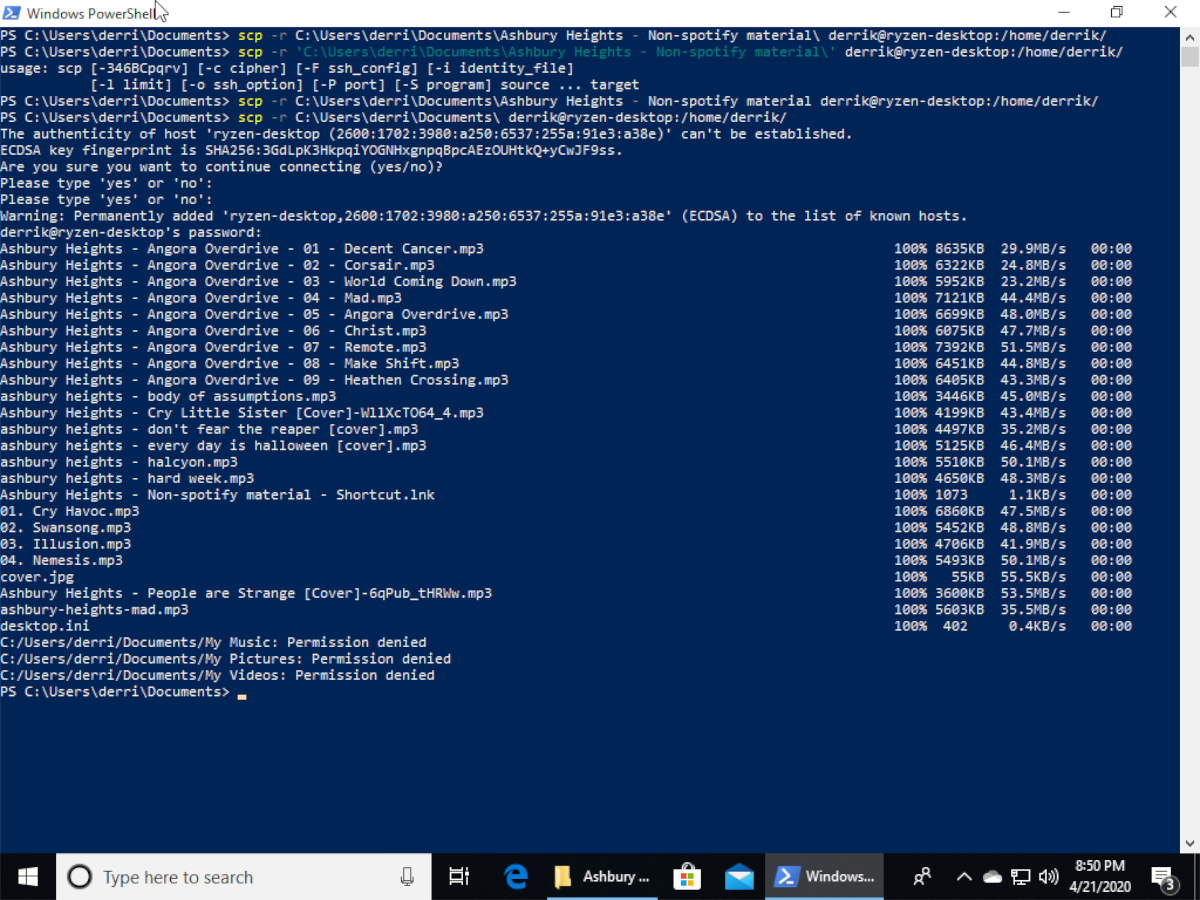
How To Transfer Files To Linux From Windows 10 Over SSH
WEB Aug 20 2011 nbsp 0183 32 The clone command will create a repo with a working tree already checked out in it and a git representing your full repo You need to have at least a shared path in order for other to clone pull push your repo See git local protocol

WEB git checkout otherbranch path to myfile txt copies the file to the working directory your files on disk but also to the staging area It has the same effect as if you copied the file manually and executed git add on it
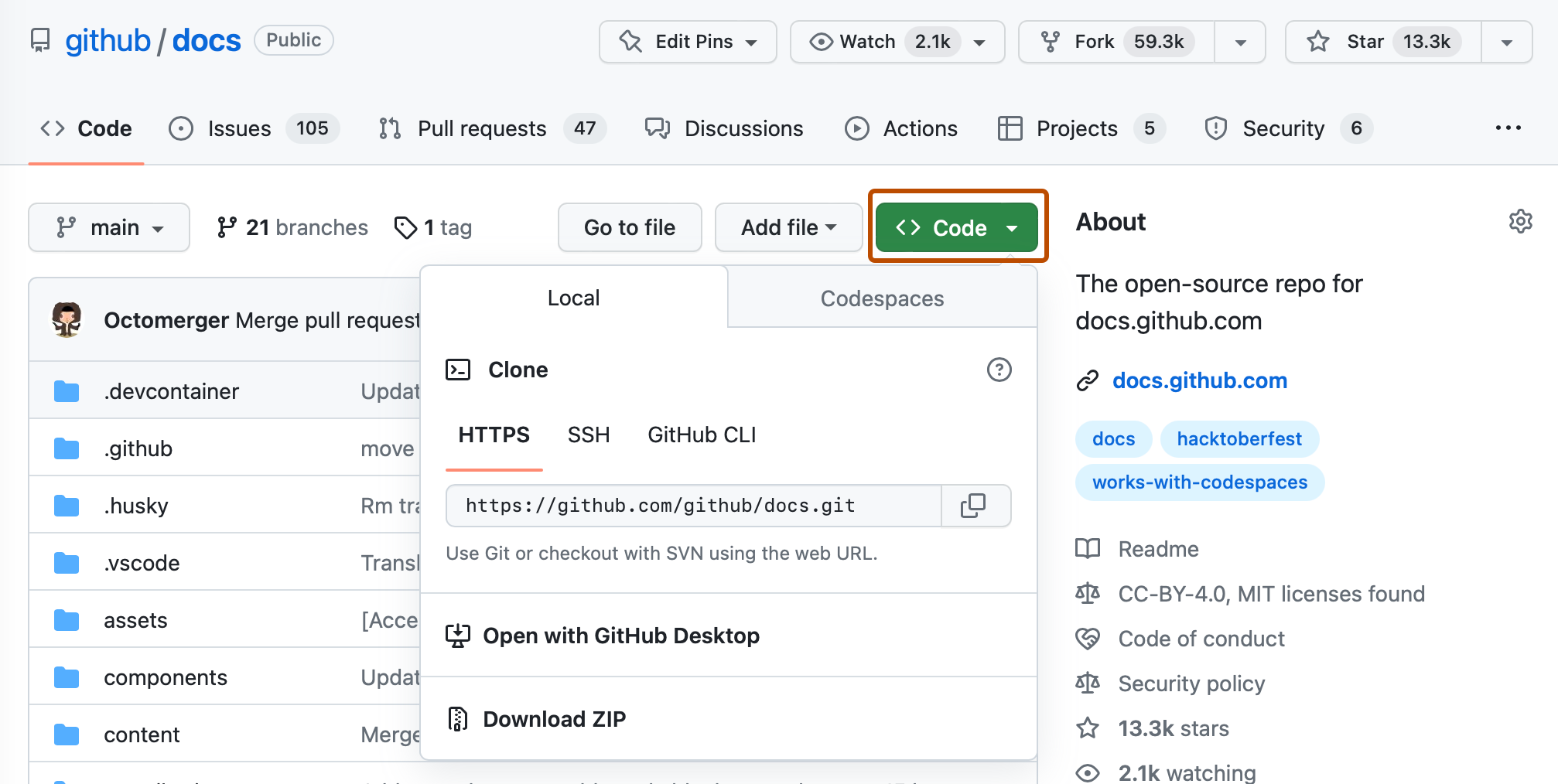
WEB To see which remote servers you have configured you can run the git remote command It lists the shortnames of each remote handle you ve specified If you ve cloned your repository you should at least see origin that is the default name Git gives to the server you cloned from git clone https github schacon ticgit

WEB To grab a complete copy of another user s repository use git clone like this git clone https github USERNAME REPOSITORY git Clones a repository to your computer You can choose from several different URLs when cloning a repository
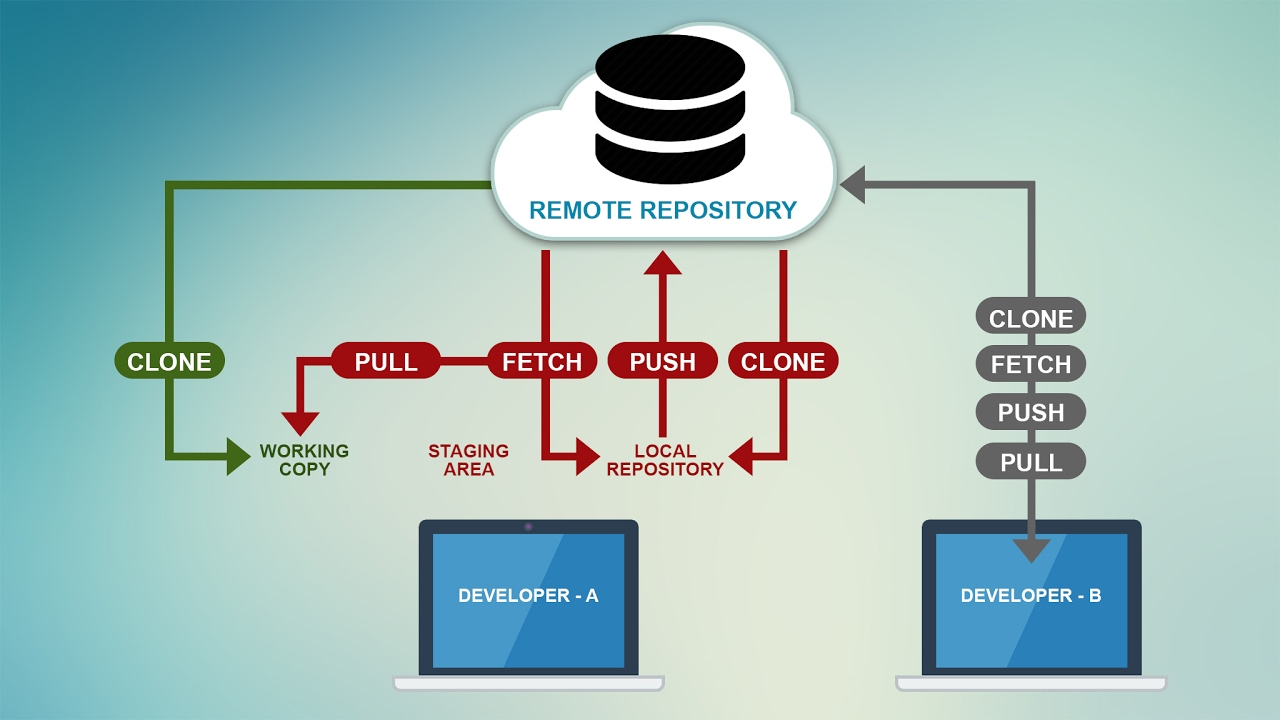
WEB Dec 26 2023 nbsp 0183 32 Copying a file from a local repository to a remote repository The git copy command can be used with a variety of options to specify the source and destination of the file copy For example the following command copies the file README md from the master branch to the staging branch git copy master staging README md
WEB Jun 6 2024 nbsp 0183 32 First open your terminal on macOS or Linux or command prompt on Windows Step 2 Navigate to the Desired Directory Navigate to the directory where you want to clone the repository Use the cd command to change directories For example cd path to your directory Step 3 Clone the Repository WEB I want an exact quot copy quot of a remote branch quot copied quot to a specific local branch Say for example a team member has created an experimental feature which he has checked into a branch called experiment on the remote repository
WEB There are some workaround solutions to be able to get a single file out of a git archive listed on a Stack Exchange answer for the same question but you will still have to download the entire repository to get that single file or directory you want