Git Config Change Email Git Config With Multiple Email Addresses By Nimatullah Razmjo Medium git Config Email Tutorial WiseTut How To Configure Git Username And Email Address DevsDay ru How To Set Git Config Username And Email Setup Git User Open Source Agenda Web Open Git Bash Change the current working directory to the local repository where you want to configure the name that is associated with your Git commits Set a Git username git config user name quot Mona Lisa quot Confirm that you have set the Git username correctly git config user name gt Mona Lisa Further reading quot Setting your commit email address quot
Web You can run the quot git config quot command with the global flag this will make sure all of your future commits use the given information git config global user name quot John Doe quot git config global user email quot john doe quot Changing Your Committer Name amp Web Sep 10 2022 nbsp 0183 32 2 The git config list command Another way to show your Git username is with this git config command git config list which returns this output user name Alvin Alexander user email omitted merge tool vimdiff 3 Look in your Git configuration file Finally you can also see your Git username in the Git configuration file in your HOME
Setup Git User Open Source Agenda Dev Minutes How To Set Git Config username Email And Credentials How To Get Git Config Username And Email Git Tutorial 3 Config Your Username Email YouTube Git Tutorial 2 Config Our Username And Email Using Git On Mac Enaswifi How To Change The Git Username And Pword Tutorial Pics Author Identity Unknown Please Tell Me Who You Are Run Git Config How To Configure Git Username And Email Address
Git Config Change Email
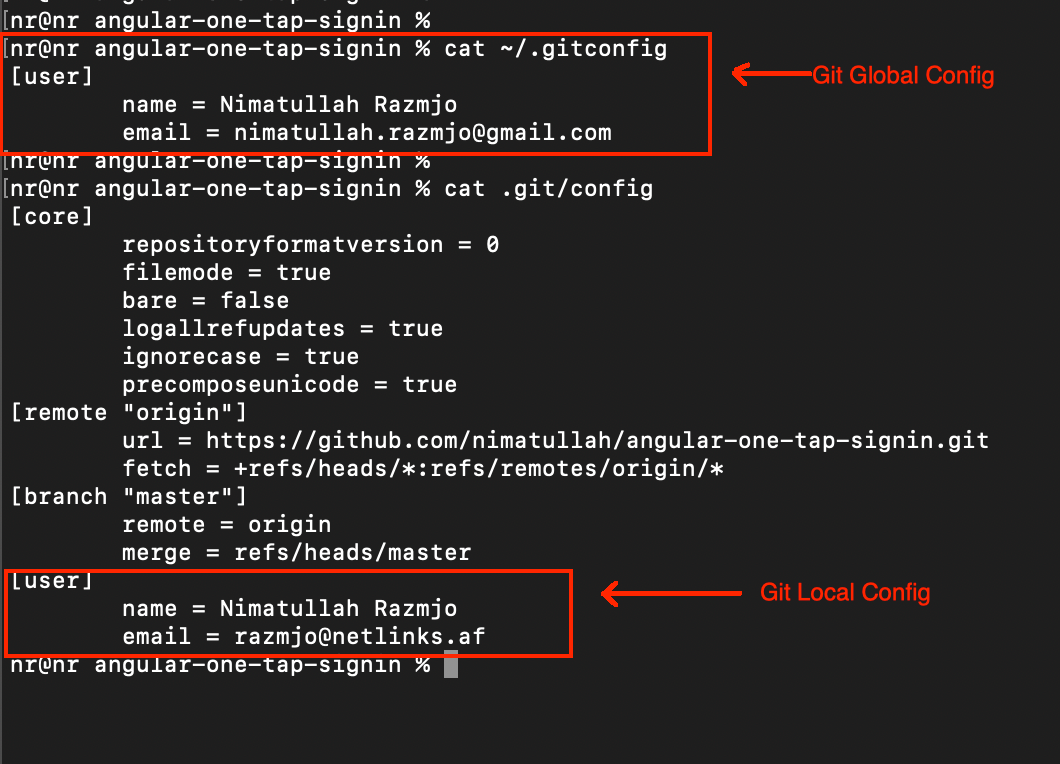 Git Config Change Email
https://miro.medium.com/v2/resize:fit:1060/1*ecSZoJPUv5-x-UjpAJY5qA.png
Web You can use the git config command to change the email address you associate with your Git commits The new email address you set will be visible in any future commits you push to data variables location product location from the command line
Templates are pre-designed files or files that can be used for different purposes. They can conserve effort and time by supplying a ready-made format and layout for producing different kinds of material. Templates can be used for individual or expert jobs, such as resumes, invites, flyers, newsletters, reports, discussions, and more.
Git Config Change Email
SungaMagnus Config Git Default Setting
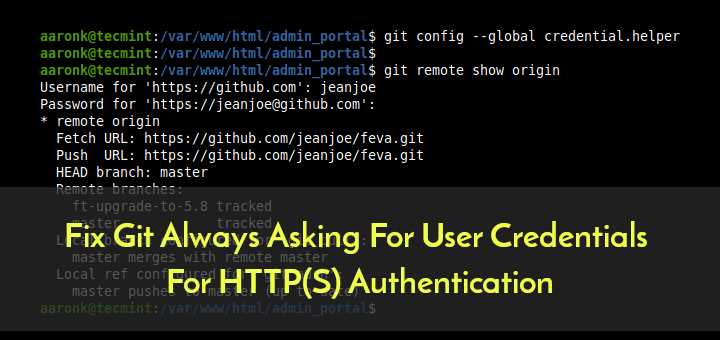
Dev Minutes How To Set Git Config username Email And Credentials
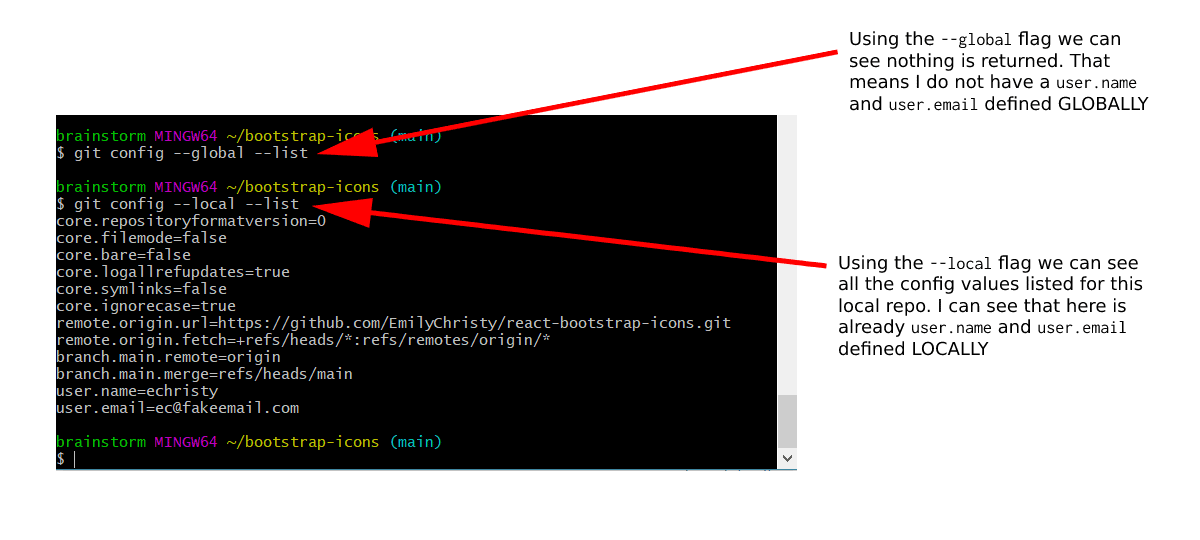
How To Get Git Config Username And Email
Git Tutorial 3 Config Your Username Email YouTube
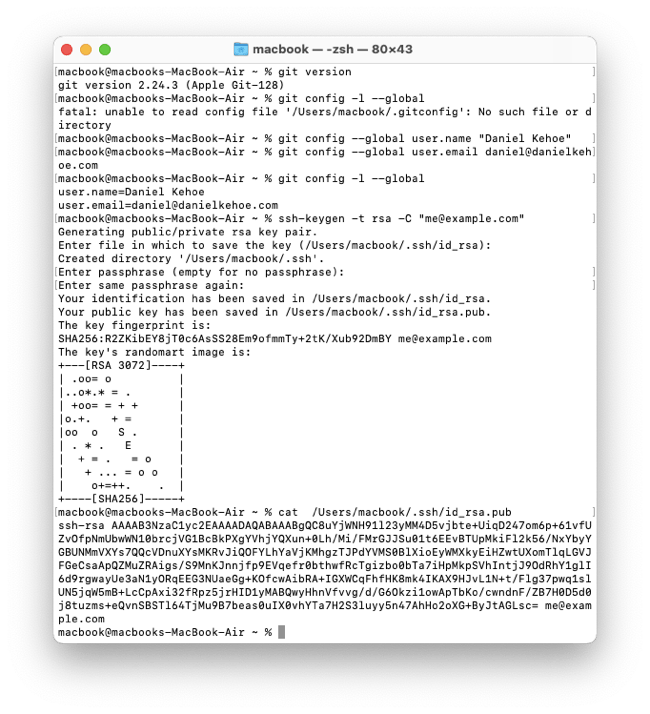
Using Git On Mac Enaswifi
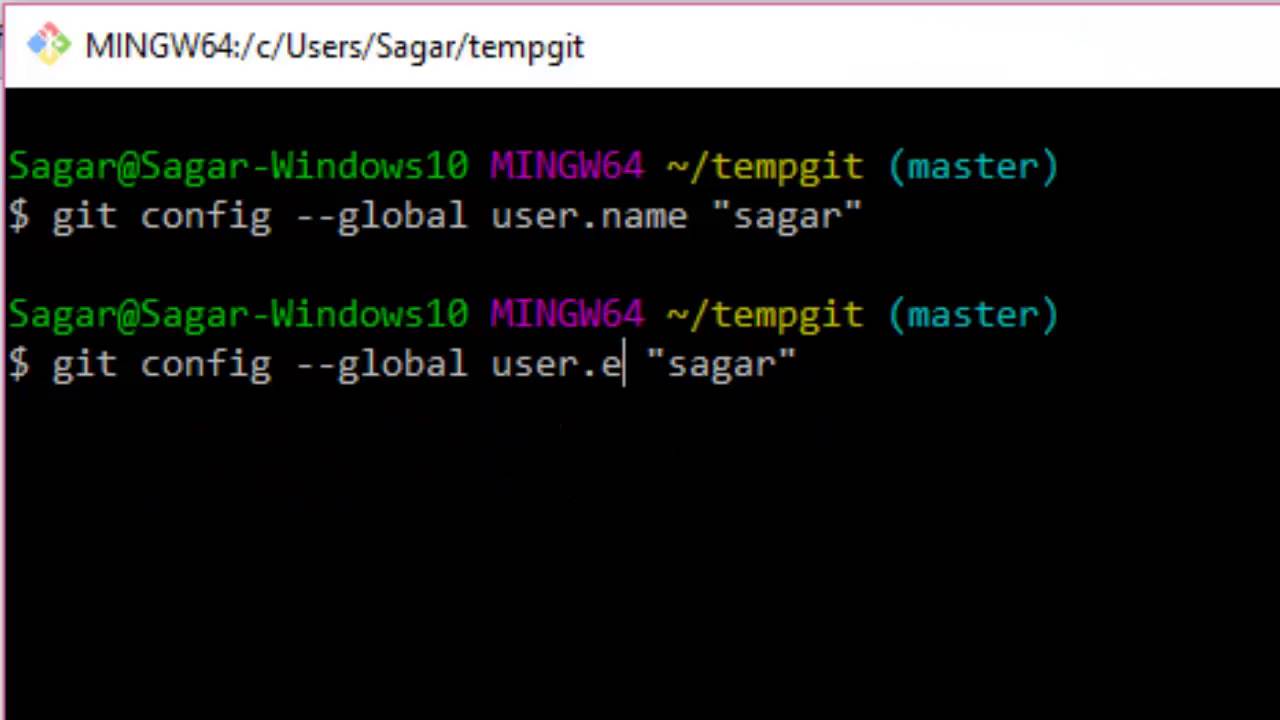
How To Change The Git Username And Pword Tutorial Pics
Web Oct 26 2021 nbsp 0183 32 Let s say you want to set a repository specific username and email address for a stored in the Code myapp directory First switch the repository root directory cd Code myapp Set a Git username and email address git config user name quot Your Name quot git config user email quot youremail yourdomain quot

Web This will change both the committer and the author to your user name user email configuration If you did not want to change that config you can use author quot New Author Name lt email address example gt quot instead of reset author Note that doing so will not update the committer just the author
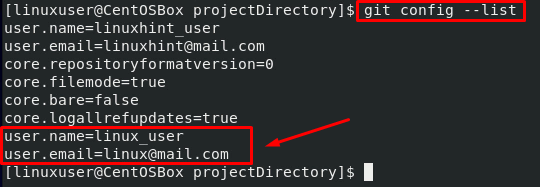
Web Setting your email address for a single repository Open Terminal Terminal Git Bash Change the current working directory to the local repository where you want to configure the email address that you Set an email address in Git You can use your GitHub provided noreply email address or any email

Web Git Configuration As you read briefly in Getting Started you can specify Git configuration settings with the git config command One of the first things you did was set up your name and email address git config global user name quot John Doe quot git config global user email johndoe example

Web Apr 3 2014 nbsp 0183 32 17 Answers Sorted by 599 50 In your terminal navigate to the repo you want to make the changes in Execute git config list to check current username amp email in your local repo Change username amp email as desired Make it a global change or specific to the local repo git config global user name quot Full Name quot
Web Feb 10 2017 nbsp 0183 32 6 Answers Sorted by 606 For just one repo go into to the relevant repo DIR and git config user name quot Your Name Here quot git config user email your email example For global default email which is configured in your gitconfig git config global user name quot Your Name Here quot git config global user email your email example Web Jan 14 2021 nbsp 0183 32 System Administration open source Change Git User Name and Email in 3 Steps Open your terminal and navigate to your git repository Change Git user name by running git config user name Your Name Change Git user email by running git config user email name email
Web OPTIONS replace all Default behavior is to replace at most one line This replaces all lines matching the key and optionally the value pattern add Adds a new line to the option without altering any existing values This is the same as providing as the value pattern in replace all get