Git Command To Commit Staged Changes Get Started With Git Commands For Version Control Earth Data Science GIT Commands Basic To Advanced GIT Commands List That You Should Know How Do You Correct A Commit Message In Git O Reilly To Write Git Vrogue GIT Branch And GIT Merge Git changes Not Staged For Commit MambaInVeins Blog Web Dec 29 2019 nbsp 0183 32 The most common option used with git commit is the m option The m stands for message When calling git commit it is required to include a message The message should be a short description of the changes being committed The message should be at the end of the command and it must be wrapped in quotations quot quot
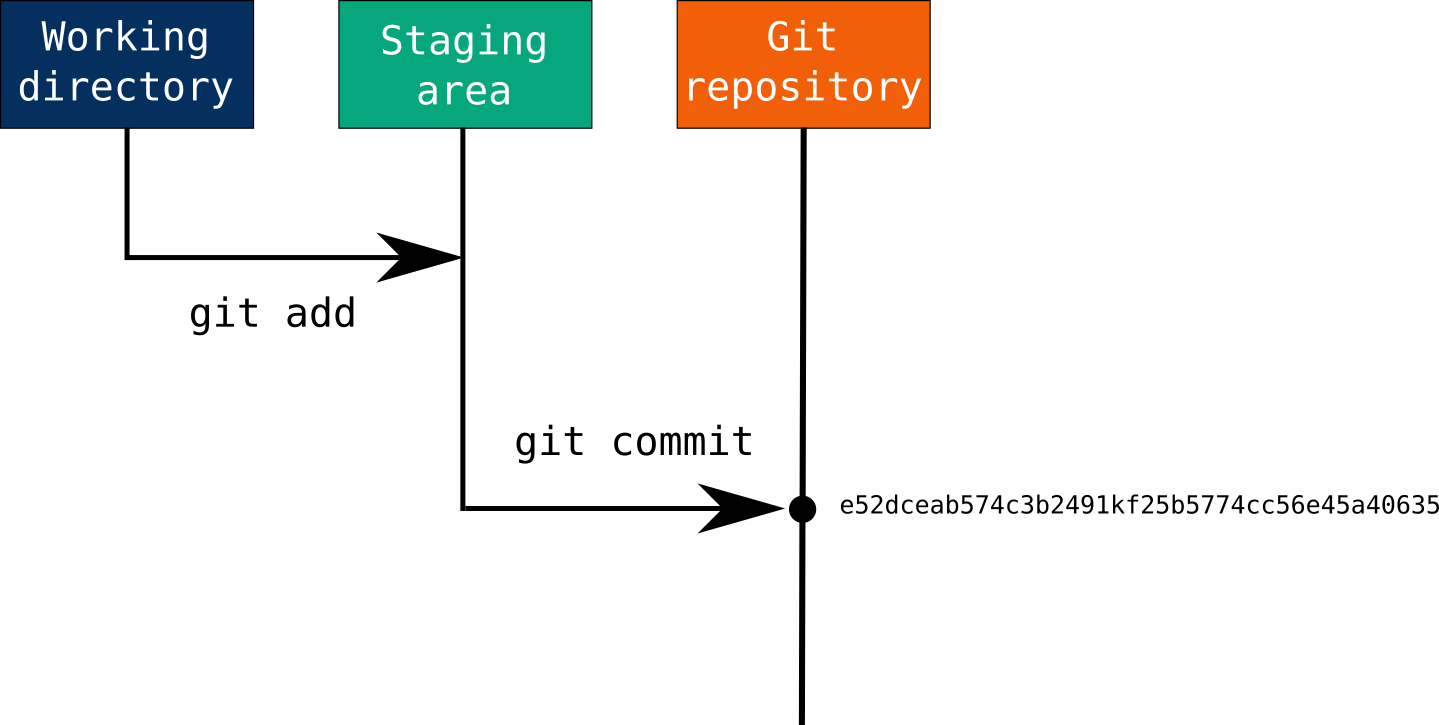
Web Use the interactive patch selection interface to choose which changes to commit See git add 1 for details C lt commit gt reuse message lt commit gt Take an existing commit object and reuse the log message and the authorship information including the timestamp when creating the commit c lt commit gt reedit message lt commit gt Web For a basic workflow you can use the quot git add quot command to stage changes for the next commit The actual commit command will then wrap up the mentioned changes in a new commit object git add index html css styles css git commit
Git changes Not Staged For Commit MambaInVeins Blog GIT Repository What Does Stage Mean In GIT Source Control Crunchify Git git CSDN How To Git Add All Files Git How To Add All Modified File To Commit GIT 1 CodingBucks Dev Blog Continuous Integration And DevOps Tools Setup And Tips Git Workflow Commands And Operations In Git DZone Git Push Pull Youtube Gambaran Git Commit a Stage Commit Files In A Single Step lph rithms
Git Command To Commit Staged Changes
 Git Command To Commit Staged Changes
https://www.earthdatascience.org/images/earth-analytics/git-version-control/git-add-commit.png
Web The git add command adds a change in the working directory to the staging area It tells Git that you want to include updates to a particular file in the next commit However git add doesn t really affect the repository in any significant way changes are not actually recorded until you run git commit
Pre-crafted templates provide a time-saving option for developing a diverse series of documents and files. These pre-designed formats and designs can be used for different individual and professional tasks, including resumes, invitations, flyers, newsletters, reports, discussions, and more, streamlining the material creation process.
Git Command To Commit Staged Changes
Commit Changes To A Git Repository TestingDocs
GIT Repository What Does Stage Mean In GIT Source Control Crunchify
Git git CSDN
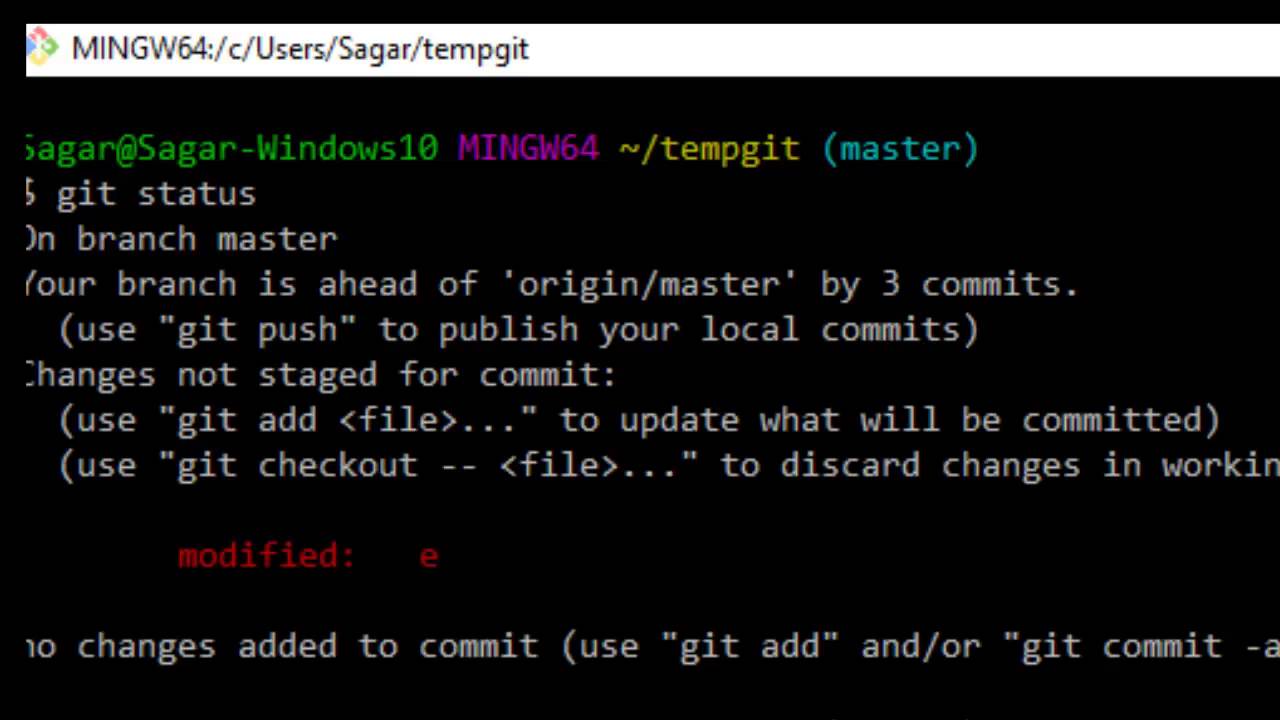
How To Git Add All Files Git How To Add All Modified File To Commit
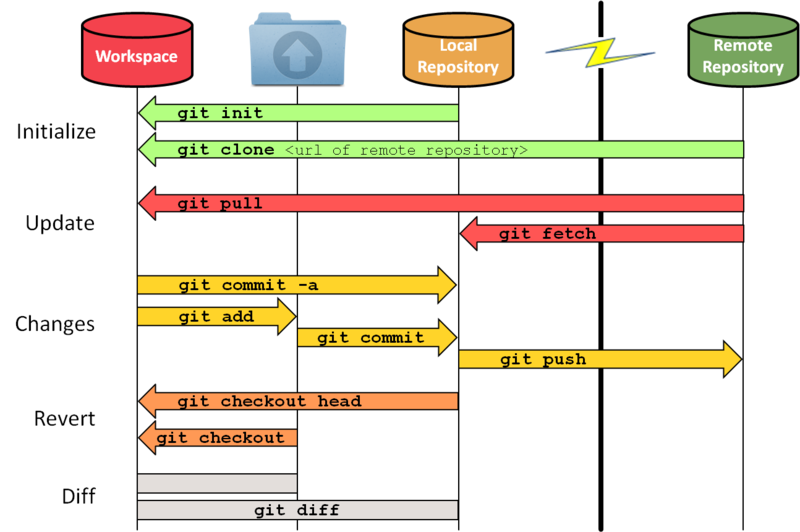
Continuous Integration And DevOps Tools Setup And Tips Git Workflow
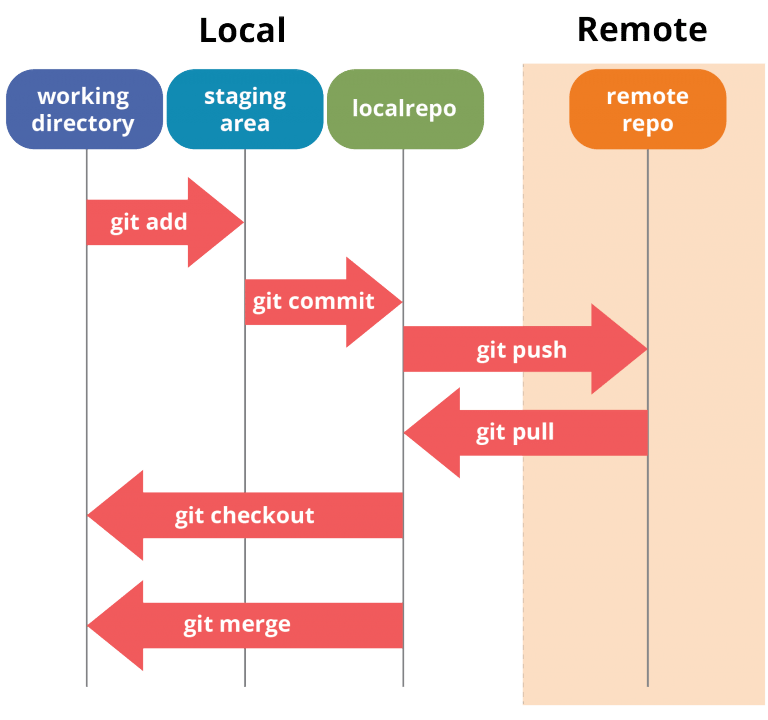
Commands And Operations In Git DZone
Web Dec 19 2022 nbsp 0183 32 1 In your terminal Terminal Git Bash or Windows Command Prompt navigate to the folder that is your Git repo 2 Enter this command git status 3 You ll see what branch you are on which for new repos will be master and status of files untracked modified or deleted We ll explain branches later Stage Files to Prepare for Commit 1
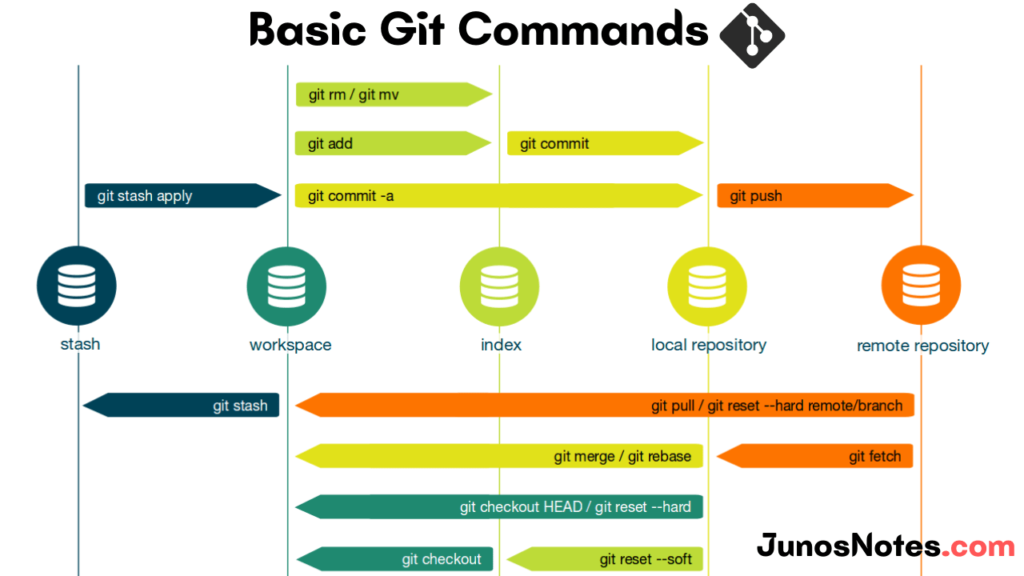
Web Mar 10 2010 nbsp 0183 32 The simplest way is to use the following command to add and commit the changes with one command git commit a m quot your commit message quot CAUTION This will not commit untracked files
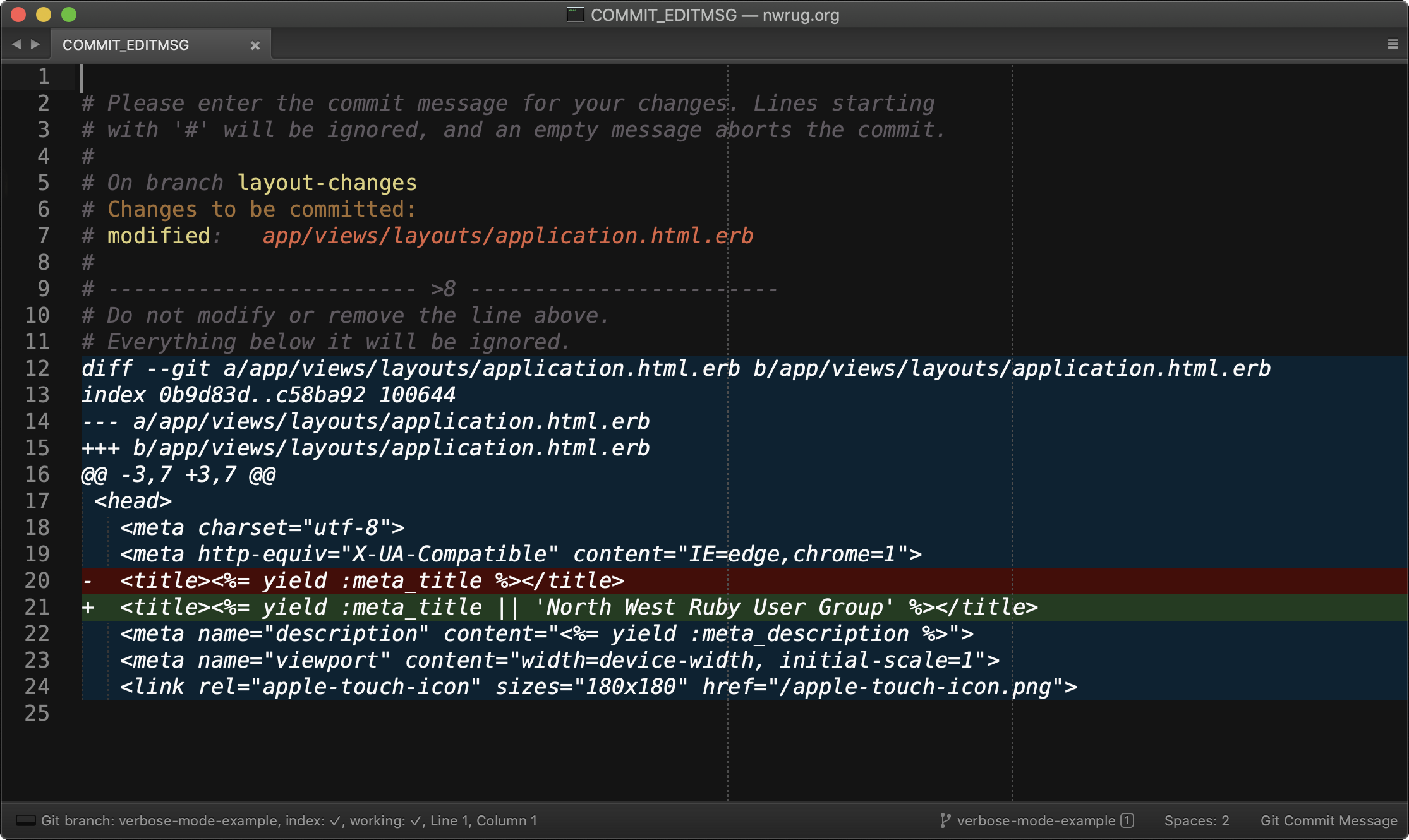
Web The git commit command captures a snapshot of the project s currently staged changes Committed snapshots can be thought of as safe versions of a project Git will never change them unless you explicitly ask it to
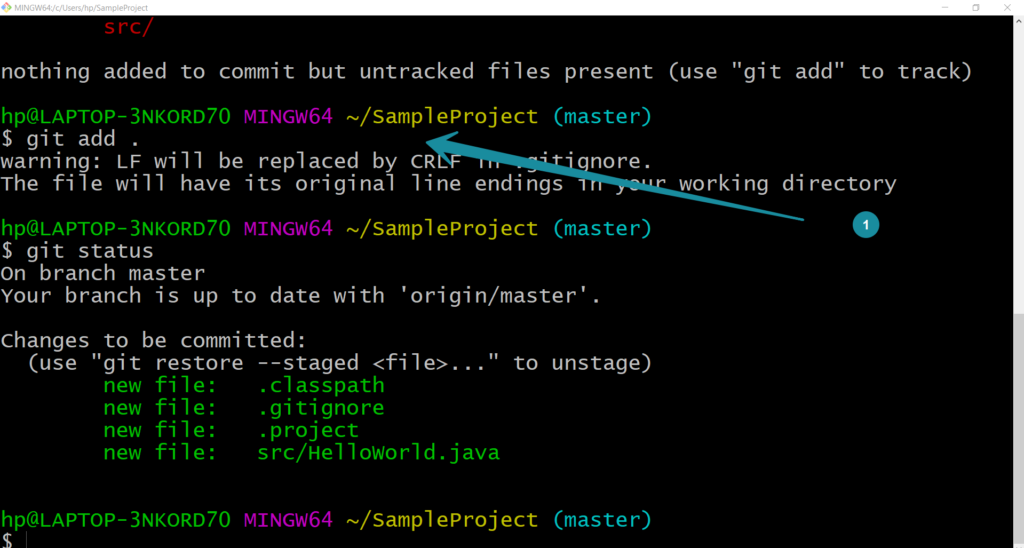
Web git add Or to only add files which are currently tracked quot update quot git add u If desired review the staged changes git status display a list of changed files git diff cached shows staged changes inside staged files Finally commit the changes git commit m quot Commit message here quot

Web Feb 11 2013 nbsp 0183 32 git commit am quot Message for my commit quot This will automatically add all tracked files and you can type your message in one command a all Tell the command to automatically stage files that have been modified and deleted but new files you have not told Git about are not affected m lt msg gt message lt msg gt
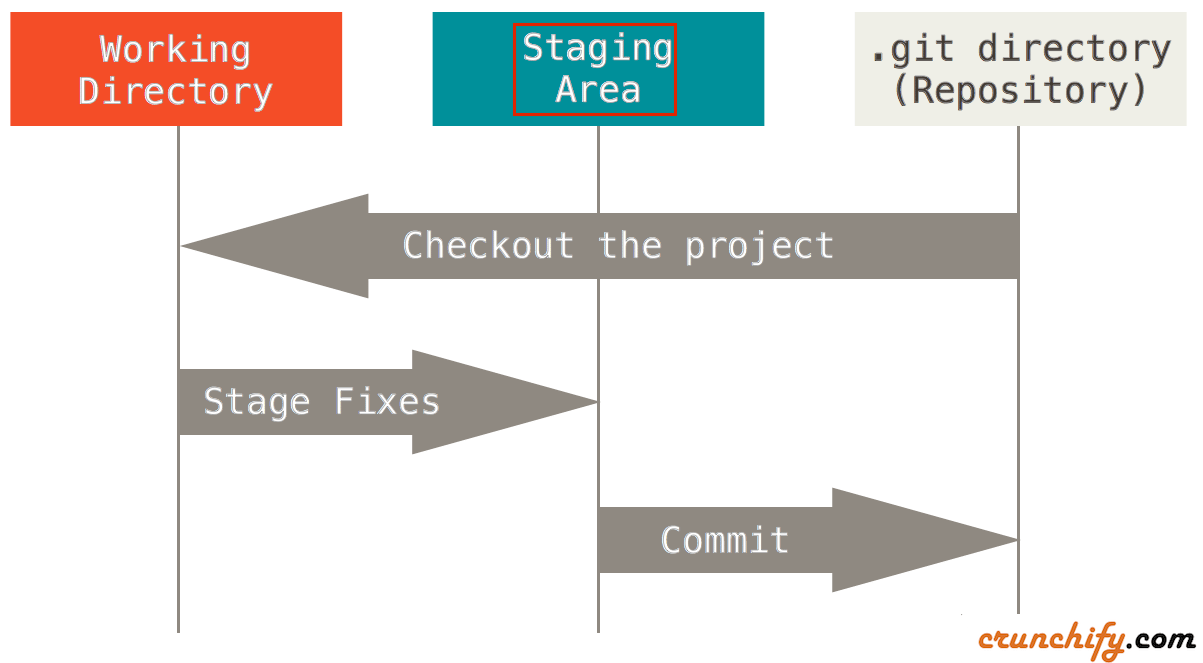
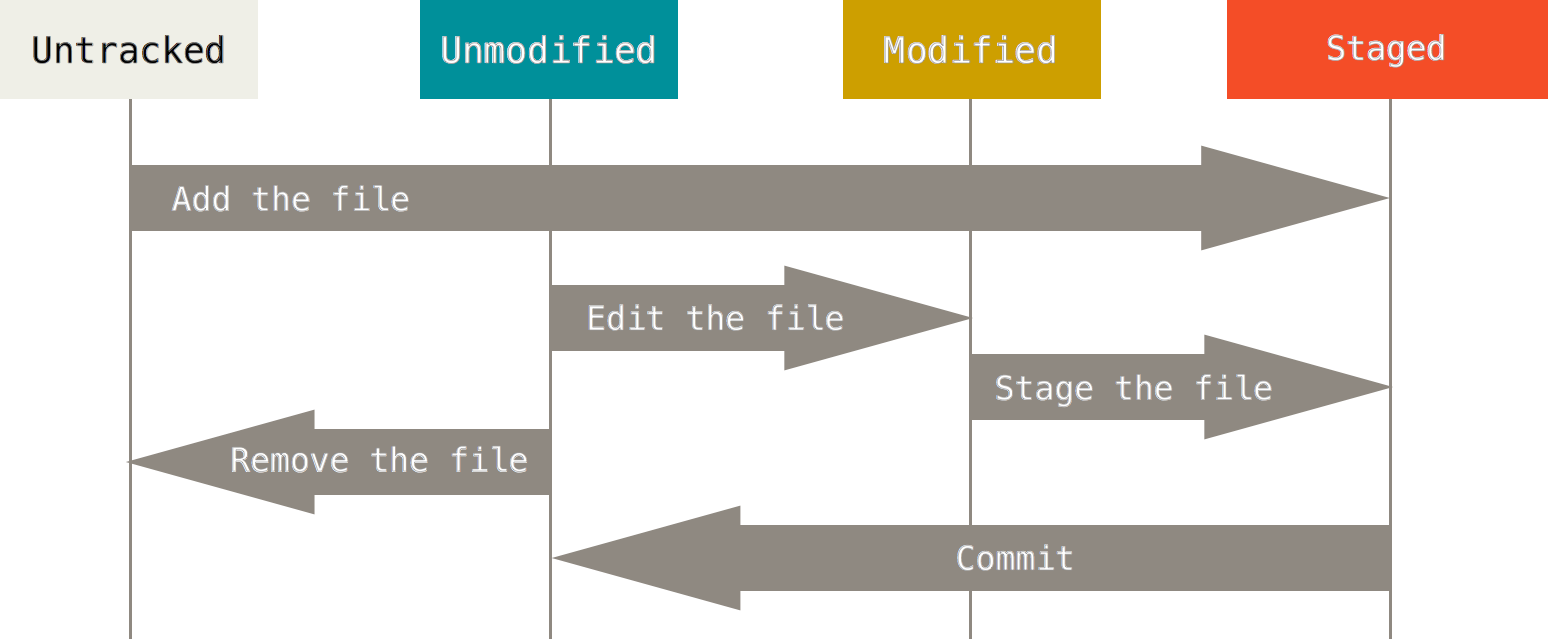
Web A staging step in git allows you to continue making changes to the working directory and when you decide you wanna interact with version control it allows you to record changes in small commits Suppose you have edited three files a html b html and c html Web Changes not staged for commit use quot git add rm lt file gt quot to update what will be committed use quot git checkout lt file gt quot to discard changes in working directory deleted PROJECTS md no changes added to commit use quot git add quot and or quot git commit a quot Then if you run git rm it stages the file s removal
Web It adds changes to Git s quot Staging Area quot the contents of which can then be wrapped up in a new revision with the quot git commit quot command Important Options lt file path gt Specifies the files you want to add to the Staging Area Note that you can both enter multiple file paths as well as paths to directories the latter will then add all modifications