Git Clean Not Removing Ignored Files How to Remove Local Untracked Files in Git Working Directory Git Tutorial 21 – Git Clean - Remove Untracked Files From The Working Tree - Make Selenium Easy Deleting untracked files from git - DEV Community 👩💻👨💻 git clean | Delete untracked files in Git git rm --cached not removing files from tracking - Stack Overflow Git Source Code Mirror This is a publish only repository but pull requests can be turned into patches to the mailing list via GitGitGadget https gitgitgadget github io
Note git scm is a popular and recommended resource for downloading Git for Windows The advantage of downloading Git from git scm is that your download automatically starts with the latest version of Git included with the recommended command prompt Git Bash The download source is the same Git for Windows installer as referenced in the steps If you want to work with Git locally but do not want to use the command line you can download and install the GitHub Desktop client For more information see About GitHub Desktop If you do not need to work with files locally GitHub lets you complete many Git related actions directly in the browser including
git rm --cached not removing files from tracking - Stack Overflow How To Remove Committed Files From Git Version Control | by Ali Kamalizade | Better Programming Here's How to Clean Git and Remove Untracked Files Cant pull nor commit from git for untracked file - Stack Overflow How to Remove Untracked Files from the Current Working Tree in Git How to Remove Untracked Files in Git Git Clean Command How to Remove Local Untracked Files in Git Working Directory git rm - How do I delete a file from a Git repository? - Stack Overflow
Git Clean Not Removing Ignored Files
 Git Clean Not Removing Ignored Files
https://initialcommit.com/img/initialcommit/git-remove-untracked-files.png
Set up Git a distributed version control system to manage your GitHub repositories from your computer Set up Git At the heart of GitHub is an open source version control system VCS called Git
Templates are pre-designed documents or files that can be used for numerous purposes. They can save effort and time by supplying a ready-made format and layout for developing various sort of material. Templates can be utilized for individual or professional tasks, such as resumes, invites, flyers, newsletters, reports, presentations, and more.
Git Clean Not Removing Ignored Files

Francesco Marassi
How To Remove Committed Files From Git Version Control | by Ali Kamalizade | Better Programming
Here's How to Clean Git and Remove Untracked Files

Cant pull nor commit from git for untracked file - Stack Overflow
How to Remove Untracked Files in Git
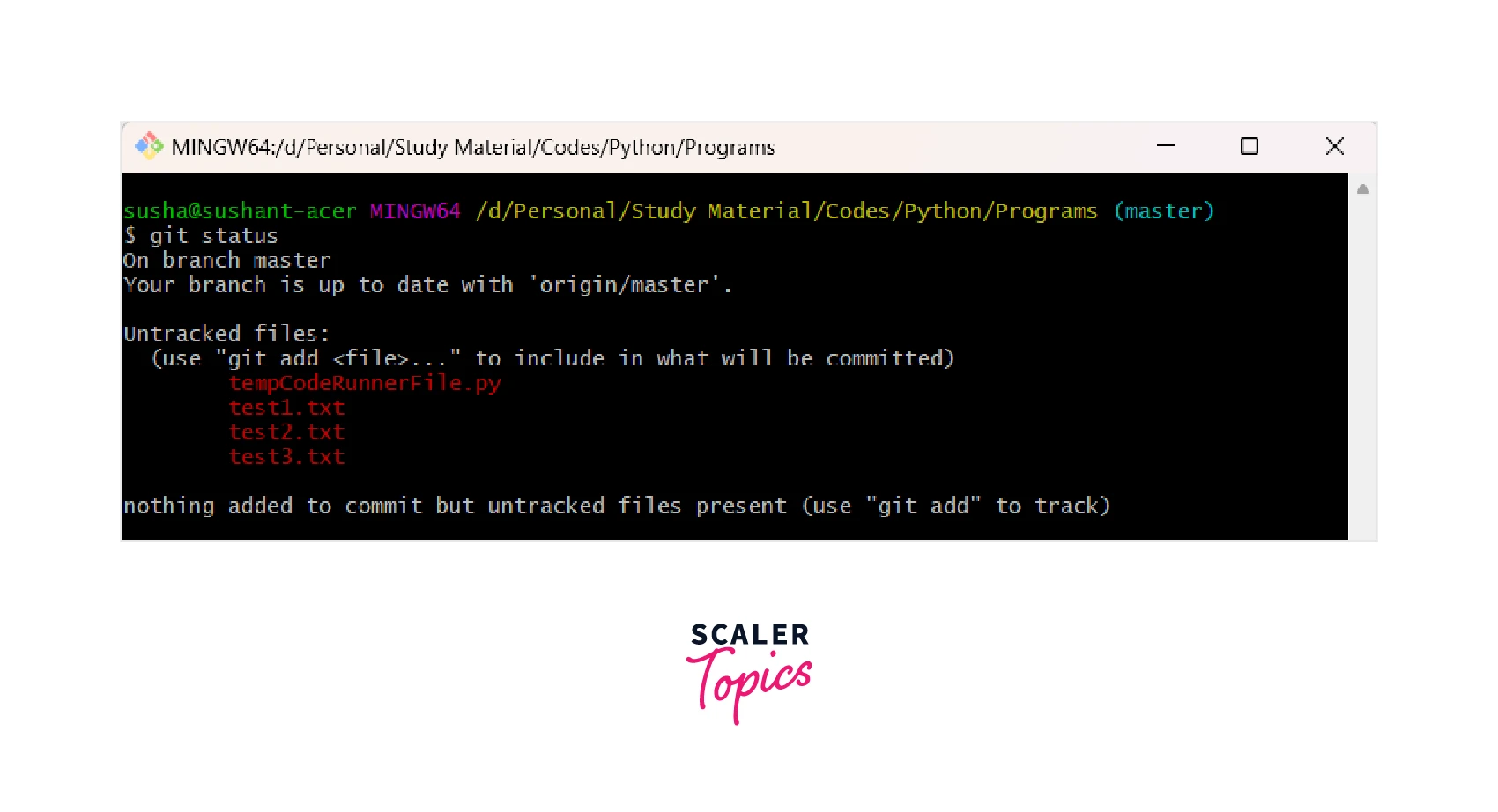
Git Clean Command
Collaborative working one of GitHub s fundamental features is made possible by the open source software Git upon which GitHub is built About Git Git is a version control system that intelligently tracks changes in files Git is particularly useful when you and a group of people are all making changes to the same files at the same time

This article will give you all the tools you need to use Git in your day to day workflow Prerequisites To follow this tutorial you need to install Visual Studio Code Learning Git basics with GitHub Desktop For standard Git operations we recommend GitHub Desktop an app that lets you interact with Git visually instead of through written

Git Public Git Source Code Mirror This is a publish only repository but pull requests can be turned into patches to the mailing list via GitGitGadget https gitgitgadget github io
A demonstration animation of a code editor using GitHub Copilot Chat where the user requests GitHub Copilot to refactor duplicated logic and extract it into a reusable function for a given code snippet

Git init initialize an existing directory as a Git repository git clone url retrieve an entire repository from a hosted location via URL BRANCH amp MERGE Isolating work in branches changing context and integrating changes git branch list your branches a will appear next to the currently active branch git branch branch name
[desc-11] [desc-12]
[desc-13]