Git Cherry Pick Resolve Conflicts Continue The Git Cherry Pick Command GIT Remove Branch How Does Remove Branch Work In GIT Git How To Use The Cherry pick Command Fix Git Cherry Pick Merge Conflicts YouTube Git PyCharm Method 1 Solve with Visual Studio Code and Git Bash Visual Studio Code has an elegant interface to fix git conflicts Visual Studio Code is my favorite editor while programming It s
1 For your questions It mainly caused there still have conflicts You can use git status to check If there have conflicts you should modify and save the conflict files then use git add and git commit Git cherry pick is a powerful command that enables arbitrary Git commits to be picked by reference and appended to the current working HEAD Cherry picking is the act of picking a commit from a branch and applying it to another git cherry pick can be useful for undoing changes For example say a commit is accidently made to the wrong branch
Git PyCharm Actualizaci n Del Historial De Sucursales Con Rebase Azure Repos Git Cherry Pick YouTube Git Merge Cherry Pick Rebase An Unconventional Guide Git Cherry pick 3 Linux git Git git pick GitLab Environment Variables Key Supported Environment Variables Visual Studio Code Solving Merge Conflict In Vim Stack Overflow I Git Cherry Pick E Suas Funcionalidades Em Branchs
Git Cherry Pick Resolve Conflicts Continue
 Git Cherry Pick Resolve Conflicts Continue
https://cdn-media-2.freecodecamp.org/w1280/5f9c9d79740569d1a4ca37f4.jpg
When conflicts occur during a rebase or cherry pick operation Git will pause the process and prompt you to resolve the conflicts manually The conflict resolution process is similar to the manual conflict resolution described in our last post involving identifying conflicting sections making necessary changes and removing conflict markers
Templates are pre-designed documents or files that can be utilized for numerous functions. They can conserve effort and time by supplying a ready-made format and design for developing various kinds of content. Templates can be utilized for individual or professional tasks, such as resumes, invitations, leaflets, newsletters, reports, presentations, and more.
Git Cherry Pick Resolve Conflicts Continue
Meme Overflow On Twitter git Cherry pick continue no edit

Actualizaci n Del Historial De Sucursales Con Rebase Azure Repos

Git Cherry Pick YouTube

Git Merge Cherry Pick Rebase An Unconventional Guide
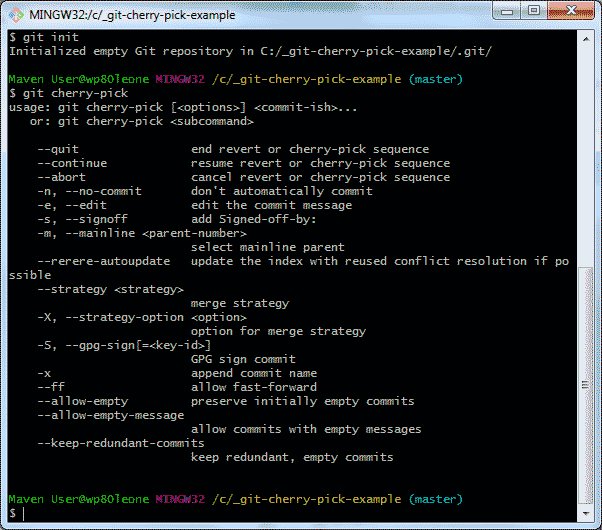
git pick

GitLab Environment Variables Key Supported Environment Variables
DESCRIPTION Given one or more existing commits apply the change each one introduces recording a new commit for each This requires your working tree to be clean no modifications from the HEAD commit When it is not obvious how to apply a change the following happens
3 Answers Sorted by 79 Before proceeding Install a proper mergetool On Linux I strongly suggest you to use meld sudo apt get install meld Configure your mergetool git config global merge tool meld Then iterate in the following way git cherry pick git mergetool git cherry pick continue Share

1 Find the files that failed the Cherry Pick Run git status to get more information about which specific files within the commit failed to merge during cherry pick git status Note the specific files listed under the Unmerged paths header in the resulting message these are the files you need to manually fix in the next step
1 Answer Sorted by 12 Since you have already fixed the conflict file you need to add it first to continue with git cherry pick git add modified file name git commit m committing changes for file git cherry pick continue Hope it will help Share
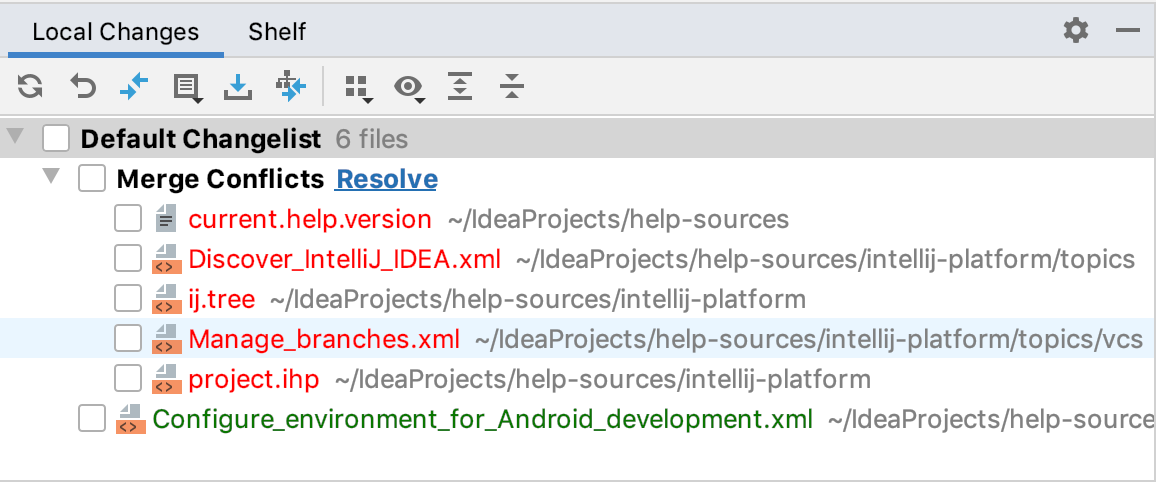
You have to resolve the conflicts and ask the git to continue with the cherry pick In the above example I have tried to cherry pick a particular commit but it has resulted in a conflict You can see the conflict in the above image So we have to resolve the conflicts and then continue with the cherry pick
1 Just a side comment if you were cherry picking you should have run git cherry pick continue not git commit because you lost the metadata from the original revision Not that git commit would not work it would but it won t have the metadata from the original revision eftshift0 Dec 10 2020 at 16 26 1 Git will pause the cherry picking process and prompt you to resolve the conflicts manually To resolve conflicts open the files with conflicts and modify them to resolve the conflicting changes Once you have resolved the conflicts save the files and continue the cherry picking process by running git cherry pick continue Git will continue
Git commands to resolve conflicts I have listed below the commands that come in handy to resolve a merge conflict Few of them are already covered in the previous blogs Using the git log merge command to produce the list of commits that are causing the conflict Copy Copy git log merge