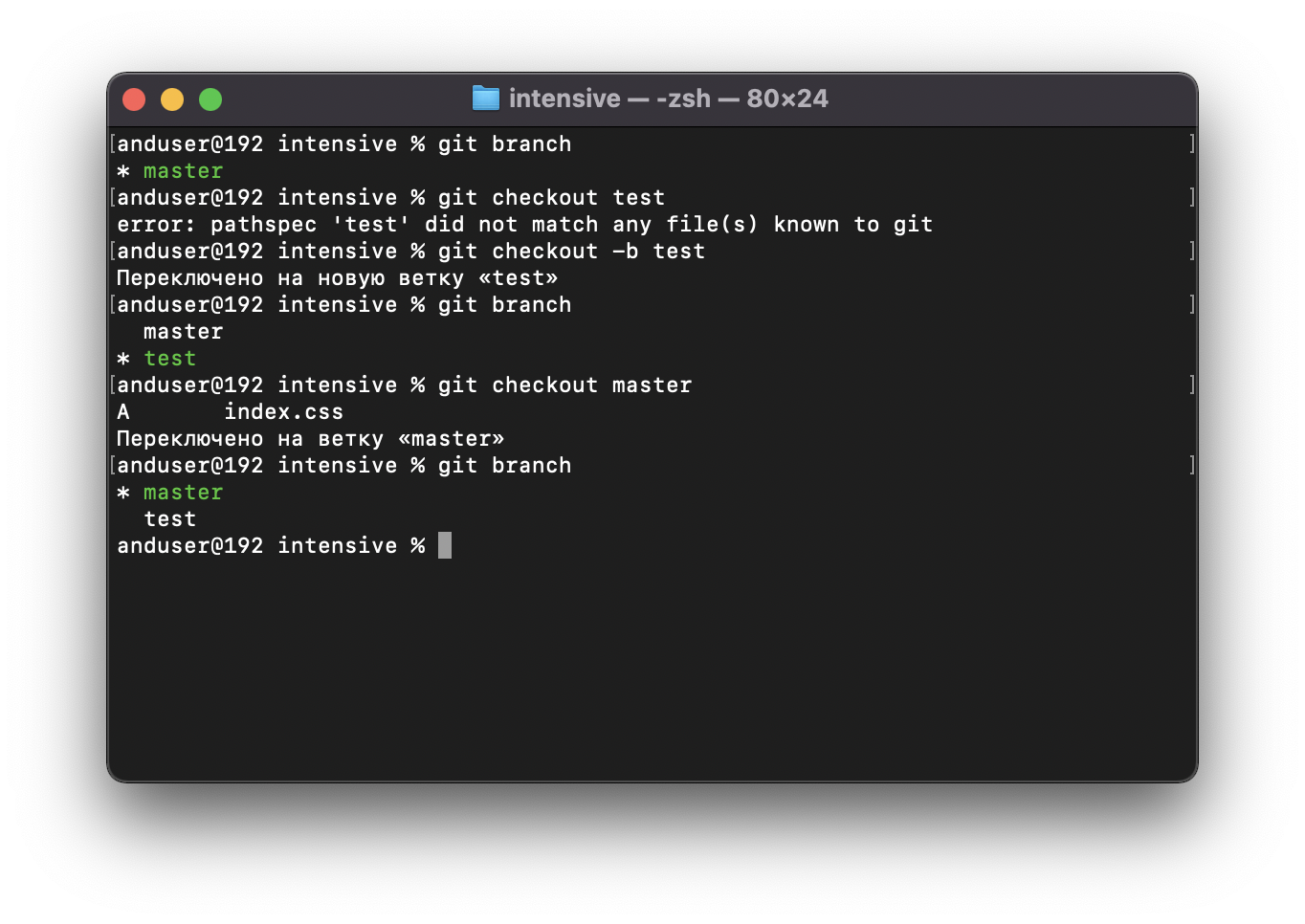
Git Checkout Restore Files Card Checkout Page Search By Muzli Checkout Install Git On Windows Checkout Br nditoimisto Hurraa GIT EBook StudyEasy Organisation Web To find the right commit first check the history for the deleted file git log lt filename gt You can either work with the last commit that still had the file or the commit that deleted the file In the first case just checkout the file from that commit git checkout lt commit hash gt
Web git checkout The quot checkout quot command can switch the currently active branch but it can also be used to restore files The most common use case for quot checkout quot is when you want to switch to a different branch making it the new HEAD branch Another use case for quot checkout quot is when you want to restore a historic version of a specific file Web Jun 21 2022 nbsp 0183 32 Hard reset explained In this case you can restore the file using either git checkout or git reflog You can find the hash ID of the previous commit from the command git log After that simply revert to the previous commit using git checkout lt hash id gt In case you don t have the hash ID you can use the command git reflog
GIT EBook StudyEasy Organisation Epic Games Store Epic Games Store CheckMeOut A Library Resource CheckOut CheckIn System Airtable Universe Git Switch Y Git Restore Claudia Valdivieso Git 2 23 0 Forget About Checkout And Switch To Restore By Alberto Git Checkout W3Docs Online Git Tutorial git Git Command Whats The Difference Between Git Revert Checkout And Reset Linux My Git Cheat Sheet 10 Git Commands Every Developer Should Know
Git Checkout Restore Files
 Git Checkout Restore Files
https://assets.materialup.com/uploads/a4f643a1-1520-4dae-b68f-698b5d44a563/preview.png
Web git restore is a command used to restore files in the working directory or the staging area index to their last committed state Introduced in Git version 2 23 0 git restore was added to the Git CLI as part of the effort to split the overloaded responsibilities of git checkout into more focused and intuitive commands
Pre-crafted templates provide a time-saving service for producing a varied variety of files and files. These pre-designed formats and layouts can be used for various individual and expert tasks, consisting of resumes, invitations, leaflets, newsletters, reports, discussions, and more, enhancing the content production procedure.
Git Checkout Restore Files
01

Epic Games Store Epic Games Store
CheckMeOut A Library Resource CheckOut CheckIn System Airtable Universe

Git Switch Y Git Restore Claudia Valdivieso

Git Checkout W3Docs Online Git Tutorial

git Git Command

Web Jun 4 2015 nbsp 0183 32 Type git reflog and checkout the commit you need it will quot revert quot your repository to the quot deleted quot commit Git revert Another option is use git revert SHA 1 which will revert your commit
Web Sep 19 2019 nbsp 0183 32 git revert is about making a new commit that reverts the changes made by other commits git restore is about restoring files in the working tree from either the index or another commit This command does not update your branch The command can also be used to restore files in the index from another commit

Web SYNOPSIS git checkout q f m lt branch gt git checkout q f m detach lt branch gt git checkout q f m detach lt commit gt git checkout q f m b B orphan lt new branch gt lt start point gt git checkout f lt tree ish gt lt pathspec gt

Web Note that during git rebase and git pull rebase ours and theirs may appear swapped See the explanation of the same options in git checkout 1 for details m merge When restoring files on the working tree from the index recreate the conflicted merge in the unmerged paths

Web The git reset git checkout and git revert commands are some of the most useful tools in your Git toolbox They all let you undo some kind of change in your repository and the first two commands can be used to manipulate either commits or individual files
Web Jul 10 2016 nbsp 0183 32 1 git checkout file txt this will remove local changes if you don t need them 2 git checkout abc1 file txt this will bring your file to your wanted version 3 git commit m quot Restored file txt to version abc1 quot this will commit your reversion git push this will push everything on the remote repository Web Aug 18 2022 nbsp 0183 32 There are many possible approaches but in this article you will learn the best approach the git checkout method If you are in a rush here is the command git checkout SHA HASH file file path But suppose you are not in a rush Let s start by first learning how to locate all previous commits and their SHA hash
Web Aug 11 2022 nbsp 0183 32 The solution is to reset just the README by checking out an old version of that file Git s checkout command does a lot of things like switching branches but it s basically used for downloading files given a commit or branch ID To reset a file back to an old version you ll need to find the commit ID from when you want to reset to