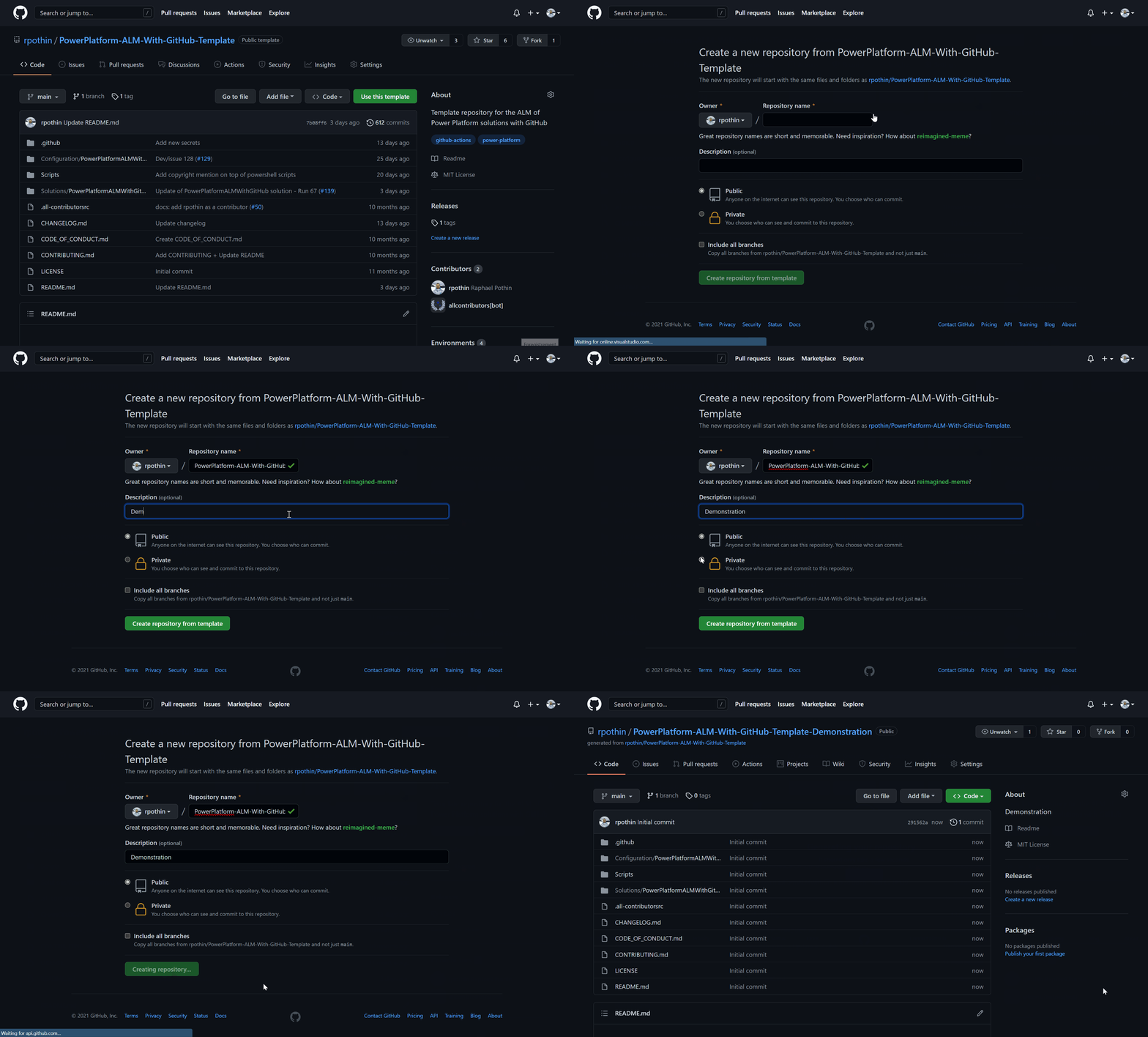
Git Checkout Repository Url Checkout How To Setup Multiple Git Accounts In The Same Machine SpringCloud Config Cannot Clone Or Checkout Repository The Powerplatform alm with github template From Garrytrinder Coder Social Obtener Cambios De Un Repositorio Remoto Documentaci n De GitHub To checkout a branch from a remote repository use the git fetch command and then git branch r to list the remote branches Pick the branch you need and use a command of the form git checkout b new branch name origin remote branch name
With Git 2 7 release January 5th 2015 you have a more coherent solution using git remote git remote get url origin nice pendant of git remote set url origin newurl See commit 96f78d3 16 Sep 2015 by Ben Boeckel mathstuf Merged by Junio C Hamano gitster in commit e437cbd 05 Oct 2015 remote add get url subcommand Git clone is primarily used to point to an existing repo and make a clone or copy of that repo at in a new directory at another location The original repository can be located on the local filesystem or on remote machine accessible supported protocols The git clone command copies an existing Git repository This is sort of like SVN checkout except the working copy is a full fledged
Obtener Cambios De Un Repositorio Remoto Documentaci n De GitHub Git And GitHub Operating Systems 2020 Git Checkout W3Docs Online Git Tutorial Git Clone Branch 20 Git GitHub GerritCodeReview git repo Repo The Multiple Git Repository Github Visual Studio Code Git Useful Commands NTechDevelopers Fixed Command add apt repository Not Found In Ubuntu TechPiezo
Git Checkout Repository Url
 Git Checkout Repository Url
https://mostaql.hsoubcdn.com/uploads/thumbnails/1024518/6111d0c19cb03/فيزا.png
Modifying an active pull request locally Under your repository name click Pull requests In the list of pull requests click the pull request you d like to modify To choose where you d like to open the pull request select the Code dropdown and click one of the tabs
Pre-crafted templates offer a time-saving option for producing a varied series of documents and files. These pre-designed formats and layouts can be utilized for different personal and professional tasks, including resumes, invites, leaflets, newsletters, reports, discussions, and more, streamlining the material production process.
Git Checkout Repository Url
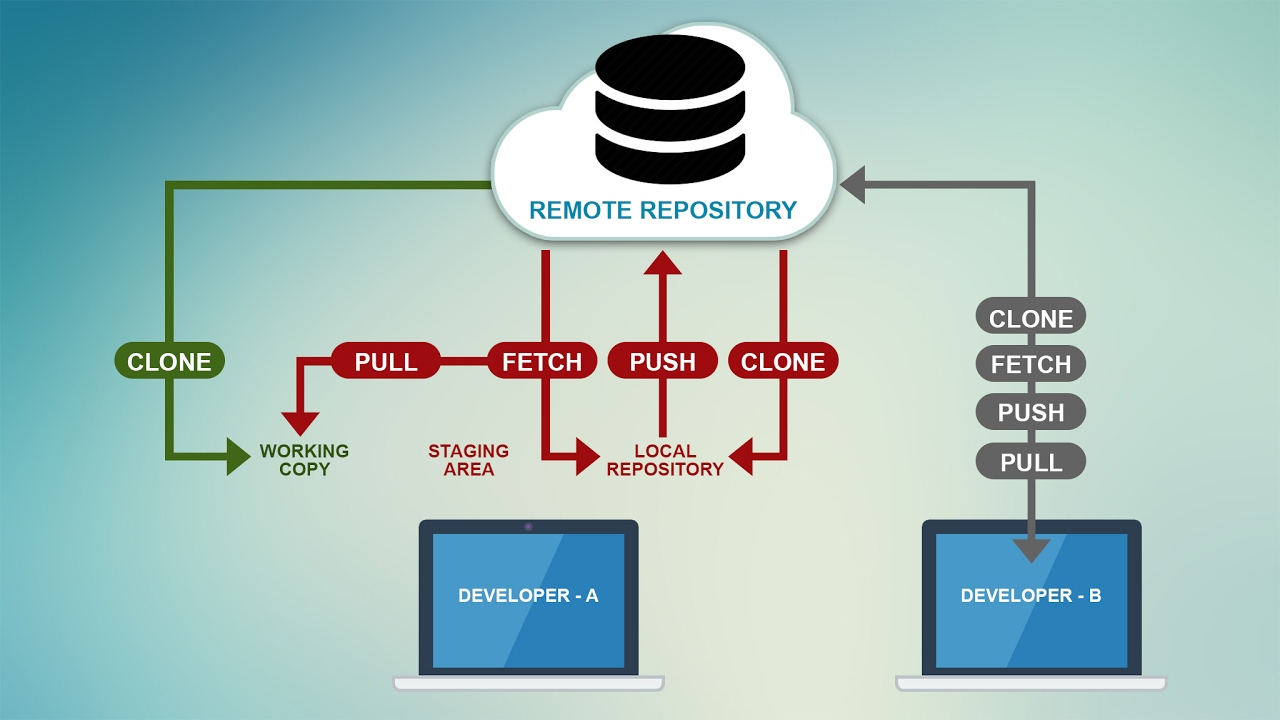
Learn How To Use Local And Remote Repositories In Git YouTube

Git And GitHub Operating Systems 2020
Git Checkout W3Docs Online Git Tutorial
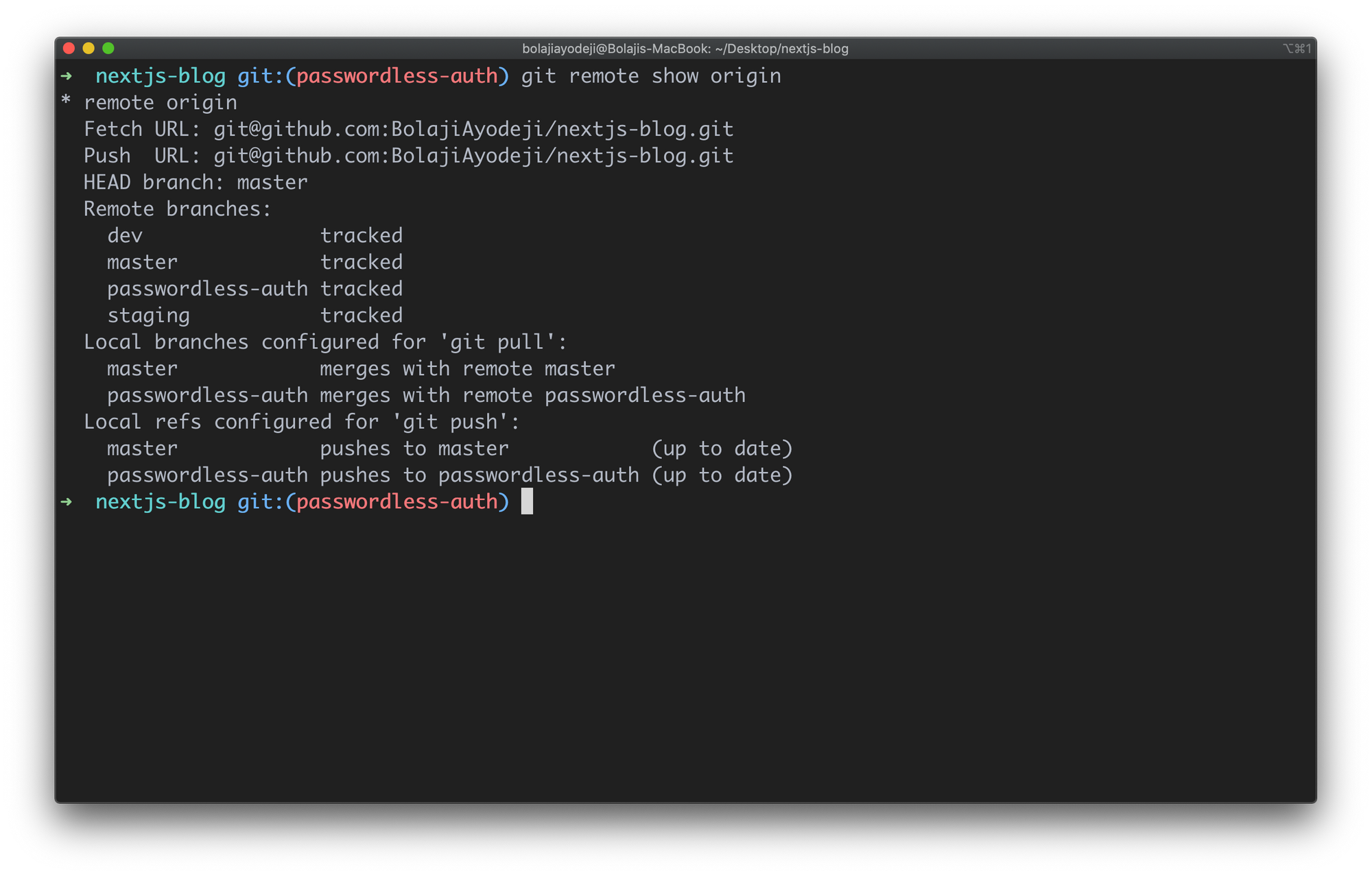
Git Clone Branch
GitHub GerritCodeReview git repo Repo The Multiple Git Repository
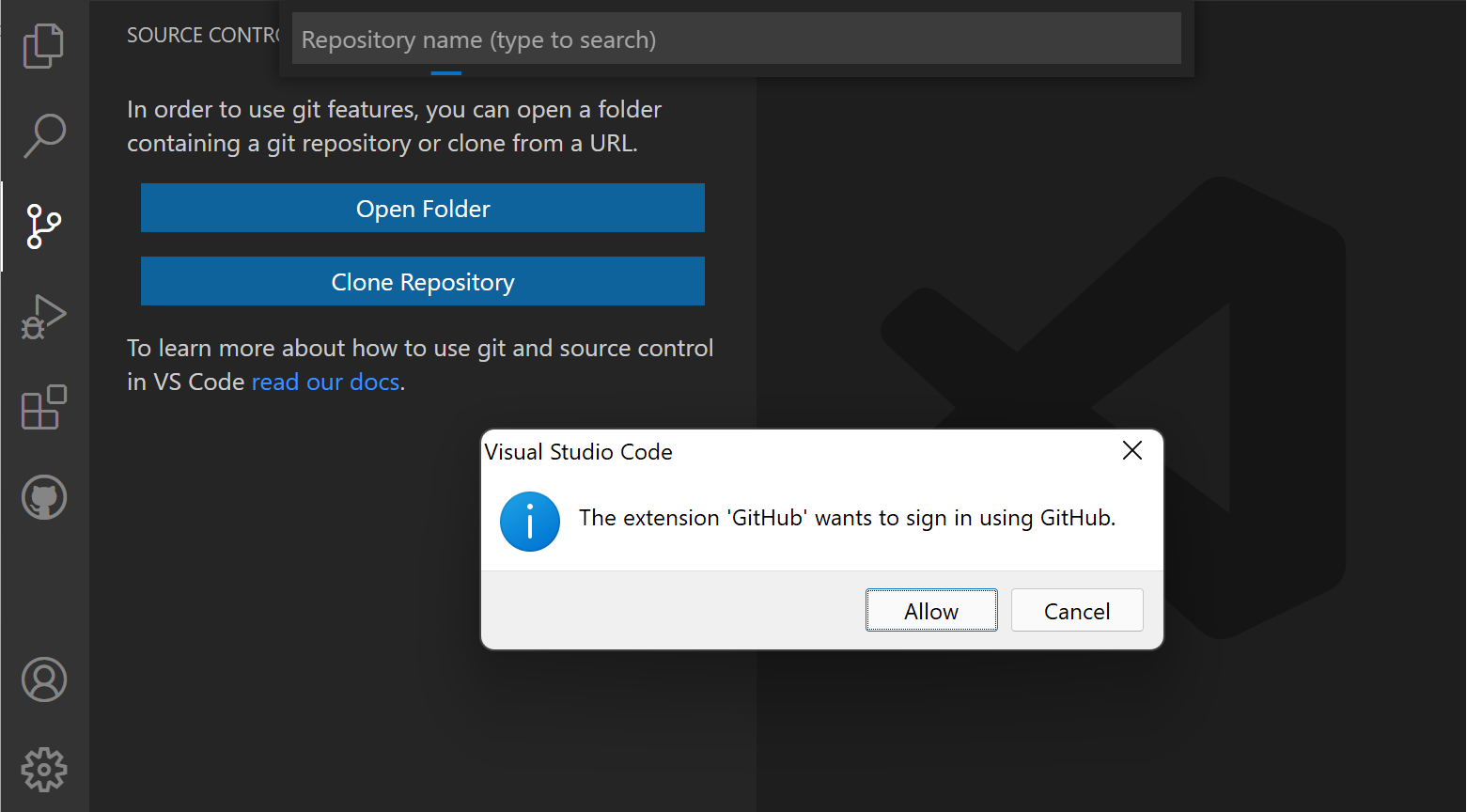
Github Visual Studio Code
DESCRIPTION Updates files in the working tree to match the version in the index or the specified tree If no pathspec was given git checkout will also update HEAD to set the specified branch as the current branch git checkout branch

If you want to get a copy of an existing Git repository for example a project you d like to contribute to the command you need is git clone If you re familiar with other VCSs such as Subversion you ll notice that the command is clone and not checkout

In Git terms a checkout is the act of switching between different versions of a target entity The git checkout command operates upon three distinct entities files commits and branches In addition to the definition of checkout the phrase checking out is commonly used to imply the act of executing the git checkout command
December 1 2023 The git checkout command navigates between two different branches in a Git repository Checkout is used to view and make changes to different branches You can check out a past commit in a repository to view how your project appeared in that state
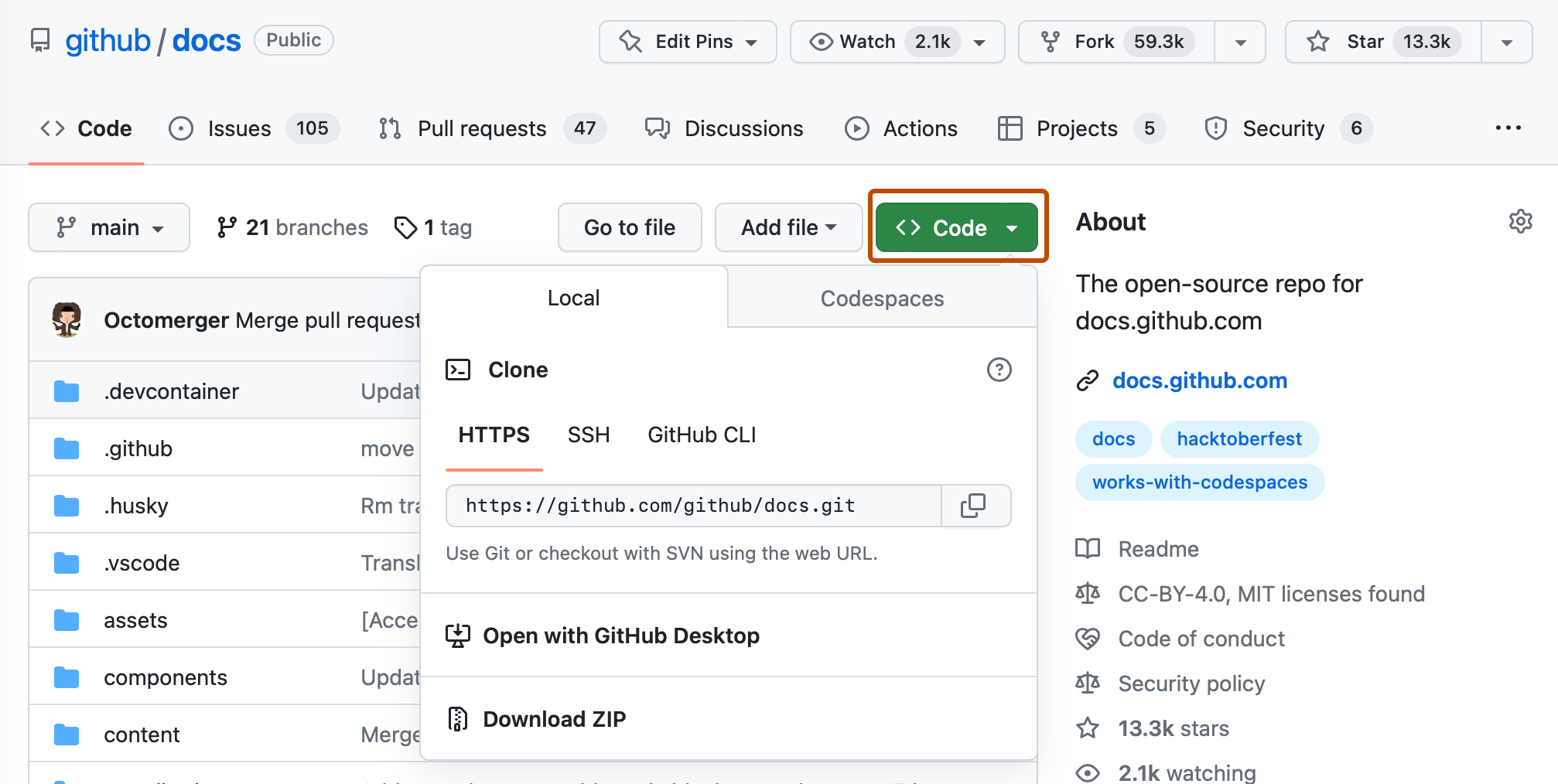
Creating remote repositories You can use the git remote add command to match a remote URL with a name For example you d type the following in the command line git remote add origin REMOTE URL This associates the name origin with the REMOTE URL You can use the command git remote set url to change a remote s URL
Initializing a new repository git init To create a new repo you ll use the git init command git init is a one time command you use during the initial setup of a new repo Executing this command will create a new git subdirectory in your current working directory This will also create a new main branch Or you can use git checkout index which more closely resembles a checkout of files git checkout index f a prefix some path Here the a option tells git to check out all files The prefix will be prepended to the output Somebody also wrote a wrapper around this to give a git export Share
I want to accomplish that when pushed from master not only the master branch continues to get synced but also other specifically defined branches origin repo master branch push execute existing actions compile rsync to master on dist and rsync to branch y z on dist Those already live in the dist repo git