Git Checkout New Branch Keep Changes Tutorial Git And GitHub 7 Branching Merging 2020 Git Pull Emboll What Is Git Checkout Remote Branch Benefits Best Practices More Git Switch Branch Vs Checkout Easily Switch Branches Riset Git Web The git checkout command lets you navigate between the branches created by git branch Checking out a branch updates the files in the working directory to match the version stored in that branch and it tells Git to record all new commits on that branch
Web Oct 12 2018 nbsp 0183 32 git checkout lt branch gt To prepare for working on lt branch gt switch to it by updating the index and the files in the working tree and by pointing HEAD at the branch Local modifications to the files in the working tree Web Oct 22 2020 nbsp 0183 32 1 This is a very common mistake people make when using Git and it isn t just beginners who do this by accident Assuming you haven t yet committed your work you might even be able to just checkout a new branch from development git checkout b new branch Then commit your work and you should be good to go
Git Git Checkout Branch YouTube Git Create Branch And Checkout One Command Naxregg Visual Studio Git Microsoft Learn Git Branch Cheatsheet Git Git Branch git Checkout MEMOcho Git Create Branch From Another Popdase Git GitHub
Git Checkout New Branch Keep Changes
 Git Checkout New Branch Keep Changes
https://www.bogotobogo.com/cplusplus/images/Git/Branching_Merging/git_checkout_b.png
Web Nov 16 2021 nbsp 0183 32 git reset HEAD 1 This will leave you at the quot haven t committed yet quot state after which you can use the methods above to fix the problem Alternatively you can use git cherry pick This command copies commits from one branch to another and is a nice way of picking out commits and moving them to new branches in a clean manner
Templates are pre-designed documents or files that can be used for numerous functions. They can save time and effort by supplying a ready-made format and design for developing various sort of content. Templates can be used for individual or expert projects, such as resumes, invites, flyers, newsletters, reports, presentations, and more.
Git Checkout New Branch Keep Changes
Git Branches Tutorial Ihatetomatoes
Git Checkout Branch YouTube

Git Create Branch And Checkout One Command Naxregg
Visual Studio Git Microsoft Learn
Git
Git Branch git Checkout MEMOcho
Web Aug 27 2017 nbsp 0183 32 Thus the secret here is to examine the result of git rev parse on each branch name path This either fails because the file is quot in quot at most one branch or gives us two hash IDs If the two hash IDs are the same the file is the same in both branches No changing is required
Web Move uncommited changes to a new branch I created a gitconfig alias for this alias spcosp quot git stash push amp amp git checkout quot quot amp amp git stash pop index quot To change to new branch name use git spcosp new branch name And any non commited file and index changes will be kept
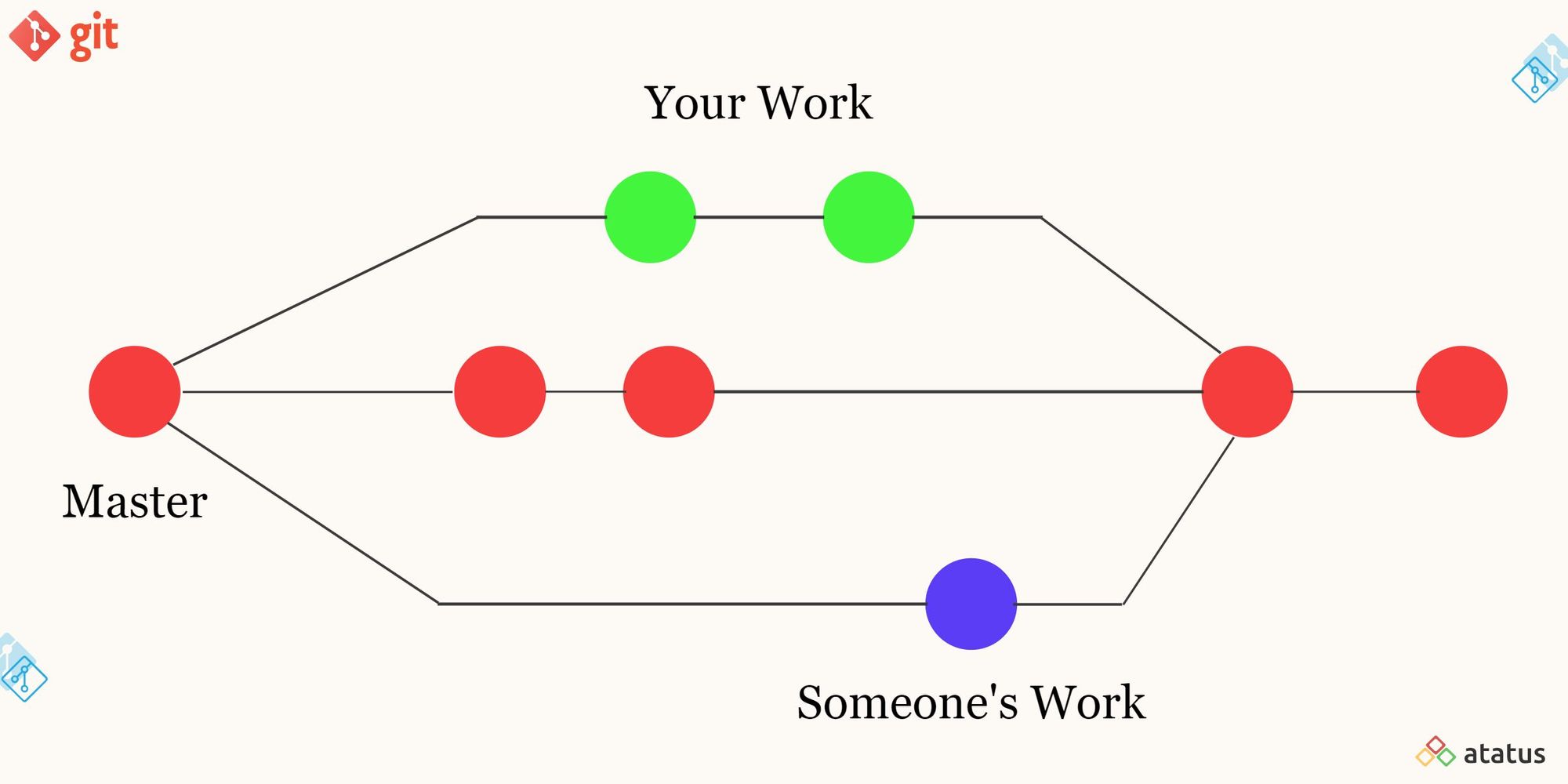
Web If you don t have a develop yet the method is trivial git checkout b develop This creates a new develop branch starting from wherever you are now Now you can commit and the new stuff is all on develop You do have a develop See if Git will let you switch without doing anything git checkout develop

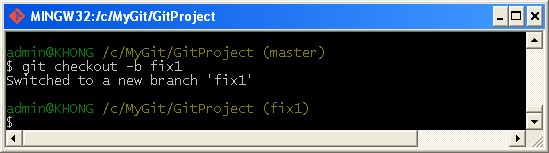
Web Oct 10 2010 nbsp 0183 32 If you hadn t made any commit yet only 1 branch and 3 checkout would be enough Or in one command git checkout b newBranch With Git 2 23 Q3 2019 the new command git switch would create the branch in one line with the same kind of reset hard so beware of its effect

Web Jul 30 2012 nbsp 0183 32 2 Answers git checkout b lt new branch name gt create and checkout the new branch git commit a commit to the new branch If you have already committed master contains your changes git branch lt new branch name gt create the new branch git reset hard HEAD rewind master git checkout lt new branch name gt switch
Web Oct 2 2021 nbsp 0183 32 You can do a checkout and create a new branch with all local and current changes transferred over Web b lt new branch gt track lt remote branch gt Creates a new local branch and sets up an quot upstream quot configuration This way the new local branch has a tracking relationship with its remote counterpart This allows you to more easily see when the two aren t in sync i e when unpushed commits in the local branch or unpulled commits in the remote exist
Web Jan 27 2022 nbsp 0183 32 Just like git checkout b new branch Both allow having uncommited changes The other part of git checkout functionality should now be done with git restore One thing you can do as well when you are on a feature branch but want to branch off of the master branch is git switch c new branch master This is the same as git switch