Git Checkout File Older Version Retourner Au Debut De La Branche Avec Git Checkout Et Git Log all Git Github Git Log Git Commit Git Checkout 4 YouTube Git Checkout How To Checkout A File From Another Branch Git Checkout b Study Experts Git Checkout WEB Restores a historic revision of a given file By providing HEAD as the revision you can restore the last committed version of a file effectively undoing any local changes that happened since then If you want to restore a specific earlier revision you can provide that revision s SHA 1 hash Usage Examples
WEB Jul 26 2016 nbsp 0183 32 To restore it to its former glory use git checkout from the last known commit which is HEAD git checkout HEAD filename If you accidentally committed a bad version of a file and need to yank a version from even further back in time look in your Git log to see your previous commits and then check it out from the appropriate commit WEB The git checkout command lets you navigate between the branches created by git branch Checking out a branch updates the files in the working directory to match the version stored in that branch and it tells Git to record all new commits on that branch Think of it as a way to select which line of development you re working on
Git Checkout Git Cheat Sheet DataCamp Git Checkout Behavior 2 Solutions YouTube Git Branch Git Checkout W3Docs Online Git Tutorial How To Checkout Git Branches Interactively Amit Merchant A Blog On Github Git GIT Git Checkout Explained How To Checkout Change Or Switch A Branch In Git
Git Checkout File Older Version
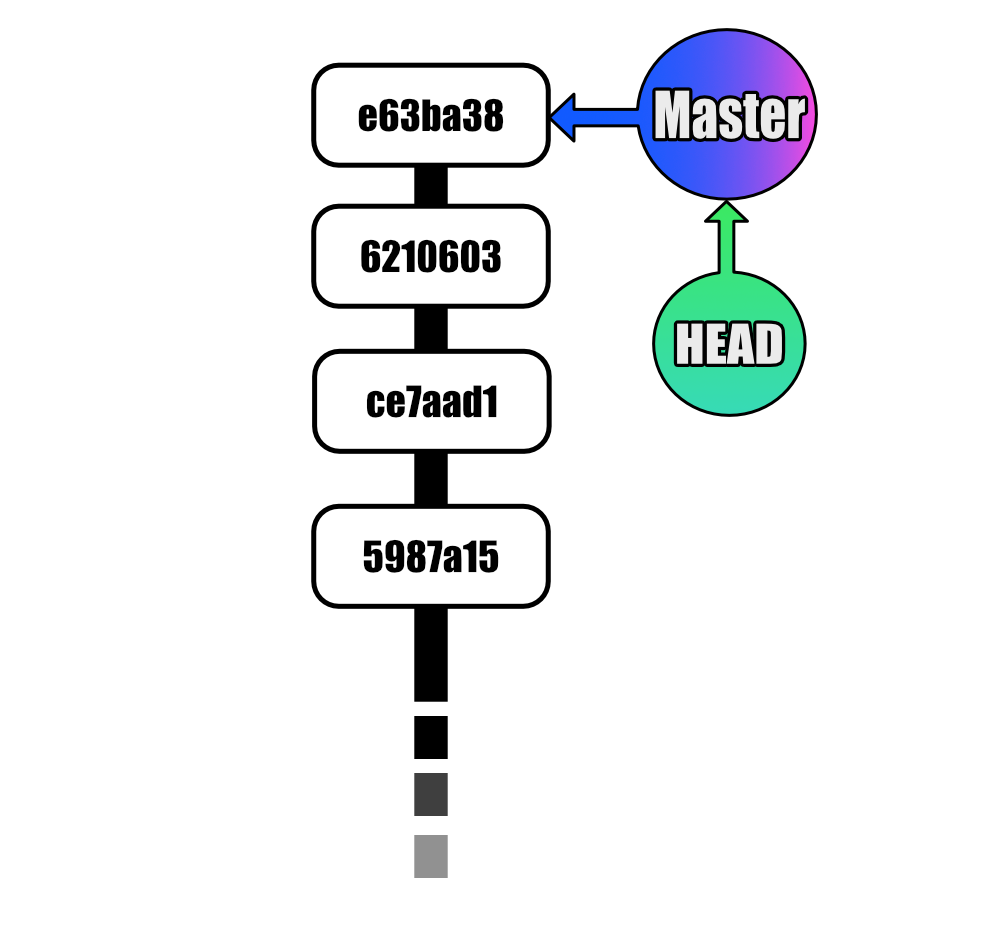 Git Checkout File Older Version
https://www.nicelydev.com/img/git/git-checkout-5.png
WEB how to checkout old version from GIT Super User Ask Question Asked 11 years 6 months ago Modified 11 years 6 months ago Viewed 177 times 0 we have a remote git repository and a development branch i d like to quot fork quot a particualr directory for a la code freeze for example dir1 dir2 dir3
Templates are pre-designed files or files that can be used for various functions. They can conserve effort and time by providing a ready-made format and design for creating different type of content. Templates can be used for personal or professional tasks, such as resumes, invitations, leaflets, newsletters, reports, presentations, and more.
Git Checkout File Older Version
All Things Checkout In Git Programmer Hat
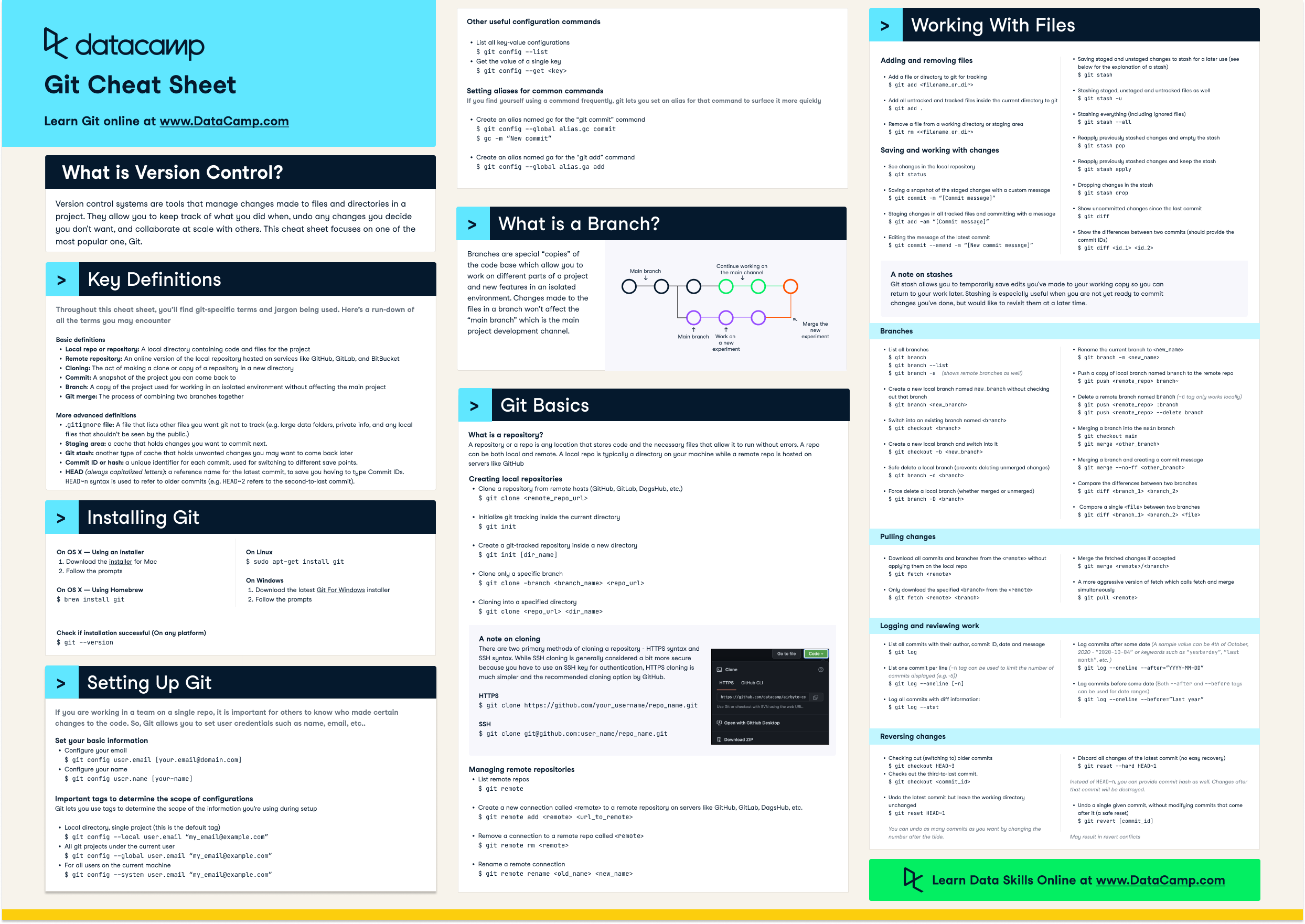
Git Cheat Sheet DataCamp

Git Checkout Behavior 2 Solutions YouTube

Git Branch
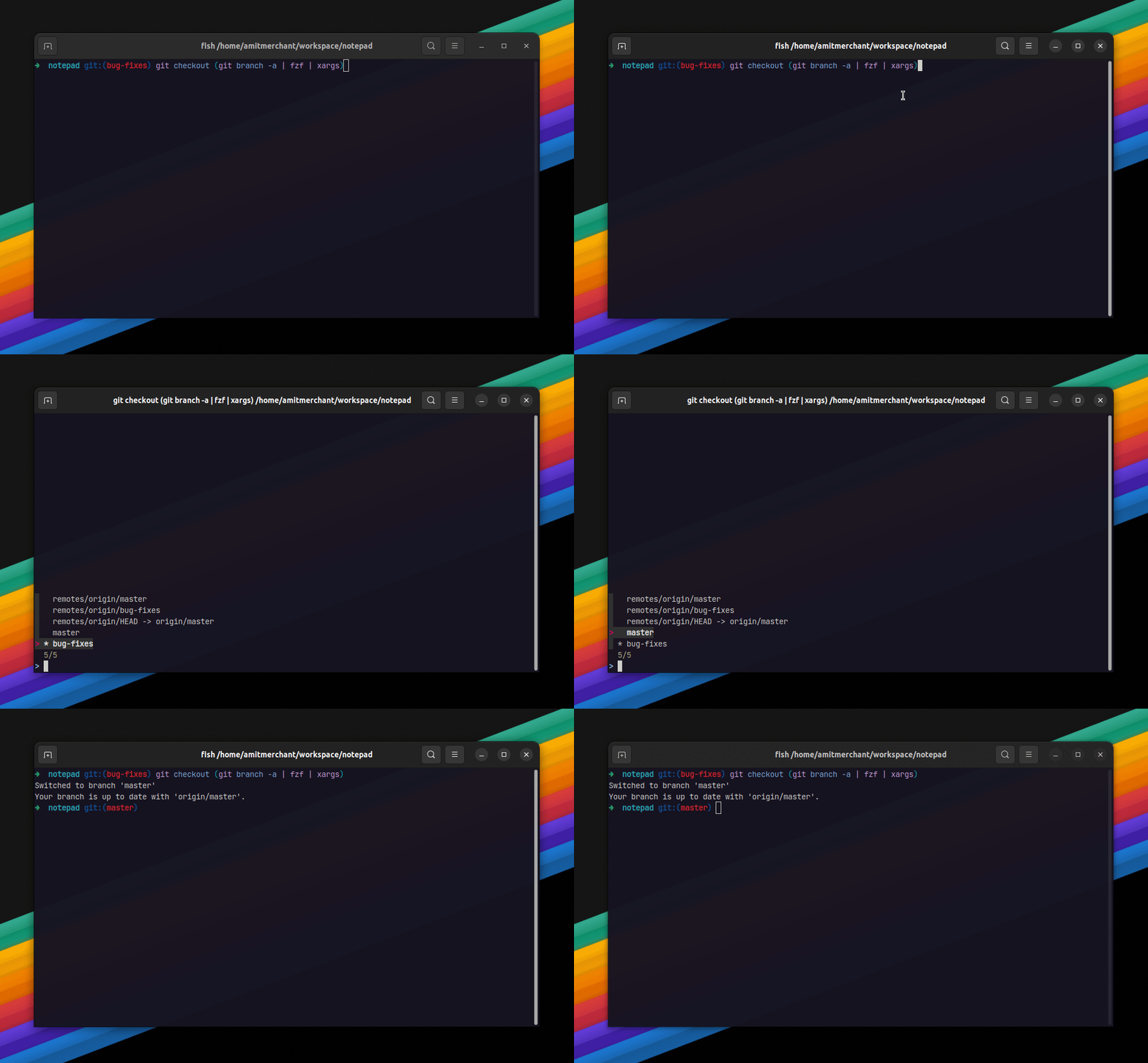
How To Checkout Git Branches Interactively Amit Merchant A Blog On

Github Git
WEB Jul 13 2016 1 There are a number of reasons why you might want or need find and checkout an old version of a file in your git repository Maybe you edited a file in your feature branch and it is no longer needed and you want to just reset that file back to the HEAD branch state

WEB Jul 23 2009 nbsp 0183 32 You know what commit ie the specific revision the file belongs to Then do git checkout lt commit gt lt file gt The other command git checkout HEAD N lt file gt Is for when you want to get a version of the file from a range back which I do for nostalgia

WEB Nov 28 2023 nbsp 0183 32 Getting older versions Goals Learn how to check out any previous version into the working directory Git make time traveling possible at least for your project The checkout command will update your working directory to any previous commit 01 Getting hashes of the previous commit Run git log Result

WEB Oct 15 2014 nbsp 0183 32 2 Answers Sorted by 34 You cannot pull a specific commit See more at quot Pull a specific commit from a remote git repository quot Once cloned you can checkout a specific commit but you would be in a detached branch mode which is ok if all you need to do is read and not commit git checkout d25bc0e
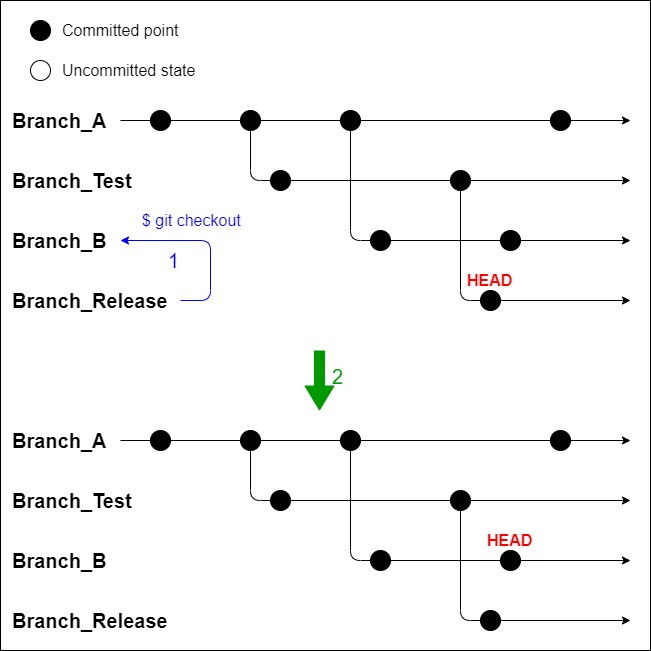
WEB NAME git checkout Switch branches or restore working tree files SYNOPSIS git checkout q f m lt branch gt git checkout q f m detach lt branch gt git checkout q f m detach lt commit gt git checkout q f m b B orphan lt new branch gt lt start point gt git checkout f lt tree ish gt lt pathspec gt
WEB Checkout Old Version Of A File When you want to return to a past version of a file you can reset to a past commit When you don t want to abandon a bunch of other changes this isn t going to cut it Another option is to just checkout the particular file as it was at the time of a past commit WEB Jan 27 2024 nbsp 0183 32 git checkout path to file Verify the file has been reverted to the old version git diff path to file Using git reset to revert changes If you want to unstage a file that you ve staged incorrectly and restore it to the version in the last commit use git reset git reset HEAD path to file
WEB How to check out a different version of a project Git is best thought of as a tool for storing the history of a collection of files It stores the history as a compressed collection of interrelated snapshots of the project s contents In Git each such version is called a