Git Change Remote Repo Url How To Change Git Remote URL Initialize A GitHub Repo Git Change Remote URL In Local Repository TecAdmin Set Up Git Repository Locally Contributor Guide Microsoft Learn Git How To Link A Local Repo To A Remote In Github Stack Overflow WEB git remote v gt origin git data variables product product url OWNER REPOSITORY git fetch gt origin git data variables product product url OWNER REPOSITORY git push Change your remote s URL from SSH to HTTPS with the git remote set url command
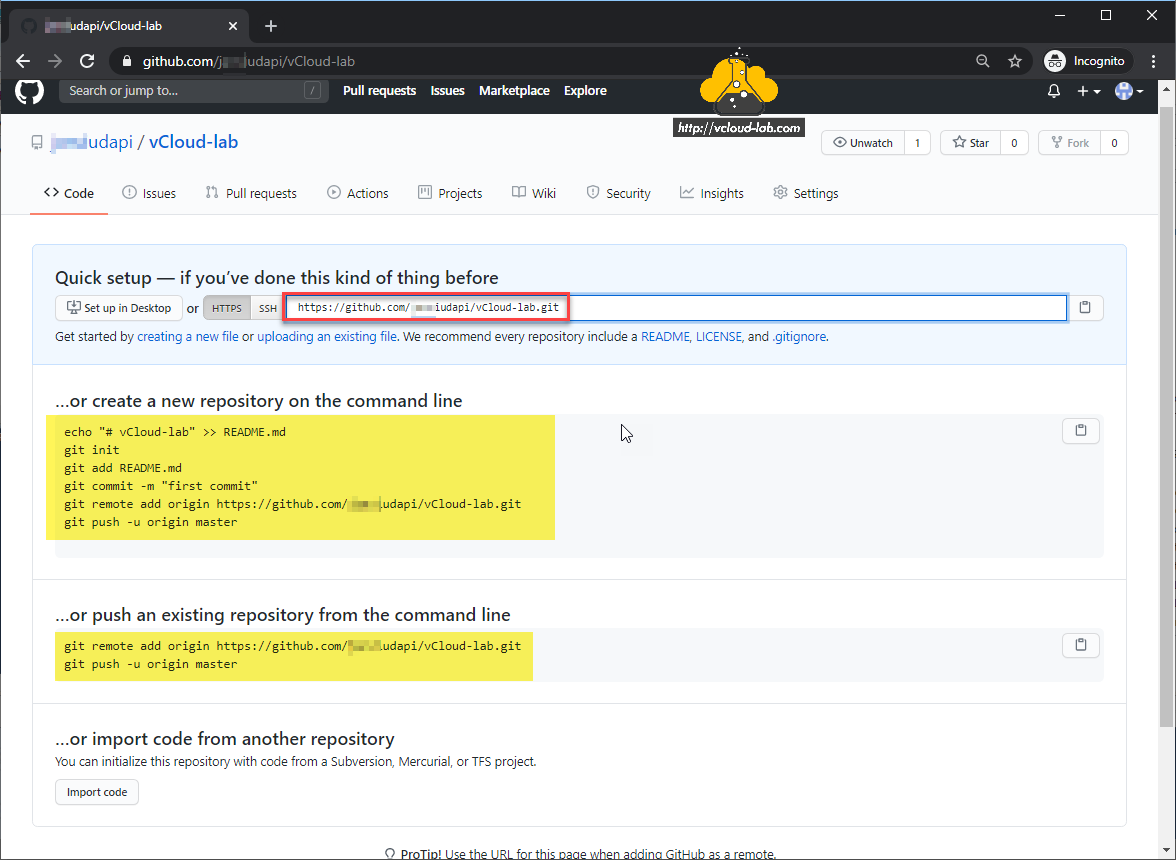
WEB Feb 7 2020 nbsp 0183 32 Follow the steps below to change the URL of a remote Change to the directory where the repository is located cd path to repository Run git remote to list the existing remotes and see their names and URLs git remote v The output will look something like this origin https github user repo name git fetch WEB You can use the command git remote set url to change a remote s URL Choosing a URL for your remote repository There are several ways to clone repositories available on GitHub When you view a repository while signed in to your account the URLs you can use to clone the project onto your computer are available below the repository details
Git How To Link A Local Repo To A Remote In Github Stack Overflow Solve Error Error Fetching Remote Repo Origin On Jenkins How To Clear Cache From Ubuntu CoderSathi Jan David Narkiewicz Developer Git Adding Remote Origin To A Local How To Change Git Remote Origin URL DevsDay ru Getting Changes From A Remote Repository GitHub Docs Git Add Remote After Init Stormauctions Change The Git Repo Url And Branch In Azure App Service Stack Overflow Git Will Remote URL For Fetch And Push Be Different Stack Overflow
Git Change Remote Repo Url
 Git Change Remote Repo Url
https://vegastack.com/tutorials/content/images/2022/01/How-to-Change-Git-Remote-URL.png
WEB Jun 11 2019 nbsp 0183 32 When this happens you ll need to change the URL for your remote repository in your local repo In this short article that s exactly what I ll cover First let s get straight to the command you re here for git remote set
Pre-crafted templates offer a time-saving service for developing a diverse variety of documents and files. These pre-designed formats and designs can be utilized for numerous personal and expert jobs, consisting of resumes, invitations, flyers, newsletters, reports, presentations, and more, improving the material development process.
Git Change Remote Repo Url
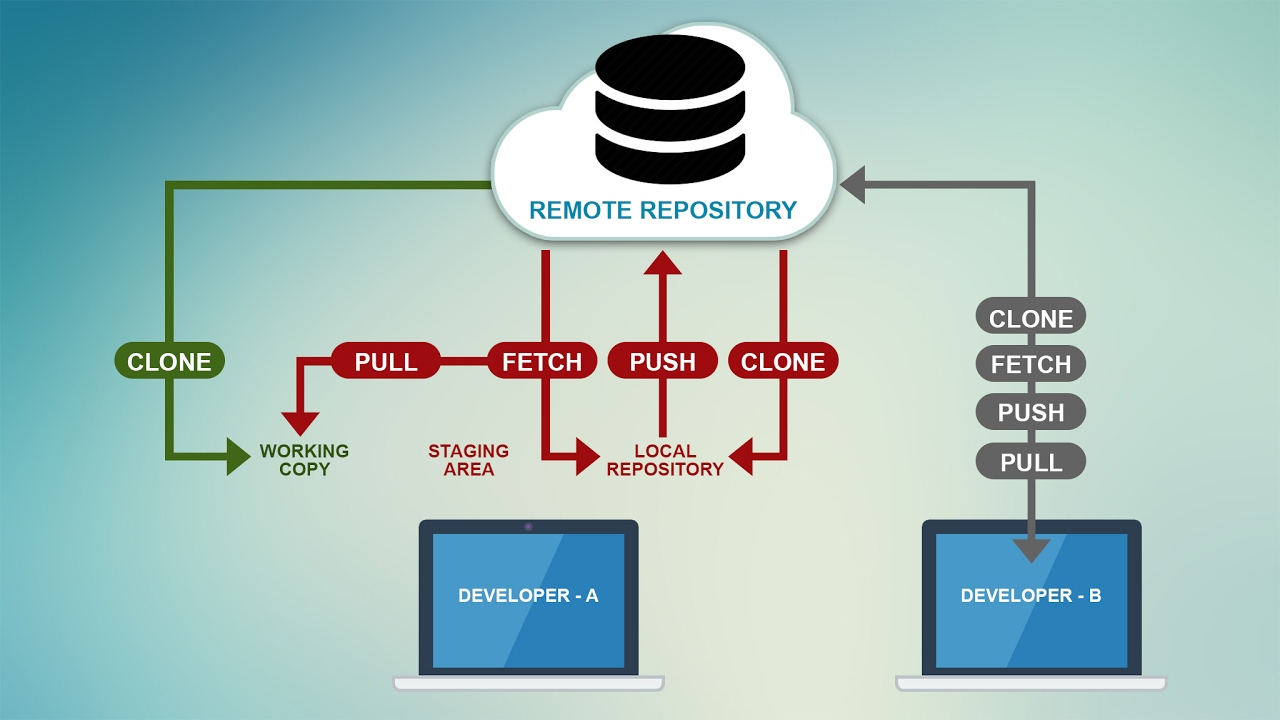
Learn How To Use Local And Remote Repositories In Git YouTube

Solve Error Error Fetching Remote Repo Origin On Jenkins
How To Clear Cache From Ubuntu CoderSathi
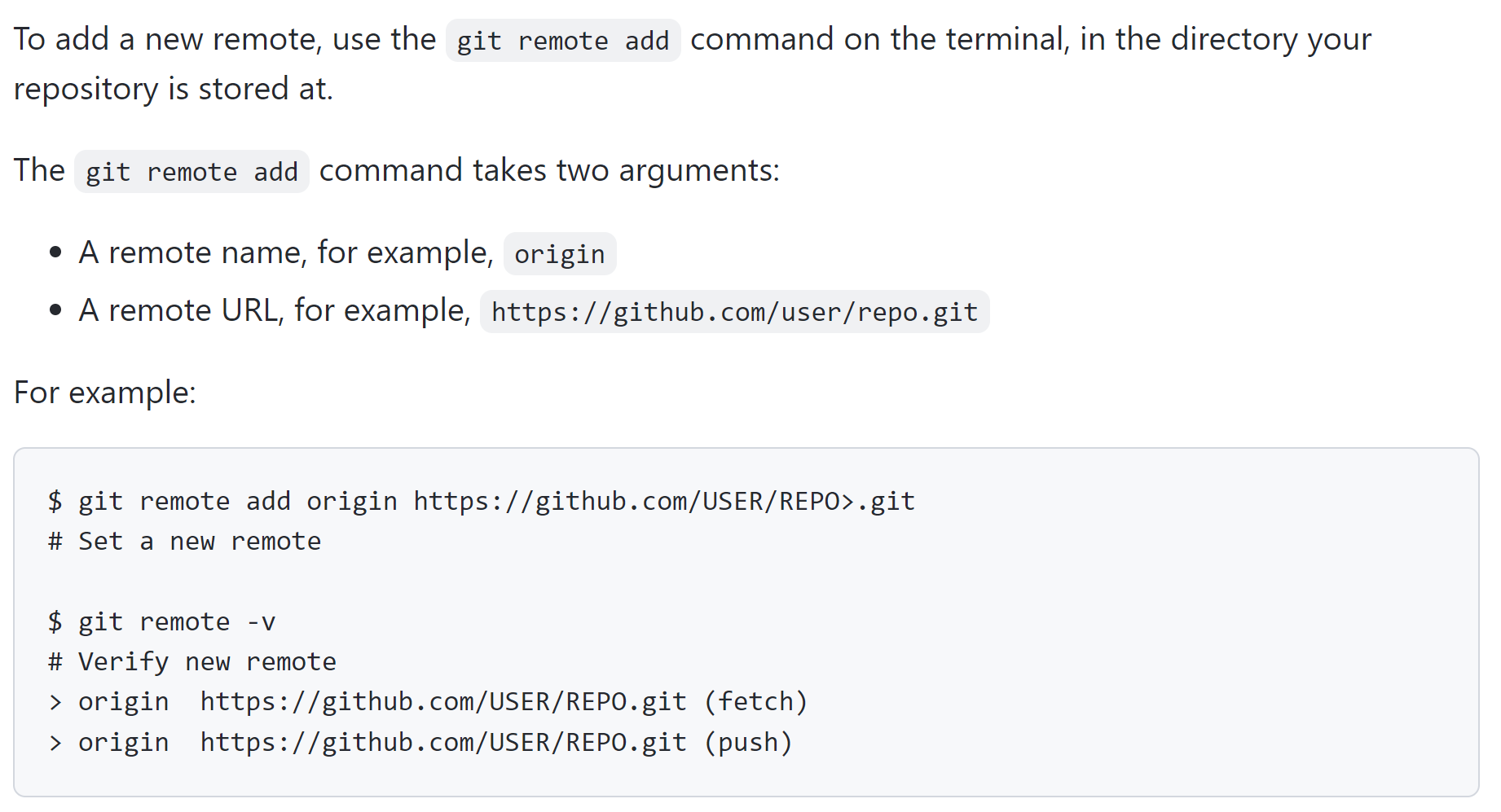
Jan David Narkiewicz Developer Git Adding Remote Origin To A Local
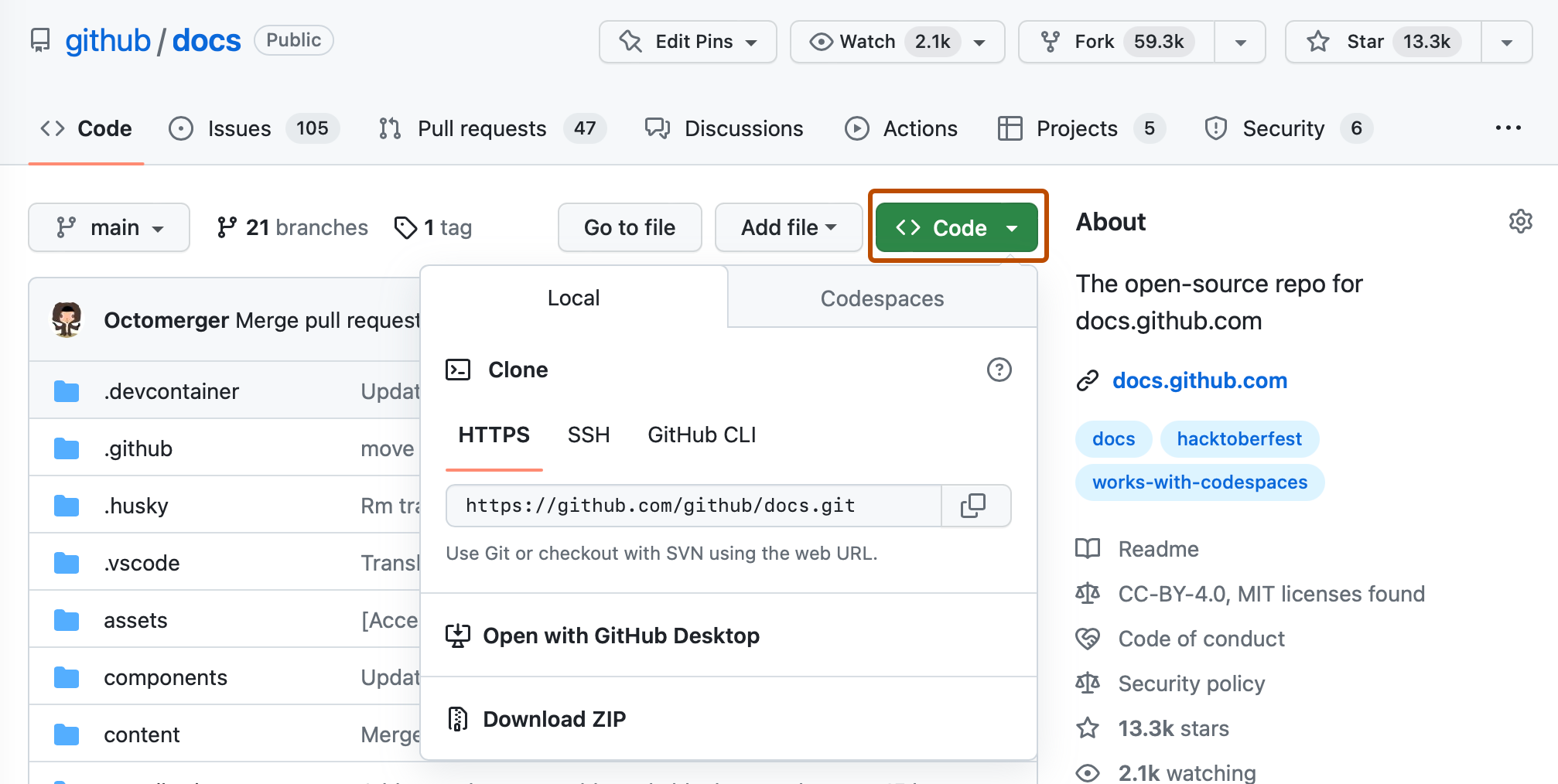
Getting Changes From A Remote Repository GitHub Docs
Git Add Remote After Init Stormauctions
WEB Nov 26 2009 nbsp 0183 32 The easiest way to tweak this in my opinion imho is to edit the git config file in your repository Look for the entry you messed up and just tweak the URL On my machine in a repo I regularly use it looks like this
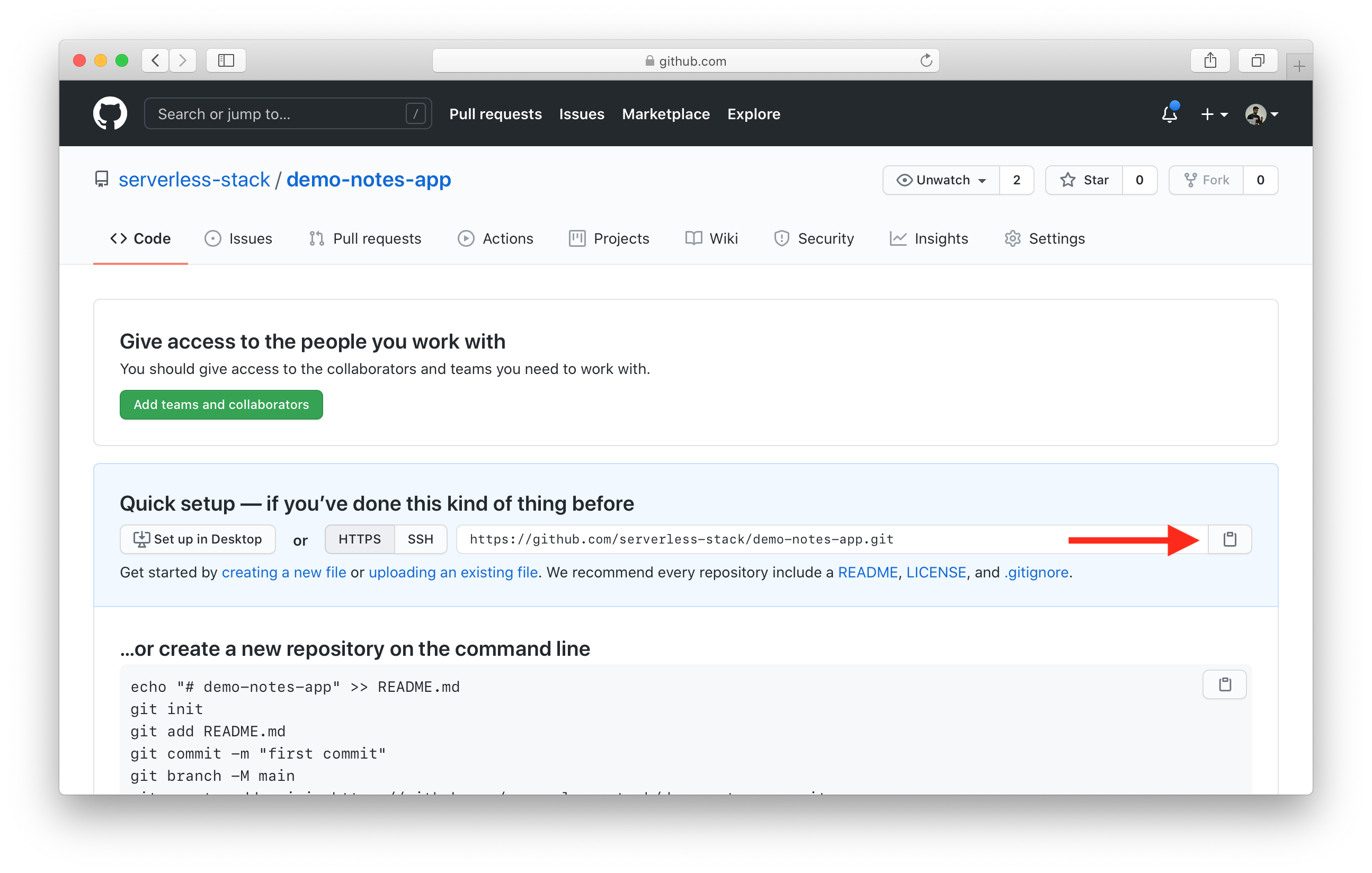
WEB Mar 5 2020 nbsp 0183 32 git remote set url lt name gt lt newurl gt to change the remote For example if the remote name is origin and the new url is http newserver myproject git then the command will be

WEB Changing a remote repository s URL The git remote set url command changes an existing remote repository URL
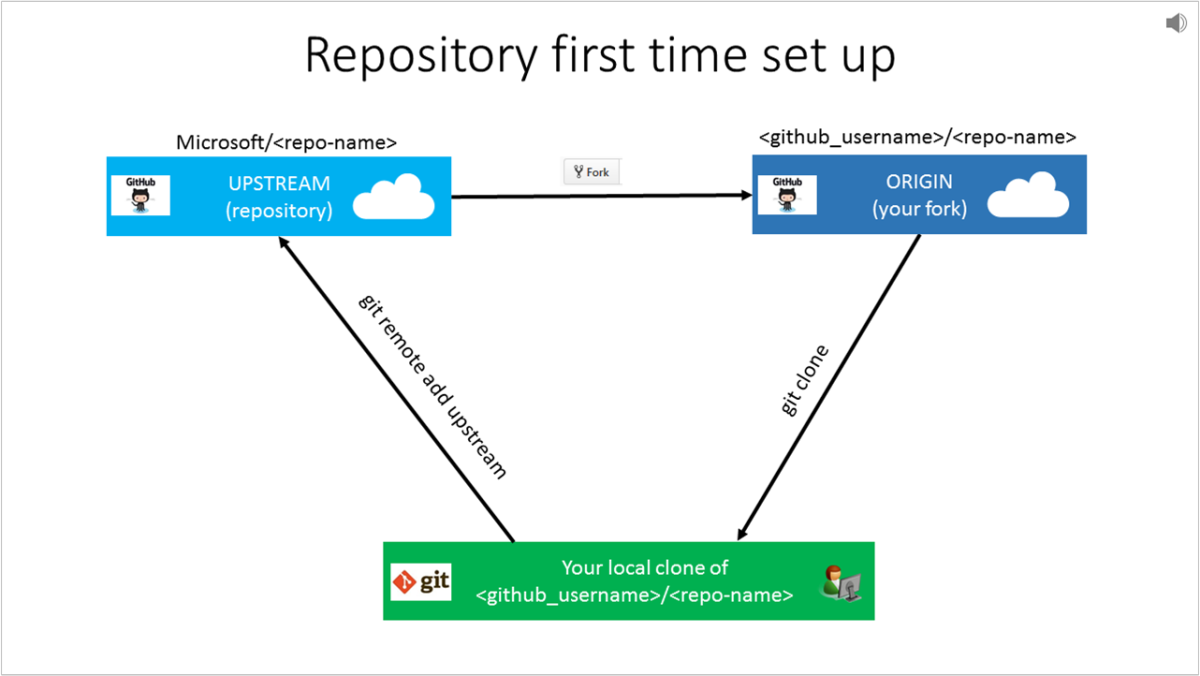
WEB This command is used to add a new remote git remote add origin git github User UserRepo git This command is used to change the URL of an existing remote repository git remote set url origin git github User UserRepo git

WEB Sep 1 2021 nbsp 0183 32 Following are the brief steps required to change a remote URL properly in git bash git remote v View the existing remotes origin https github user repo 1 git fetch origin https github user repo 1 git push git remote set url origin https github user repo 2 git Change the origin remote s URL git remote v
WEB Mar 8 2020 nbsp 0183 32 In this tutorial you learnt how you can easily change your Git remote URL commonly named origin by using the git remote set url command You also learnt that you can change it using a password protected SSH address WEB To change the remote URL use the git remote set url command followed by the name of the remote typically origin and then the new URL Terminal git remote set url origin https newurl repository git
WEB May 13 2019 nbsp 0183 32 make a new clone of the supermodule somewhere else on your computer making sure that the latest changes to the gitmodules file are reflected in the clone change your working directory to the new clone of the supermodule run git submodule update init remote path to submodule on the submodule et voil 224