Git Change Local Branch Remote How To Reset Your Git Branch To A Previous Commit both Local And Git Merge A Remote Branch Into Another Local Branch Stack Overflow Renaming A Git Branch How To Rename The Current Branch In Git Uiux zone GIT Branch And GIT Merge Git Support To Create Local Branch From Specific Remote Branch Issue Merging changes into your local branch Merging combines your local changes with changes made by others Typically you d merge a remote tracking branch i e a branch fetched from a remote repository with your local branch git merge REMOTE NAME BRANCH NAME Merges updates made online with your local work
Git is a decentralized version control system which means your local repo is the same thing as the remote repository on a site like Github Once set up you can push and pull from it by specifying the remote name and remote branch git push remote master git fetch pull remote master Pushing a Branch to a Different Remote To confirm the remote has been added run git remote v To finally push the repo run git push u origin branch name main is the name of that branch for me It could be master or Main for you Initially it was master so I ran git branch M main to change it If you have not configured Git to use a credential helper you will
Git Support To Create Local Branch From Specific Remote Branch Issue How Do I Check Out A Remote Branch With Git O Reilly How To Push Local Git Repository To Github Youtube Www vrogue co Git Change Branch And Reset Files Londonseka Git Delete Local Branch And Remote Branch With Force Delete How Can I Tell A Local Branch To Track A Remote Branch Learn Version GIT 1 CodingBucks Dev Blog 1 Git Checkout Remote Branch How It Works And When It Is Good To Use The Analytics Engineering Guide Git Workflow
Git Change Local Branch Remote
Git Change Local Branch Remote
https://miro.medium.com/max/1200/0*Uc_7zvS0MnfQwq3Q
Get a list of remote branches Local branches don t always tell the truest story So to see the branches that the remote repository has run the following command git branch r origin HEAD origin master origin new remote only branch origin master
Pre-crafted templates provide a time-saving option for developing a varied series of documents and files. These pre-designed formats and layouts can be made use of for numerous personal and expert tasks, consisting of resumes, invitations, leaflets, newsletters, reports, discussions, and more, improving the material development procedure.
Git Change Local Branch Remote
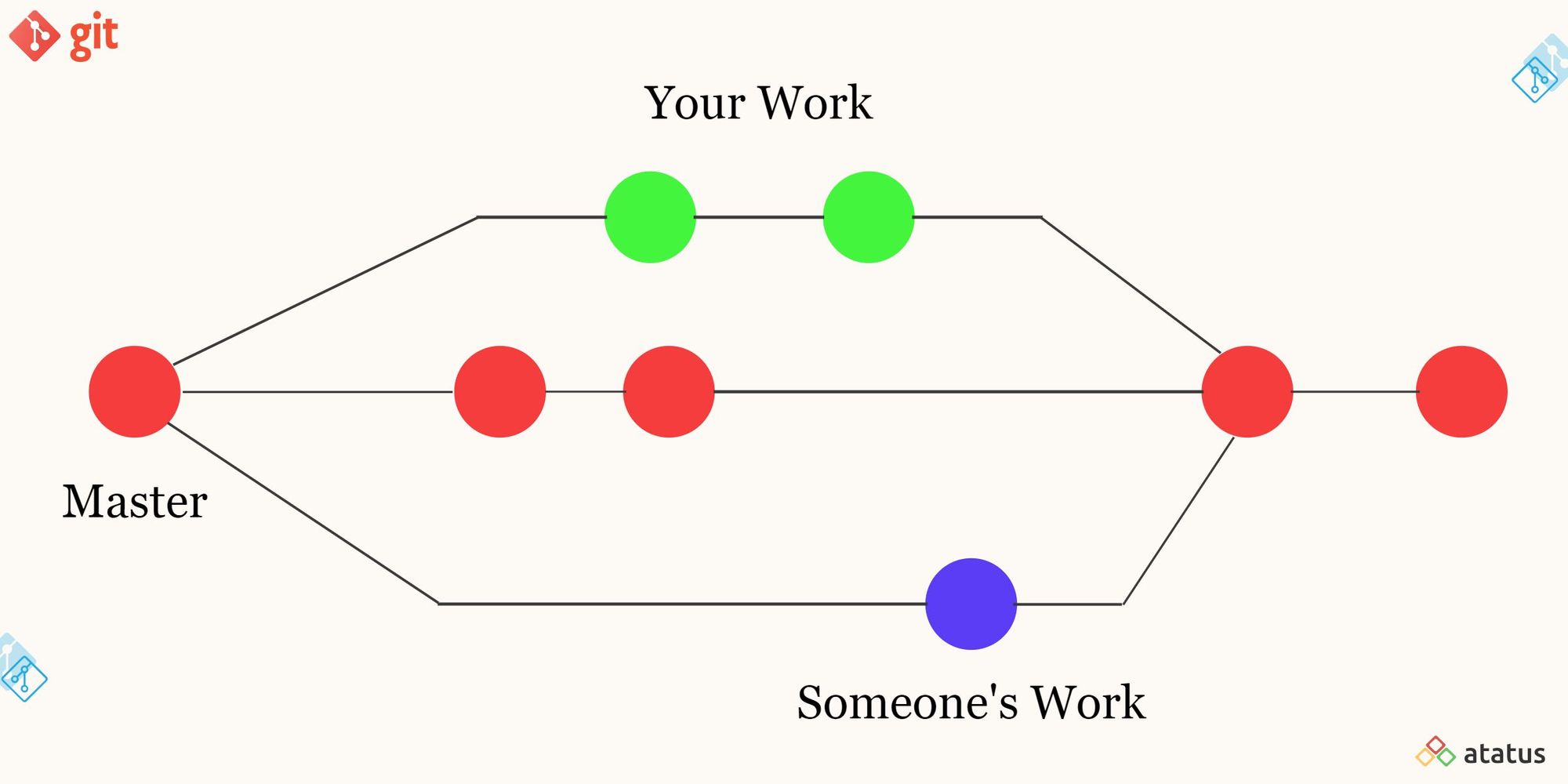
What Is Git Checkout Remote Branch Benefits Best Practices More

How Do I Check Out A Remote Branch With Git O Reilly
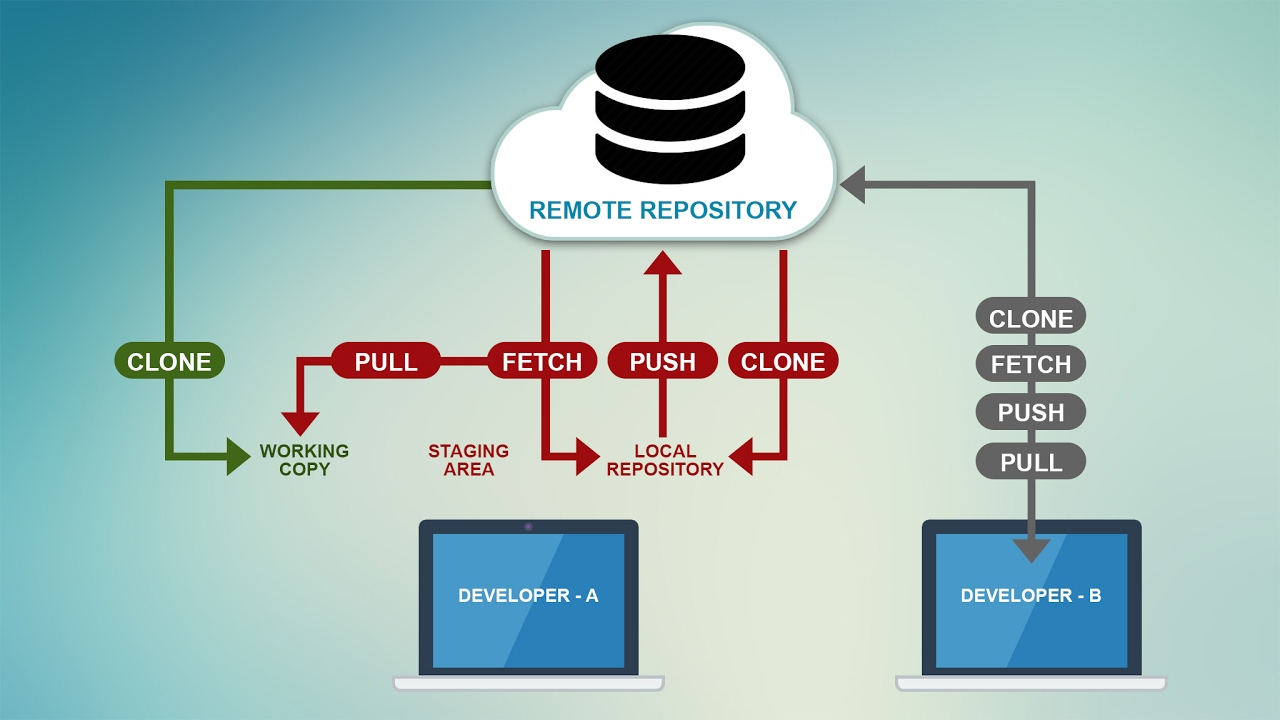
How To Push Local Git Repository To Github Youtube Www vrogue co

Git Change Branch And Reset Files Londonseka
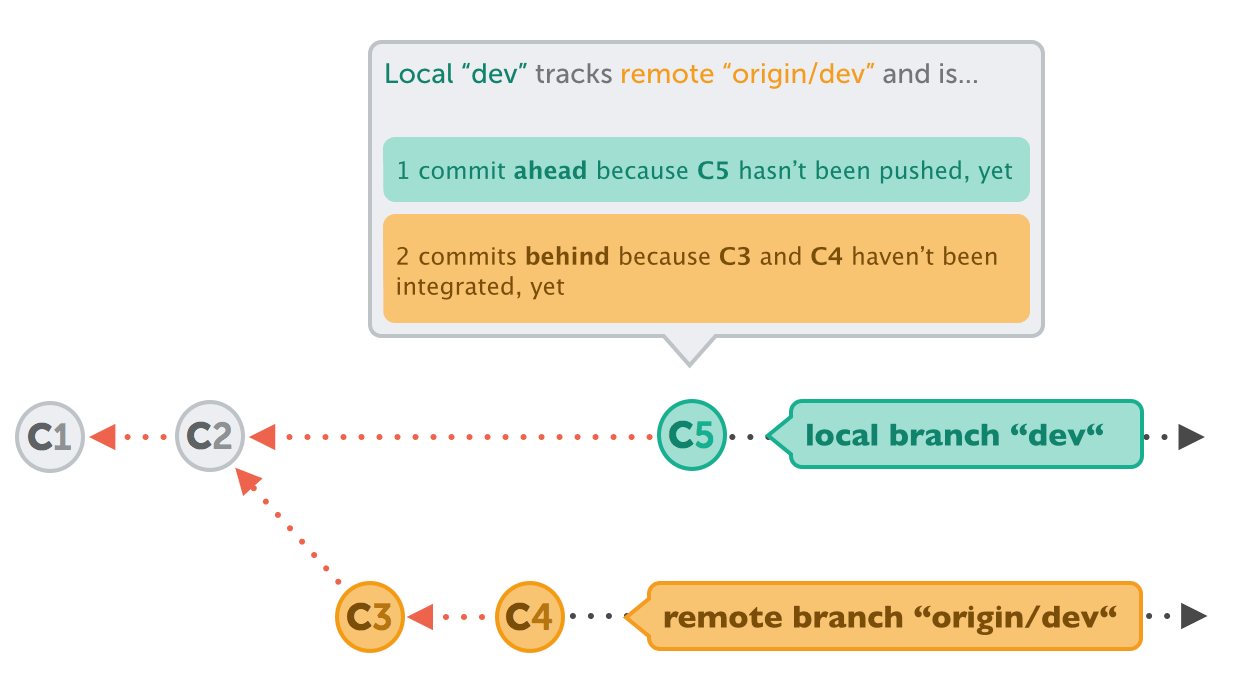
How Can I Tell A Local Branch To Track A Remote Branch Learn Version
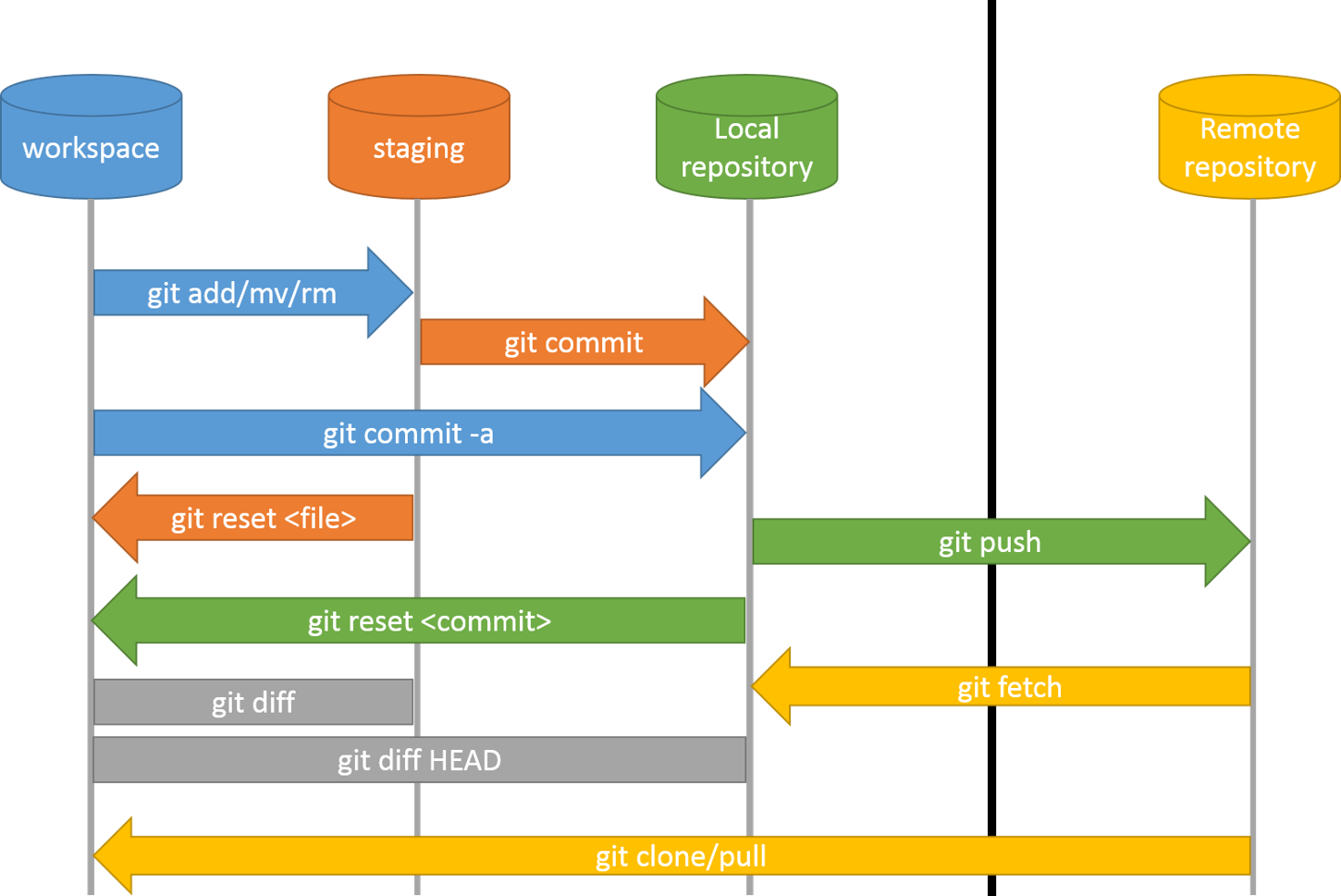
GIT 1 CodingBucks Dev Blog
4 Answers Sorted by 6 You can specify the destination branch on push command git push origin localBranch remoteBranch In your case you can write git push origin mynew mynew If mynew doesn t exist on the server it will create it

Remote Branches Remote references are references pointers in your remote repositories including branches tags and so on You can get a full list of remote references explicitly with git ls remote remote or git remote show remote for remote branches as well as more information

DESCRIPTION Switch to a specified branch The working tree and the index are updated to match the branch All new commits will be added to the tip of this branch
1 Answer Sorted by 5 You should be able to fix this using git branch set upstream master origin master which basically says that your current local branch should correspond to the master branch on origin Share

The most common scenario is to simply specify the local branch you want to switch to git switch other branch This will make the given branch the new HEAD branch If in one go you also want to create a new local branch you can use the c parameter git switch c new branch If you want to check out a remote branch that doesn t yet
The easiest way to switch branch on Git is to use the git checkout command and specify the name of the branch you want to switch to If the destination branch does not exist you have to append the b option otherwise you won t be able to switch to that branch git checkout existing branch git checkout b new branch In order to change the URL of a Git remote you have to use the git remote set url command and specify the name of the remote as well as the new remote URL to be changed git remote set url remote name remote url For example let s say that you want to change the URL of your Git origin remote
In that scenario simply use the track flag with the git checkout command git checkout track origin dev Branch dev set up to track remote branch dev from origin Switched to a new branch dev This creates a new local branch with the same name as the remote one and directly establishes a tracking connection between the two