Git Apply Only One Commit To Another Branch Git Revert Studytonight How To Undo Pushed Commits With Git Sciencx Using Git Flow On A Drupal Project Deeson 10 Git Aliases You Should Use If You Have Not Given In To The Fancy Git Web Nov 16 2021 nbsp 0183 32 You can get around this in a few ways The first is by making a new branch and then merging the diverging histories git checkout b tempfeature git checkout feature git merge tempfeature You can also use git stash to store changes for later and reapply them on a new branch git stash git switch feature git stash apply
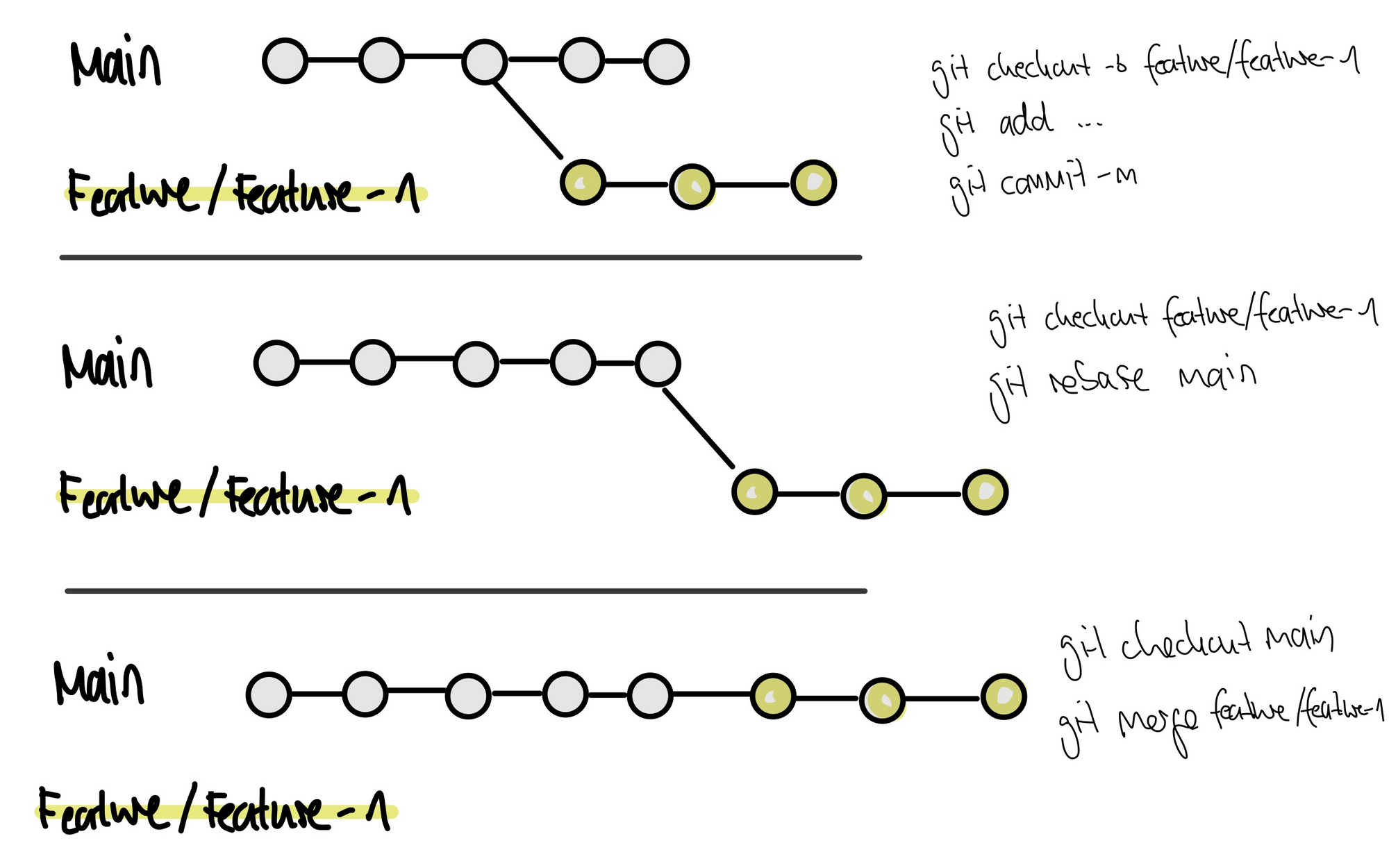
Web In Git this is called rebasing With the rebase command you can take all the changes that were committed on one branch and replay them on a different branch For this example you would check out the experiment branch and then rebase it onto the master branch as follows git checkout experiment git rebase master Web English Topics Version 2 45 0 git cherry pick last updated in 2 45 0 NAME git cherry pick Apply the changes introduced by some existing commits SYNOPSIS git cherry pick edit n m lt parent number gt s x ff S lt keyid gt lt commit gt git cherry pick continue skip abort quit DESCRIPTION
Git Create Merge Requests Code Reviews And Other Space Updates In Pycharm Git Merge GIT Branch And Its Operations An Easy Understanding Digital Varys Git Merge Ultimate Guide Part 1 Commit Don t Resolve The Success Grower Solved Push A Commit In Two Branches With Git 9to5Answer How To Git Add All Files Git How To Add All Modified File To Commit Application For Transfer To Another Branch Request Letter For Hot Sex
Git Apply Only One Commit To Another Branch
 Git Apply Only One Commit To Another Branch
https://s3.ap-south-1.amazonaws.com/s3.studytonight.com/tutorials/uploads/pictures/1625062814-103268.png
Web Nov 20 2020 nbsp 0183 32 How does git cherry pick works While on the wrong branch the one that has the commit do git log and copy the commit hash Checkout to the correct branch which you want to apply the commit eg git checkout master Now apply the commit to the new branch git cherry pick lt commit hash gt
Templates are pre-designed files or files that can be utilized for numerous purposes. They can conserve effort and time by providing a ready-made format and layout for creating various type of material. Templates can be used for personal or professional projects, such as resumes, invites, leaflets, newsletters, reports, presentations, and more.
Git Apply Only One Commit To Another Branch
Which Git Merge Strategy Is Appropriate For Our Team
Create Merge Requests Code Reviews And Other Space Updates In

Pycharm Git Merge

GIT Branch And Its Operations An Easy Understanding Digital Varys

Commit Don t Resolve The Success Grower

Solved Push A Commit In Two Branches With Git 9to5Answer

Web 2 Answers Sorted by 353 How to add the desired commit s into different branches git cherry pick lt SHA 1 gt lt SHA 1 gt no commit Apply the change introduced by the commit s at the tip of the master branch and create a new commit s with this change

Web May 31 2010 nbsp 0183 32 3 Answers Sorted by 1380 The other answers suggesting checking out the other branch then committing to it only work if the checkout is possible given the local modifications If not you re in the most common use case for git stash git stash git checkout other branch git stash pop

Web NAME git apply Apply a patch to files and or to the index SYNOPSIS git apply stat numstat summary check index intent to add 3way apply no add build fake ancestor lt file gt R reverse allow binary replacement binary reject z p lt n gt C lt n gt inaccurate eof recount cached

Web Last modified 30 March 2023 In Git there are several ways to integrate changes from one branch into another Merge branches Rebase branches Apply separate commits from one branch to another cherry pick Apply separate changes from a commit Apply specific file to a branch

Web Essentially you can copy commits from branch to branch Given the following tree Source dd2e86 946992 9143a9 a6fd86 5a6057 master 76cada 62ecb3 b886a0 feature Let s say we want to copy b886a0 to master on top of 5a6057 We can run git checkout master git cherry pick b886a0
Web Nov 15 2019 nbsp 0183 32 In order to see the commit hashes for your current branch simply run the git log command with the oneline option in order to make it more readable git log oneline 45ab1a8 HEAD gt branch2 added gitignore 808b598 branch Initial commit Web Jul 27 2023 nbsp 0183 32 To commit local changes to a new branch with git we can use the following three steps Create a new branch git switch c new branch This will leave our current branch unedited create a new branch called new branch and we still have our uncommitted changes It s the parameter c that tells git to create a new branch with a selected name
Web Apr 30 2018 nbsp 0183 32 Atlassian Support Sourcetree Get started Work using Git Merge changes from one branch to another Git If a feature branch is behind master you can sync that branch using a merge into your feature branch On macOS From the left side menu hover your mouse over the right side of the Branches label until you see the word Show