Git Add Changes To New Branch Move Uncommitted Changes To New Branch Git How To Create New Branch And Merge In Github Recode Hive How To Create A Git Branch Learn Git Create New Branch From Current Create A Branch Visual Studio Windows Microsoft Learn GIT Branch And GIT Merge Web Nov 16 2021 nbsp 0183 32 You can also use git stash to store changes for later and reapply them on a new branch git stash git switch feature git stash apply Moving Commits If You Already Committed If you already committed don t worry You can always soft reset so commits are not final until pushed to remote source control
Web git checkout b lt new branch gt What you ll see is something that looks like this git checkout b new branch M lt changed file gt Switched to a new branch new branch You haven t committed anything into Git with git add you ve only moved the files into staging You can still create a new branch with your staged work Web First you need to add changes create commit add remote branch and then push git remote add lt repo name gt lt repo url gt Example if you use BitBucket git remote add origin ssh git bitbucket git git status to see all changes they should be printed with red color git add lt file name gt add the file as git staged
GIT Branch And GIT Merge Git Move Uncommitted Changes To New Branch Move Existing Uncommitted Changes To A New Branch In Git Delft Stack Commit Changes To New Branch With Git Christian Engvall First Steps With Git Clone Add Commit Push Earth Data Science Continuous Integration And DevOps Tools Setup And Tips Git Workflow Commit Changes To A Git Repository TestingDocs What Is Git Push Command All You Need To Know Overview Vrogue Git How To Merge Changes Into The Forked Repository By git Merge
Git Add Changes To New Branch
 Git Add Changes To New Branch
https://api.time.com/wp-content/uploads/2016/06/overcome-fear-missing-out.jpg
Web You can use GitHub Desktop to create a new branch off of an existing branch in your repository so you can safely experiment with changes Committing and reviewing changes to your project in GitHub Desktop
Templates are pre-designed documents or files that can be utilized for different purposes. They can save effort and time by providing a ready-made format and layout for developing different sort of content. Templates can be used for personal or professional jobs, such as resumes, invites, leaflets, newsletters, reports, presentations, and more.
Git Add Changes To New Branch
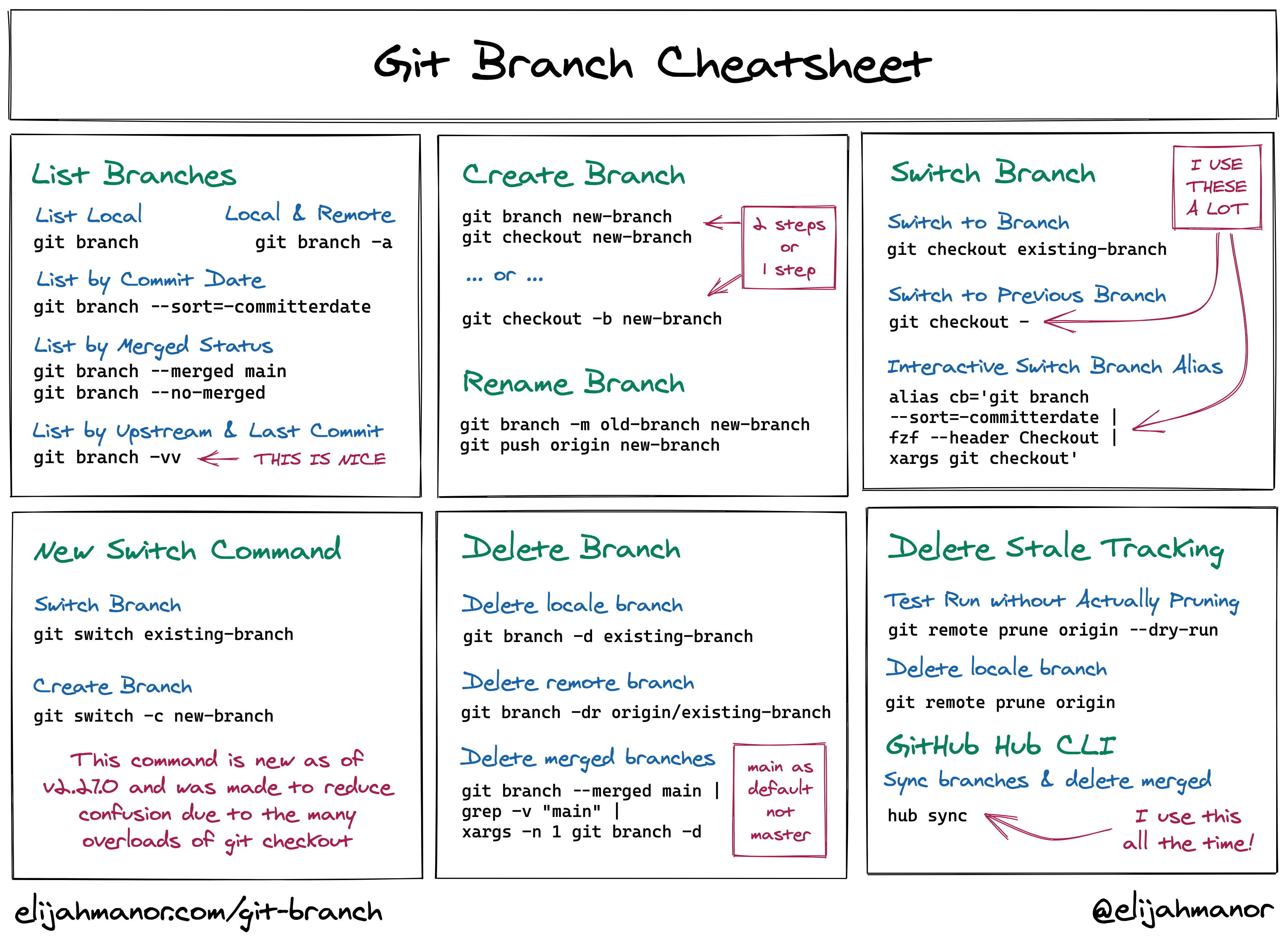
Git Branch Command To Create New Branch BEST GAMES WALKTHROUGH
Git Move Uncommitted Changes To New Branch

Move Existing Uncommitted Changes To A New Branch In Git Delft Stack

Commit Changes To New Branch With Git Christian Engvall
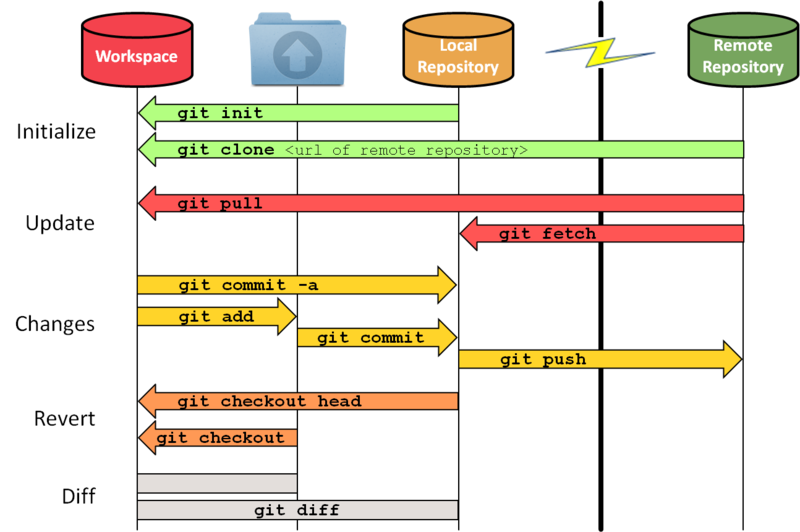
Continuous Integration And DevOps Tools Setup And Tips Git Workflow
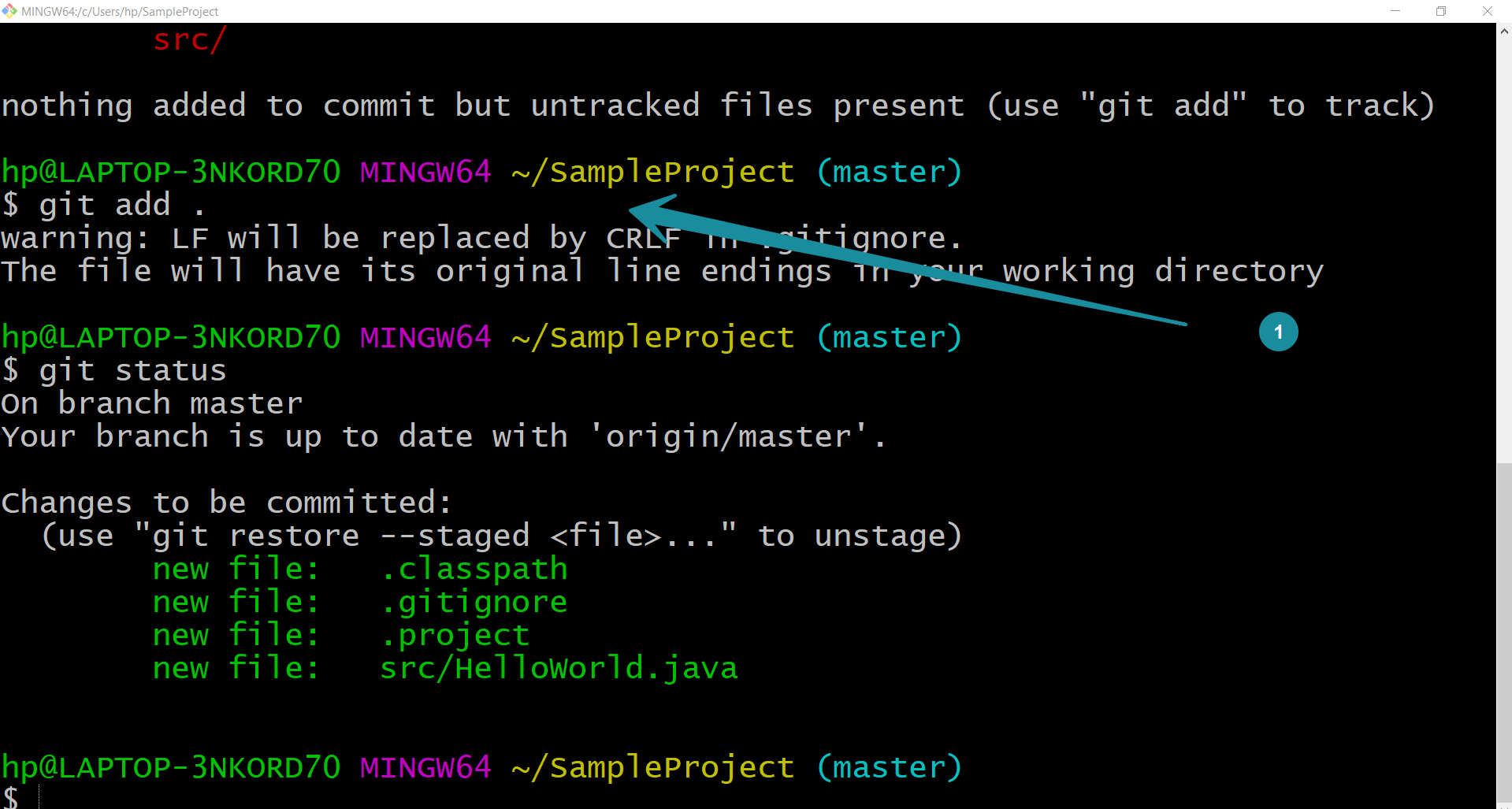
Commit Changes To A Git Repository TestingDocs

Web Oct 9 2017 nbsp 0183 32 git checkout b lt new branch gt This will leave your current branch as it is create and checkout a new branch and keep all your changes You can then stage changes in files to commit with git add lt files gt and commit to your new branch with git commit m quot lt Brief description of this commit gt quot
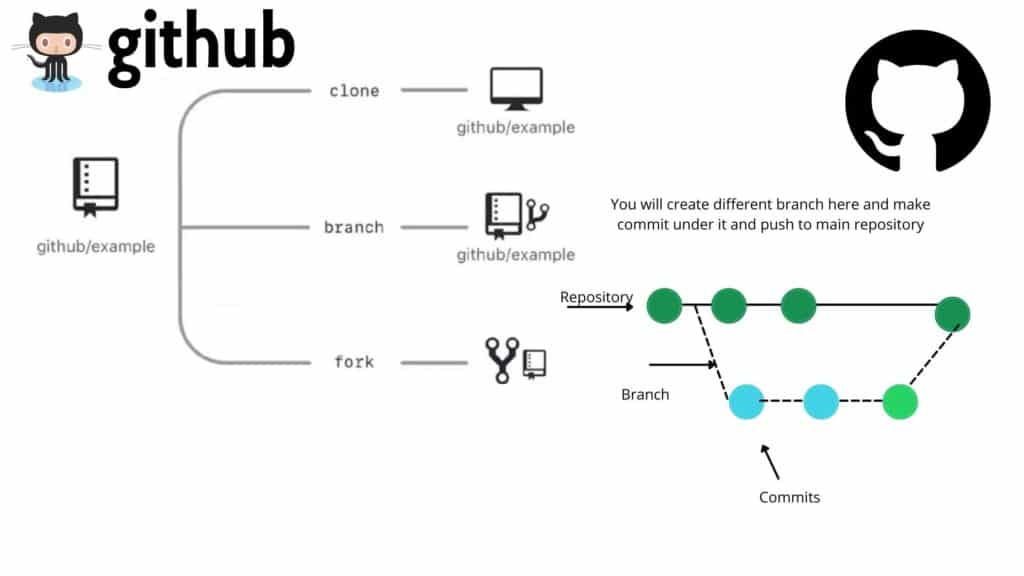
Web Jul 30 2012 nbsp 0183 32 2 Answers Sorted by 13 If you haven t committed yet git checkout b lt new branch name gt create and checkout the new branch git commit a commit to the new branch If you have already committed master contains your changes git branch lt new branch name gt create the new branch git reset hard HEAD rewind

Web Mar 20 2013 nbsp 0183 32 Create a new branch git checkout b edge Your files haven t changed Just git add what needs to and commit as usual When you re done committing on edge switch back to master with git checkout and git merge edge

Web This is an important point to remember when you switch branches Git resets your working directory to look like it did the last time you committed on that branch It adds removes and modifies files automatically to make sure your working copy is what the branch looked like on your last commit to it
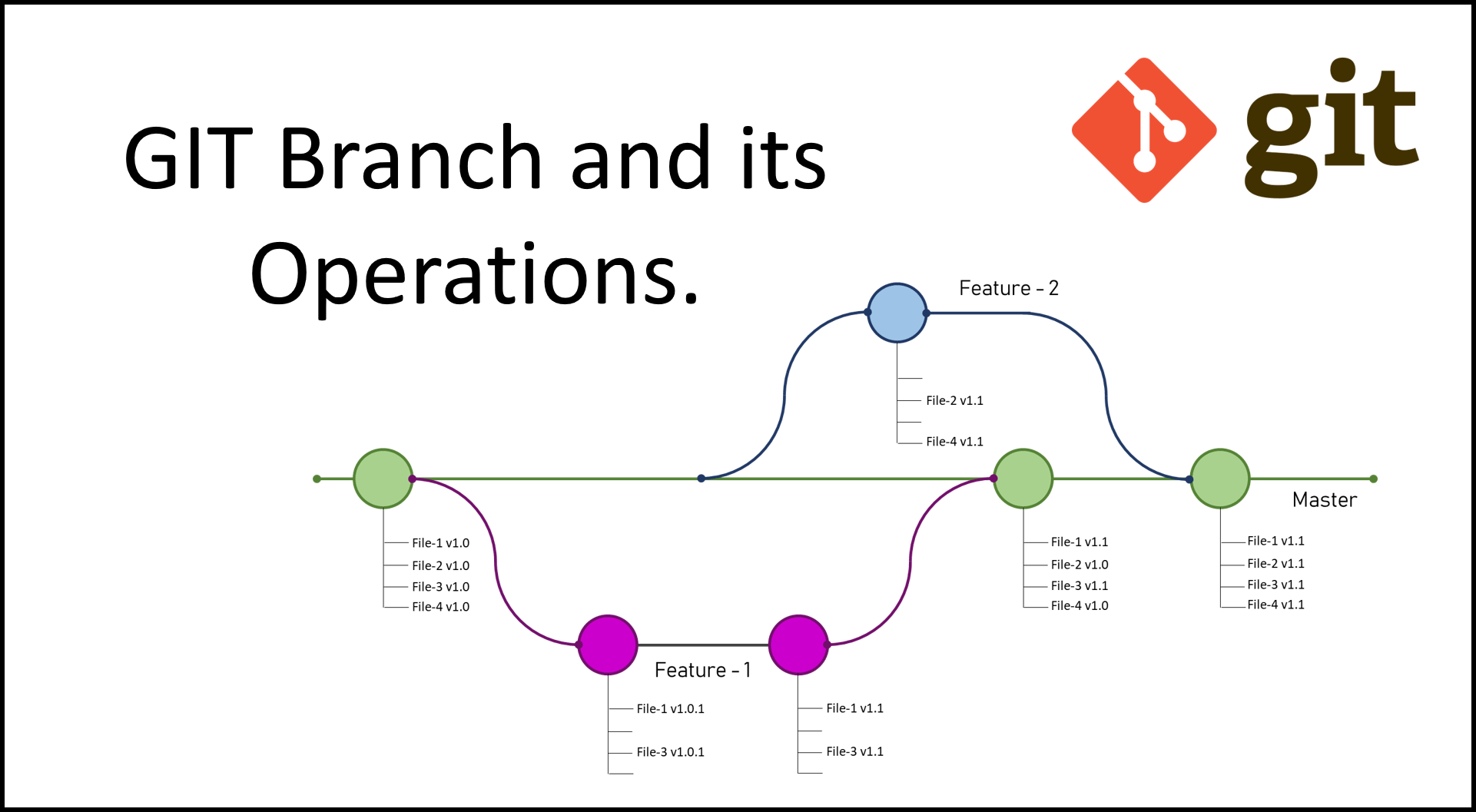
Web git checkout b branch name This will create a new branch from your current branch assuming it to be master copy the uncommited changes and switch to the new branch Add files to stage amp commit your changes to the new branch git add git commit
[desc-11] [desc-12]
[desc-13]