Get Process Name By Pid Windows Cmd Get Process Name From PID Using Command Prompt In Windows How To Find The PID And PPID Of A Process In Linux Systran Box Wow How To Unlock Void Elf Redledindex Kill Pid All Answers Ar taphoamini How To Run PowerShell Script From C Application ByteInTheSky WEB for F a in PowerShell ex bypass quot gwmi Win32 Process f ProcessID gwmi Win32 Process f ProcessId PID ParentProcessID ParentProcessID quot do set
WEB On all POSIX compliant systems and with Linux you can use ps ps p 1337 o comm Here the process is selected by its PID with p The o option specifies the output format WEB On Windows 10 you can find the process ID of an app or service in several different ways and in this guide we ll show you how from Task Manager Resource Monitor Command
How To Run PowerShell Script From C Application ByteInTheSky C C Get Process Name By Process Id 3 Solved Get Process Name By PID 9to5Answer Get List Of Running Processes In PowerShell Delft Stack Net Network Port Monitoring Solved How To Get The Process Name By Pid In Linux 9to5Answer Blame Killy And Cibo Redledindex Linux Cisco Microsoft Networking Display Process ID From Command Prompt Kill Windows Service Stuck At Stopping SPMCSE
Get Process Name By Pid Windows Cmd
 Get Process Name By Pid Windows Cmd
https://morgantechspace.com/wp-content/uploads/2015/01/get-process-name-from-PID.png
WEB Use the following to distinguish the processes according to their own process ID and their parent process ID wmic process get processid parentprocessid executablepath find
Templates are pre-designed files or files that can be utilized for different purposes. They can save time and effort by providing a ready-made format and layout for producing different sort of content. Templates can be used for personal or professional jobs, such as resumes, invitations, leaflets, newsletters, reports, presentations, and more.
Get Process Name By Pid Windows Cmd

Windows Cmd Close Process By Pid Shell Bash
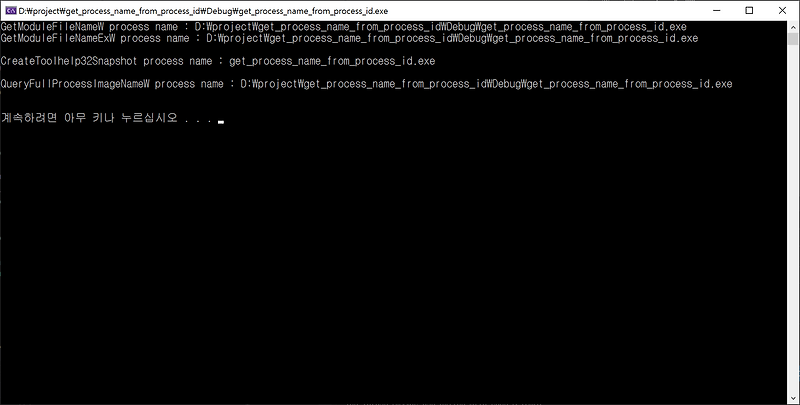
C C Get Process Name By Process Id 3

Solved Get Process Name By PID 9to5Answer

Get List Of Running Processes In PowerShell Delft Stack

Solved How To Get The Process Name By Pid In Linux 9to5Answer

Blame Killy And Cibo Redledindex

WEB May 28 2018 nbsp 0183 32 I m trying to run tasklist so it gives me only the PID of a named or titled process

WEB You can get Process Name from Process ID PID using the command tasklist in command prompt TaskList command displays all running applications and associated

WEB You will have to store the output of your command and then parse it tasklist v fi quot imagename EQ Wireshark exe quot FO LIST FIND quot PID quot gt temp temp txt set p
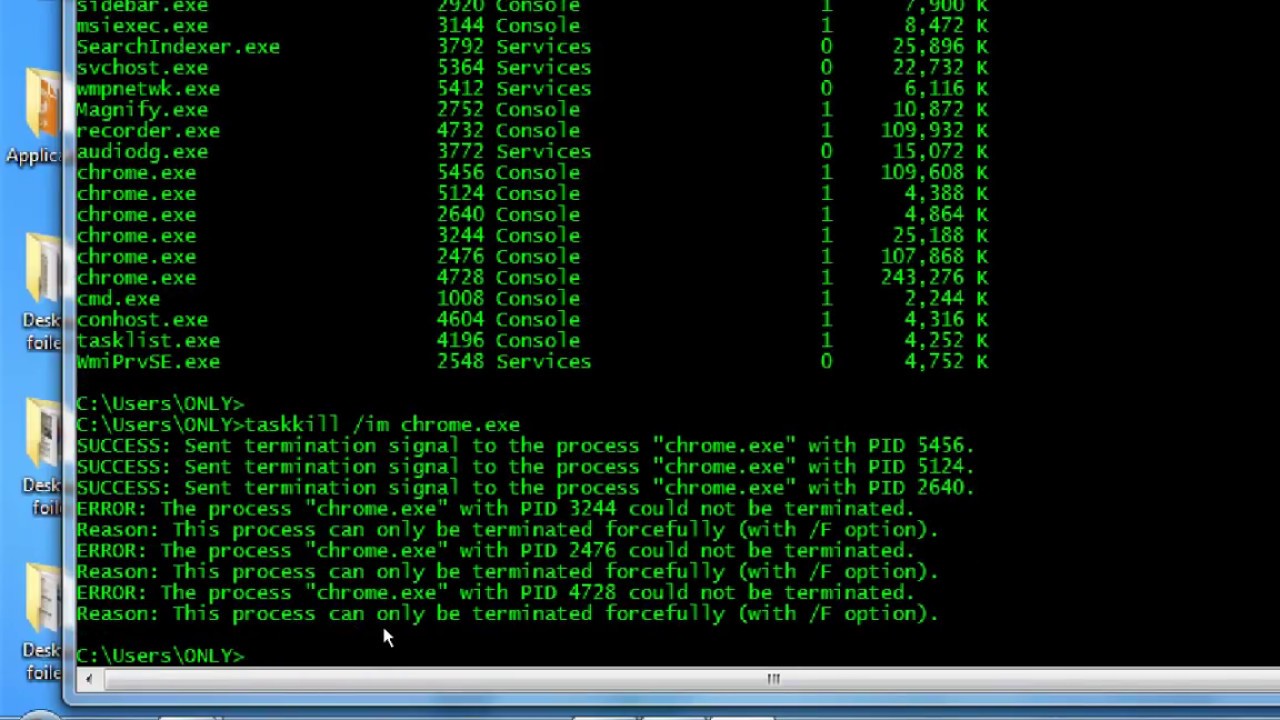
WEB Get Process Where Name eq quot SearchIndexer quot will find all processes and then only select the one called SearchIndexer Get Process Where ProcessName Like
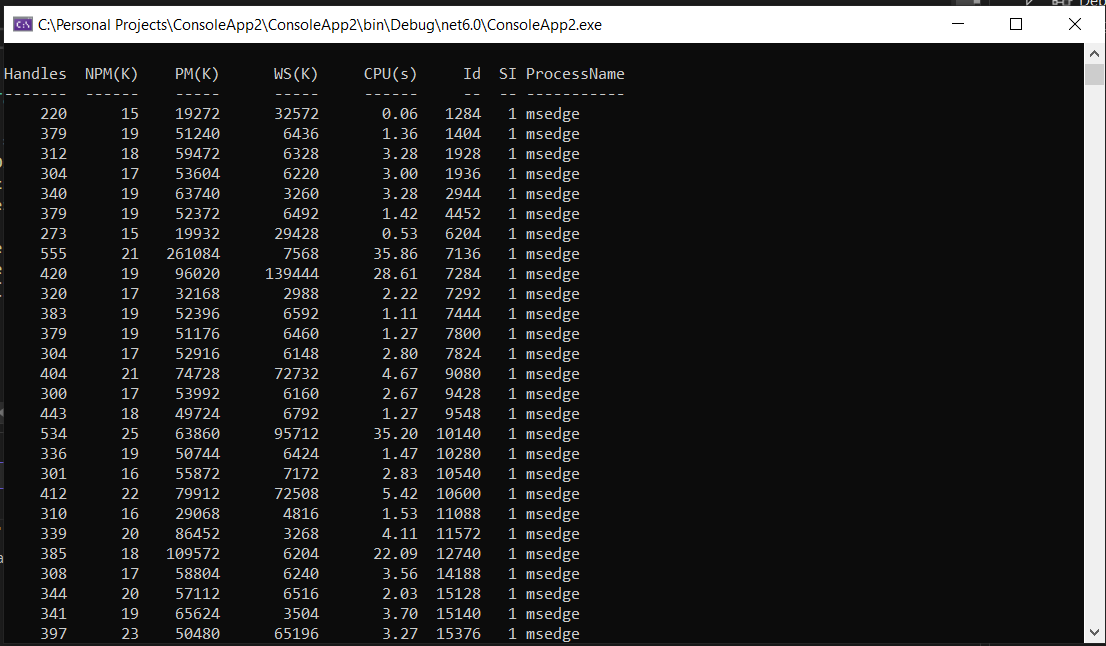
WEB The Get Process cmdlet gets the processes on a local computer Without parameters this cmdlet gets all of the processes on the local computer You can also specify a particular
WEB 4 Answers Sorted by 50 Powershell and WMI Get WmiObject Win32 Process Select ProcessId CommandLine Or Get WmiObject Query quot SELECT CommandLine FROM WEB This topic describes how you can determine the PID for a given app using Task Manager the tasklist Windows command the TList utility the PowerShell Get Process
WEB There is a tool called Windows Management Instrumentation Command line tool wmic exe You can call wmic process list to see all processes