Get Password Expiration Powershell Set Password Expiration Policies In Microsoft 365 Tenant Level Get Password Expiration Date Using Powershell The Sysadmin Channel Find When User Password Expired With Powershell Askme4Tech Password Expiration Email Notification With PowerShell LaptrinhX Retrieve Password Last Set And Expiration Date PowerShell HeelpBook Web Mar 27 2018 nbsp 0183 32 Getting the password expiration date for each user The first step in creating the script is to query all user accounts and expose their password expiration dates users Get ADUser filter Enabled eq True and PasswordNeverExpires eq False and PasswordLastSet gt 0 Properties quot Name quot quot EmailAddress quot
Web Mar 14 2023 nbsp 0183 32 Open a PowerShell window by pressing the Windows key and R together to get the Run box entering powershell and then hitting RETURN or clicking the OK button Alternatively you can enter powershell in the Start search field and selecting PowerShell from the results Get the password expiration date for one user with the PowerShell code Web Sep 20 2023 nbsp 0183 32 How do I generate password expiration for a user in Active Directory PowerShell Get a list of AD user accounts and their expiration dates with the following PowerShell script Get ADUser filter Enabled eq True and PasswordNeverExpires eq False Properties quot DisplayName quot quot msDS UserPasswordExpiryTimeComputed quot
Retrieve Password Last Set And Expiration Date PowerShell HeelpBook Retrieve Password Last Set And Expiration Date PowerShell HeelpBook PowerShell Check AD Password Expiration PowerShell Check AD Password Expiration Solved PowerShell Get Password Expiration For All Non 9to5Answer PowerShell Check AD Password Expiration Find Password Expiration Date For AD Users PowerShell Free Tools Get Password Expiration Date Using Powershell The Sysadmin Channel PowerShell Contr ler L expiration Du Mot De Passe AD
Get Password Expiration Powershell
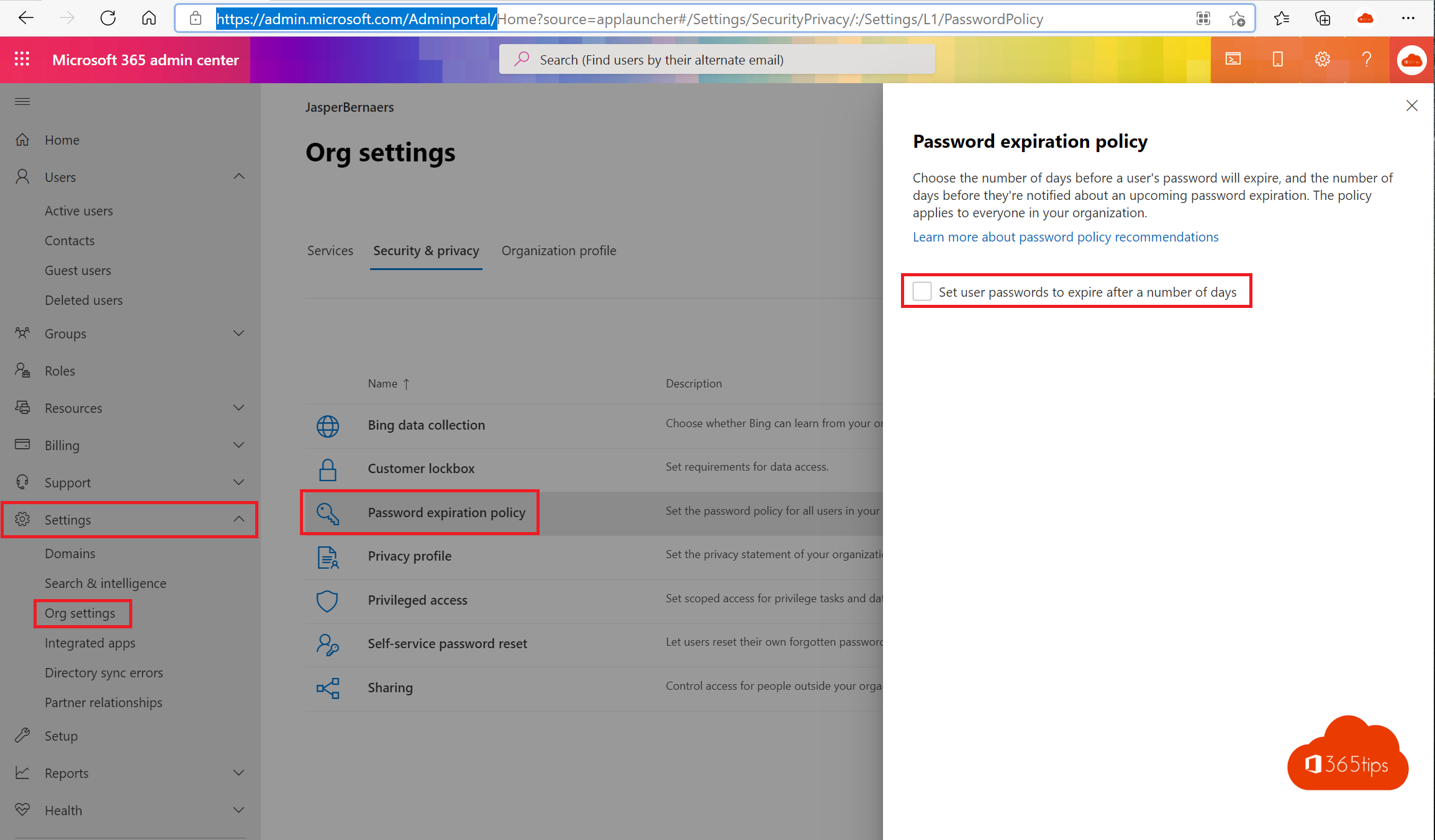 Get Password Expiration Powershell
https://365tips.be/wp-content/uploads/2021/05/image-60.png
Web Mar 1 2020 nbsp 0183 32 Powershell Script to Check Password Expirations in Active Directory Copy and Paste the contents of this file and save it as Get PasswordExpiredUsers ps1 Make sure you run the script as an administrator When you
Pre-crafted templates offer a time-saving solution for developing a varied range of files and files. These pre-designed formats and designs can be made use of for numerous personal and professional tasks, consisting of resumes, invitations, leaflets, newsletters, reports, discussions, and more, improving the content production procedure.
Get Password Expiration Powershell

Powershell Get AD Users Password Expiry Date MorganTechSpace

Retrieve Password Last Set And Expiration Date PowerShell HeelpBook

PowerShell Check AD Password Expiration
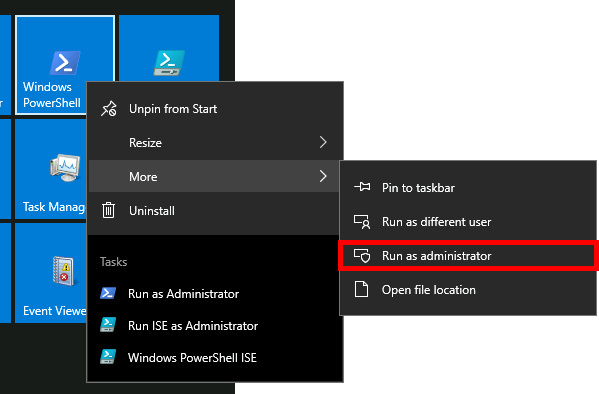
PowerShell Check AD Password Expiration

PowerShell Check AD Password Expiration

Find Password Expiration Date For AD Users PowerShell Free Tools
Web To get aduser password expiration date using PowerShell run the below command Get ADUser filter Enabled eq True and PasswordNeverExpires eq False Properties DisplayName msDS UserPasswordExpiryTimeComputed Select Object Property Displayname Name quot Expiration

Web If you just want to generate a list of user names with their expiry dates and the times of the last password change you can run this command Users select Name Name quot ExpiryDate quot Expression datetime FromFileTime quot msDS UserPasswordExpiryTimeComputed quot PasswordLastSet List of user names with their

Web Apr 3 2022 nbsp 0183 32 Get Password Expiration Date Using Powershell A clean and easy way to get Active Directory Password Expiration Date Powershell A Powershell script used to generate a password expiration report and send an email to the user to notify them to change their password

Web Open Active Directory Module for Windows PowerShell To Run as administrator help Get ADUser Get ADUser Get ADUser identity yaniv properties get aduser filter properties passwordlastset passwordneverexpires ft Name passwordlastset Passwordneverexpires

Web Aug 13 2020 nbsp 0183 32 See Below Get ADUser filter SearchBase quot OU Students DC domain DC domain DC com quot properties PasswordNeverExpires msDS UserPasswordExpiryTimeComputed where enabled eq true and PasswordNeverExpires eq False select Name
Web The Get Credential cmdlet creates a credential object for a specified user name and password You can use the credential object in security operations The Get Credential cmdlet prompts the user for a password or a user name and password You can use the Message parameter to specify a customized message in the command line prompt Web Nov 29 2021 nbsp 0183 32 The value of the PasswordExpired value does not in itself have a specific format but PowerShell chooses a default format based on your locale once it need to output it to the screen If you want to calculate the duration from now until the date specified in PasswordExpiration use the subtraction operator inside a calculated property
Web Jan 12 2017 nbsp 0183 32 1 Answer Sorted by 2 You will need to specify which property you would like instead of the all wildcard get aduser xyzuser properties quot msDS UserPasswordExpiryTimeComputed quot select object Name quot Password expires in quot e datetime FromFileTime msDS UserPasswordExpiryTimeComputed