Get Laps Password Expiration Date Powershell Step by Step Guide How To Configure Microsoft Local Administrator Get Password Expiration Date Using Powershell The Sysadmin Channel Windows Local Administrator Password Solution LAPS Password Retrieval Retrieve Password Last Set And Expiration Date PowerShell HeelpBook Everett Movie Theater Showtimes Elinor Chilton Web Apr 17 2023 nbsp 0183 32 With the cumulative update for April 2023 Microsoft delivers the Local Administrator Password Solution LAPS as a system component for the first time The updated version uses different attributes in AD and introduces new PowerShell cmdlets
Web Jan 21 2023 nbsp 0183 32 By default Active Directory saves the password into an attribute called ms Mcs AdmPwd and LAPS also stores the expiration date in ms Mcs AdmPwdExpirationTime Thus all you have to do is call a get adcomputer command and pull out the information 1 Get Adcomputer filter name like Computer properties Web May 9 2023 nbsp 0183 32 The Get LapsAADPassword cmdlet is part of the LAPS PowerShell module that was baked into the Windows Operating system with the April 2023 quality updates Graph requesting an access token for the API with the right OAuth 2 0 scopes to ensure we have access to the LAPS passwords stored within Azure AD To do so we can use
Everett Movie Theater Showtimes Elinor Chilton Changing The Account Expiration Date On All Users With PowerShell Configuraci n De Windows LAPS En El Cuadro De Di logo De Propiedades De Get Certificate Expiration Date In PowerShell ShellGeek Retrieve Password Last Set And Expiration Date PowerShell HeelpBook Ottieni La Data Di Scadenza Password Di Utenti AD Mediante PowerShell PowerShell And AD Show Different User Expiration Date Valuable Tech Notes Recover LAPS Passwords From Deleted Objects And Delegate Recovery Microsoft LAPS Security Active Directory LAPS Configuration Recon
Get Laps Password Expiration Date Powershell

https://techcommunity.microsoft.com/t5/image/serverpage/image-id/314620i4E11D4F161321B67/image-size/large?v=v2&px=999
Web Displaying the password expiry date If you just want to generate a list of user names with their expiry dates and the times of the last password change you can run this command Users select Name Name quot ExpiryDate quot Expression datetime FromFileTime quot msDS
Pre-crafted templates offer a time-saving solution for developing a diverse range of documents and files. These pre-designed formats and layouts can be made use of for various individual and professional projects, consisting of resumes, invites, leaflets, newsletters, reports, presentations, and more, streamlining the content production process.
Get Laps Password Expiration Date Powershell
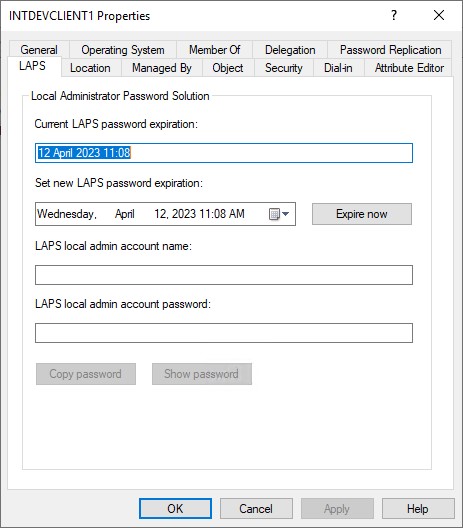
Windows Local Administrator Password Solution Int64 Software Blog

Changing The Account Expiration Date On All Users With PowerShell

Configuraci n De Windows LAPS En El Cuadro De Di logo De Propiedades De
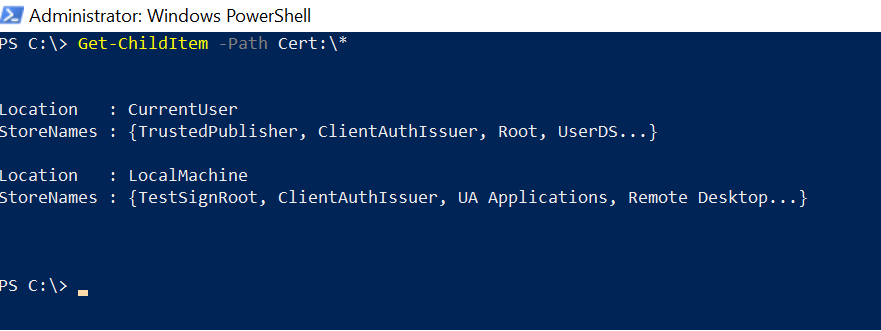
Get Certificate Expiration Date In PowerShell ShellGeek
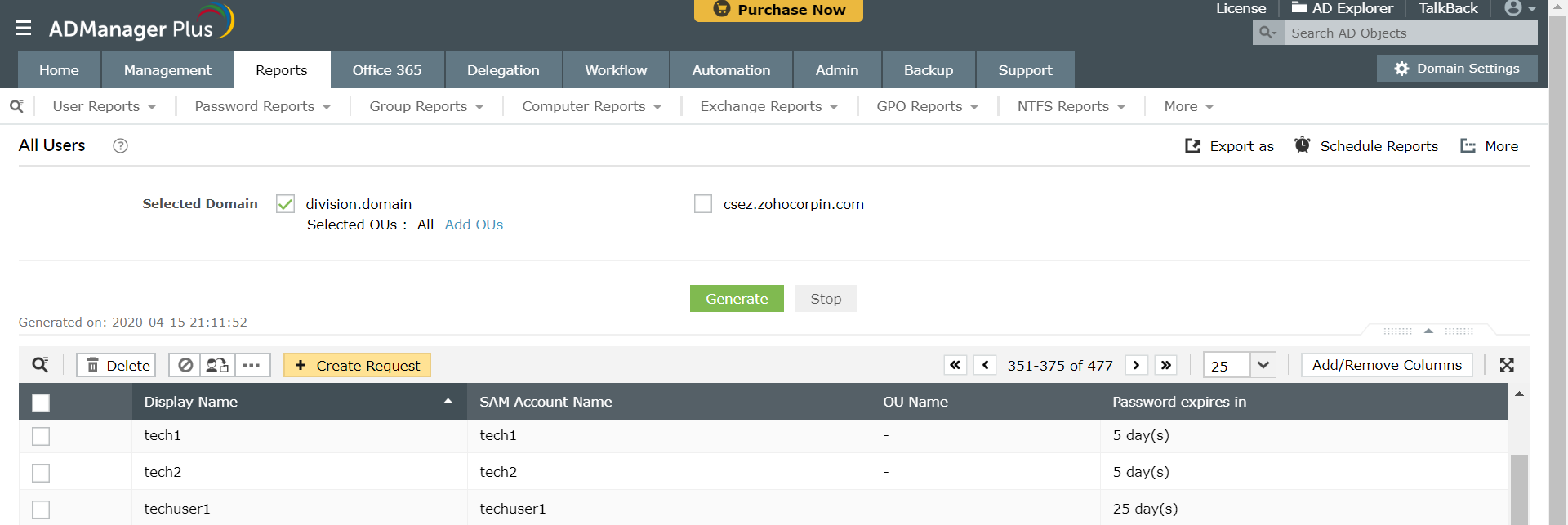
Ottieni La Data Di Scadenza Password Di Utenti AD Mediante PowerShell

PowerShell And AD Show Different User Expiration Date Valuable Tech Notes

Web This examples show setting the LAPS password expiration time to a specific date Example 3 Set LapsADPasswordExpirationTime Identity lapsClient WhenEffective DateTime Now AddDays 1 DistinguishedName Status CN LAPSCLIENT OU LapsTestOU DC laps DC com PasswordReset

Web May 5 2021 nbsp 0183 32 PowerShell I need help in figuring out how to get the LAPS password for a computer account with the readable expiration date This is what I have so far I can get the password but I can t properly read the expiration date may need to convert it from what I ve googled so far Text

Web Dec 4 2023 nbsp 0183 32 Set LapsADComputerSelfPermission Use to configure an OU in Windows Server Active Directory to allow computer objects to update their Windows LAPS passwords Set LapsADPasswordExpirationTime Use to update a computer s Windows LAPS password expiration time in Windows Server Active Directory

Web By default no In its default configuration LAPS only logs errors Errors and other events if you bump up the logging level are logged to the Application Event Log by the AdmPwd Source

Web Nov 1 2023 nbsp 0183 32 How to reset LAPS managed local admin password To reset a LAPS managed local admin password using PowerShell you can log in to the device connect to Microsoft Graph and use the Reset LapsPassword cmdlet
Web Sep 8 2023 nbsp 0183 32 Windows LAPS Local Administrator Password Solution allows you to centrally manage the passwords for the local administrators on the computers in your AD domain The current local administrator password is stored in the protected attributes of computer objects in Active Directory is automatically changed on a regular basis and Web Syntax PowerShell Get LapsAADPassword DeviceIds lt String gt IncludePasswords IncludeHistory AsPlainText lt CommonParameters gt Description The Get LapsAADPassword cmdlet allows administrators to retrieve LAPS passwords and password history for a Microsoft Entra joined device
Web Nov 29 2021 nbsp 0183 32 If you want to calculate the duration from now until the date specified in PasswordExpiration use the subtraction operator inside a calculated property Get LocalUser Select Object Name Name PasswordExpiresInSeconds Expression PasswordExpires Get Date