Get All Files From Sharepoint Document Library Using Rest Api Upload File To Sharepoint Document Library Using Rest Api Java E START Upload File To Sharepoint Document Library Using Rest Api Java E START Sharepoint Online Upload Files To Document Library Using Powershell How To Easily Download Files From SharePoint Using PowerShell With Date Upload File To Sharepoint Document Library Using Rest Api Java E START To build this I started by calling the api Web Lists getbytitle Document Library Name items endpoint I figured I d just get all the documents in the library and sort out the display from the array I got this working pretty well and in my test environment with a few hundred documents it worked great Then boom
First let us create an Html table to display id file name URL of the document using the below code The code you can add to a web part page using a script editor web part or content editor web part Nov 9 2023 8 56 AM Requirement Get all the files from the Sharepoint folders recursively including sub folders at all levels that were modified after a specific date using Graph API I have tried different methods but none worked as expected I am able to achieve a little progress with the below procedure but got an error tooManyResources
Upload File To Sharepoint Document Library Using Rest Api Java E START Young s SharePoint Download All Files From SharePoint Document Library Upload File To Sharepoint Document Library Using Rest Api Java E START Remove Unique Permissions From SharePoint List And Library Using REST API Young s SharePoint Download All Files From SharePoint Document Library Set Up Require Check Out Files To Edit In SharePoint Library Young s SharePoint Download All Files From SharePoint Document Library Despise Smola Odomkn Get Files From Folder Sharepoint Prieskumn k Using Power Automate To Upload The Attachments From SharePoint Document
Get All Files From Sharepoint Document Library Using Rest Api
 Get All Files From Sharepoint Document Library Using Rest Api
https://f4n3x6c5.stackpathcdn.com/UploadFile/BlogImages/05042021112923AM/New1.png
We can use the PnP PowerShell command Get PnPListItem to get all list items from the given List Document library Install the latest PnP PowerShell module if you have already not installed it Using the below script you can generate the following files inventory reports Export all files and metadata details Find recently created documents
Pre-crafted templates use a time-saving solution for producing a diverse series of files and files. These pre-designed formats and layouts can be used for different personal and expert jobs, consisting of resumes, invitations, flyers, newsletters, reports, discussions, and more, simplifying the content creation process.
Get All Files From Sharepoint Document Library Using Rest Api
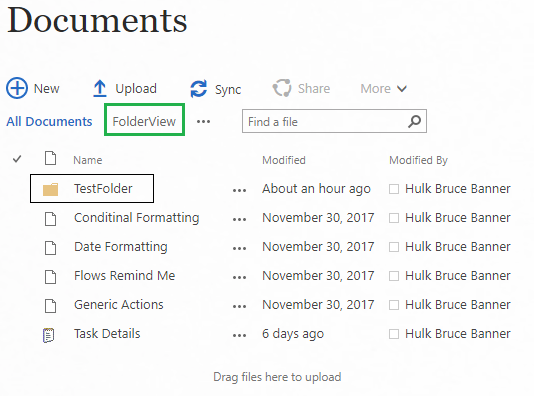
Despise Smola Odomkn Get Files From Folder Sharepoint Prieskumn k

Young s SharePoint Download All Files From SharePoint Document Library

Upload File To Sharepoint Document Library Using Rest Api Java E START

Remove Unique Permissions From SharePoint List And Library Using REST API

Set Up Require Check Out Files To Edit In SharePoint Library

Young s SharePoint Download All Files From SharePoint Document Library

First obtain the folder s OData type with a GET request HTTP GET https site url api web GetFolderByServerRelativeUrl Folder Name ListItemAllFields Authorization Bearer accessToken Accept application json odata verbose

View Scope RecursiveAll Query Where Eq FieldRef Name FSObjType Value Type Integer 1 Value Eq Where Query View to return all folder items in a library Example

2 I have a site on SharePoint Online with some documents in the Shared Documents document library I d like to download via REST All the calls I make are returning a bunch of file properties in XML I can t seem to get the binary file contents For example

I have a folder in a document library and that contains subfolders and each subfolder contains files I want to retrieve all the files in these subfolders using REST I know how to get the files in each folder but is there any way to get all these files in one REST call

Add dynamic content under a suitable action that returns file properties like Get files properties only don t know what you have there before click File name with extension If no extension needed then Name Message 10 of 11 6 304 Views
11 Try to use this endpoint GetFolderByServerRelativeUrl to return all files and folder at a specific folder URL https server api Web GetFolderByServerRelativeUrl folder url expand Folders Files To return only all files at a specific folder URL https server api Web GetFolderByServerRelativeUrl folder url expand Files 1 Within your SharePoint account create a site Either a Team or Communication site will work 2 Once your new site is created navigate to Documents and click New to add new files and folders
Navigate to your SharePoint document library Select all Files and folders Click on the Download button from the toolbar This provides you with a Zip file with all files and folders from the document library Similarly you can download folders as well Please note that this feature is available only with modern SharePoint Online UI and