Force Delete File Windows 10 App How To Force Delete Files In Windows 10 Vrogue How To Force Delete A File Windows Command Prompt Cmd Delete How To Force Delete A Folder Windows 10 11 RevoUninstaller How To Force Delete File Or Folder In Windows 10 Using CMD YouTube How To Delete Files And Folders Using Command Prompt In Windows 10 1 Use the Force Delete Shortcut Windows features a keyboard combination that allows users to permanently delete a file It will be eliminated from the system without being moved to the Recycle Bin first To permanently delete a file first select it then hold Shift and press Delete
Step 1 Press Windows key R to open the Run dialog Type appwiz cpl and press Enter Step 2 In the Programs and Features window find the program that you want to remove Right click on it Secure Download Step 1 Install and run AOMEI Partition Assistant Standard In the main console select the target disk click Wipe and select Shred Files Step 2 In the small window click Add Files or Add Folder to choose the file or folder you want to delete forcibly Step 3
How To Delete Files And Folders Using Command Prompt In Windows 10 How To Force Delete A File Windows 10 YouTube Force Delete A File That Cannot Be Deleted Windows 11 YouTube How To Force Delete File In Windows 10 TechCult How To Force Delete Folder Or File In Windows 1011 Easeus CLOUD HOT GIRL Dosyalar Silemiyorum Windows 10 8 7 de Silinemeyen Dosyalar Nas l How To Force Delete A File Windows Command Prompt Cmd Delete Duplicate Files Deleter Wholesale Sale Save 64 Jlcatj gob mx How To Force Delete Files In Windows 10 Vrogue
Force Delete File Windows 10 App
 Force Delete File Windows 10 App
https://windowsloop.com/wp-content/uploads/2019/07/cmd-to-force-delete-file-featured.jpg
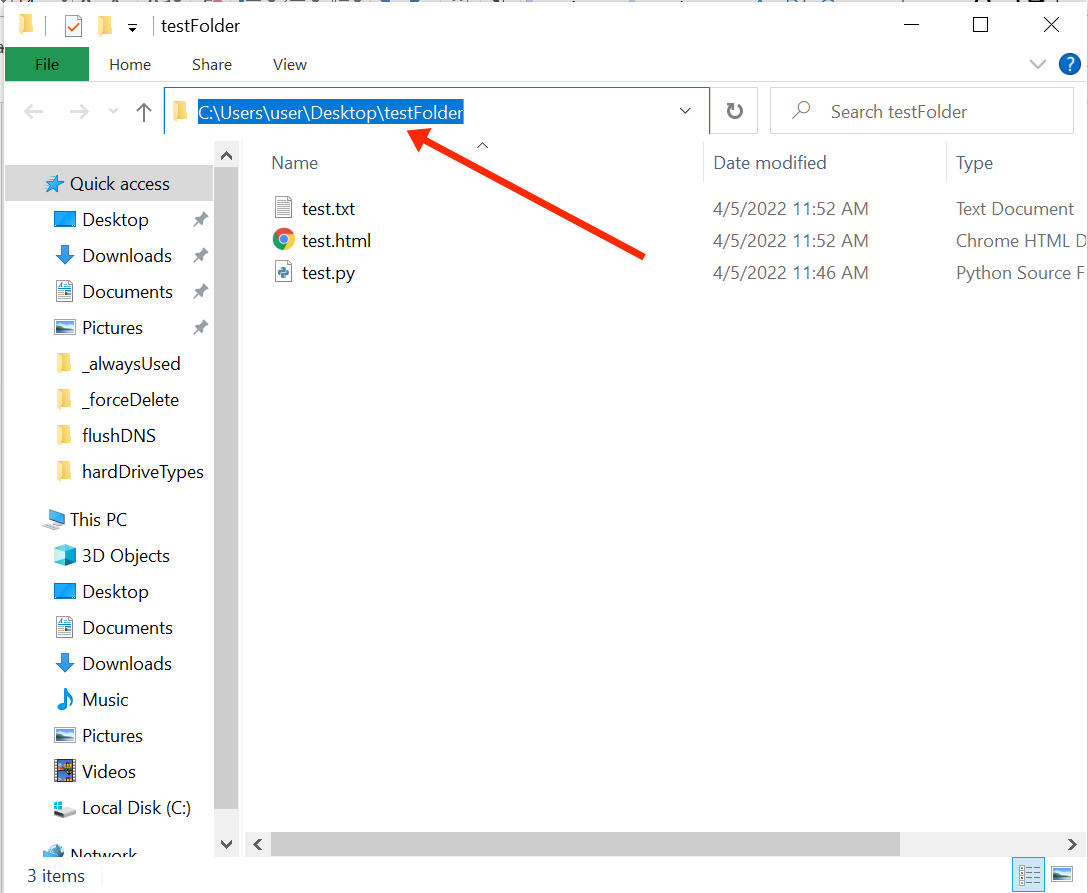
Here s how to force delete a folder on Windows 10 Step 1 Press Win E to open File Explorer Find the file or folder that is to be deleted Copy the location of the file or folder Step 2 Click the Search button and type in cmd Click on Run as administrator on the right panel to open it with admin rights
Pre-crafted templates use a time-saving option for creating a varied variety of files and files. These pre-designed formats and layouts can be utilized for various personal and expert jobs, consisting of resumes, invitations, flyers, newsletters, reports, presentations, and more, simplifying the material development process.
Force Delete File Windows 10 App

How To Force Delete File In Windows 10 TechCult

How To Force Delete A File Windows 10 YouTube

Force Delete A File That Cannot Be Deleted Windows 11 YouTube

How To Force Delete File In Windows 10 TechCult

Dosyalar Silemiyorum Windows 10 8 7 de Silinemeyen Dosyalar Nas l
How To Force Delete A File Windows Command Prompt Cmd Delete

How to force delete a file in Windows 10 computer Generally if a file is being opened or used by another application or program Windows 10 computer will mark the file in a locked state and you can t delete edit or move this file When you are not using this tile then it will be unlocked

One quick way to force delete a folder is to use Command Prompt You can run a command from this tool that deletes your selected folder To do that first open your Start menu and search for Command Prompt Then on the right pane click Run as Administrator You ll see a User Account Control prompt Select Yes
Wise Force Deleter is a completely freeware that allows you to delete any file in your Windows system 64 bit and 32 bit It has been developed and fully tested to work great on Windows 11 10 and other Windows operating systems from Windows XP and up No matter what you own a desktop or a laptop WHY CHOOSE WISECLEANER

You may be trying to delete a system file The Recycle Bin is either full or corrupted The file or folder is infected with malware or a virus The disk is write protected or full You get the Access Denied warning when you try deleting files or folders from a mounted external drive

Click Ctrl Shift ESC to open the Task Manager Alternatively you can press Ctrl Alt Del or right click the Taskbar and select Task Manager If you re on Windows 11 the Taskbar right click won t work If you see the compact Task Manager version click More details in the bottom left and make sure you re in the Processes tab
Press Shift Delete to force delete a file or folder If the problem is due to the Recycle Bin you can select the target file for folder and press Shift Delete keyboard shortcut to permanently delete it This way will bypass the Recycle Bin 3 Run Windows 10 in Safe Mode to Delete the File Folder If you can t delete a file or folder in Method 2 Command Prompt If you re comfortable with using the Command Prompt you can utilize its powerful commands to force delete a file on Windows 10 Follow these steps Open the Command Prompt by pressing the Windows key and typing cmd into the search bar Click on the Command Prompt option when it appears
To force delete a file in Windows we are going to use a single line command As soon as you execute the command it will force delete the target file Quick steps Search for CMD in the start menu Right click on the result and select Run as administrator In the command line window execute del s q C path to fileName ext command