Flutter Navigator Push Example 30 Flutter Navigation Push Pop YouTube Flutter Navigator IT Navigation In Flutter Navigate To The New Screen Using Navigator push Reload A Widget After Navigator pop Flutter Navigator Push pop For example Navigator push context MaterialPageRoute void builder BuildContext context return Scaffold appBar AppBar title const Text My Page body Center child TextButton child const Text POP onPressed Navigator pop context
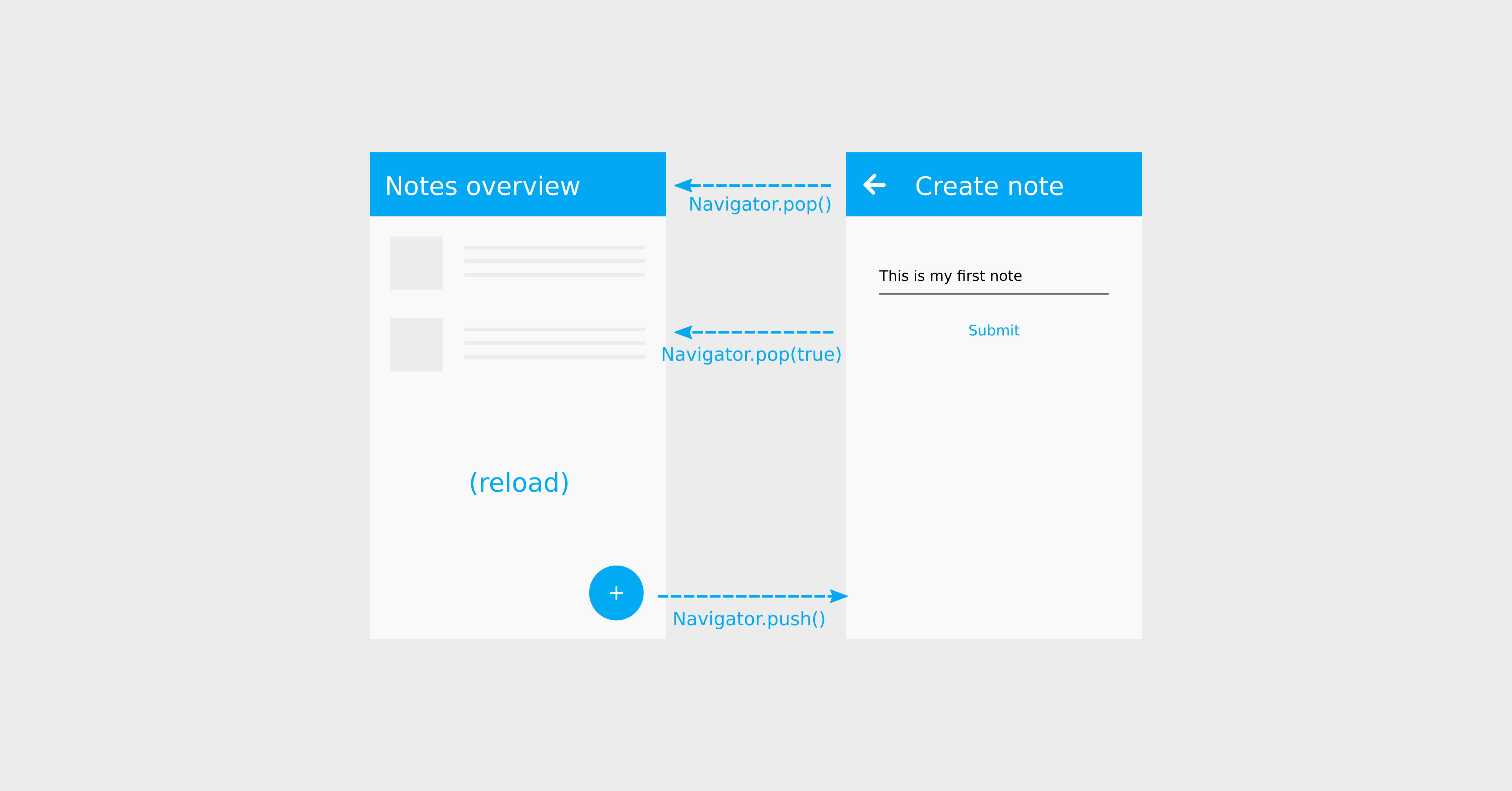
1 Create two screens 2 Define the routes 3 Navigate to the second screen 4 Return to the first screen Interactive example info Note Named routes are no longer recommended for most applications For more information see Limitations in the navigation overview page In some cases you might want to return data from a new screen For example say you push a new screen that presents two options to a user When the user taps an option you want to inform the first screen of the user s selection so that it can act on that information You can do this with the Navigator pop method using the following steps
Flutter Navigator Push pop Flutter Navigator Push pop The Unlimited Solved Flutter Navigator push Object Issue 9to5Answer Navigator Push Need Key Flutter Flux Flutter Navigation Push And Pop For Routes BigKnol Flutter Navigation With GoRouter Go Vs Push Error On Navigator push Issue 19757 Flutter flutter GitHub Basic Navigation In Flutter Navigator Only Cheatsheet By Dane Dart Flutter Navigator push Recursion And Keep Appbar And Bottom
Flutter Navigator Push Example
 Flutter Navigator Push Example
https://i.ytimg.com/vi/OubodtsAk0o/maxresdefault.jpg
Navigator push sample code Return to the first route using Navigator pop When we use Navigator push then to return to the first route we have to use Navigator pop method
Templates are pre-designed files or files that can be used for different purposes. They can save time and effort by providing a ready-made format and layout for creating different kinds of content. Templates can be used for personal or expert tasks, such as resumes, invites, leaflets, newsletters, reports, discussions, and more.
Flutter Navigator Push Example
F02 Flutter Widget Navigator push

Flutter Navigator Push pop The Unlimited

Solved Flutter Navigator push Object Issue 9to5Answer

Navigator Push Need Key Flutter Flux
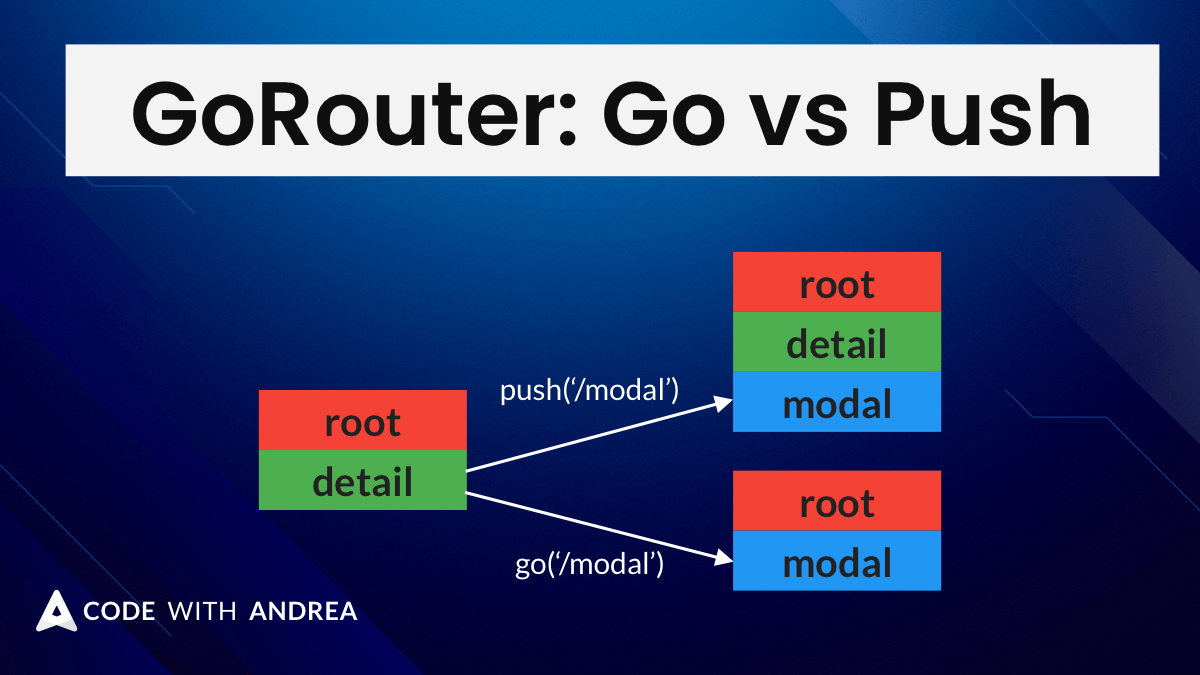
Flutter Navigation With GoRouter Go Vs Push

Error On Navigator push Issue 19757 Flutter flutter GitHub
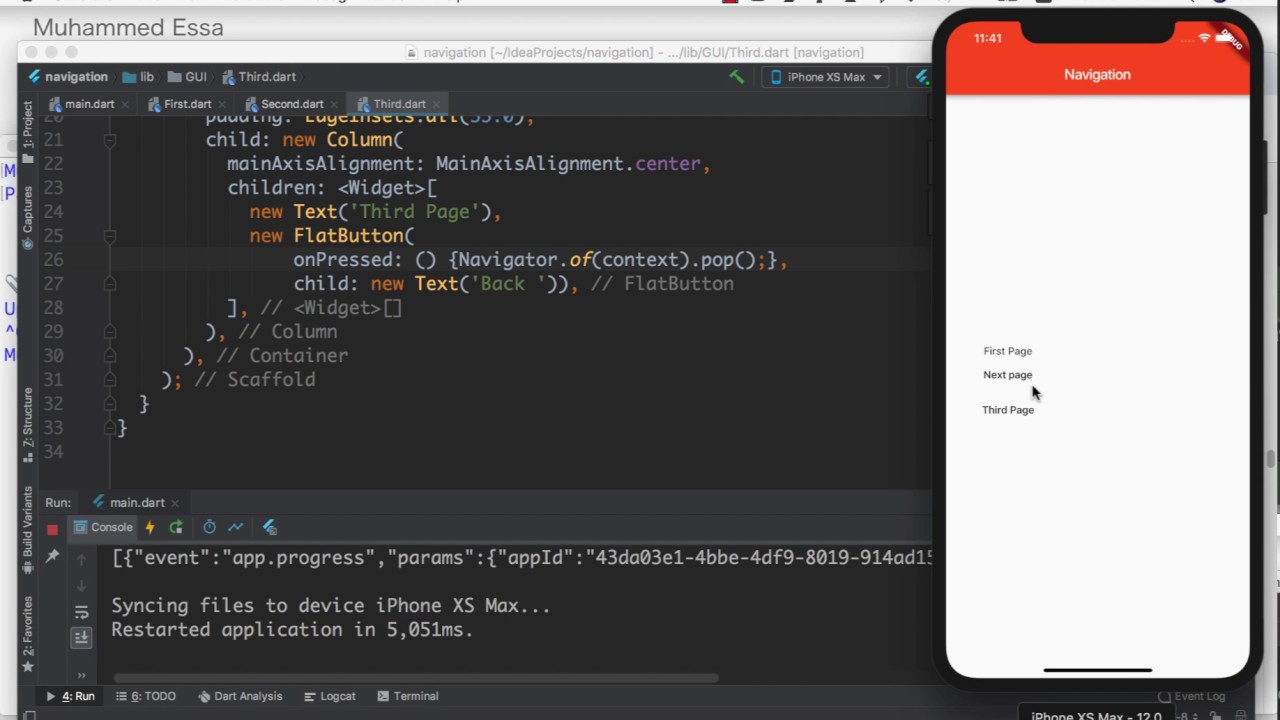
To navigate to a new screen access the Navigator through the route s BuildContext and call imperative methods such as push or pop content copy onPressed Navigator of context push MaterialPageRoute builder context const SongScreen song song child Text song name
How do you navigate to a new screen in Flutter These questions are similar but are asking more than I am Flutter Navigate to a new screen and clear all the previous screens Flutter How do I navigate to a new screen using DropDownMenuItems Flutter Move to a new screen without back flutter navigation to new screen not working
Push T extends Object static method optionalTypeArgs Future T push T extends Object BuildContext context Route T route Push the given route onto the navigator that most tightly encloses the given context The new route and the previous route if any are notified see Route didPush and Route didChangeNext
This recipe uses the following steps Define a todo class Display a list of todos Create a detail screen that can display information about a todo Navigate and pass data to the detail screen 1 Define a todo class First you need a simple way to represent todos

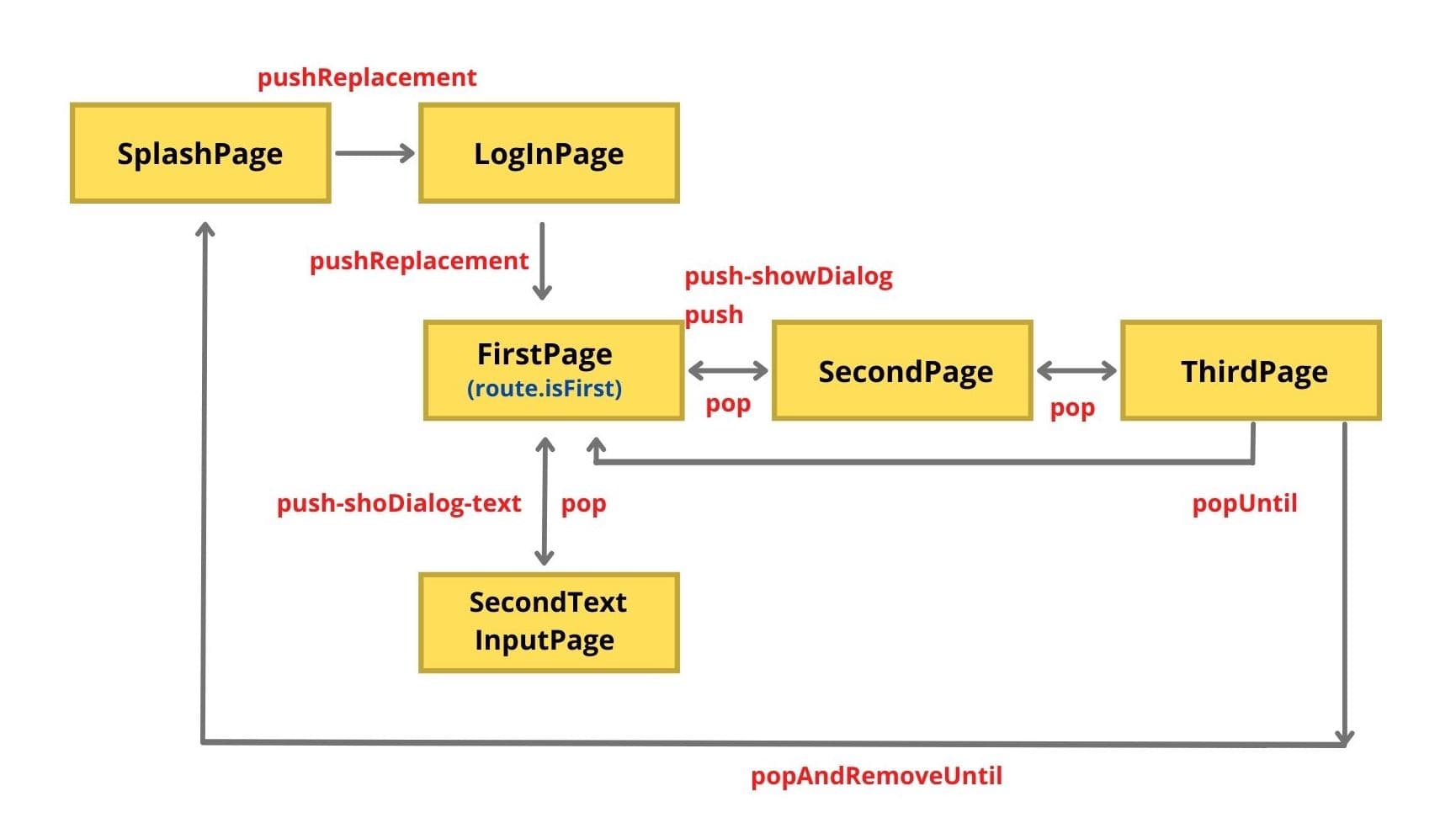
The Navigator push method is for navigating to a newer page and Navigator pop is for going back from the current page Here is a basic example of pop and push the push method takes BuildContext as the first argument and the second argument is a PageBuilder
Typical usage is as follows link void didPushButton Navigator pushNamed context settings The following example shows how to pass additional arguments to the route link content copy In Flutter navigation from one screen to another is possible because of Navigators a simple widget that maintains a stack of Routes or in simpler terms a history of visited screens pages
Navigator push method pushes the given route onto the stack of routes which is maintained by Navigator class Now to get this route we can use MaterialPageRoute or we can create our own route To push a new route on the stack we can create an instance of MaterialPageRoute with a builder function that creates a widget that you want to show