Flutter Ios Push Notification Not Working In Background IOS Push Notification Not Working Playfab Community Android Push Notification Not Working WooDelivery Delivery TIKI Proposed Architecture Mar 21 TIKI Believes In By Mike Audi Full Stacked How To Create Multiline Push Notification Not Configure Push Notification For Flutter IOS Once open follow the steps below Select your project Select the project target Select the Signing Capabilities tab Xcode Navigate to Signing Capabilities Enable Push Notifications Next the Push Notifications capability needs to be added to the project This can be done via the Capability option on the Signing Capabilities tab
You can send notifications from the Firebase Cloud Messaging console directly Go to the Cloud Messaging section from the left menu of the project overview page and click Send your first message Enter a notification title text and name then click Next Set the Target to be either your Android or iOS app or both Khainhero on Sep 24 2019 I was going to post this issue while ago but I left it alone as I thought this would be a priority fix Just wondering are notifications working for anyones iOS device using flutter stable 1 9 1 The issue I know that issue its an old one which im sure has been fixed for a while now
Configure Push Notification For Flutter IOS Fear Of furries In School Grips Conservative Parents Fooled By Absurd TIKI Proposed Architecture Mar 21 TIKI Believes In By Mike Audi Flutter Android Notification Not Being Shown Stack Overflow Solved Flutter FCM Push Notification Not Working When 9to5Answer Solved Apple Push Notification Not Working In 9to5Answer Can t Set Onesignal App ID Discuss Kodular Community Answer not Receiving Push Notification From Firebase But With Pusher Solved React Native Firebase Notification Icon Is Not Showing In
Flutter Ios Push Notification Not Working In Background
 Flutter Ios Push Notification Not Working In Background
https://community.playfab.com/storage/attachments/5070-pa1ua.png
To get started call the method from your application on iOS a native modal will be displayed on web the browser s native API flow will be triggered FirebaseMessaging messaging
Templates are pre-designed documents or files that can be used for numerous purposes. They can conserve time and effort by offering a ready-made format and design for developing various sort of material. Templates can be used for personal or professional jobs, such as resumes, invitations, flyers, newsletters, reports, discussions, and more.
Flutter Ios Push Notification Not Working In Background

Blackboard Learn APK

Fear Of furries In School Grips Conservative Parents Fooled By Absurd
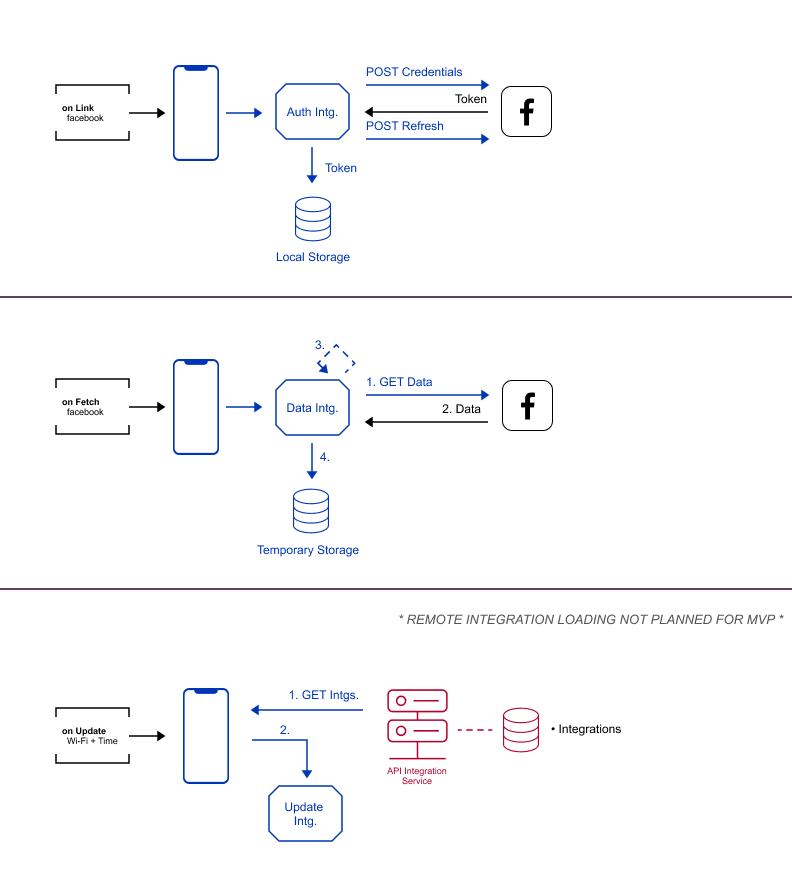
TIKI Proposed Architecture Mar 21 TIKI Believes In By Mike Audi

Flutter Android Notification Not Being Shown Stack Overflow

Solved Apple Push Notification Not Working In 9to5Answer

Can t Set Onesignal App ID Discuss Kodular Community

Flutter App Firebase push notification not coming in background Ask Question Asked Viewed 6 I am facing issue received notifications when app terminated Remove from recent apps from background I have complete all the setup required for android app in build gradle files both app or project level
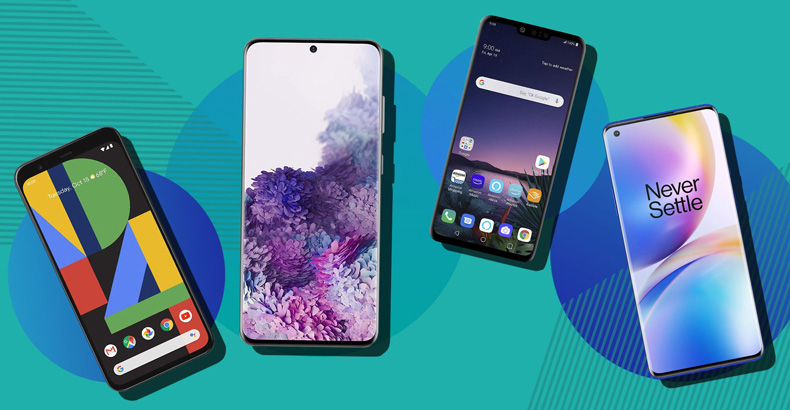
1 I have looked all of the other questions and answers but I couldn t solve my problem even I try everything I can get notification when app is on foreground for IOS and Android But If I am on the background for IOS I need to enter the app to see the notification Code For main dart initState
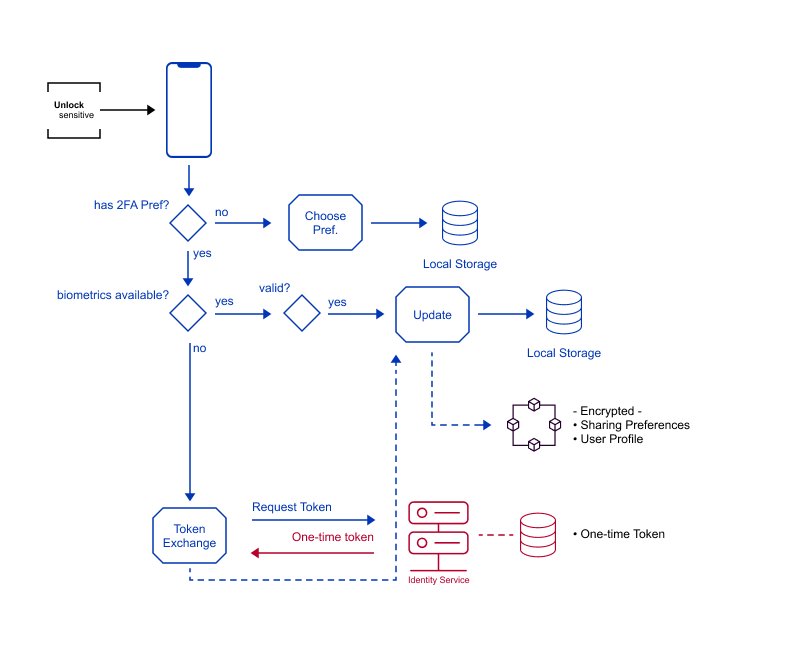
When I am sending a message from the Firebase console In the foreground state it comes with a popup message But the problem comes when the app is in a background state The message comes in the status bar but not popUp on the screen Here is my notification service code
1 I have the same Did you solved your problem Supabase Enjoyer May 17 2022 at 13 47 No Bro not solved till now Zilaid May 25 2022 at 15 09 I am facing the same problem Have done everything right It triggers if i schedule it 1 minute But as soon as set it for more than that it doesn t trigger Ammar Zahid Jun 8 2022 at 17 25
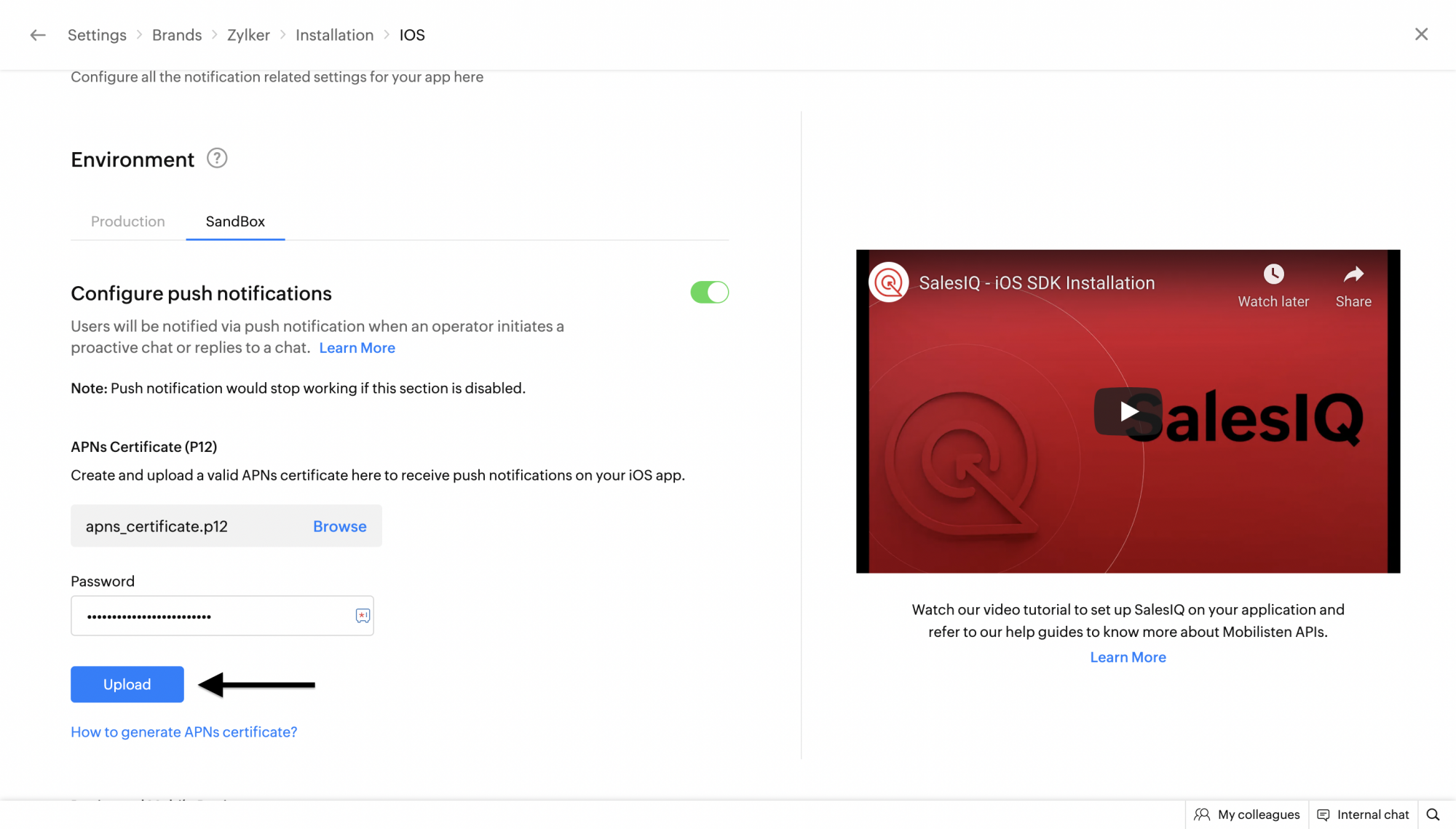
Follow edited Sep 14 2022 at 10 49 asked Mar 25 2022 at 5 52 Divyesh mehta 444 5 10 you need to add capabilities for that firebase flutter dev docs messaging apple integration Hardik Mehta Mar 25 2022 at 6 00
This brief guide describes how to enable IOS Push Notifications to your Flutter application using Firebase Cloud Messaging To activate push notifications for your iOS app you need Create a key in developers apple and apply it within firebase Feed my project with googleservices plist Turn on Push Notifications and Background Modes and enable Background fetch and Remote notifications under Background Modes Added this code in my info plist key FirebaseScreenReportingEnabled key true
Open the Cloud Messaging tab of the Firebase console Settings pane and scroll to the Web configuration section In the Web Push certificates tab find and select the link text import an existing key pair In the Import a key pair dialog provide your public and private keys in the corresponding fields and click Import