Flutter Get Scroll Position Of Widget Flutter Get Current Date Example Tutorial Solved How To Detect Scroll Position Of ListView In 9to5Answer React Detect Scroll Position The 7 Latest Answer Barkmanoil Get Scroll Position On Scroll With JavaScript YouTube Kazuwombat Medium The Flutter documentation defines NestedScrollView as A scrolling view inside of which can be nested other scrolling views with their scroll positions being intrinsically linked This means that with NestedScrollView you get two scrolling areas One is the header part and the other is its body part
This article shows you how to get the current scroll offset that indicates the distance to the top in pixels in a ListView or other scrollable widgets in Flutter like GridView SingleSchildScrollView CustomScrollView etc We ll discover the mechanism and then examine a complete example of applying that mechanism in practice Table Of Contents Jan 30 2023 at 15 28 Add a comment 23 Answers Sorted by 251 By far the easiest solution is to use Scrollable ensureVisible context As it does everything for you and work with any widget size Fetching the context using GlobalKey The problem is that ListView won t render non visible items
Kazuwombat Medium How To Detect Horizontal And Vertical Scroll On JavaScript VueJs By Get Scroll Position Selenium Java TutorialKart Get Scroll Position In Vanilla JavaScript Flutter Get Tap Position Coordinates X Y OnTap GestureDetector Jquery Window Scroll Position The 20 Correct Answer Ar taphoamini Get Scroll Position Of Element Inside Another Element XY Position 35 Javascript Get Scroll Position Of Div Javascript Overflow
Flutter Get Scroll Position Of Widget
 Flutter Get Scroll Position Of Widget
https://www.nicesnippets.com/upload/blog/1655103143_NRvu01655106090.jpg
This tutorial explains how to get the size and position of a widget in Flutter Sometimes you may need to know the size and position of a widget rendered in the screen programmatically For example if you need to control a child widget based on the parent s size and location
Pre-crafted templates provide a time-saving option for producing a diverse range of files and files. These pre-designed formats and designs can be utilized for numerous individual and professional tasks, including resumes, invites, flyers, newsletters, reports, presentations, and more, simplifying the material development process.
Flutter Get Scroll Position Of Widget

Get And Set Scroll Position Of An Element JavaScriptSource
How To Detect Horizontal And Vertical Scroll On JavaScript VueJs By
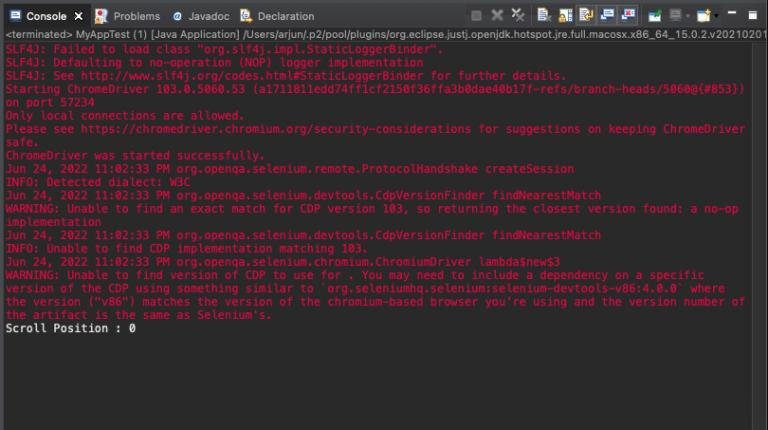
Get Scroll Position Selenium Java TutorialKart

Get Scroll Position In Vanilla JavaScript

Jquery Window Scroll Position The 20 Correct Answer Ar taphoamini
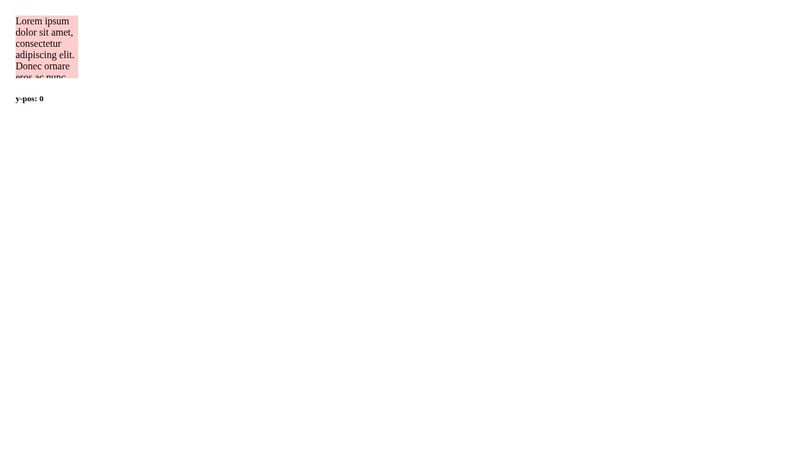
Get Scroll Position Of Element Inside Another Element

How to Get Scroll Position Offset in Flutter In this example we are going to show you how to get or listen to a Scroll position change and its current position offset on Scrolling widgets like SingleChildScrollView ListView See the example below How to Get Current Scroll Position Offset

9 Answers Sorted by 74 I used NotificationListener that is a widget that listens for notifications bubbling up the tree Then use ScrollEndNotification which indicates that scrolling has stopped For scroll position I used scrollController that type is ScrollController

A scrollable linear list of widgets ListView is the most commonly used scrolling widget It displays its children one after another in the scroll direction NestedScrollView A scrolling view inside of which can be nested other scrolling views with their scroll positions being intrinsically linked NotificationListener

Changes in scroll position in pixels relative to the current scroll position can be made with scrollOffsetController animateScroll offset 100 duration Duration seconds 1 A full example can be found in the example folder This is not an officially supported Google product A list with helper methods to programmatically scroll to an item

Description position property ScrollPosition position Returns the attached ScrollPosition from which the actual scroll offset of the ScrollView can be obtained Calling this is only valid when only a single position is attached Implementation
For this Flutter comes with Widget called PageStorage By adding a PageStorage at the root and adding a PageStorageKey to each page some of the page s state e g the scroll position of a Scrollable widget will be stored automatically in its closest ancestor PageStorage and restored when it s switched back A scroll controller creates a ScrollPosition to manage the state specific to an individual Scrollable widget To use a custom ScrollPosition subclass ScrollController and override
A scroll position that manages scroll activities for a single ScrollContext This class is a concrete subclass of ScrollPosition logic that handles a single ScrollContext such as a Scrollable An instance of this class manages ScrollActivity instances which change what content is visible in the Scrollable s Viewport