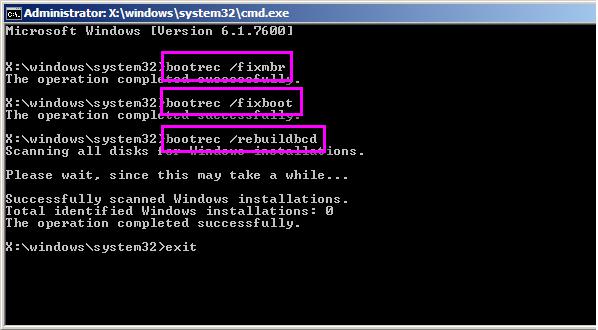
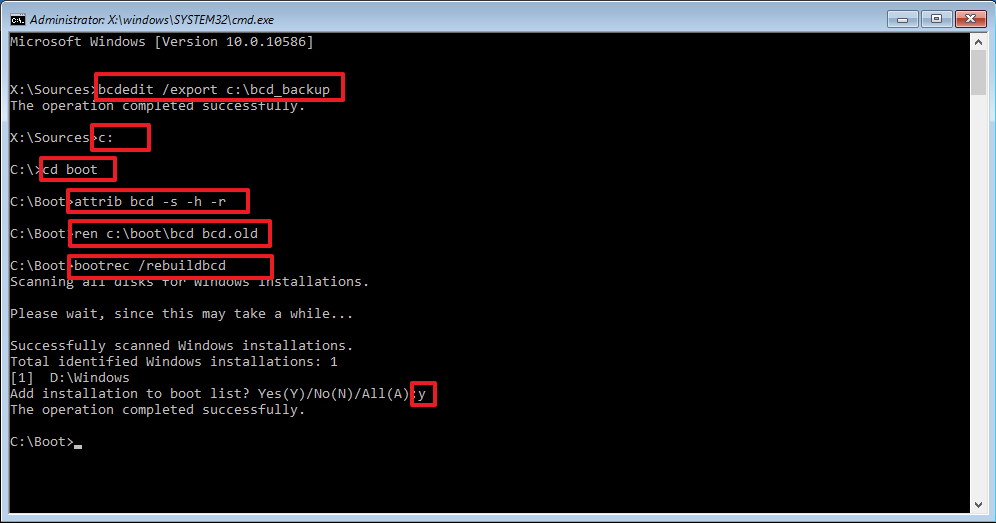
Fix Mbr Command Fix MBR Master Boot Record Errors In Windows 10 Fix MBR Master Boot Record Errors In Windows 10 Step by Step Guide To Repair And Fix MBR Windows 7 8 8 1 10 How To Repair The Master Boot Record MBR On Windows 10 PUREinfoTech Best Software To Repair Mbr From Command Prioritysonic Web Feb 10 2022 nbsp 0183 32 Boot your computer from the Windows install image and press Shift F10 on the language selection screen You will see a command prompt Try to repair the BCD file automatically using this command bootrec RebuildBCD Reboot your computer and check if Windows boots don t forget to change the boot device priority in the BIOS settings
Web Sep 7 2016 nbsp 0183 32 The main way to fix the MBR is to use a command prompt and run the bootrec exe command In versions of Windows prior to Windows 8 and 10 you usually accessed the command prompt through Web Type this command bootsect nt60 SYS mbr Press Enter Remove the CD DVD from the disk tray Type exit Press Enter to restart your computer Fix the MBR in Windows 8 or 8 1 You need the original Windows 8 or 8 1 installation DVD to repair the Master boot record
Best Software To Repair Mbr From Command Prioritysonic How To Fix MBR For Windows 8 When Operating System Cannot Boot Fix MBR In Windows 8 Beheben Sie Den Neustart Und W hlen Sie Den Richtigen Startger tefehler Windows 11 10 8 7 MBR How To Fix The MBR Master Boot Record In Windows 10 Make Tech Easier Here Are 5 Perfect Solutions To Missing Operating System MiniTool How To Fix The MBR Master Boot Record In Windows 10 Tutorial Fix MBR From Command Prompt In Windows 11 10 8 7
Fix Mbr Command
 Fix Mbr Command
https://windowsloop.com/wp-content/uploads/2018/03/windows-boot-error.jpg
Web To fix the Master Boot Record use the command below bootrec fixmbr Optional Use the command below to repair the boot record if you are dual booting and one of the other operating systems like Linux modified or replaced the original boot record
Templates are pre-designed files or files that can be utilized for different functions. They can conserve effort and time by offering a ready-made format and design for creating various sort of material. Templates can be utilized for individual or professional projects, such as resumes, invitations, flyers, newsletters, reports, presentations, and more.
Fix Mbr Command
Removing Linux From A Computer With Windows 10 Pablo Gallardo s Blog
How To Fix MBR For Windows 8 When Operating System Cannot Boot

Fix MBR In Windows 8

Beheben Sie Den Neustart Und W hlen Sie Den Richtigen Startger tefehler

How To Fix The MBR Master Boot Record In Windows 10 Make Tech Easier
Here Are 5 Perfect Solutions To Missing Operating System MiniTool

Web Sep 14 2023 nbsp 0183 32 To fix damaged MBR using Command Prompt you have to use the Windows installation CD DVD to boot your computer since it is unable to boot from the OS If you don t have one you can download Windows ISO files from the official Microsoft website and create a bootable USB drive 1 Boot computer from the Windows 7 installation

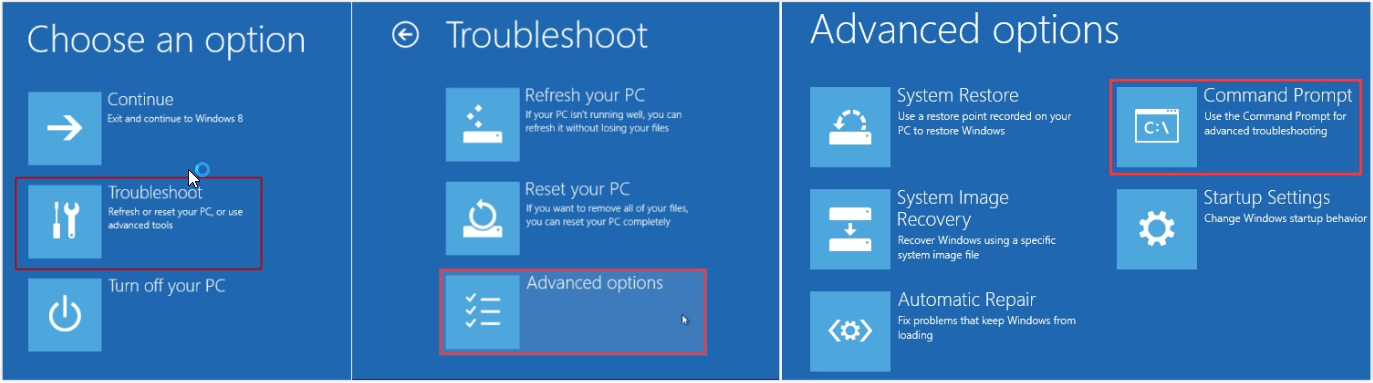
Web Jun 1 2022 nbsp 0183 32 Step 1 Start the Command Prompt using a recovery drive Step 2 Use Command Prompt to fix issues with your PC s boot records 2 1 How to repair the EFI Bootloader for Windows 11 amp Windows 10 UEFI systems with GPT partitioned drives 2 2 How to repair your MBR UEFI CSM or BIOS systems with MBR partitioned drives
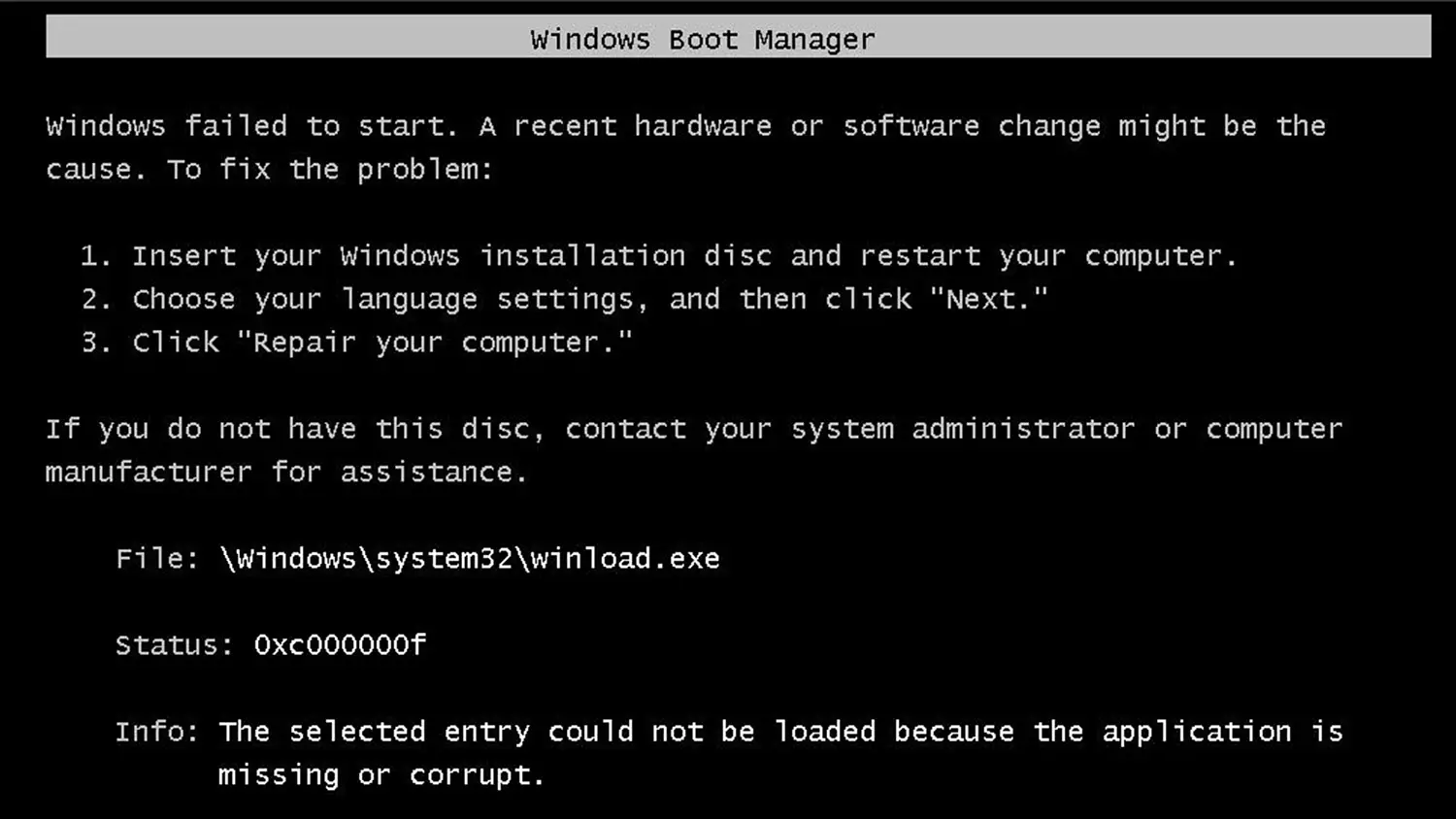
Web Dec 11 2020 nbsp 0183 32 1 Bootmgr is missing When the MBR on your hard disk is missing corrupted you may encounter the error bootmgr is missing 2 Error loading operating system You may also encounter the issue error loading operating system when the MBR is damaged or corrupted 3 Operating System not found
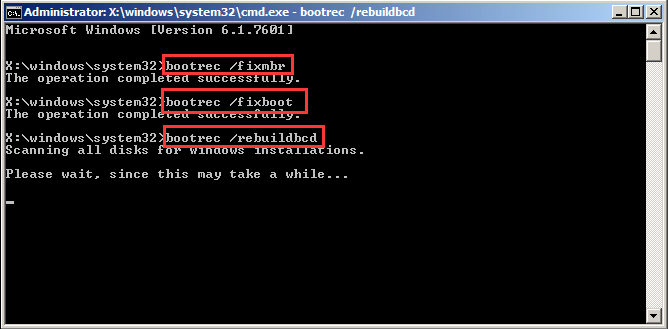
Web Aug 29 2023 nbsp 0183 32 The Bootrec exe tool supports many options depending on your situation Use the FixMbr option when you need to repair Master Boot Record corruption problems or when you need to clean the code from the MBR This command will not overwrite the existing partition table in the hard drive Bootrec fixMbr

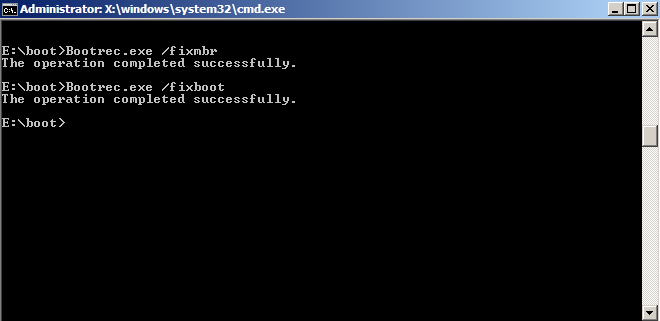
Web Sep 16 2021 nbsp 0183 32 Once you re at the Command Prompt you can use a tool called Bootrec Boot Recovery to fix the MBR First type BOOTREC FIXMBR and press Enter After a little while you should see the message The operation completed successfully
Web Jul 16 2023 nbsp 0183 32 Repair Master Boot Record MBR in Windows 11 10 Download Windows Speedup Tool to fix errors and make PC run faster One of the effective troubleshooting steps to fix issues is to repair Web Jul 9 2017 nbsp 0183 32 You can use bootsect exe for fixing MBR and boot sectors by specifying the exact drive bootsect fixes the specified drive boot sector and the MBR of the disk where the drive is placed bootsect nt60 f mbr writes a Windows 7 8 10 boot sector to drive f and updates MBR code for booting Windows 7 8 10
Web Oct 27 2023 nbsp 0183 32 You can access the command prompt via the diagnostics menu by clicking the corresponding icon After opening the command prompt you should enter the following commands Diskpart built in utility for working with hard drives List volume list of connected drives Exit shutdown of the utility Each command must be confirmed with