Find Process By Pid Powershell How To Find The PID And Port Number Of A Process In Linux Systran Box Finding The Process ID Windows Drivers Microsoft Learn Utility To Find The Process Id PID By Name Operating Systems PowerShell Process Restart PID Powershell Start Process Get Pid The 17 Latest Answer Brandiscrafts WEB In PowerShell Core the Process object returned by Get Process cmdlet contains a Parent property which gives you the corresponding Process object for the parent process
WEB So for processes I can store its name from its PID using the following line process name get Process id PID select expand name However I want to run WEB This script is giving me the CPU for each node process Which is great But I need to know the PID for each process so that I can match specific process to CPU usage
Powershell Start Process Get Pid The 17 Latest Answer Brandiscrafts DevOps SysAdmins Kill close Reliability Monitor Windows By PID PID Tutorial C Code Example Using A Stellaris LM3S6965 Pid Controller PID Controller Auto tuning Library And Example For DC Motor Hackster How To Find The Pid Of A Process In Linux Systran Box Windows How To End A Process With PowerShell Solved How To Find Out The PID Process ID In Windows Powershell How To Get Process Id By Its Service Name With A Script To
Find Process By Pid Powershell
 Find Process By Pid Powershell
https://syscdn.systranbox.com/how_to_find_port_number_of_a_process_in_linux.png
WEB You can use the Process cmdlets in PowerShell to manage local and remote processes in PowerShell Getting processes To get the processes running on the local computer run
Pre-crafted templates provide a time-saving service for creating a diverse range of files and files. These pre-designed formats and layouts can be used for numerous individual and professional projects, including resumes, invites, leaflets, newsletters, reports, presentations, and more, improving the material production procedure.
Find Process By Pid Powershell

Using PowerShell To Find The Process Id PID Of An Application Pool

DevOps SysAdmins Kill close Reliability Monitor Windows By PID

PID Tutorial C Code Example Using A Stellaris LM3S6965 Pid Controller

PID Controller Auto tuning Library And Example For DC Motor Hackster
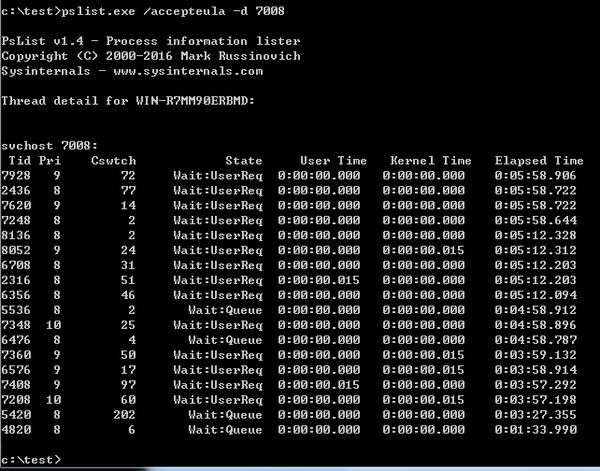
Windows
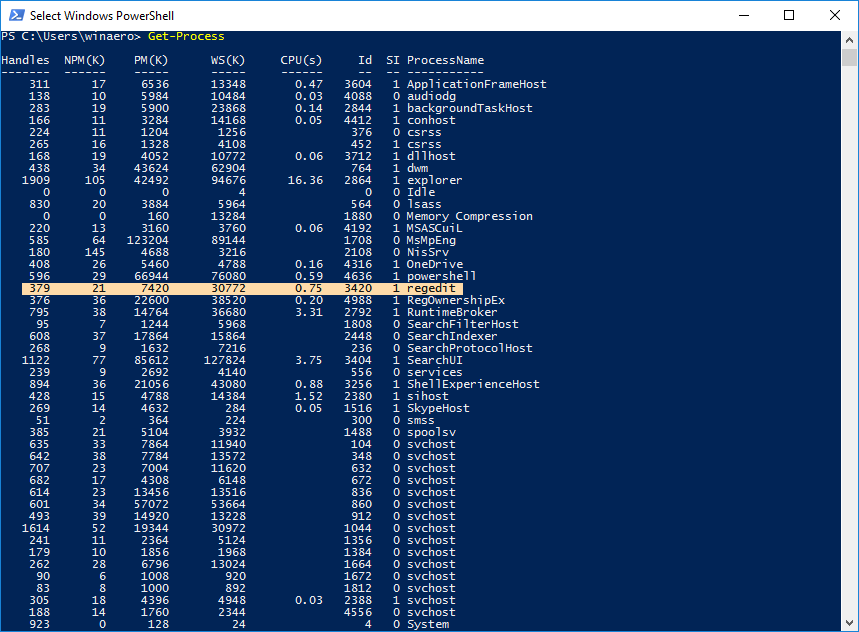
How To End A Process With PowerShell

WEB Oct 12 2014 nbsp 0183 32 An alternative way to get a process PID serviceName svchost exe pidArgumentPlacement 1 Call for the verbose version of tasklist and filter it for the line with your service s name

WEB In PowerShell you use the Get Process cmdlet to get information about one or more processes running on the system If you run the cmdlet without any parameters it will list

WEB You can just pipe commands together Something like this should work Get Process Where Object Name eq quot myprocess quot Select Object First 1 Stop Process And

WEB I figured the best way to do this would be check for each instance if found capture it s processID and pass that to the stop process cmdlet BUT I can t figure out how to get

WEB I want to get the path of a PID For example the PID is 8036 I want to get the path of it Like this Get Path pid 8036 Output C Windows svchost exe How can I do that
WEB The Get Process cmdlet gets the processes on a local or remote computer Without parameters this cmdlet gets all of the processes on the local computer You can also WEB Get Process Where ProcessName Like quot SearchIn quot will get all processes and narrow down to ones that start with quot SearchIn quot As a side note you can use wild cards at either
WEB All you need is one cmdlet with a pipe to look for a specific PID netstat ano findstr PID replace the word PID with the PID that you want to check