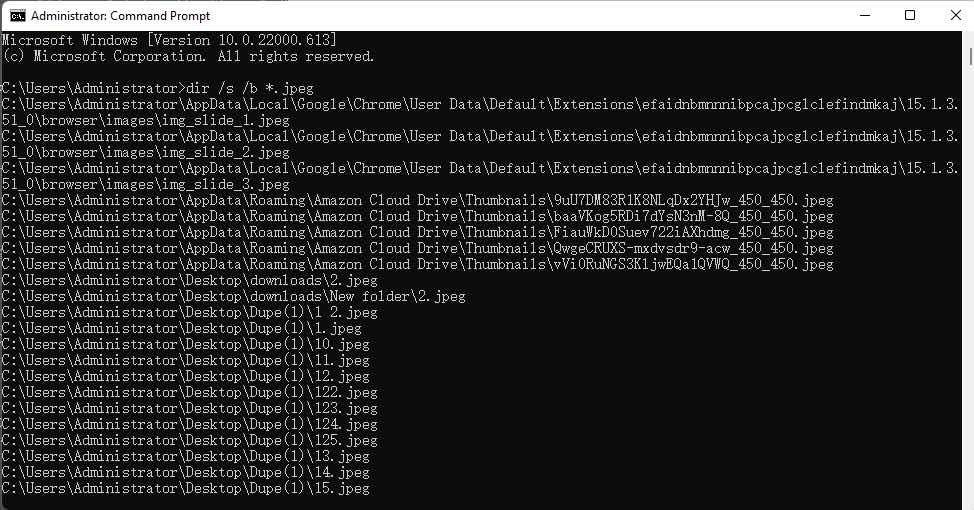
Find File Recursively Cmd How To Find A File In Linux In All Directories Recursively How To Delete Files And Folders Recursively With Cmd MS DOS How To Find File In Linux Recursive Powershell Find File Recursively Benefitsopel How To Delete Files And Folders Recursively With Cmd MS DOS Web Jul 12 2023 nbsp 0183 32 To get a list of files recursively in a single list without split between each subfolder type this cmd command dir s b List recursively all files without the folders The command displays all the files and folders in the current folder and all its subfolders To list only the files and not the folders use this command
Web Mar 8 2021 nbsp 0183 32 1 Get ChildItem Path quot C files txt quot Recurse Select Name quot MB Size quot Expression quot 0 N0 quot f Length 1MB Fullname LastWriteTime Vomit IT Chunky Mess Style Mar 9 2021 at 1 09 Web Jun 1 2010 nbsp 0183 32 Save this as file listfiles bat and run quot listfiles some folder mp3 quot I set up the file finding as a subroutine in the batch file so you can insert it into your own scripts You can also run quot for quot in a cmd shell for more information on the for command
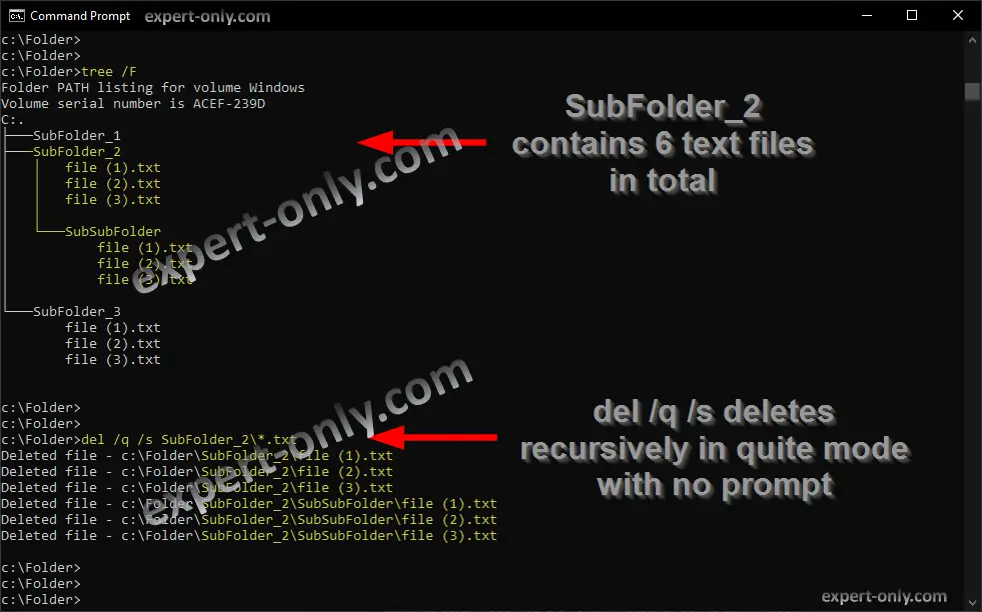
How To Delete Files And Folders Recursively With Cmd MS DOS Find Duplicate Files In Windows 10 11 Using CMD Successfully How To List Files Recursively In Linux Command Line Encuentra Un Archivo Recursivamente En Linux Delft Stack How To Find File In Linux Recursive Solved For Loop Recursively Through Folder In Windows 9to5Answer A Visual Studio 6 0 Nostalgia Trip Brain Baking How To Find File In Linux Recursive How To Find File In Linux Recursive
Find File Recursively Cmd
 Find File Recursively Cmd
https://sourcedigit.com/wp-content/uploads/2022/03/recursive-linux-768x416.jpg
Web Jan 4 2017 nbsp 0183 32 type C Users Martin Desktop sample txt find quot quot v c If you want the number and the file info use this command find v c C Users Martin Desktop sample txt If you want to count the lines in multiple files on the desktop use the following command find v c C Users Martin Desktop txt
Templates are pre-designed documents or files that can be utilized for various functions. They can conserve effort and time by providing a ready-made format and layout for developing various kinds of material. Templates can be utilized for personal or professional tasks, such as resumes, invitations, flyers, newsletters, reports, discussions, and more.
Find File Recursively Cmd

Find File Recursively Excluding Subfolders With Specific Substring
Find Duplicate Files In Windows 10 11 Using CMD Successfully
How To List Files Recursively In Linux Command Line

Encuentra Un Archivo Recursivamente En Linux Delft Stack

Solved For Loop Recursively Through Folder In Windows 9to5Answer

A Visual Studio 6 0 Nostalgia Trip Brain Baking

Web If you are looking for files with special attributes you can try List all Hidden Files dir a h d b s List all System Files dir a s d b s List all ReadOnly Files dir a r d b s List all Non Indexed Files dir a i d b s If you remove the d from all commands above it
Web I want a listing of files with full paths listed out recursively in Windows 7 through the command prompt I DON T want folders to be listed Attempt This got me all files but also included the directories dir b a s Result C path1 C path1 file1 txt C path1 path2 C path1 path2 file2 txt Desired Output C path1 file1 txt C path1
Web May 25 2017 nbsp 0183 32 Cmdline to get latest file on recursive dir command Ask Question Asked 6 years 8 months ago Modified 1 year 9 months ago Viewed 7k times 1 On my hard disk I have hundreds subfolders created daily that may contain a specific text file Tracker txt
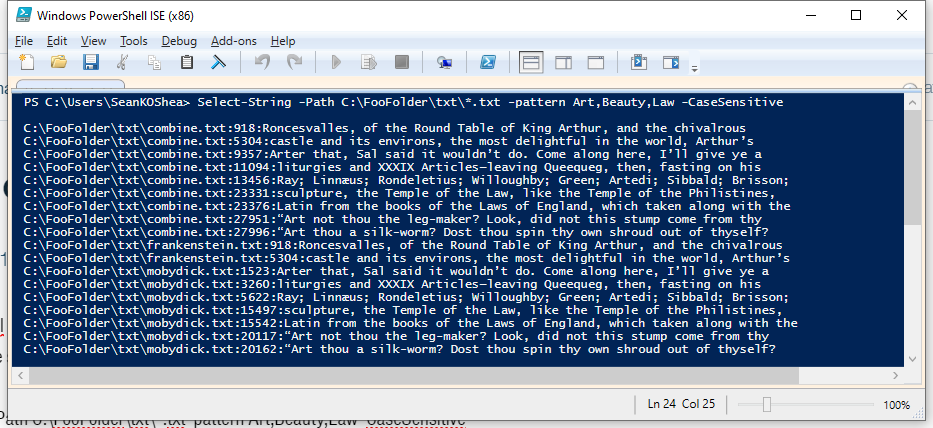
Web Mar 10 2017 nbsp 0183 32 describes as quot drive path filename quot It later defines this with the following quot drive path filename quot Specifies a file or files to search So to not use personal short hand I am providing it the way that findstr gt defines it if searching for certain files quot findstr spin c quot string quot drive path filename quot

Web I made a couple of slight improvements changing the first file to say process bat a 1 and the second file to FINDSTR i quot 2 quot and changing the path to process bat to dp0 process bat The first change allows me to pass in the search string from the command line instead of it being hard coded
Web Sep 3 2022 nbsp 0183 32 To search for the files in Windows you first need to launch Command Prompt There are several ways to do this Through Search Box Type cmd in the Windows search box then click on the icon to open the window It s wise to always operate the command line as an administrator Web Apr 3 2015 nbsp 0183 32 You can do it with find only find name xml is the current directory If you need to search in another directory replace with the directory path Share Improve this answer Follow edited Nov 19 2017 at 22 03 George Birbilis
Web 3 days ago nbsp 0183 32 CMD Find File Name Containing a String As mentioned you can use the dir command to find a file name containing a specific string For example to find a file name containing the string share in the current directory and its subdirectories you can type dir s b share This will return a list of file names that match the pattern