Find And Replace Command Line Mac How To Use Find And Replace Command In Ms Word YouTube What Is The Purpose Of Find And Replace Command Terrance Smith s Word 4 Tech Developments Changing The Internet Techno FAQ How To Replace Text In Rotated PDF File VeryPDF Knowledge Base What Is The Use Of Find And Replace Command Anthony Parri s Word Search 11 A simple trick is to just copy the rest of a line and paste it into the replace field Works with Textedit Xcode etc Share
Basic Commands Basic commands for the Mac terminal include utilities for obtaining administrative privileges manipulating the command output and finding help Read more about those commands in the sections below Run Command as Super User Use the sudo command to authenticate as an administrator sudo command arguments Example In the TextEdit app on your Mac choose Edit Find Find then type text in the search field You can also select text then choose Edit Find Use Selection for Find Do one of the following Go to the next or previous instance in the results Click the arrow buttons located beside the search field Clear the search field Click the Clear button at the end of the search field
What Is The Use Of Find And Replace Command Anthony Parri s Word Search How To Find Word In File Unix Command Kopkidz Administration FAQ MoodleDocs Replace Heather s Paragraphs Hexo Migrate From Octopress Level Up Hexo Migrate From Octopress Level Up GLOW A User friendly Interface For GridLAB D CEC Command Line Excel 2010 Denisezasqy
Find And Replace Command Line Mac
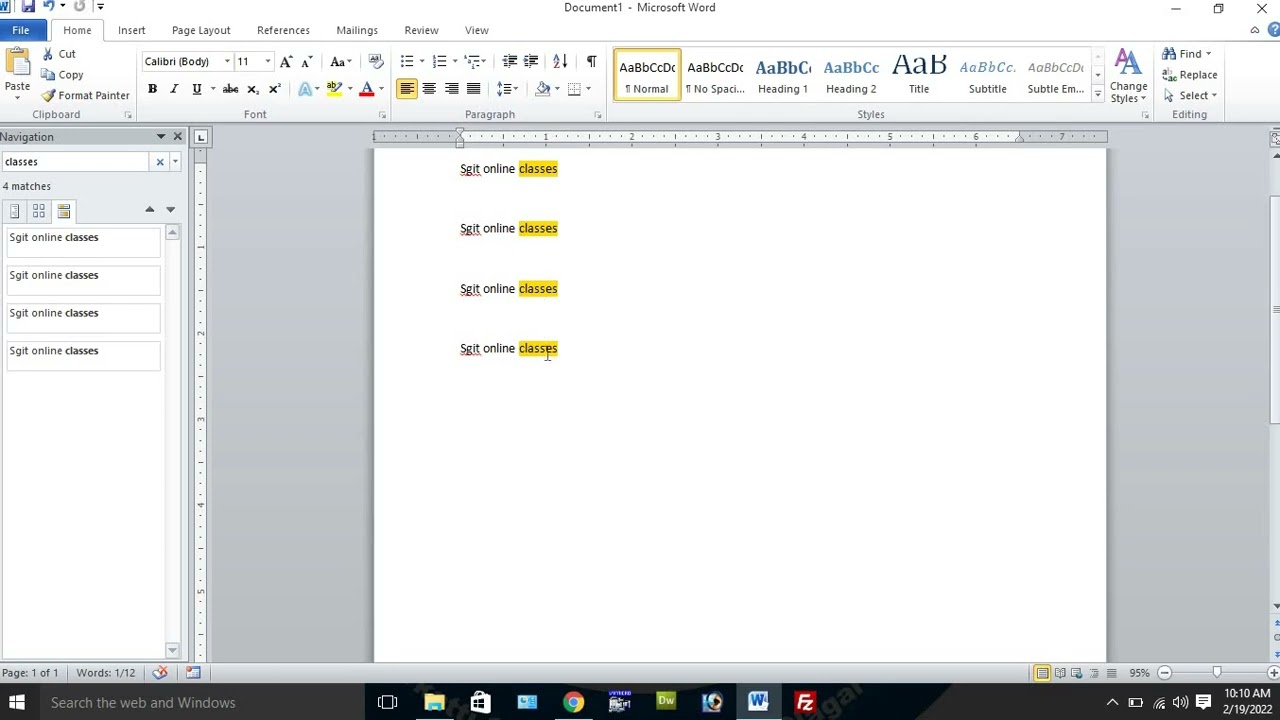 Find And Replace Command Line Mac
https://i.ytimg.com/vi/oC2fkSS0ZG4/maxresdefault.jpg
command F to bring up the Find Replace dialogue If you want to replace with nothing leave the Replace box blank Hard return paragraph mark appears as n Tab appears as t Soft return new line appears as i Quick method you can type those codes into the Find Replace dialogue You can type spaces into the Find Replace dialogue
Templates are pre-designed files or files that can be utilized for numerous purposes. They can save effort and time by offering a ready-made format and design for developing different sort of content. Templates can be utilized for personal or expert tasks, such as resumes, invitations, leaflets, newsletters, reports, presentations, and more.
Find And Replace Command Line Mac

Windows Is There A Standalone Sed like Tool Than Can Load Whole File
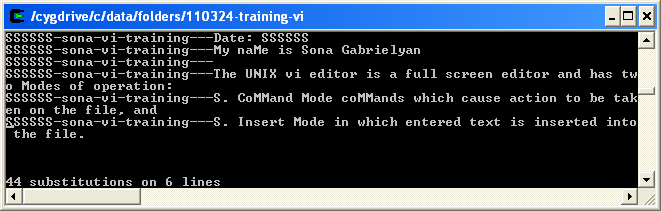
How To Find Word In File Unix Command Kopkidz
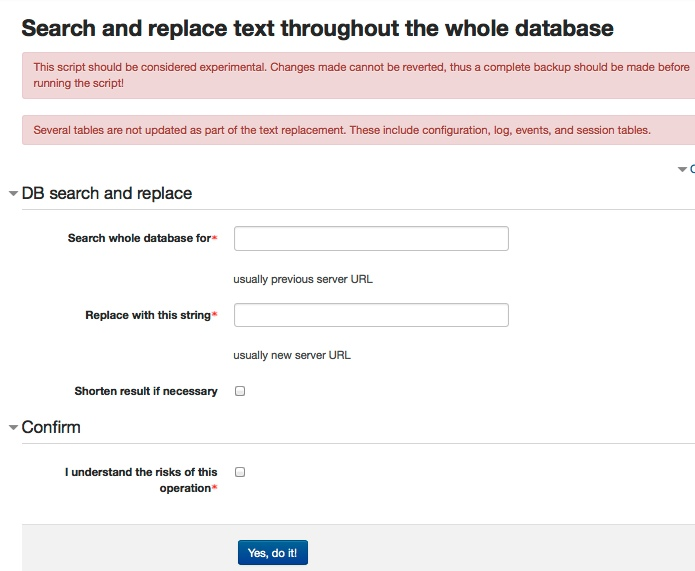
Administration FAQ MoodleDocs

Replace Heather s Paragraphs

Hexo Migrate From Octopress Level Up

GLOW A User friendly Interface For GridLAB D CEC
Basic Method to Find and Replace Text Advanced Method to Find and Replace Text If you want to find and replace text with specific font formatting e g boldness italics please see my previous tutorial How to Find and Replace Font Formatting in Word for Mac Watch all the steps shown here in real time

2 Answers Sorted by 3 The base command for you case looks like this sed i s oldvalue newvalue g file1 file2 file3 If all your file are in the directory foo bar what you want to do is

Terminal 101 Find and Replace Using Sed How to By MacLife published 29 April 2013 Every Monday we ll show you how to do something new and simple with Apple s built in command line

Find and replace text in Pages on Mac You can search for specific words phrases numbers and characters and automatically replace search results with new content that you specify

This is a shell command to find and replace over multiple files recursively in MacOS This is surprisingly difficult to figure out how to do There are many options an nuances This may work for your particular OS version Terminal Shell and installed tools Lol what a disclaimer Anywho the command that works for me at this moment is
Update The sed command is another way of doing quick find and replace through the command line Covering sed is mostly a topic for another article but the basic syntax of using sed for this task is a bit simpler and thus easier to remember Posted by Paul Horowitz in Command Line Mac OS Tips Tricks One Comment Comments RSS To clear and reset your zsh history quit Terminal first then open the zsh history file delete its contents save it then log out and log back into macOS or Restart your Mac You can also
Modify the Find search to match the string you wish to replace then modify the Replace With box to match what you want the files to be renamed to the Example shown at the bottom of the Rename Finder Item window will show what the files renamed will look like Click on Rename to instantly rename all the files that were selected