Financial Function In Excel Irr Excel 2010 Financial Function In Depth Noor Online For Job Seeker Excel IRR 21 Internal Rate Of Return Excel Template Template Invitations Excel IRR Formula How To Use Excel IRR Formula Excel IRR Function Exceljet Financial functions reference Microsoft Support Financial functions reference Excel for Microsoft 365 Excel for Microsoft 365 for Mac Excel for the web More To get detailed information about a function click its name in the first column Note Version markers indicate the version of Excel a function was introduced
Use the IRR function in Excel to calculate a project s internal rate of return The internal rate of return is the discount rate that makes the net present value equal to zero Simple IRR example For example project A requires an initial investment of 100 cell B5 1 The Internal Rate of Return IRR is the discount rate where the present value of future cash flows for any project equates to zero Most of the time this is the interest rate at which the company would borrow for any project Financial experts would use it to assess the returns coming from different projects
Excel IRR Function Exceljet XIRR Vs IRR Why You Must Use XIRR In Excel Financial Modeling Download Tutorial Excel IRR Function And Other Ways To Calculate IRR Calcula i IRR n Excel Invatatiafaceri ro IRR Formula Excel Calculate Internal Rate Of Return How To Calculate IRR In Excel IRR Function Formula Layer Blog How To Use The IRR Function Easy Excel Tutorial How To Use IRR Function In Excel Financial Function In Excel YouTube
Financial Function In Excel Irr
 Financial Function In Excel Irr
https://nooronline.files.wordpress.com/2014/12/financial_services_01.png
Excel s IRR function Excel s IRR function calculates the internal rate of return for a series of cash flows assuming equal size payment periods Using the example data shown above the IRR formula would be IRR D2 D14 1 12 which yields an internal rate of return of 12 22 However because some months have 31 days while others have 30 or
Pre-crafted templates use a time-saving solution for producing a diverse series of documents and files. These pre-designed formats and designs can be utilized for numerous individual and professional projects, consisting of resumes, invitations, leaflets, newsletters, reports, discussions, and more, improving the material creation process.
Financial Function In Excel Irr
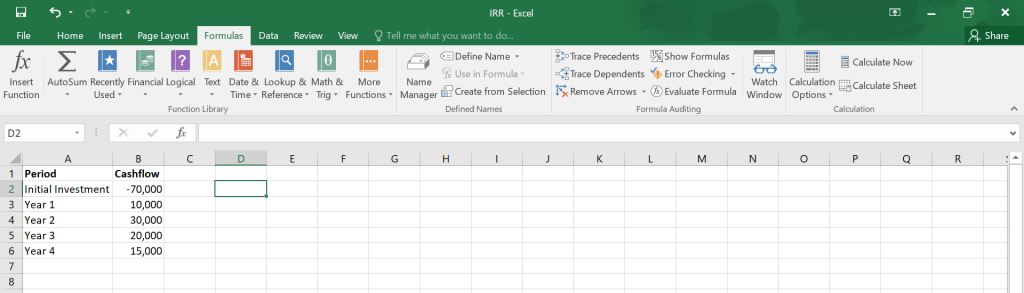
How To Calculate IRR In Excel
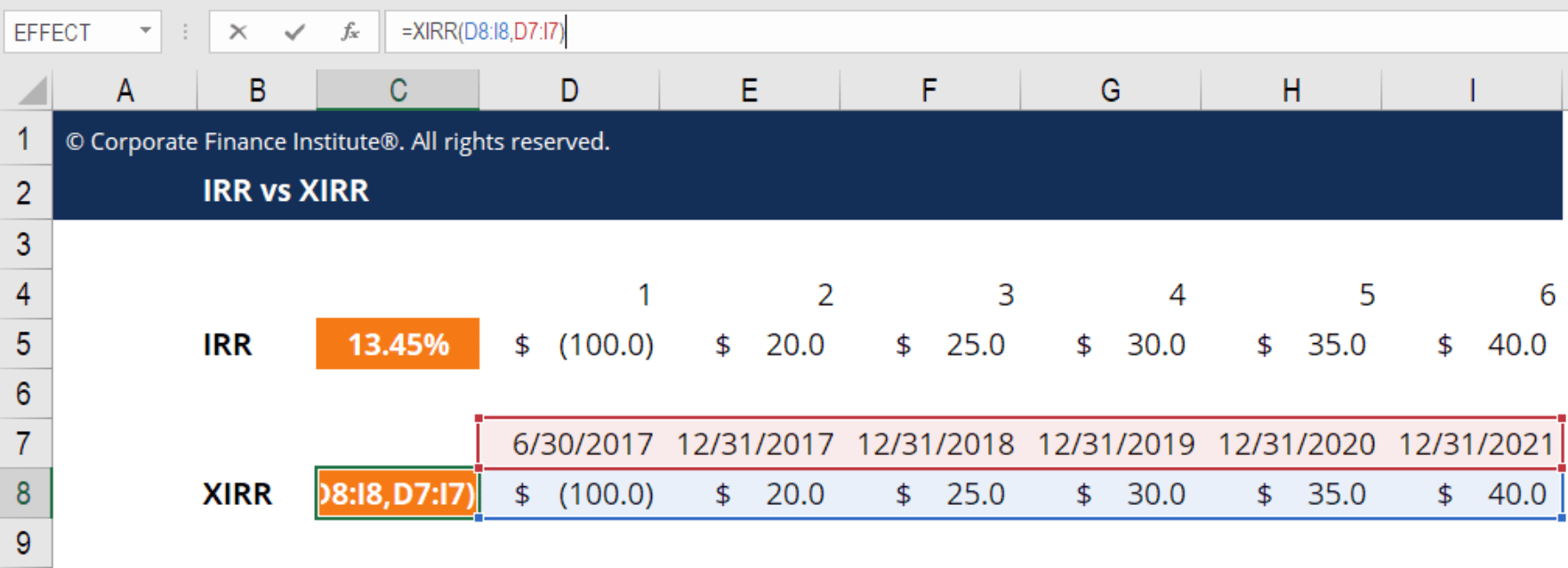
XIRR Vs IRR Why You Must Use XIRR In Excel Financial Modeling

Download Tutorial Excel IRR Function And Other Ways To Calculate IRR

Calcula i IRR n Excel Invatatiafaceri ro

How To Calculate IRR In Excel IRR Function Formula Layer Blog
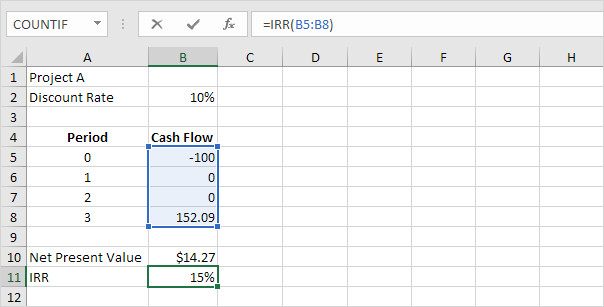
How To Use The IRR Function Easy Excel Tutorial

Description Returns the internal rate of return for a series of cash flows represented by the numbers in values These cash flows do not have to be even as they would be for an annuity However the cash flows must occur at regular intervals such as monthly or annually
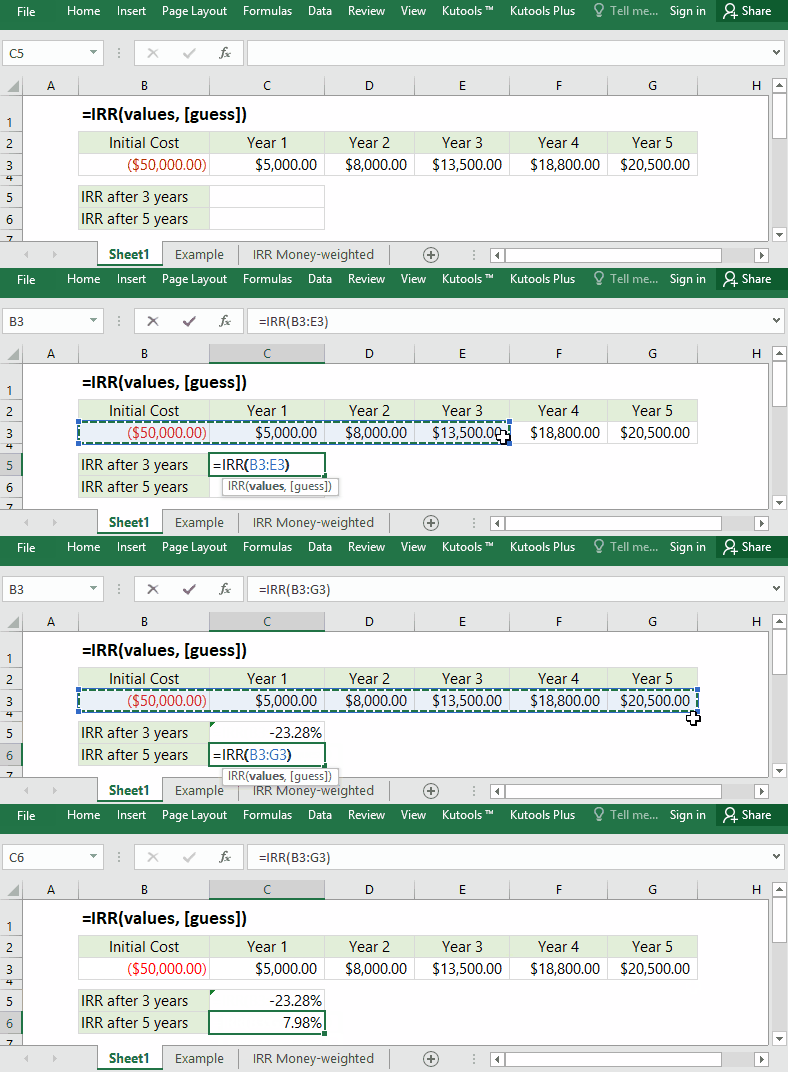
Written by CFI Team What is the IRR Function The IRR Function 1 is categorized under Excel Financial functions IRR will return the Internal Rate of Return for a given cash flow that is the initial investment value and a series of net income values

The Excel IRR function is a financial function that returns the internal rate of return IRR for a series of cash flows that occur at regular intervals Purpose Calculate internal rate of return Return value Calculated return as percentage Syntax IRR values guess values Array or reference to cells that contain values
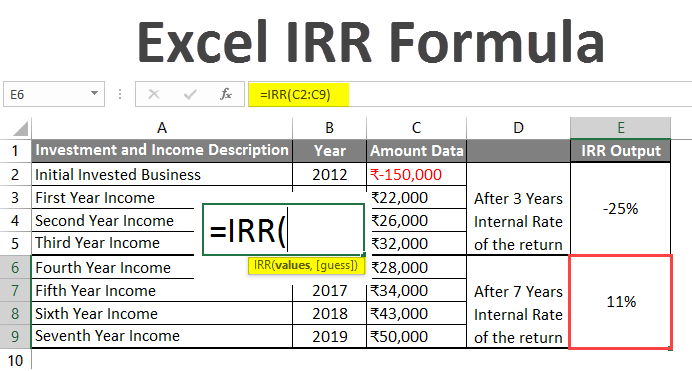
The Excel IRR function returns the internal rate of return for a series of periodic cash flows represented by positive and negative numbers In all calculations it s implicitly assumed that There are equal time intervals between all cash flows All cash flows occur at the end of a period
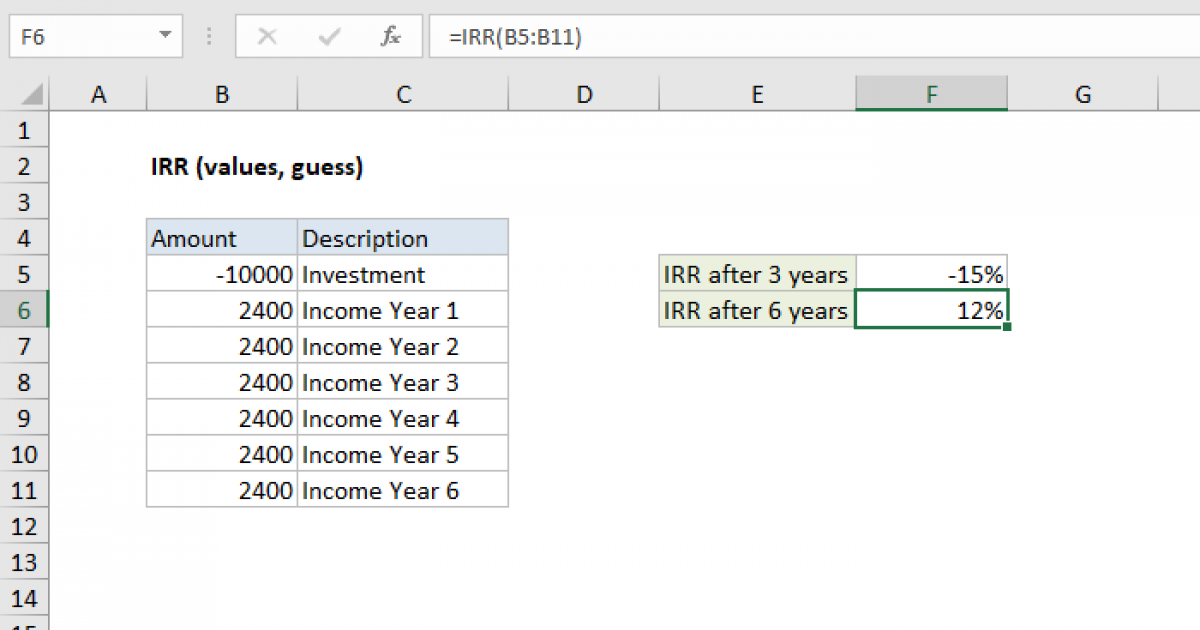
Using Excel to calculate the internal rate of return requires the IRR function and reference cells that list the cash flows for a series of periods plus an optional guess for the rate of return
The IRR function is a financial function in Excel It returns the Internal Rate of Return IRR for a given cash flow the initial investment and a series of net income values that occur at regular intervals In this article we will show you how to use the IRR function in Excel Table of Contents Expand Introduction to The IRR Function Purpose How to use the IRR function in Excel We will first explain how to use the IRR function in Excel to calculate the rate of annual return for an initial investment If you need to calculate return rates for different times periods or a future value Excel also offers a variety of financial functions i e XIRR or MIRR
The Excel IRR function returns the Internal Rate of Return for a supplied series of periodic cash flows i e an initial investment value and a series of net income values The syntax of the function is IRR values guess Where the arguments are as follows Irr Function Example