File Rename Command In Putty Rename Command Examples Options Switches More How To Rename Multiple Files In Linux Command Line How To Rename A File Or Directory In Unix YouTube UNIX Command To Rename A File NixCraft How To Rename Files In Linux Using Command line FOSS Linux To rename a file that s in the current working directory use the command followed by the file that you want to rename and then the new name for the file separate the two names with a space and include the file extension For example mv example txt example2 txt will rename the file example txt that s in the current working directory into
VPS Nov 21 2023 Edward S 6min Read How to Rename Files in Linux Using the mv and rename Commands A command line terminal is an essential tool for administrating Linux systems including a VPS It lets users execute various Linux commands to simplify management tasks like renaming files and folders The mv command short of move is used to rename or move files from one location to another The syntax for the mv command is as follows mv OPTIONS source destination The source can be one or more files or directories and destination can be a single file or directory If you specify multiple files as source the destination must be a
How To Rename Files In Linux Using Command line FOSS Linux How To Rename The File Using Command Prompt YouTube How To Rename File And Folder Using Windows Command Line YouTube Rename File On Linux MInt Using Double Click With Pause LinuxGUI How To Rename Directory In Linux Rename Multiple Files In Windows 10 Osemall How To Rename Multiple Files On Linux Linux Tutorials Learn Linux How Do I Rename A File In The Ubuntu Terminal How To Rename File Or Folder With Powershell YouTube
File Rename Command In Putty
 File Rename Command In Putty
https://www.lifewire.com/thmb/xAVW5tBXOXpTIXfyfolhTquSoFg=/1002x668/filters:no_upscale():max_bytes(150000):strip_icc()/ren-command-windows-10-c60d4449ab104ec38e3183e74999f97c.png
The mv command is also used to rename items You simply include the new file name in the location parameter For example let s rename the Test txt file to Testing txt I ll move back into the Test directory by typing cd Test and pressing Enter The command I ll use to rename the file is this mv Test txt Testing txt
Pre-crafted templates use a time-saving option for creating a diverse variety of files and files. These pre-designed formats and designs can be made use of for different individual and expert tasks, consisting of resumes, invites, flyers, newsletters, reports, discussions, and more, enhancing the material creation process.
File Rename Command In Putty
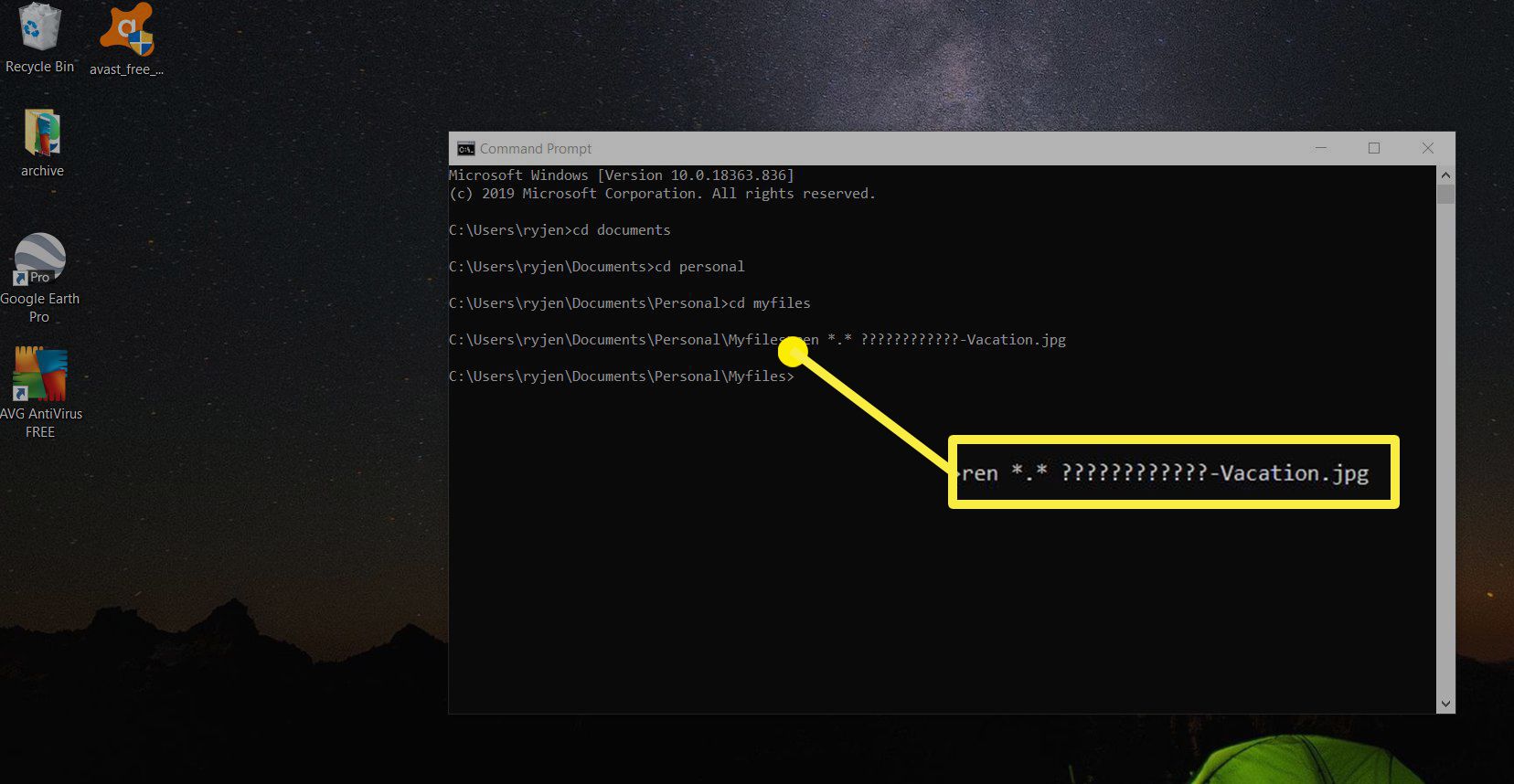
Como Renomear Arquivos Em Lote No Windows 10 2023
How To Rename The File Using Command Prompt YouTube

How To Rename File And Folder Using Windows Command Line YouTube
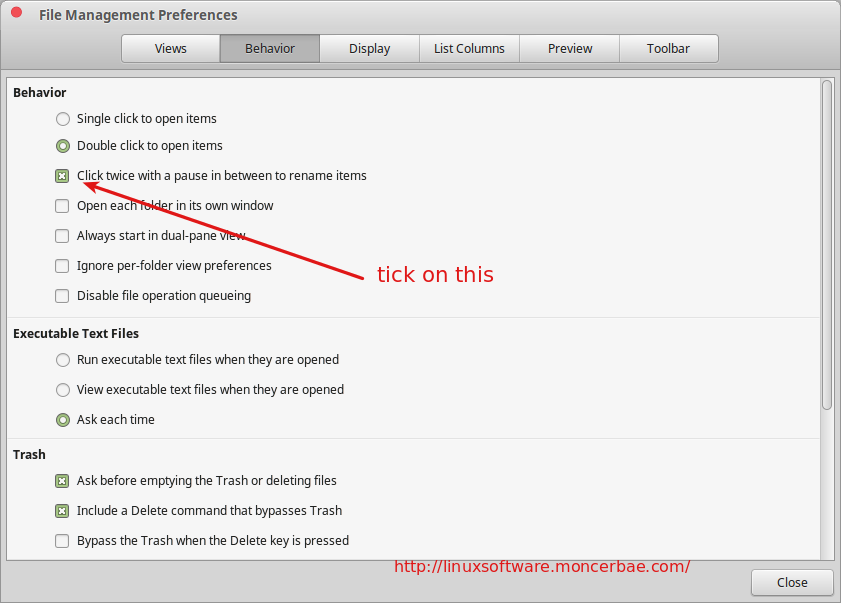
Rename File On Linux MInt Using Double Click With Pause LinuxGUI
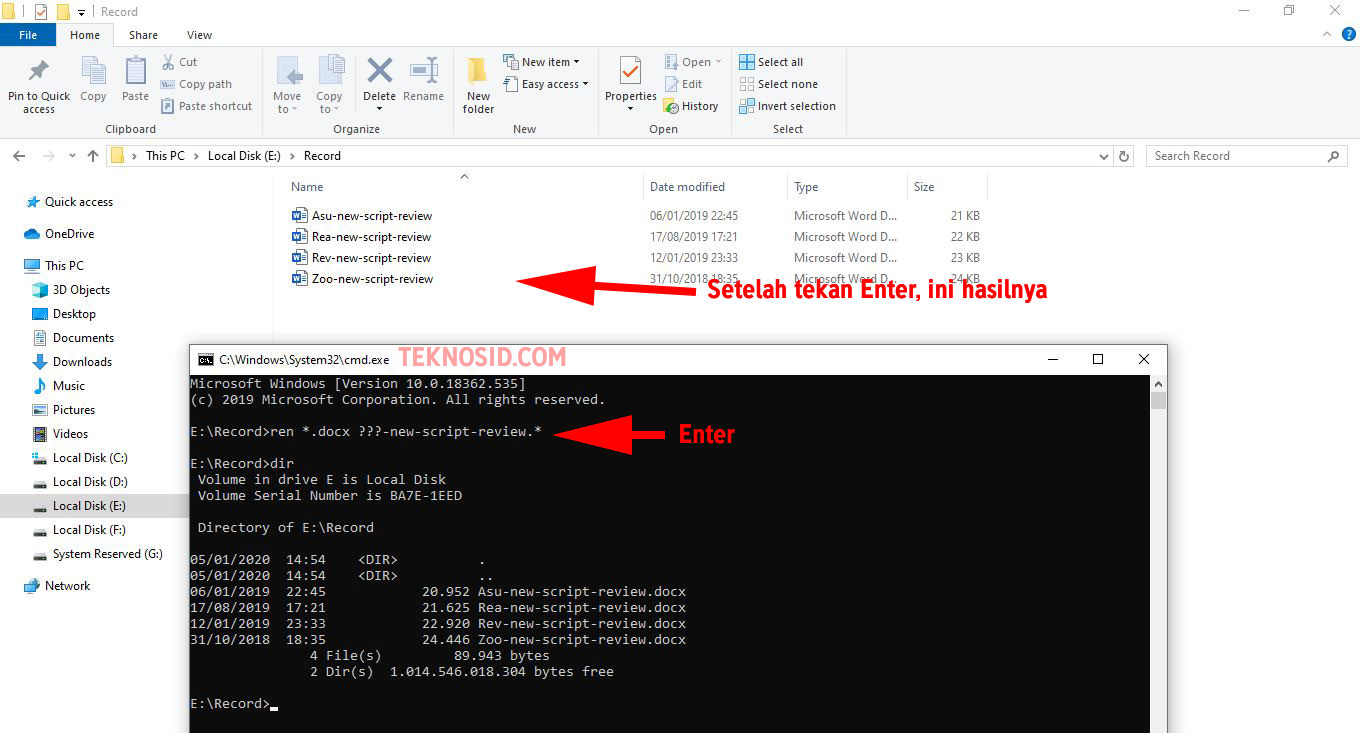
Rename Multiple Files In Windows 10 Osemall
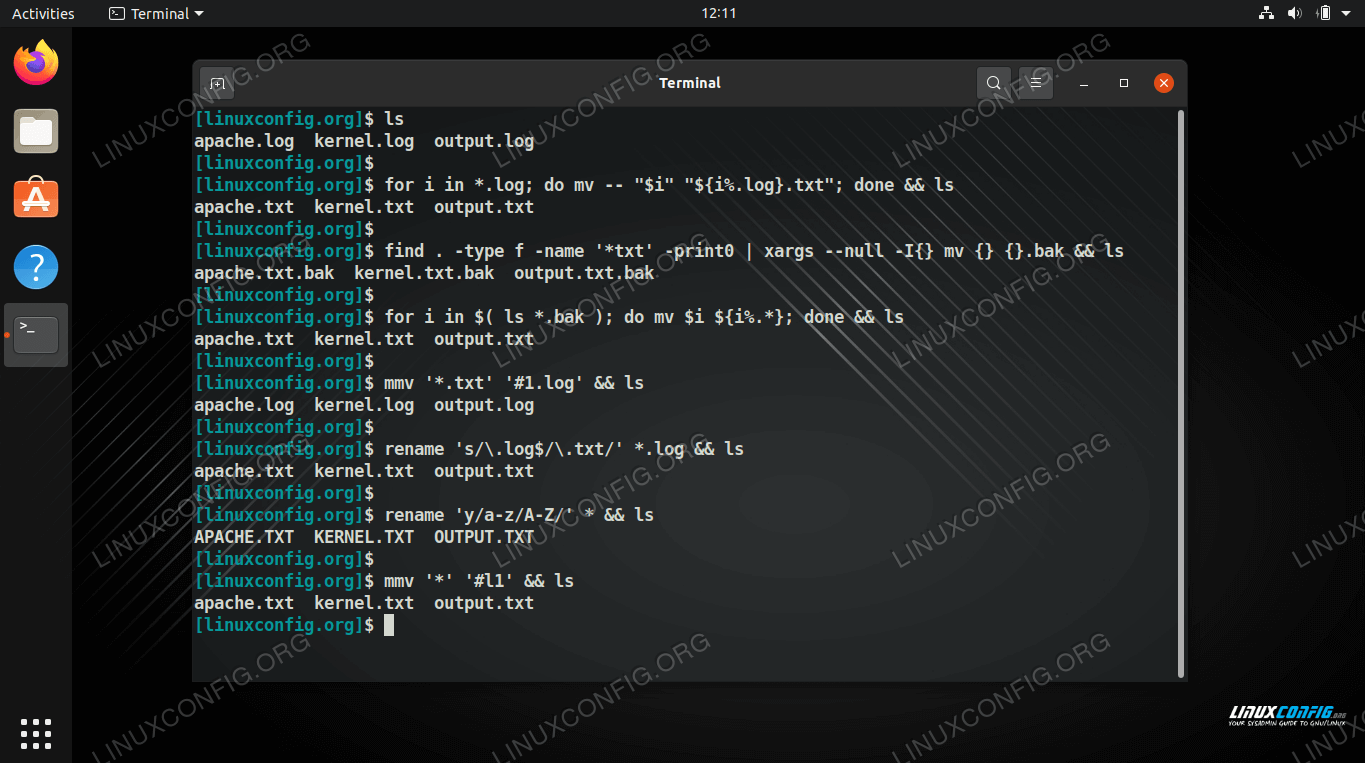
How To Rename Multiple Files On Linux Linux Tutorials Learn Linux

An alternative to mv is the rename command which offers more flexibility and power for file renaming tasks Get to grips with the file renaming powerhouse of the Linux world and give mv and yourself a rest Rename is flexible fast and sometimes even easier Here s how to use to this powerhouse of a command What s Wrong With mv

1 Rename a File The mv command with its default syntax allows you to rename a single file For example to rename example1 txt into example2 txt use mv example1 txt example2 pdf The command does not show an output Use v option with the command or the ls command to check the name change before and after executing the mv command ls l

Open the terminal bash shell prompt and type the following command to list file names ls ls l In this example rename a file called data txt to letters txt enter mv data txt letters txt ls l letters txt File is renamed so the following command will display an error on screen ls l data txt Outputs

What is SSH PuTTY Commands The Secure Shell SSH Protocol lets a user connect to a remotely located computer from one computer This communication takes place through a secured encryption process This kind of connection can be used for file transfer and issuing other remote commands
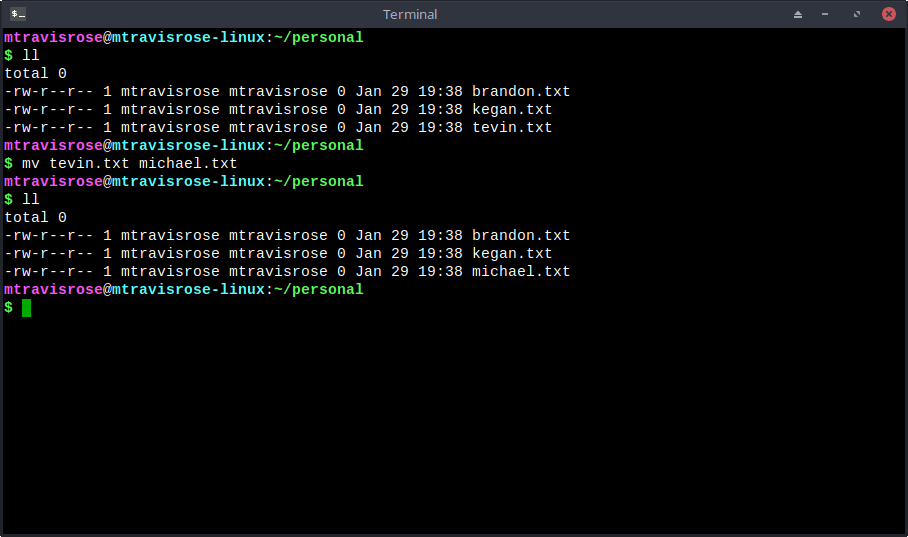
A simple way to rename files and folders is with the mv command shortened from move Its primary purpose is moving files and folders but it can also rename them since the act of renaming a file is interpreted by the filesystem as moving it from one name to another where file1 ext is the old name of the file and file2
How do I rename a directory via the command line Ask Question Asked 12 years 4 months ago Modified 1 year 6 months ago Viewed 2 9m times 790 I have got the directory home user oldname and I want to rename it to home user newname How can I do this in a terminal command line rename Share Improve this question Follow 1 Answer Sorted by 1 for replacing single file you can use sed i e s John Bill g tmp file txt and for searching files you can use find name txt print
Hello I m using Putty and trying to rename a file name with current timestamp I ve used following command to rename the files and according to date mv abc log date F prod txt Above command renames but not able to rename with time it giving output as 2014 05 12prodabc log And following command abc log date y date m date d