Extract Date And Time In Excel Extract Date From A Date And Time Excel Formula Exceljet How To Insert Current Date And Time In Excel Date And Time In Excel Date And Time Format In Ms Excel In Hindi How To Extract Date And Time Without Using Clock Discuss Kodular Extract Date And Time In MS SQL Server A Complete Guide Web Apr 7 2021 nbsp 0183 32 Figure A The date is an integer time is a decimal value A day equals 24 hours Twelve hours is half a day or 0 50 For a comprehensive breakdown see Table A In the following sections
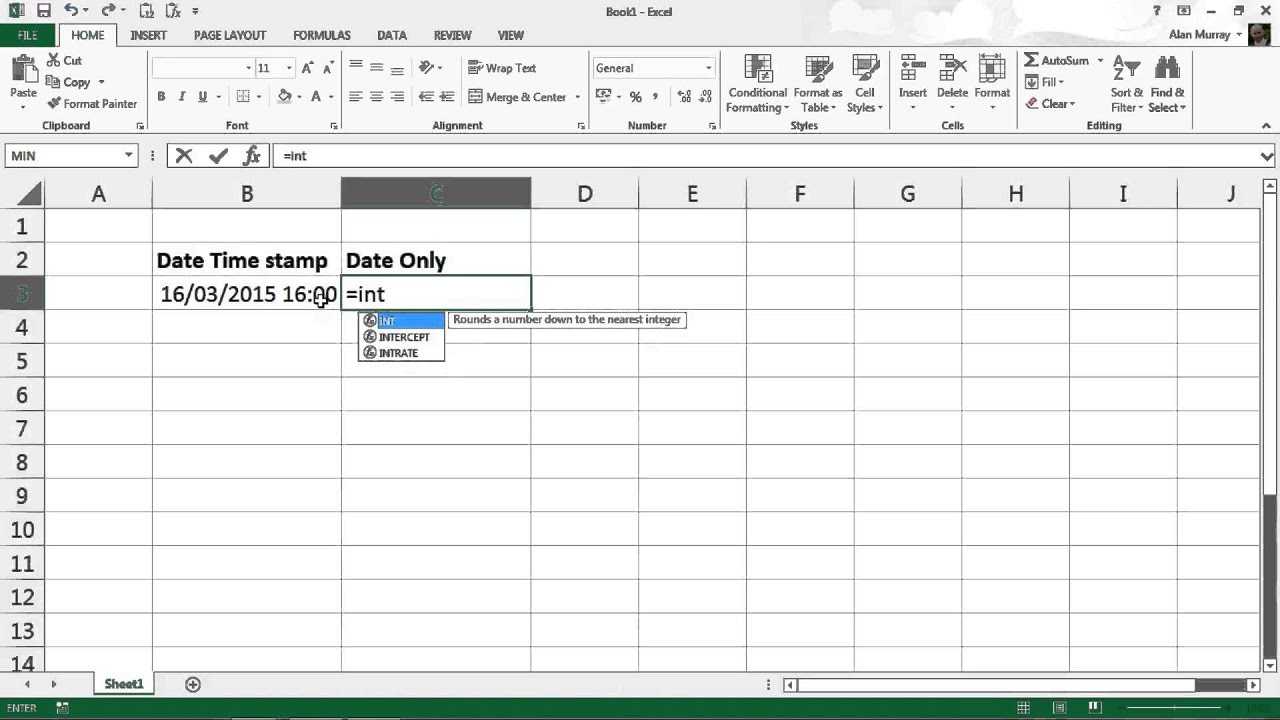
Web Date Function 1 To add a number of days to a date use the following simple formula 2 To add a number of years months and or days use the DATE function Note the DATE function accepts three arguments year month and day Excel knows that 6 2 8 August has 31 days and rolls over to the next month 23 August 9 days 1 September Web While working with Excel we can extract only the date portion by using the INT or TRUNC function This step by step tutorial will assist all levels of Excel users in extracting date from a date and time using two methods Figure 1 Final result Extract date from date and time Formula 1 INT B3 Formula 2 TRUNC B3 Syntax of INT Function
Extract Date And Time In MS SQL Server A Complete Guide Combine Date And Time In Excel Easy Formula Trump Excel How To Quickly Insert Date And Time In Excel In 2020 Excel Tutorials Extract Date From Date And Time Stamp In Excel YouTube Extract Time From Date Time And Compare From Another Time In Excel Combine Date And Time In Excel Easy Formula Trump Excel Extract Date And Time In A Dialogflow Personalize The Responses Extract Date And Time In A Dialogflow Personalize The Responses Excel Date And Time Formatting My Online Training Hub
Extract Date And Time In Excel
 Extract Date And Time In Excel
https://exceljet.net/sites/default/files/styles/og_image/public/images/formulas/extract date from date and time.png
Web The DATETIME function is a combination of DATE and TIME functions DATE returns the sequential serial number that represents a particular date TIME returns the decimal representation of the time with a value ranging from 0 zero to 0 99999999 representing the times from 0 00 00 12 00 00 AM to 23 59 59 11 59 59 P M Syntax
Templates are pre-designed files or files that can be used for different functions. They can save effort and time by providing a ready-made format and layout for producing different kinds of material. Templates can be used for personal or professional jobs, such as resumes, invitations, flyers, newsletters, reports, presentations, and more.
Extract Date And Time In Excel
How To Insert Current Date And Time In Excel Lesson 6 YouTube
Combine Date And Time In Excel Easy Formula Trump Excel

How To Quickly Insert Date And Time In Excel In 2020 Excel Tutorials
Extract Date From Date And Time Stamp In Excel YouTube

Combine Date And Time In Excel Easy Formula Trump Excel

Extract Date And Time In A Dialogflow Personalize The Responses
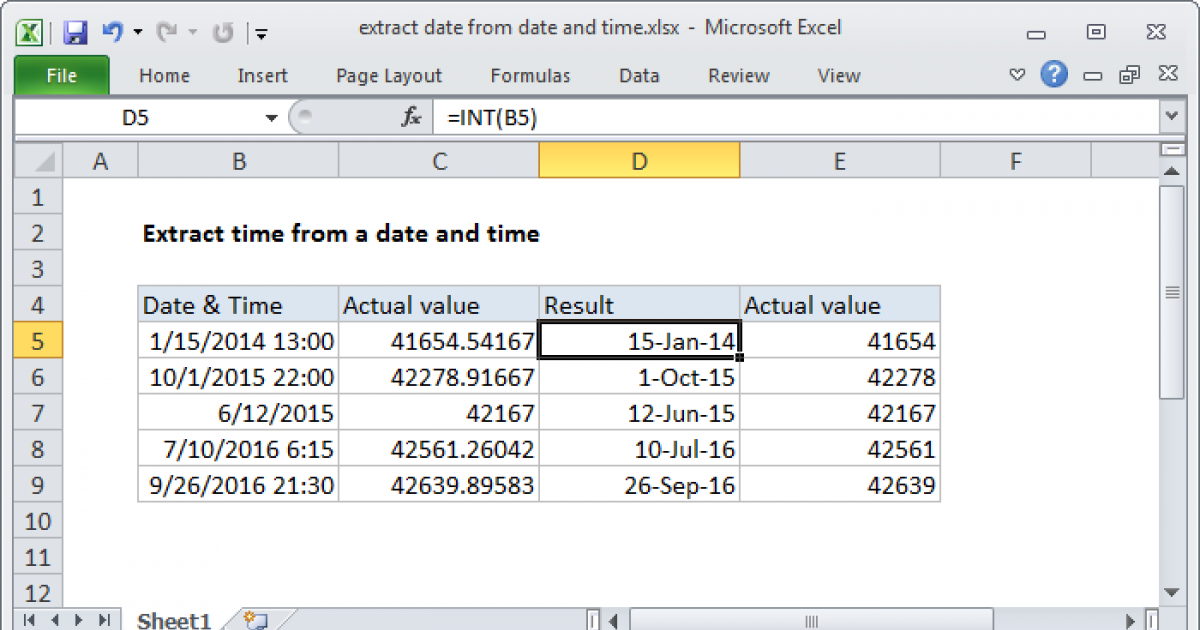
Web To extract the date part of a date that contains time i e a datetime you can use the INT function In the example shown the formula in cell D5 is INT B5 Generic formula INT date Explanation Excel handles dates and time using a scheme in which dates are serial numbers and times are fractional values
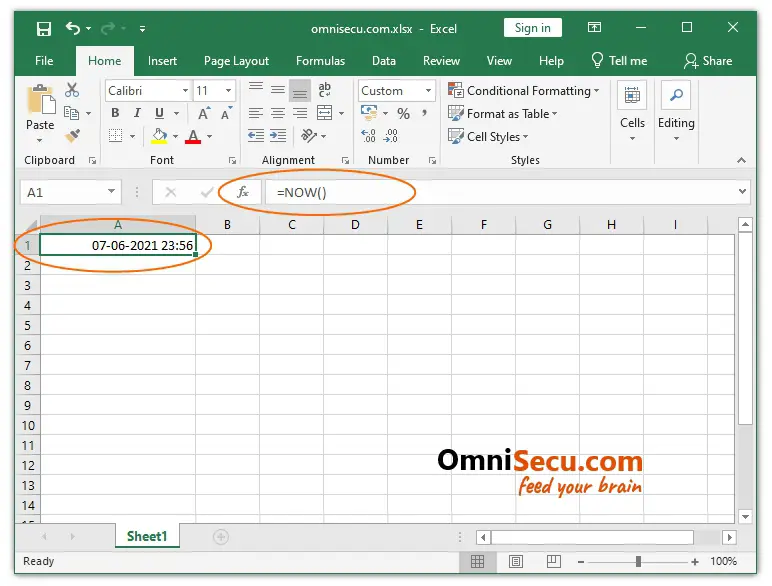
Web To extract the time from a date that contains time sometimes called a quot datetime quot you can use a formula based on the MOD function In the example shown the formula in D5 is MOD B5 1 which returns the time portion of the value in B5 1 00 PM Generic formula MOD A1 1 Explanation

Web Table of Contents How to Separate Date and Time Using the Text to Columns Wizard Text to Columns is an easy way to quickly separate dates and times in separate columns in Excel Below I have a sample dataset containing a list of dates with times in a
Web Aug 8 2023 nbsp 0183 32 To extract just the date from the first cell we can type the following formula into cell B2 INT A2 We can then click and drag this formula down to each remaining cell in column B Column B now contains the date from each datetime in column A

Web Use date and time functions to create formulas that return serial numbers display a specific date or time or that calculate the difference between dates or times
[desc-11] [desc-12]
[desc-13]