Expressvpn L2tp Configuration L2TP Over IPsec Teltonika Networks Wiki What Is L2TP VPN Protocol A DataProt VPN Guide 2023 OpenVPN And L2TP Configuration With TP Link YouTube What Is L2TP VPN Protocol A DataProt VPN Guide 2023 L2TP Configuration Examples Teltonika Networks Wiki Apr 6 2020 nbsp 0183 32 To connect an L2TP over IPsec VPN to Express VPN follow these steps Find your Express VPN account 1 Go to the ExpressVPN setup page If prompted enter your ExpressVPN credentials and click Sign In 2 Enter the verification code that is sent to your email On the right select PPTP amp L2TP IPsec 3
Feb 22 2024 nbsp 0183 32 This guide explains which routers are compatible with ExpressVPN and provides a step by step walkthrough to install and connect ExpressVPN on your router Oct 24 2023 nbsp 0183 32 To use the VPN Client feature simply configure a VPN connection and choose your desired devices on your router then these devices can access the remote VPN server Please follow the steps below 1 Visit http tplinkwifi and log in with your TP Link ID or the password you set for the router 2
L2TP Configuration Examples Teltonika Networks Wiki L2TP Configuration Examples RutOS Teltonika Networks Wiki Set Up ExpressVPN L2TP On Android YouTube Basic L2TP IPsec Server Configuration On A MikroTik Device Netpro lv How To Download Install Use ExpressVPN On A Router TechNadu Layer Two Tunneling Protocol L2TP Configuration Guide Basic L2TP IPsec Server Configuration On A MikroTik Device Netpro lv Networking Basic How To Setup VPN L2TP Server In Mikrotik Router VPN Instellen Handleidingen Voor Al Je Devices VPNGids nl
Expressvpn L2tp Configuration
 Expressvpn L2tp Configuration
https://wiki.teltonika-networks.com/wikibase/images/6/65/Configuration_examples_l2tp_over_ipsec_scheme.png
Use these step by step tutorial guides to install and set up a VPN on Mac Windows Android iOS Apple TV PlayStation routers and more
Templates are pre-designed files or files that can be utilized for numerous functions. They can conserve time and effort by offering a ready-made format and design for creating different kinds of content. Templates can be utilized for personal or professional tasks, such as resumes, invites, flyers, newsletters, reports, discussions, and more.
Expressvpn L2tp Configuration

Configure L2TP VPN Setup In Mikrotik TechieLAB

L2TP Configuration Examples RutOS Teltonika Networks Wiki
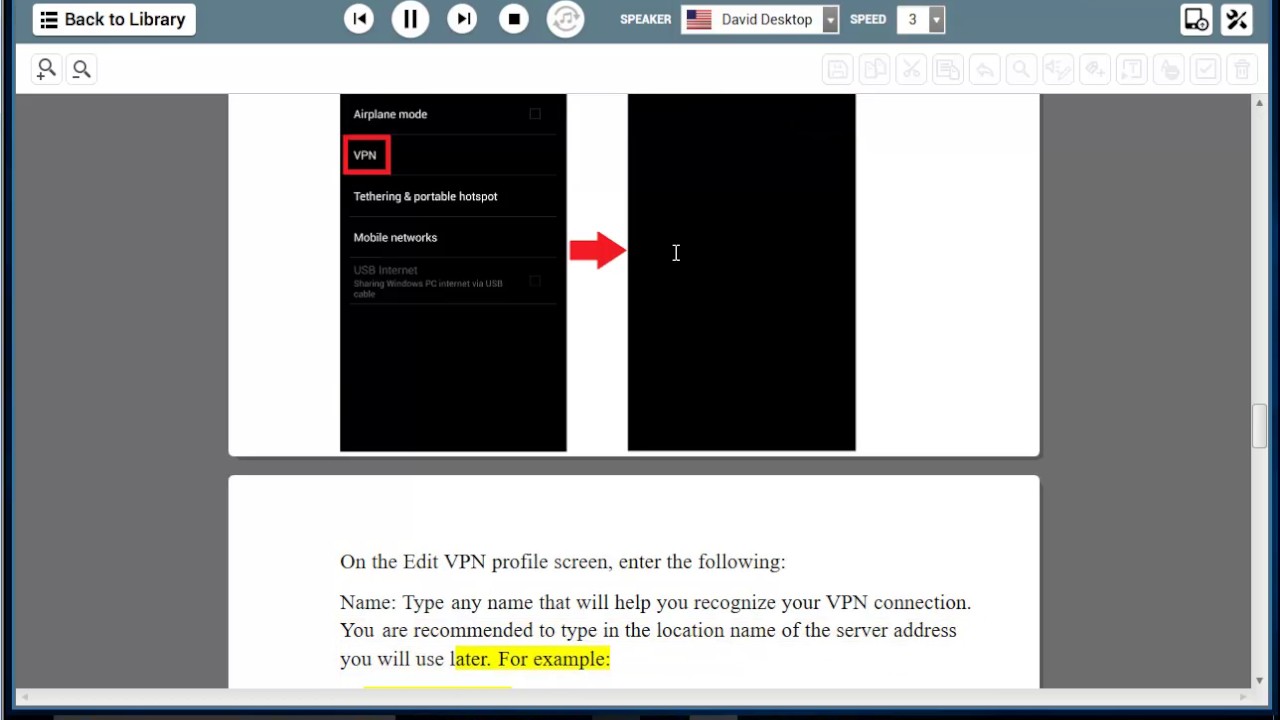
Set Up ExpressVPN L2TP On Android YouTube

Basic L2TP IPsec Server Configuration On A MikroTik Device Netpro lv
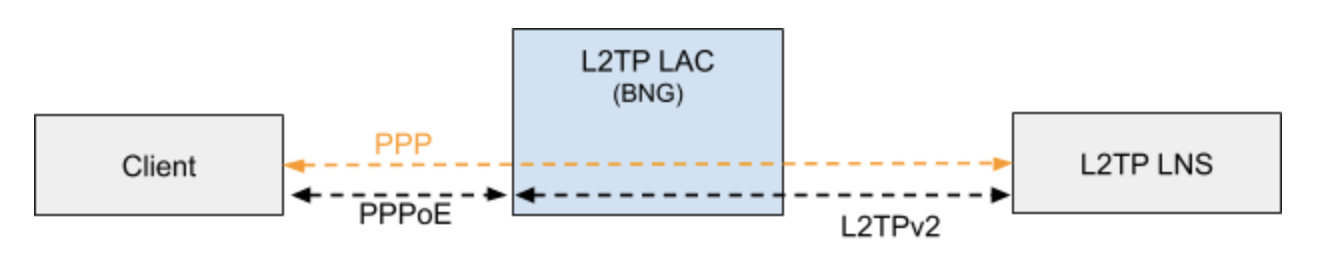
Layer Two Tunneling Protocol L2TP Configuration Guide

Basic L2TP IPsec Server Configuration On A MikroTik Device Netpro lv

Nov 8 2022 nbsp 0183 32 This guide shows you what to do if you are unable to use L2TP or PPTP manual configuration on your router ExpressVPN manual configurations are designed for devices that can t run the ExpressVPN apps For manual configurations ExpressVPN supports OpenVPN
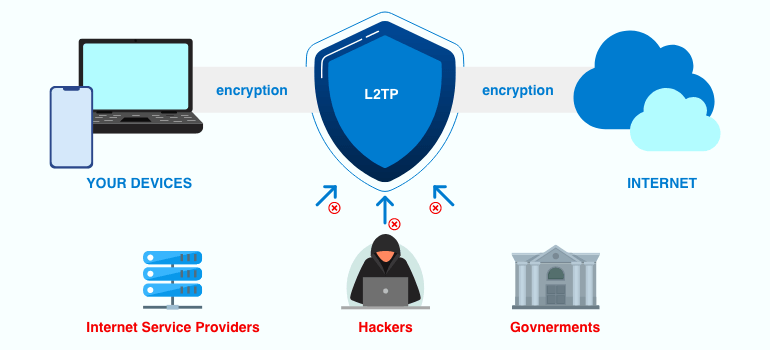
Get superior security using L2TP paired with IPsec Together they provide a more secure option to PPTP but come with the same easy setup

Jun 11 2017 nbsp 0183 32 Hit https www xvbelink a fid expssour to fully Set up ExpressVPN L2TP on TP Link router and or other devices today Learn more https youtu be oMjG

May 28 2021 nbsp 0183 32 This tutorial explains how to configure ExpressVPN on your QNAP NAS using L2TP IPsec Before you begin make sure your QNAP device is set up and connected to the same network as your computer This tutorial is also available on the ExpressVPN website

No ExpressVPN is compatible with a wide range of routers It has custom firmware for several popular router models and you can configure ExpressVPN on many routers that support OpenVPN LT2P and DD WRT It s possible to buy pre flashed routers
Sep 7 2021 nbsp 0183 32 Setting up ExpressVPN using L2TP protocol Unlock your iOS device and head to settings Click on General and then on VPN On this page click on Add VPN configuration gt Setup VPN configuration Select L2TP from the list of options and enter the following settings Description Enter your desired name ex MY VPN Apr 19 2023 nbsp 0183 32 Whatever the reason Windows 11 provides an option to configure and manage VPN connections from the Settings app which you can use to connect to virtually any VPN service to improve your
There are two ways you can set up ExpressVPN on your Synology device 1 You can set it up using OpenVPN This requires configuring a manual OpenVPN connection and is usually the preferred method because of its security speed and reliability 2 You can set it up using L2TP IPSec This requires configuring a manual L2TP IPSec connection