Export Filtered Data From Access To Excel Using Vba How To Convert PDF To Excel Using VBA PDFTables How To Export Large Data From Access To Excel Riset How To Export Data From Access To Excel Files Best Methods How To Export Data From Microsoft Access To Excel NodeJS How To Export Filtered Data From Dynamodb To Csv Using Nodejs 2 Answers Sorted by 2 I don t know if it would work for your case but you might try adding the VBA code to an Excel document rather than the Access database Then you could refresh the data from the Excel file and add the formatting there much easier Here is one example
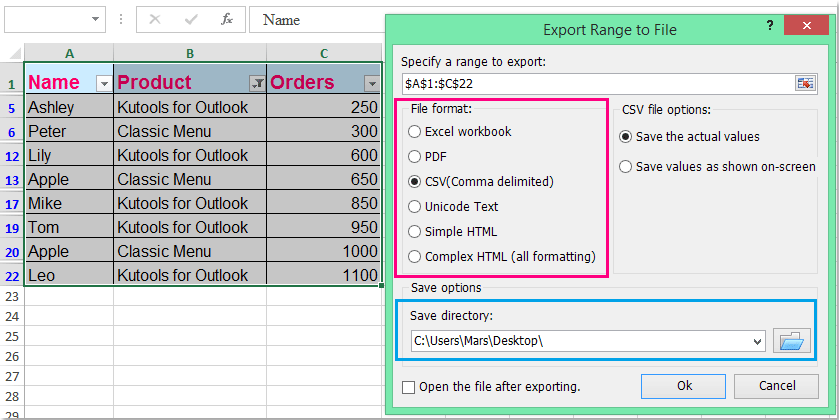
So if the data is prefiltered and you only want to save out the visible cells then 1 create new blank workbook 2 copy visible cells see Range SpecialCells xlCellTypeVisible 3 paste into new workbook Create a Select query based upon your filtered subform data and give the query a name such as ExportDataQuery Then export the query data using the DoCmd TransferSpreadsheet command You can insert the command at the end of the VBA code that filters the data or create a command button that runs the command when the user clicks it on the form
NodeJS How To Export Filtered Data From Dynamodb To Csv Using Nodejs How To Export Data From Microsoft Access To Excel How To Save Export Only Filtered Data From Excel To Csv File Export Filtered Data From Table Widget Google AppMaker To A Spreadsheet Export Filtered Data From Table Widget Google AppMaker To A Spreadsheet How To Export Data From Microsoft Access To Excel Access To Excel How To Export Table Data From Access 2016 Then Apply Download A Report In Excel Format By ServiceNow Scholar Medium Format When Exporting Data From Access To Excel Stack Overflow
Export Filtered Data From Access To Excel Using Vba
 Export Filtered Data From Access To Excel Using Vba
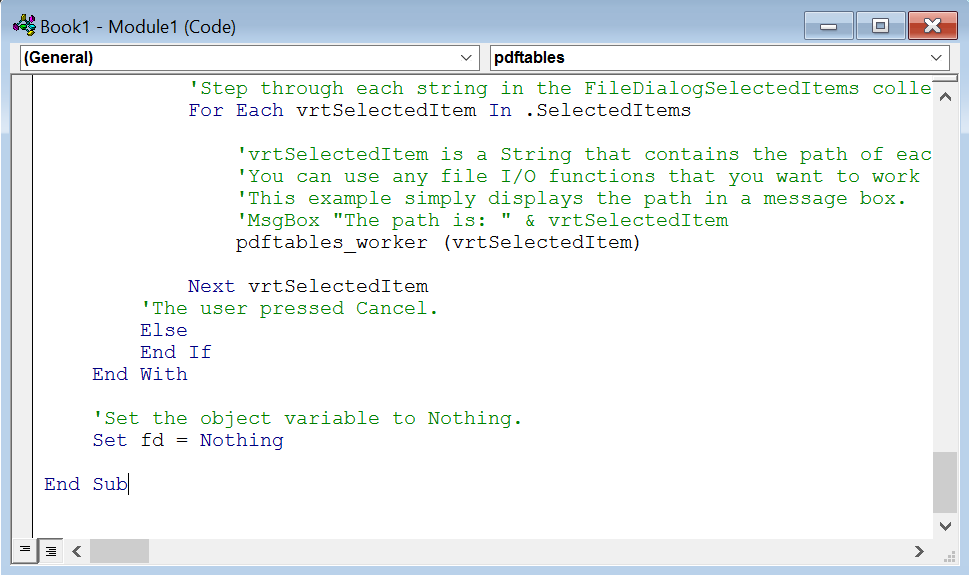
http://pdftables.com/images/howto-pdf-vba-5.png?9e48
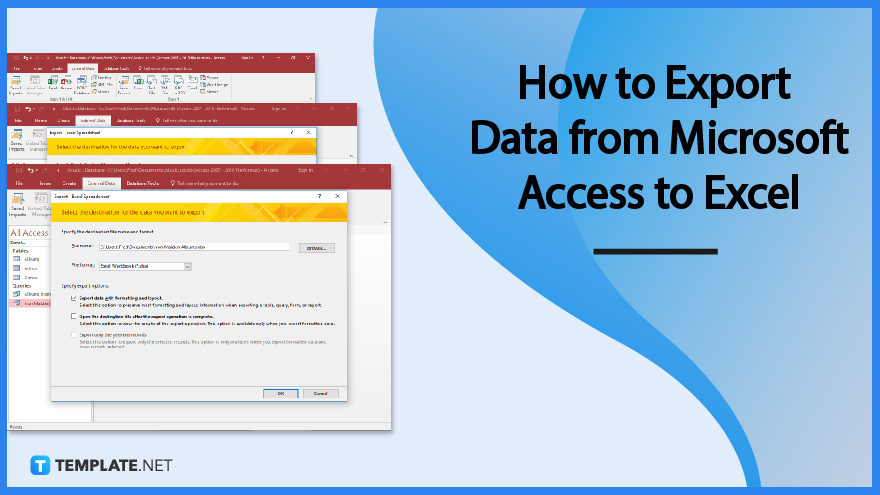
To export an Access object to a new Excel file use the DoCmd OutputTo method or the DoCmd TransferSpreadsheet method Export Query to Excel This line of VBA code will export a Query to Excel using DoCmd OutputTo DoCmd OutputTo acOutputQuery Query1 acFormatXLSX c temp ExportedQuery xls
Templates are pre-designed documents or files that can be used for various functions. They can conserve time and effort by offering a ready-made format and design for producing different type of content. Templates can be utilized for individual or expert projects, such as resumes, invitations, leaflets, newsletters, reports, discussions, and more.
Export Filtered Data From Access To Excel Using Vba

How To Export Filtered Data To Excel CSV From Powe Power Platform
How To Export Data From Microsoft Access To Excel
How To Save Export Only Filtered Data From Excel To Csv File

Export Filtered Data From Table Widget Google AppMaker To A Spreadsheet
How To Export Data From Microsoft Access To Excel
Access To Excel How To Export Table Data From Access 2016 Then Apply

KA KanchanBiradar Created on December 3 2021 Filtered Data export from MS Access to Excel How to export only filtered data from MS Access to Excel Every time I filter and export entire data is exported instead of the filtered data This thread is locked You can vote as helpful but you cannot reply or subscribe to this thread

Our procedure sExportToExcel to export the data uses the TransferSpreadsheet method to export the contents of a table or of a query datasheet as a named Excel file to a named folder Sub sExportToExcel query path DoCmd TransferSpreadsheet TransferType acExport SpreadsheetType acSpreadsheetTypeExcel12Xml TableName query

The code I have to call the Function on the OnClick event of the button is Call Send2Excel Forms Vendor Listing beta CombinedV2 strSheetExport Public Function Send2Excel frm Vendor Listing beta CombinedV2 As Form Optional strSheetExport As String frm is the name of the form you want to send to Excel
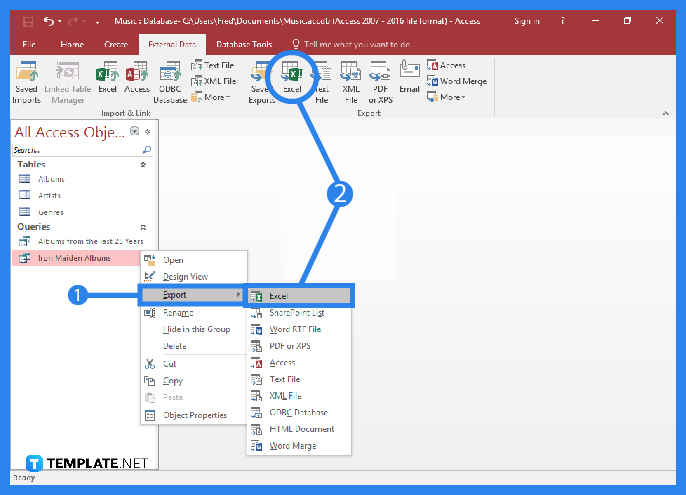
Microsoft Excel includes a command to import data from an Access database You can use that command instead of the export command in Access however the Excel import command only allows you to import tables or queries For more information see the Excel Help article Connect to import external data You cannot export macros or modules to Excel

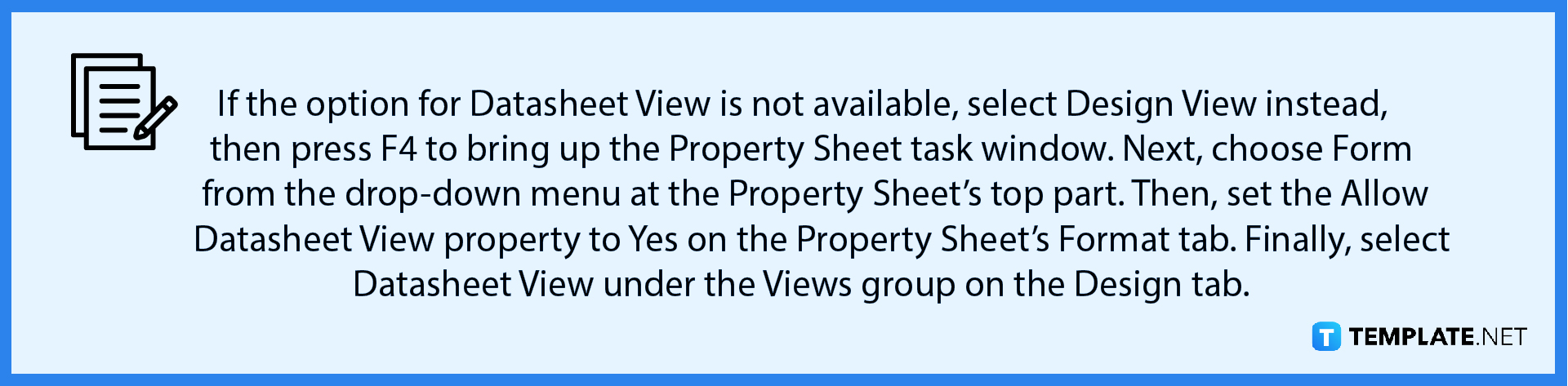
Use the TransferSpreadsheet method to import or export data between the current Access database or Access project adp and a spreadsheet file You can also link the data in an Excel spreadsheet to the current Access database
Exporting Filtered Data to Excel Access versions 2007 2013 Level Intermediate In Access Archon 200 Exporting Access Data to Excel I showed how to export data to an Excel workbook using various techniques This VBA code helps you to export data in Access Table to Excel in one click Why is it You can upload or export Access data to Excel without even opening the Excel Workbook How to Export Access data to Excel Step 1 Open the Access DB and got to VBA code builder Alt F11 and Open a New Module
Code Breakdown Here I created a Sub procedure Filter Different Columns Then I used the With statement to use Multiple Column Then used the Range property to declare our respective sheet name and range Next I used the AutoFilter method to use the Criteria of my choice where Field 2 means column 2 and Field 3 means column 3 Here select Criteria1 Male for the Gender column