Explain Menu Bar Explain Menu Bar In Photoshop Computers Professor How To Fix Menu Bar In WordPress NJENGAH Menu Menu Menu Bar Overview Support A menu bar is a horizontal strip that contains lists of available menus for a certain program In Windows programs the menu bar resides at the top of each open window while on the Mac the menu bar is always fixed on the top of the screen Despite this major difference the menu bar serves the same purpose on each platform
Navigation Bars Having easy to use navigation is important for any web site With CSS you can transform boring HTML menus into good looking navigation bars A menu bar is a graphical user interface element used in many computer applications situated on the top of the window just below the title bar It provides users with access to commonly used functions within an application and can be used to navigate through menus of commands or list options
Menu Bar Overview Support Toggle Autohide MacOS Menu Bar Menu How To Keep Menu Bar From Disappearing Mac DeviceTests Menu At Bar Down Under Hamburg Menu Membuat Menu Bar Dan Kotak Pencarian Pada Blog Ilmu Kuncian Menu Dalam Microsoft Word 2010 IMAGESEE Responsive Dropdown Menu Using HTML And CSS Hover Over
Explain Menu Bar
 Explain Menu Bar
https://4.bp.blogspot.com/-3H8pFx5bsyw/XLms-QQkZ3I/AAAAAAAAEvE/hTIM5y91ye8MYA4fuHlHOJgxcEHLcRULACLcBGAs/s1600/MENUBAR.png
How to in Balsamiq You can show keyboard shortcuts or right aligned text in a menu by separating the text with a comma Application menus with multiple levels Depending on the complexity of your software you can have multiple levels of dropdown menus For websites this isn t encouraged as it s not the best user experience
Pre-crafted templates use a time-saving solution for producing a varied range of documents and files. These pre-designed formats and designs can be made use of for different individual and professional projects, including resumes, invitations, leaflets, newsletters, reports, presentations, and more, simplifying the content production process.
Explain Menu Bar
Menu

Toggle Autohide MacOS Menu Bar

Menu
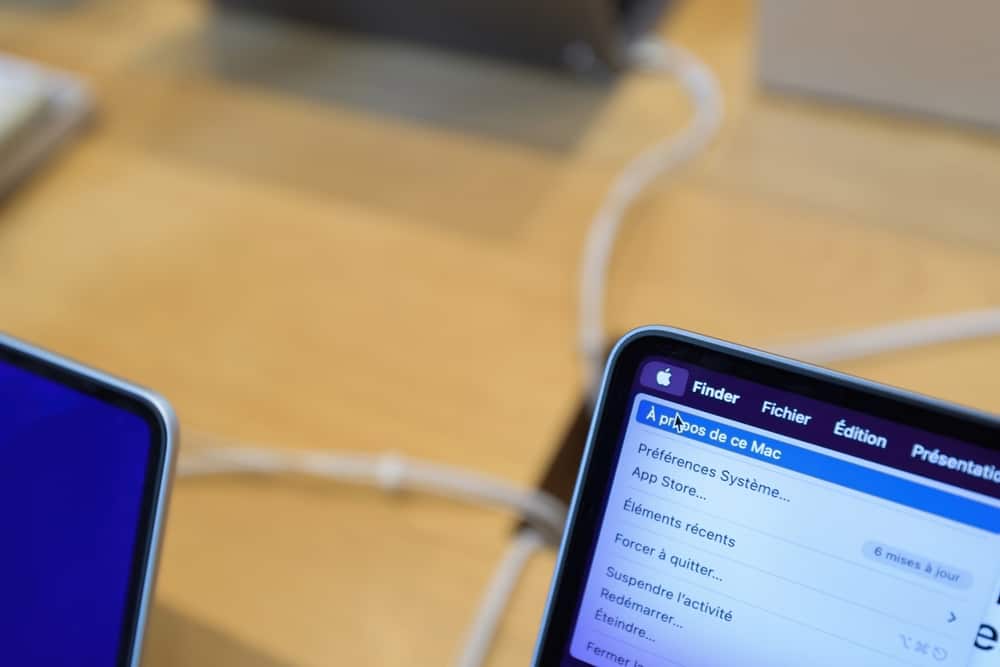
How To Keep Menu Bar From Disappearing Mac DeviceTests
Menu

Membuat Menu Bar Dan Kotak Pencarian Pada Blog Ilmu Kuncian
A menu bar is a horizontal bar that displays menu labels in a graphical user interface GUI The menu bar provides the user with a location in a window to access the program s important functionalities These functions include opening and shutting files modifying text and terminating the program

A menu bar is a graphical control element which contains drop down menus The menu bar s purpose is to supply a common housing for window or application specific menus which provide access to such functions as opening files interacting with an application or displaying help documentation or manuals
A menu bar is a user interface element that contains selectable commands and options for a specific program In Windows menu bars are typically located at the top of open windows In OS X the menu bar is always fixed at the top of the screen and changes depending on what program is currently active For Macs with multiple screens

A menu bar is a row or strip of menu items titles that when clicked display dropdown menus of other items or commands A menu bar is an integral graphical user interface GUI component for a variety of software applications In Windows a menu bar is located at the top of an application window

A menu bar is a graphical user interface element used in many computer applications situated on the top of the window just below the title bar It provides users with access to commonly used functions within an application and can be used to navigate through menus of commands or list options
[desc-11] [desc-12]
[desc-13]