Excel Vba Get Date Timestamp How To Insert Current Time In Excel Timestamp Shortcut NOW Formula VBA Automatic Timestamp Datestamp VBA Macro Microsoft Excel Tutorial How To Insert Current Time In Excel Timestamp Shortcut NOW Formula VBA PHP Excel Date Time Format For Php Code To Insert Mysql Database Row Date Picker For Excel With VBA Code YouTube Web Learn how to work with dates and times in Excel VBA Place a command button on your worksheet and add the code lines below To execute the code lines click the command button on the sheet Year Month Day of a Date The following macro gets the year of a date To declare a date use the Dim statement To initialize a date use the DateValue
Web Jul 17 2023 nbsp 0183 32 You can use the following basic syntax in VBA to insert a timestamp into a particular cell in Excel Sub InsertTimestamp Range quot A1 quot Value Format Now quot mm dd yyyy hh mm ss quot End Sub This particular macro inserts the current time formatted as mm dd yyyy hh mm ss into cell A1 Web Mar 27 2010 nbsp 0183 32 3 Answers Sorted by 9 Create a cell with the value Now Format it how you want like yyyy mm dd HH mm ss for a full timestamp in 24 hour time Now as long as auto recalculate the default is set any time another cell is
Date Picker For Excel With VBA Code YouTube How To Insert Date And Timestamp In Excel Excel Unlocked How To Convert SAP Timestamp To Date In Excel 4 Ways ExcelDemy Excel VBA Insert Timestamp When A Macro Is Run ExcelDemy Extract Date From Date And Time Stamp In Excel YouTube Cara Menambahkan Kode VBA Visual Basic For Applications Ke Buku Kerja How To Insert A TIMESTAMP In Excel Formula VBA Shortcut Button VBA Date How To Use Excel VBA Date Function With Examples How To Insert Current Time In Excel Timestamp Shortcut NOW Formula VBA
Excel Vba Get Date Timestamp
 Excel Vba Get Date Timestamp
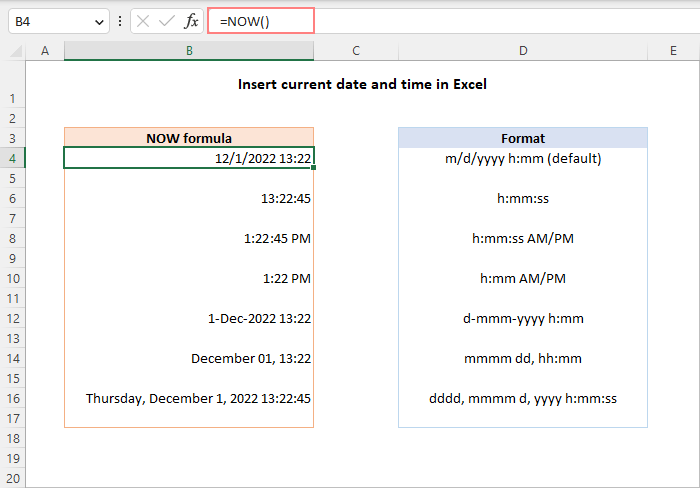
https://cdn.ablebits.com/_img-blog/insert-time/insert-date-time.webp
Web vba edited May 13 2021 at 14 46 BigBen 49k 7 27 43 asked May 13 2021 at 14 43 Suganthan Arulvelan 35 6 2 NOW is a easy way to get timestamp
Templates are pre-designed files or files that can be used for different purposes. They can save effort and time by offering a ready-made format and design for creating different kinds of material. Templates can be utilized for personal or professional projects, such as resumes, invitations, flyers, newsletters, reports, presentations, and more.
Excel Vba Get Date Timestamp

Convert Text Timestamp Into Time In Excel March 4 2022 Excel Office
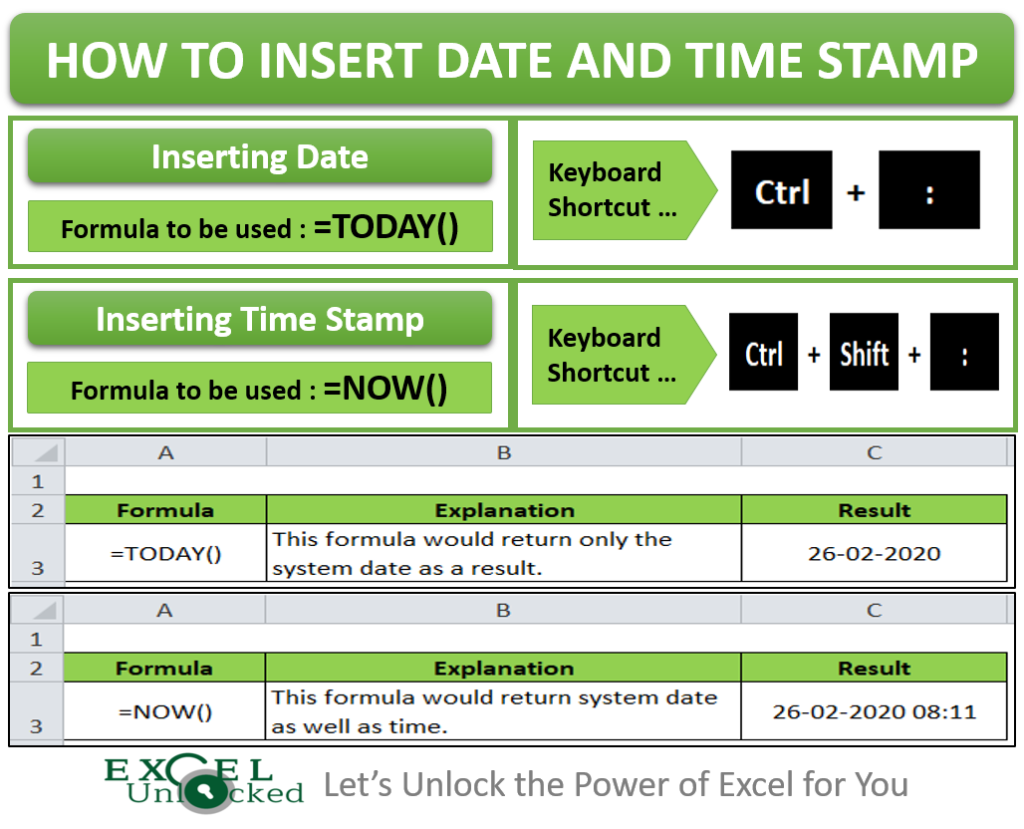
How To Insert Date And Timestamp In Excel Excel Unlocked
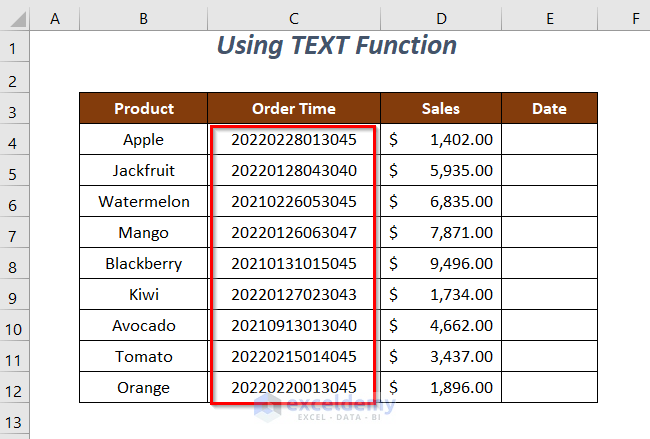
How To Convert SAP Timestamp To Date In Excel 4 Ways ExcelDemy
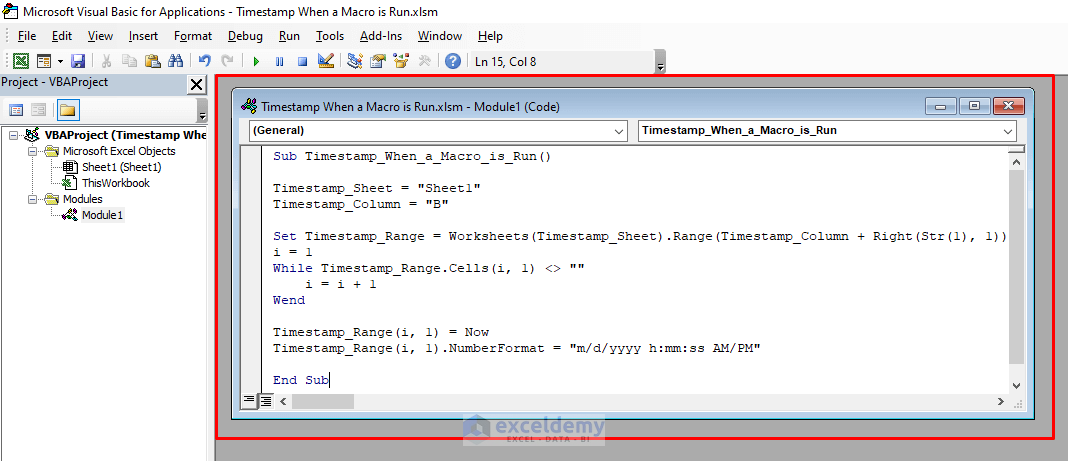
Excel VBA Insert Timestamp When A Macro Is Run ExcelDemy
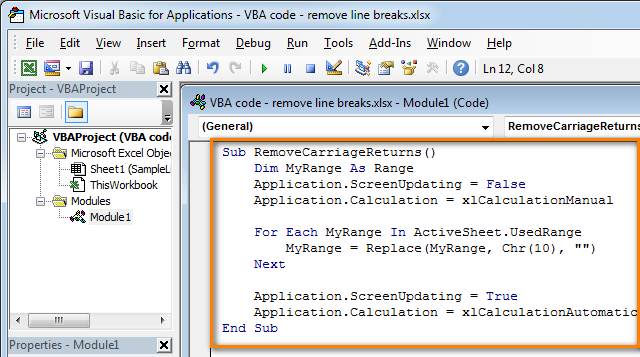
Cara Menambahkan Kode VBA Visual Basic For Applications Ke Buku Kerja

How To Insert A TIMESTAMP In Excel Formula VBA Shortcut Button
Web Nov 28 2021 nbsp 0183 32 Do you ever need to put a timestamp in an Excel spreadsheet Maybe you are tracking time for billing purposes or maybe you just want to keep track of what happens when If so this post is for you In the following steps I will show how to create a timestamp with VBA code Create A Timestamp Using Excel Formulas
Web Apr 27 2017 nbsp 0183 32 7 Answers Sorted by 29 Simply you can use COM Object to achieve UTC Time Information Dim dt As Object utc As Date Set dt CreateObject quot WbemScripting SWbemDateTime quot dt SetVarDate Now utc dt GetVarDate False answered Apr 27 2017 at 7 42 gogeek 291 3 2 That s great Will
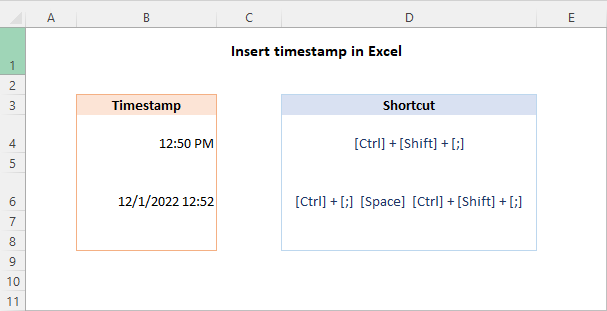
Web Mar 15 2024 nbsp 0183 32 Sub TestDate Dim dtToday As Date dtToday Now MsgBox quot Today s date is quot amp dtToday End Sub Time Function The Time Function will return the current Time only Sub Time Example MsgBox Time End Sub Formatting Dates With VBA In both the Date and the Now Functions the date is formatted in a default style as determined by
Web Sep 5 2023 nbsp 0183 32 VBA to Add a Timestamp If you are a VBA freak then I m sure you ll find this VBA code useful With this you don t need to enter a formula or even not use any shortcut key Just select the cell where you need to enter a timestamp and run the macro Sub timeStamp Dim ts As Date With Selection Value Now NumberFormat quot m d yyyy
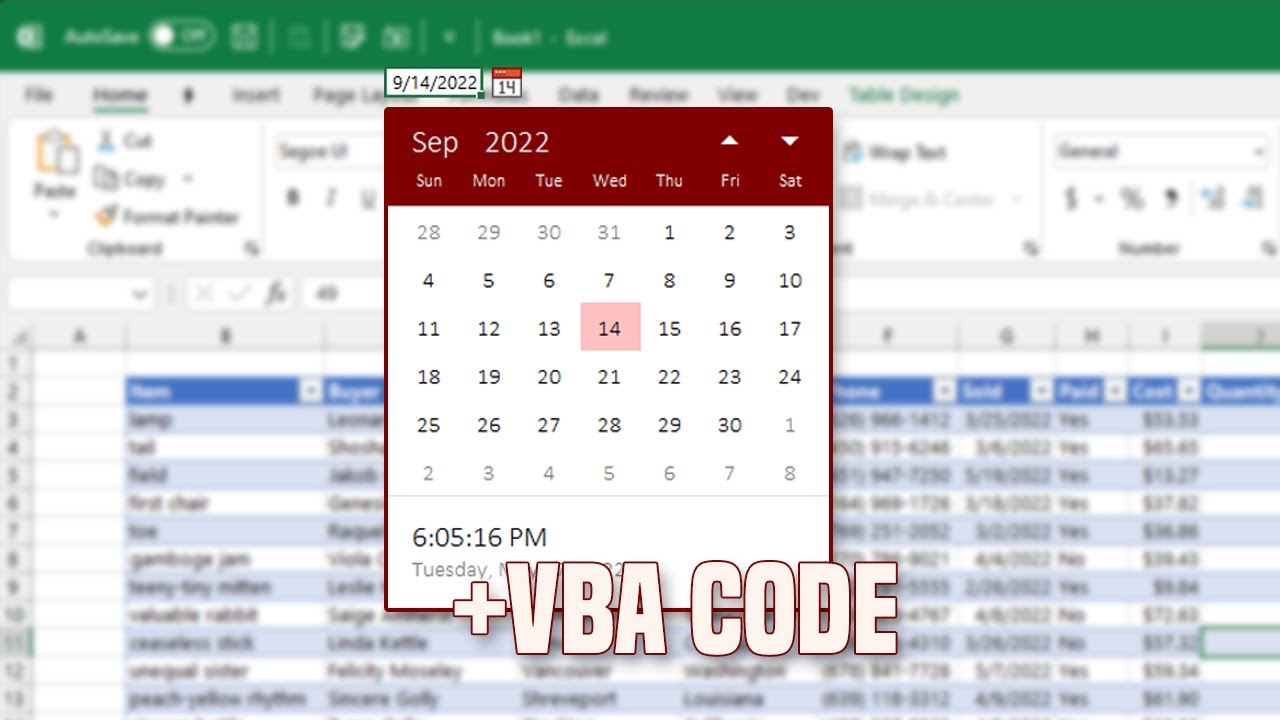
Web The VBA timestamp code is Range A1 value Format Now quot mm dd yyyy HH mm ss quot This code will show the current date and time in cell A1 And yeah that is it it s done The Now function returns current date and time and Format function formats the output into quot mm dd yyyy HH mm ss quot format
Web Dec 21 2023 nbsp 0183 32 How to Insert Timestamp in Excel In this section you will come across five different ways to insert timestamps in Excel with the necessary explanation You will use keyboard shortcuts combine NOW and TODAY functions use VBA code and so on 1 Using Keyboard Shortcuts to Insert Timestamp Web VBA Macro Method Watch the video walk through here https youtu be 23 RoK1p7tg t 244 The second method uses a VBA macro to return a date and time stamp This method will record the date and time of the original entry but will also record the date and time of the most recent update in a separate column
Web Nov 28 2023 nbsp 0183 32 dates functions vba Do you have a spreadsheet that needs to track dates Whether it s a shipping log an inventory tracker a sales order template or just something to track when the last change was made to a cell there s an easy way you can create a date stamp in Excel with VBA Create a Date amp Time Stamp in Excel Using VBA