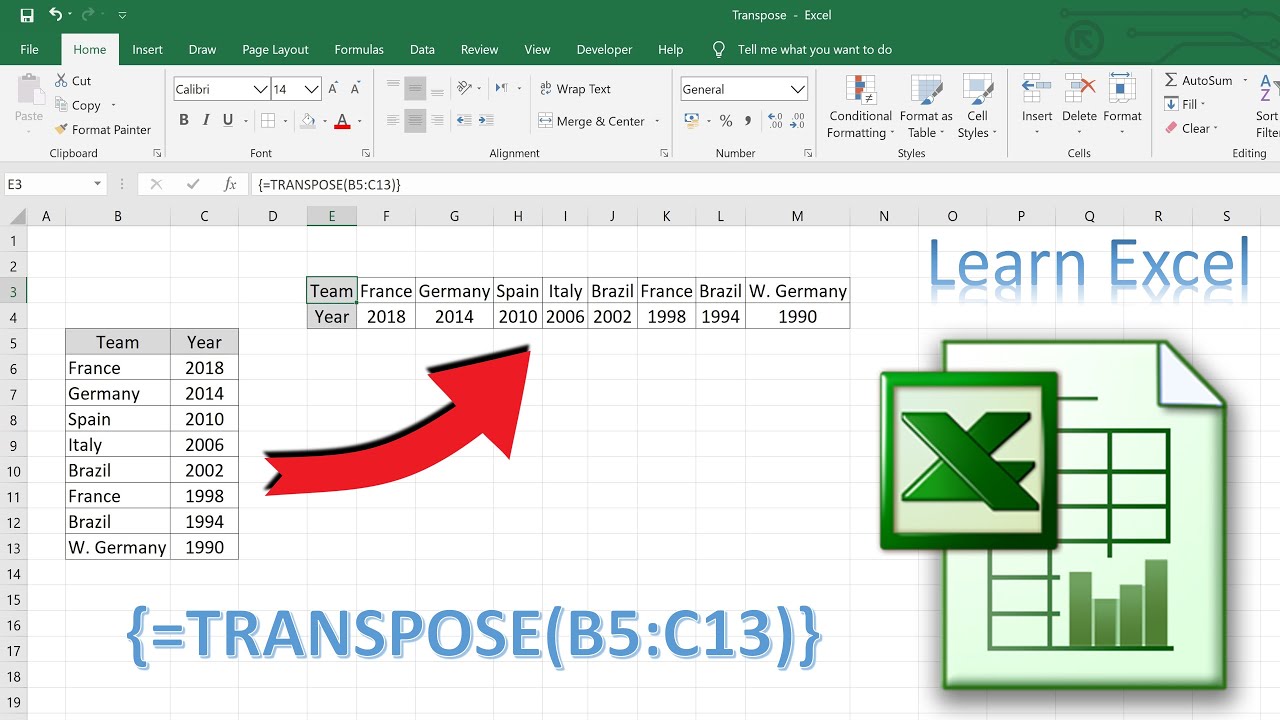
Excel Transpose Rows To One Cell Transpose Excel Tables With A Single Click Looking For Custom Excel How To Transpose Excel Columns To Rows Using Paste Special Images And How To Transpose Columns To Rows Riset How To Combine Multiple Rows To One Cell In Excel YouTube How To Transpose Rows To Columns In Excel Using Uipath Riset The TRANSPOSE function is fully automatic and can transpose cells vertical to horizontal and vice versa The only requirement is that there be a one to one relationship between source and target cells In the example shown we are transposing a table that is 2 columns by 7 rows 14 cells to a
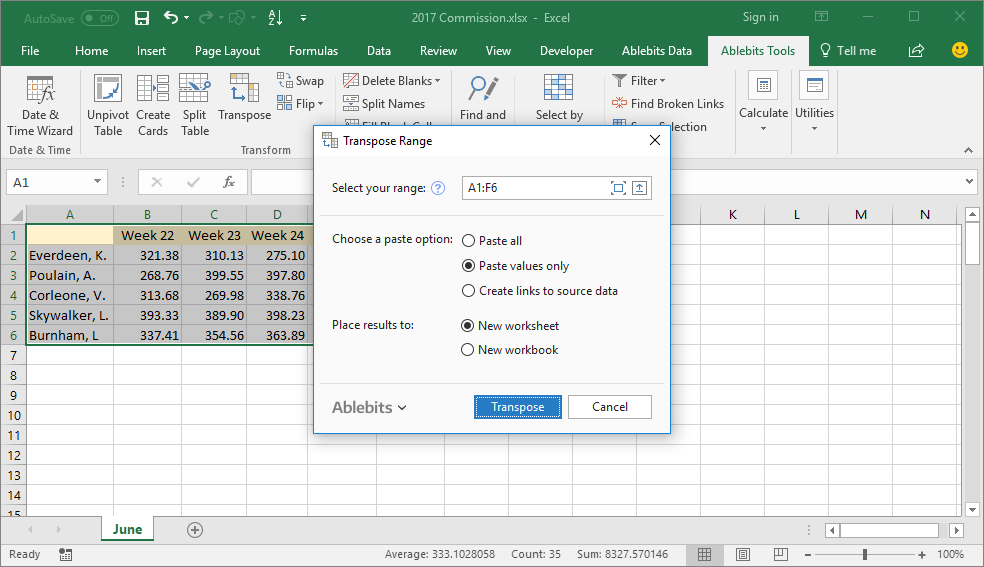
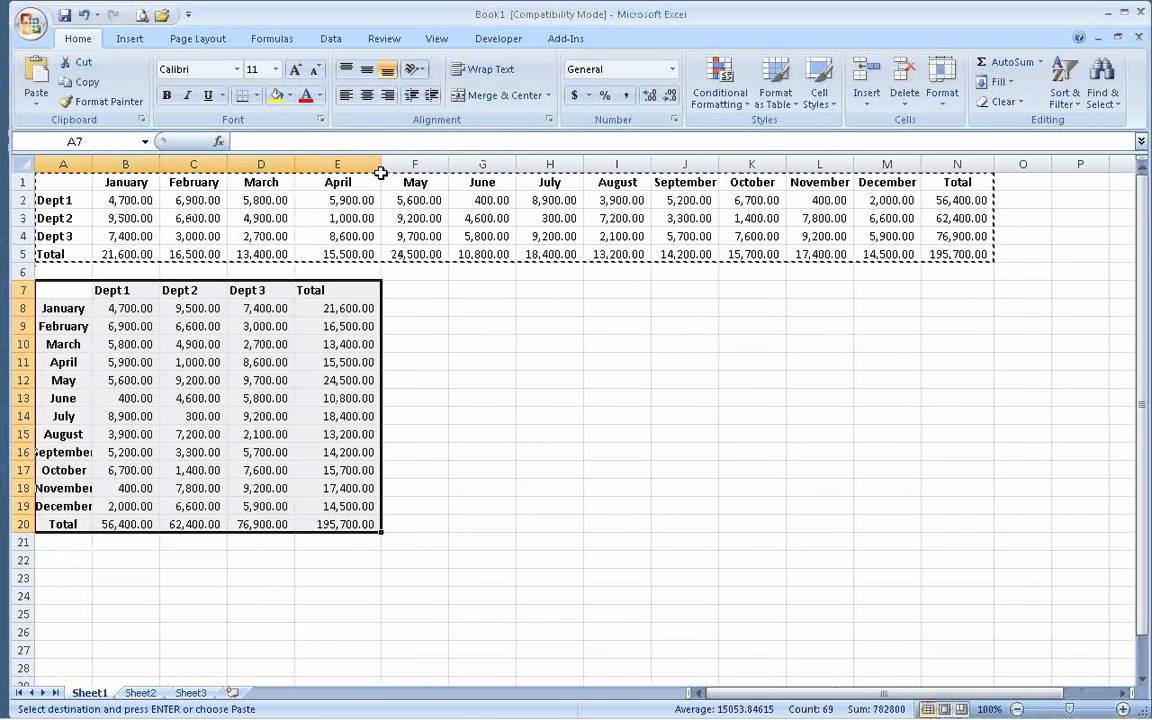
Select the data set A1 E5 Copy it Control C or right click and select copy Now you can paste the transposed data in a new location In this example I want to copy in G1 K5 so right click on cell G1 and select paste special In the Paste Special dialog box click on the Paste Link button Select any cell in your table and start the Transpose Range add in that will automatically select the entire table Choose how you d like to paste the data insert cells with formatting paste only values or create references to the source data Select where to save the result to a new sheet or workbook
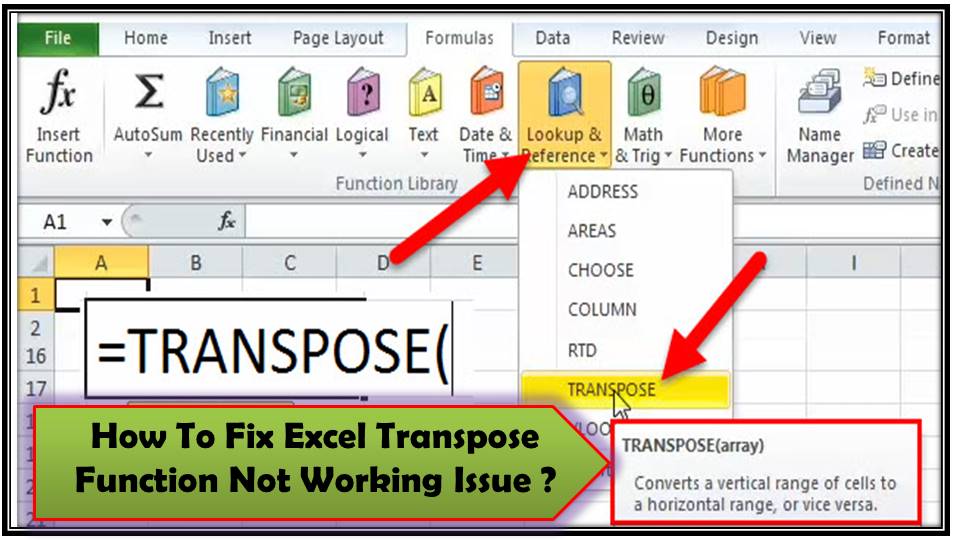
How To Transpose Rows To Columns In Excel Using Uipath Riset How To Fix Excel Transpose Function Not Working Issue Dissolvenza Vago Crescere Excel Invert Rows And Columns In Giro Sfera View Transpose A Formula In Excel Image Formulas How To Swap Rows And Columns In Excel Anderson Shave1949 Nascondiglio Giuria Sguardo Fisso Excel Invert Column To Row Latte How To Use The Excel TRANSPOSE Function ExcelFind Download Switch Rows And Columns In Excel Gantt Chart Excel Template How To Transpose Rows To Columns Based On Criteria In Excel 2 Ways
Excel Transpose Rows To One Cell
 Excel Transpose Rows To One Cell
https://3.bp.blogspot.com/-VS8Eph_CsgA/Xn5AGXqxreI/AAAAAAABrH4/koCNHP8qsZIEwNG7i6By2RkcKtAyxMvugCK4BGAYYCw/s1600/excel_transpose_table_reverse_invert_rows_columns.jpg
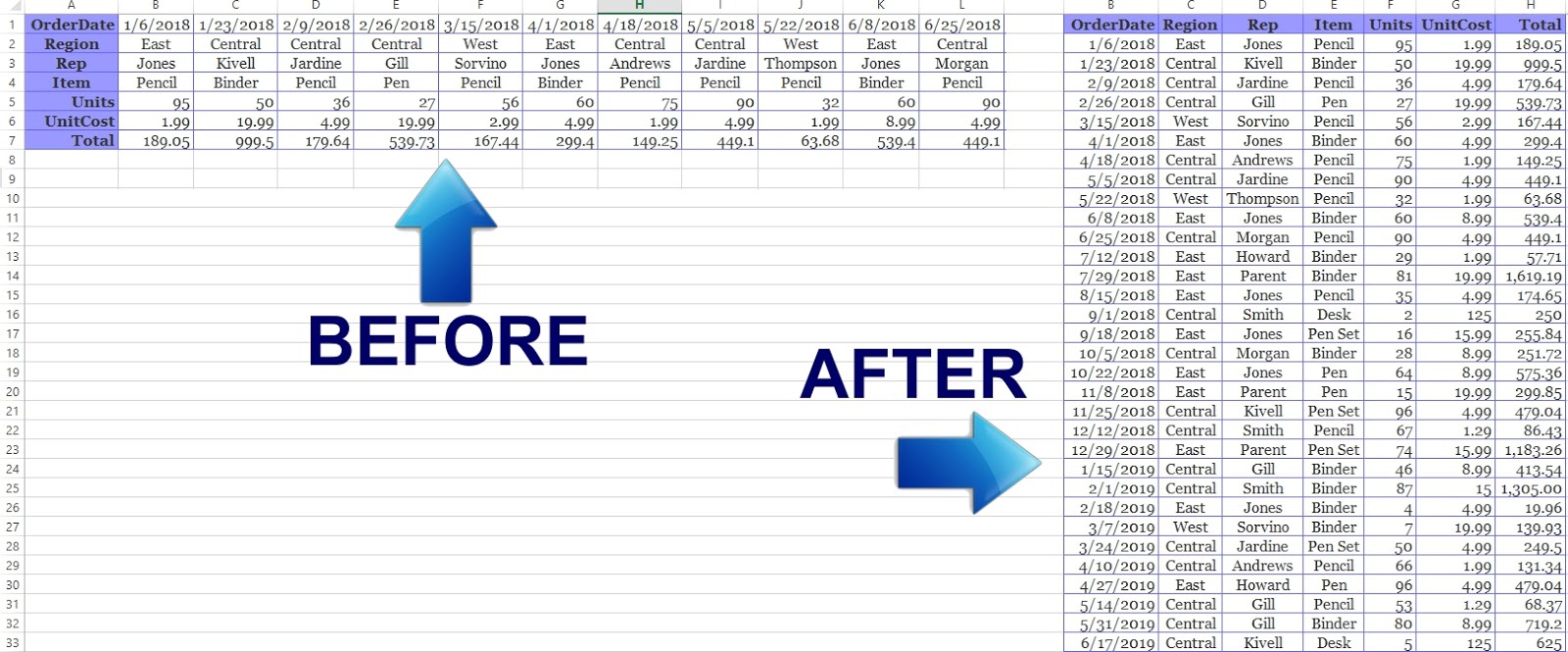
To switch rows to columns in Excel perform these steps Select the original data To quickly select the whole table i e all the cells with data in a spreadsheet press Ctrl Home and then Ctrl Shift End Copy the selected cells either by right clicking the selection and choosing Copy from the context menu or by pressing Ctrl C
Pre-crafted templates use a time-saving service for producing a diverse range of files and files. These pre-designed formats and designs can be made use of for numerous individual and professional jobs, consisting of resumes, invitations, leaflets, newsletters, reports, presentations, and more, simplifying the content production procedure.
Excel Transpose Rows To One Cell
TRANSPOSE Function In Excel How It Works YouTube
How To Fix Excel Transpose Function Not Working Issue
Dissolvenza Vago Crescere Excel Invert Rows And Columns In Giro Sfera

View Transpose A Formula In Excel Image Formulas
Nascondiglio Giuria Sguardo Fisso Excel Invert Column To Row Latte

How To Use The Excel TRANSPOSE Function ExcelFind
When you need to transpose a list of data into one single cell in a worksheet normally you can apply the Concatenate function to merge the list of cells into one cell but it will be complex if there are huge data need to be combined This article I will talk about some quick tricks for you to solve this task in Excel Transpose data from

Quick Links The Static Method Transpose Data with the Transpose Formula Transposing Data with Direct References If you started to enter data in a vertical arrangement columns and then decided it would be better in a horizontal one rows Excel has you covered We ll look at three ways to transpose data in Excel The Static Method

Go to the Home tab Click on the Copy command You can also select the data then use the Ctrl C keyboard shortcut to copy the data instead of using the ribbon commands Paste the data using the transpose command Select the cell where you want the transposed data This will be the upper left of where the data will go

In Excel how can I transpose multiple rows into a single column Ask Question Asked 7 years 10 months ago Modified 3 years 6 months ago Viewed 19k times 1 I have rows of data all of equal length e g A1 A5 B1 B5 C1 C5 etc I want to put these into a single column e g D1 D5 D6 D10 D11 D15 etc There are no headers or row identifiers

Windows Web If you have a worksheet with data in columns that you need to rotate to rearrange it in rows use the Transpose feature With it you can quickly switch data from columns to rows or vice versa For example if your data looks like this with Sales Regions in the column headings and and Quarters along the left side
Step 1 Select the data A3 B14 and press CTRL C or the Copy button Step 2 Select the destination cell that will serve as the upper left corner of the transposed data D3 and right mouse click and select Paste Special Check the box labeled Transpose and click OK NOTE An alternative to this is to select the data and click Copy click Select the first cell where you want to paste the data and on the Home tab click the arrow next to Paste and then click Transpose Pick a spot in the worksheet that has enough room to paste your data The data you copied will overwrite any data that s already there After rotating the data successfully you can delete the original data
101 1 1 3 Could you copy the column transpose it and then export as CSV kobaltz Mar 23 2012 at 22 08 Add a comment 13 Answers Sorted by 7 Using a User Defined Function will much more flexible than hard coding cell by cell Press alt f11 together to go to the VBE Insert Module copy and paste the code below