Excel Text To Columns Default Setting 7 Amazing Things Excel Text To Columns Can Do For You In 2021 Excel Excel Tutorial Text To Columns YouTube Download Microsoft Excel Split Cells Gantt Chart Excel Template How To Use Text To Columns In Excel Microsoft Excel Tips How To Separate Names Using Text To Columns Put something asdf in an empty cell Data text to columns delimited but uncheck all the options finish the wizard clean up the cell Sometimes this can be a useful feature And if you re running a macro that does the initial text to columns you could add a dummy text to columns to the end of your macro that will reset the delimiters
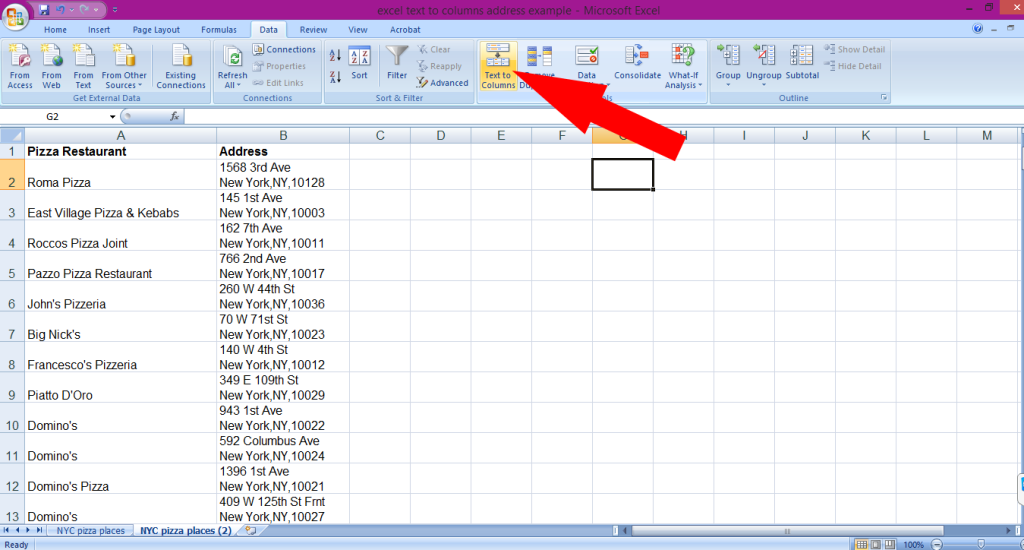
1 Open Excel and start a new Blank workbook 2 Add entries to the first column and select them all 3 Choose the Data tab atop the ribbon 4 Select Text to Columns 5 Related How to Set the Default Font and Font Size for New Workbooks in Excel Select General on the left and go to the When Creating New Workbooks section You ll see the top two settings here for the default font style and then the size Make your selections in these drop down boxes and click OK to save them
Microsoft Excel Tips How To Separate Names Using Text To Columns How To Use Text To Columns In Excel YouTube Vba How Do I Convert User Entered String Dates Into An Excel Format How To Split Cells Into Columns In Microsoft Excel Using The Text To Excel Format Sort Dates Correctly Using Text To Columns YouTube Text To Columns In Excel 2016 365 For Mac 15 26 Broken Again Text To Columns Excel YouTube How To Split Text In Multiple Columns Excel 2016 YouTube Text To Columns In Microsoft Excel Using Shortcut Keys YouTube
Excel Text To Columns Default Setting
 Excel Text To Columns Default Setting
https://i.pinimg.com/originals/80/68/bc/8068bc670e55e2be198c9f82669102c1.png
Follow these steps to access and utilize the fixed width settings in Excel Step 1 Select the Data Start by selecting the column or range of cells that contain the text you want to convert into columns Step 2 Open the Text to Columns Wizard Next navigate to the Data tab in the Excel ribbon and click on the Text to Columns button in
Pre-crafted templates offer a time-saving solution for producing a varied range of files and files. These pre-designed formats and designs can be made use of for various personal and professional projects, including resumes, invitations, flyers, newsletters, reports, discussions, and more, improving the material production procedure.
Excel Text To Columns Default Setting

How To Use Text To Column In Excel Earn Excel
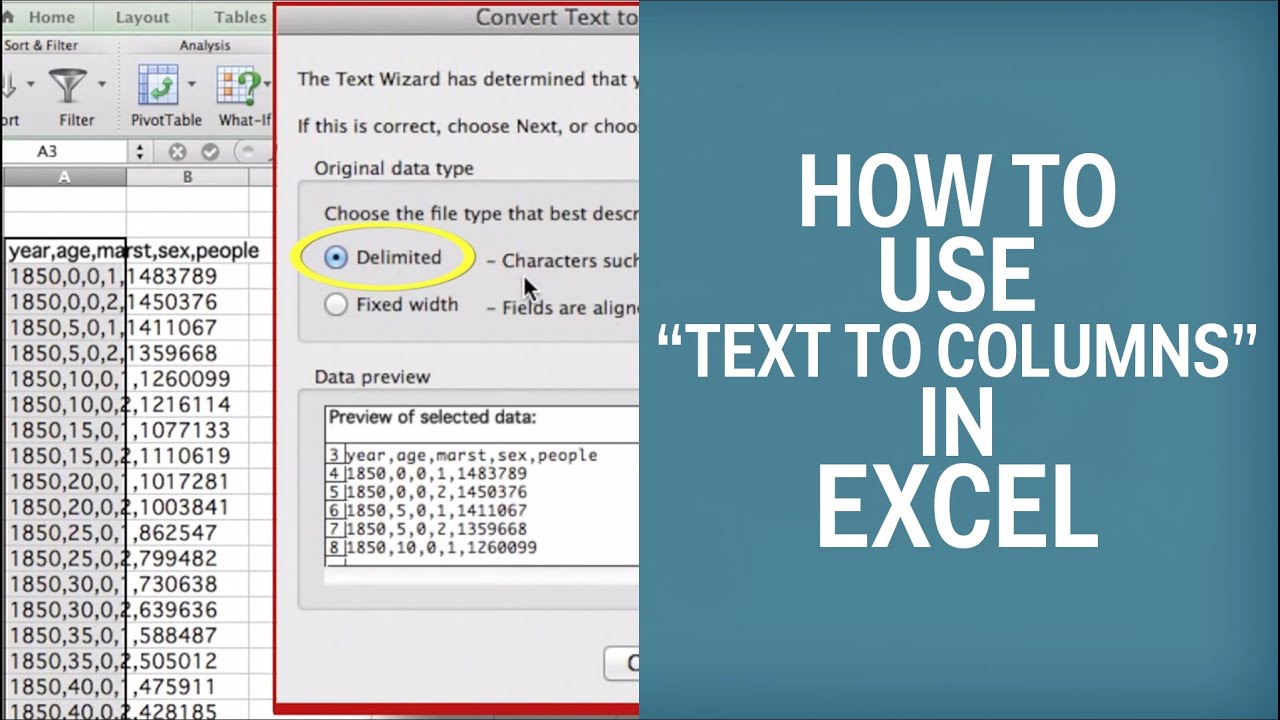
How To Use Text To Columns In Excel YouTube

Vba How Do I Convert User Entered String Dates Into An Excel Format
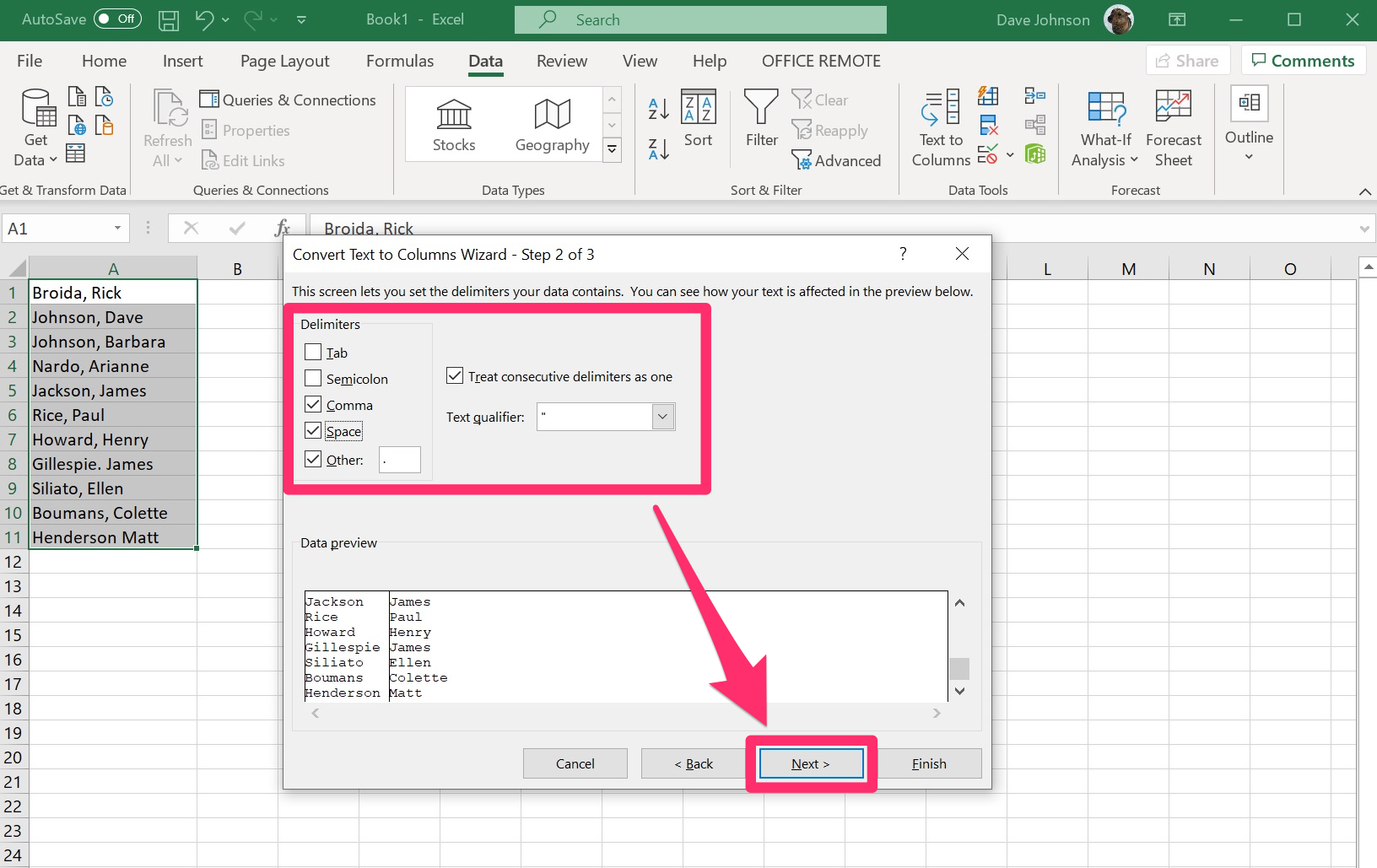
How To Split Cells Into Columns In Microsoft Excel Using The Text To

Text To Columns In Excel 2016 365 For Mac 15 26 Broken Again
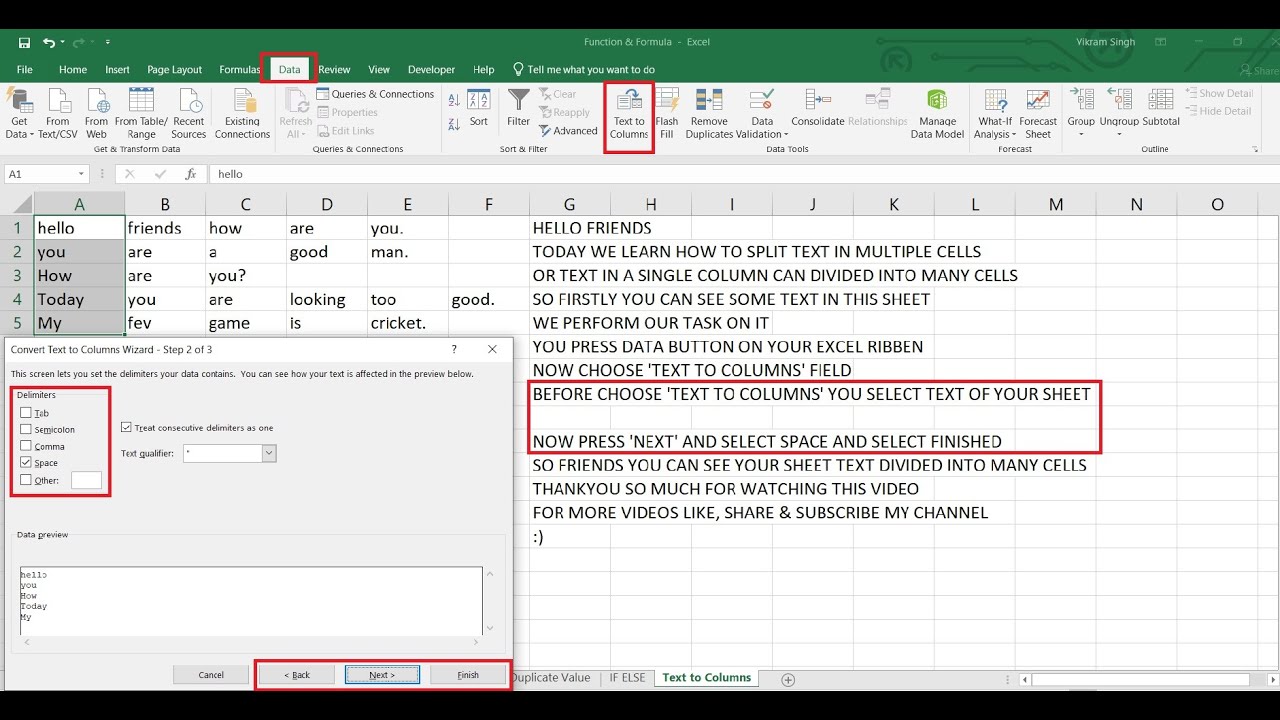
Text To Columns Excel YouTube

Sorry no there is no way to set a preset default for the Text to Columns function in Excel there is not even a registry hack for that Maybe the only way to do that would be with a macro Power to the Developer

When Excel is started the default delimiter in the Text to Columns dialog is the tab You can change the delimiter to another setting Excel will remember that setting while it remains open So you can change the setting open another file and the changed setting will apply to the newly opened file
3 Choose delimiter directly in CSV file to open in Excel For Excel to be able to read a CSV file with a field separator used in a given CSV file you can specify the separator directly in that file For this open your file in any text editor say Notepad and type the below string before any other data To separate values with comma sep

Excel s Text to Columns feature splits text in a cell into multiple columns This simple task can save a user the heartache of manually separating the text in a cell into several columns We ll start with a simple example of splitting two samples of data into separate columns

Try it Select the cell or column that contains the text you want to split Select Data Text to Columns In the Convert Text to Columns Wizard select Delimited Next Select the Delimiters for your data For example Comma and Space You can see a preview of your data in the Data preview window Select Next
Text to Columns default behavior is to overwrite the column the source data is in I want to do that like never so EVERY time I use Text to Columns I have to change the destination column Is there a way to change that default setting I know I m not stupid but I suspect I m a lot stupider than I think I am Register To Reply The data has come into Excel all in one column and is separated by quotation marks You should set this to True if negative numbers have the minus sign behind them The Default is False Converting Text to Columns The following procedure will convert the Excel data above into columns many of the parameters are set to false or to the
1 I d like to change the default Data Text to Columns Step 2 Separator character from Tab to Comma PERMANENTLY I cut and paste data into Excel that is comma delimited I also work with many ascii data files with commas as data field separators with extensions of dat txt csv and many other extensions