Excel Remove Leading Spaces Without Formula Remove Leading Spaces In Excel 6 Easy Methods To Remove Spaces Remove Leading Spaces In Excel Top 4 Methods To Remove Cell Spaces Remove All Leading Trailing Spaces From Excel Replace Multiple Spaces How To Remove Leading And Trailing Spaces In Excel Remove Leading Spaces In Excel 6 Easy Methods To Remove Spaces WEB Jan 21 2020 nbsp 0183 32 There are three ways using which we can remove the extra space before any word in excel TRIM Formula SUBSTITUTE Formula Using the Find and Replace Option without formula Let us
WEB How to Remove Spaces in Excel In this tutorial I will show you two ways to remove spaces in Excel Using TRIM function Using Find and Replace Using the TRIM Function Excel TRIM function removes the leading and WEB Remove leading and trailing spaces from text Summary If you need to strip leading and trailing spaces from text in one or more cells you can use the TRIM function In the
Remove Leading Spaces In Excel 6 Easy Methods To Remove Spaces Remove Leading Spaces In Excel 6 Easy Methods To Remove Spaces Remove Extra Trailing And Leading Spaces Excel Google Sheets How To Delete Trailing Spaces In Excel MS Excel Tips YouTube How To Remove Trailing And Leading Spaces In Google Sheets Tech Notes Exchange MS Excel Remove Leading Spaces In MS Excel Excel Remove Trailing Spaces And Leading Spaces How To Remove Leading And Trailing Spaces In Excel Cells Remove All Leading Trailing Spaces From Excel Replace Multiple Spaces
Excel Remove Leading Spaces Without Formula
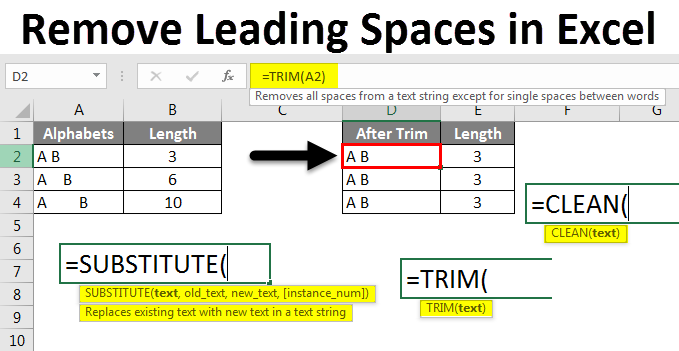 Excel Remove Leading Spaces Without Formula
https://cdn.educba.com/academy/wp-content/uploads/2019/03/Remove-Leading-Spaces-in-Excel.png
WEB Jan 17 2023 nbsp 0183 32 Remove leading spaces in Excel using Find amp Replace You can also use Find amp Replace to quickly find and delete or change double spaces in your cells 1 To
Pre-crafted templates use a time-saving solution for creating a diverse range of documents and files. These pre-designed formats and designs can be used for various personal and professional projects, consisting of resumes, invites, leaflets, newsletters, reports, presentations, and more, improving the material creation procedure.
Excel Remove Leading Spaces Without Formula
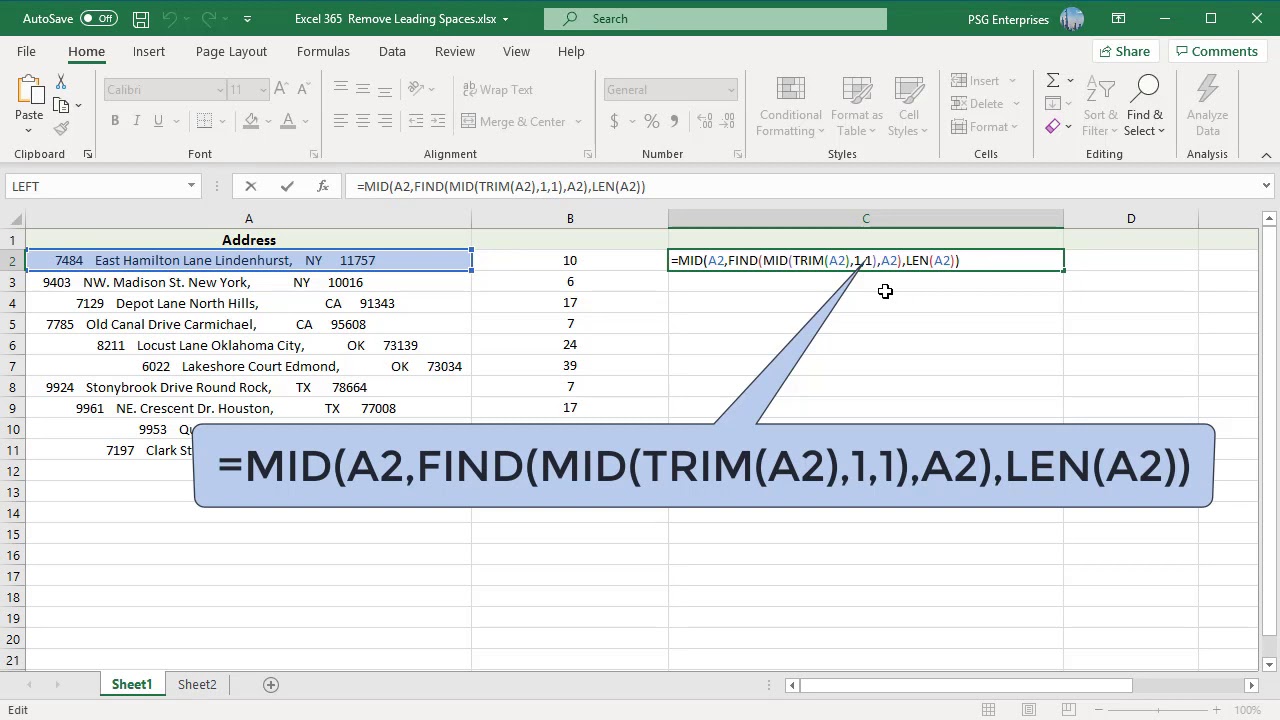
Remove Leading Spaces In Excel Office 365 YouTube
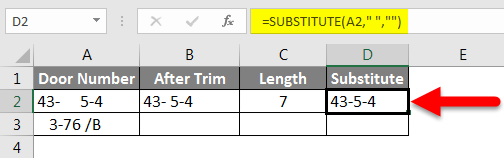
Remove Leading Spaces In Excel 6 Easy Methods To Remove Spaces
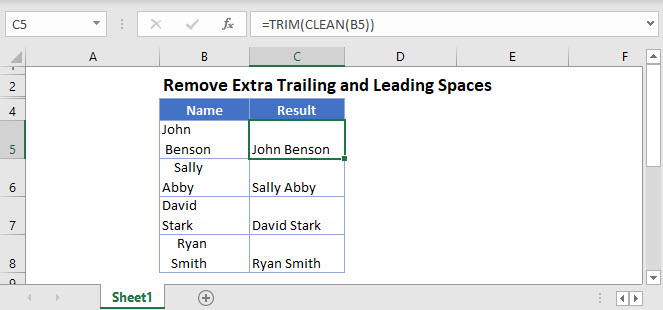
Remove Extra Trailing And Leading Spaces Excel Google Sheets
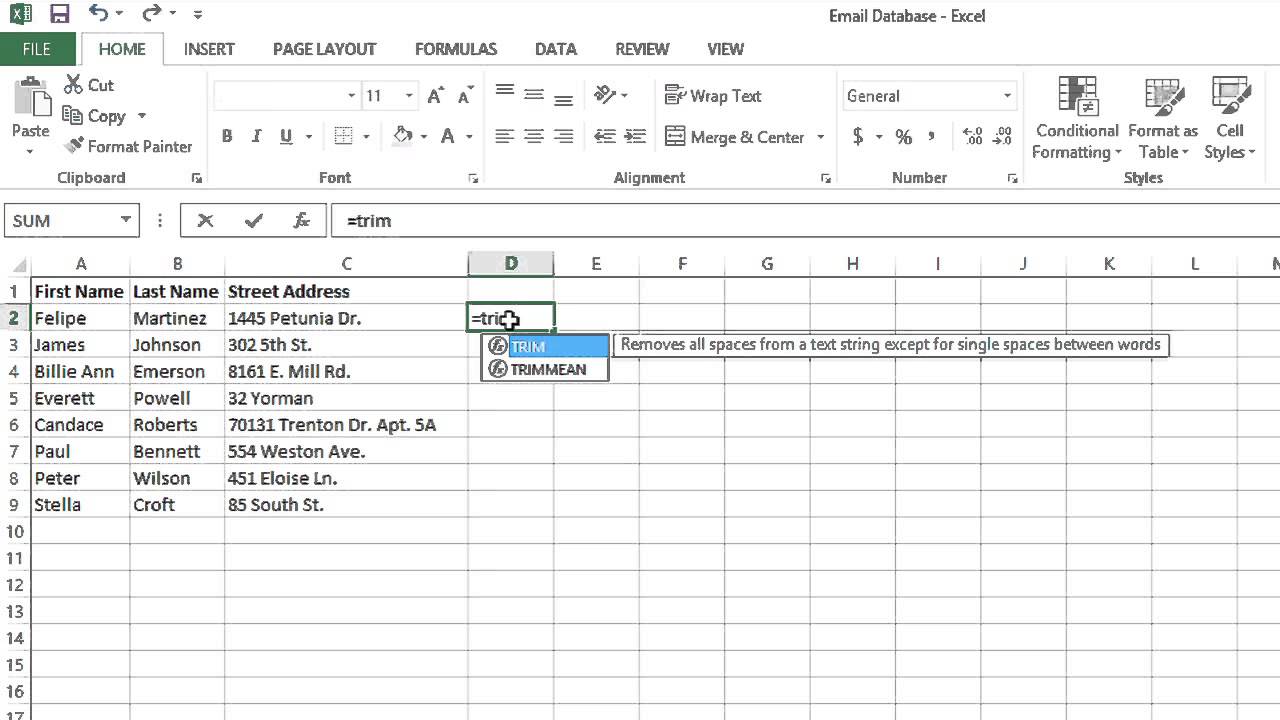
How To Delete Trailing Spaces In Excel MS Excel Tips YouTube

Tech Notes Exchange MS Excel Remove Leading Spaces In MS Excel
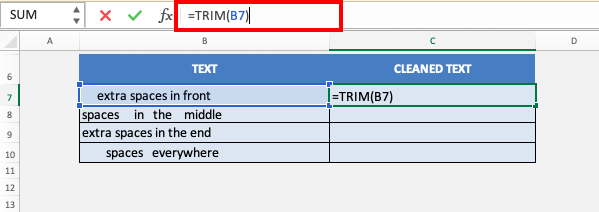
Excel Remove Trailing Spaces And Leading Spaces
WEB Mar 6 2012 nbsp 0183 32 I ve found that the best and easiest way to delete leading trailing and excessive spaces in Excel is to use a third party plugin I ve been using ASAP Utilities for Excel and it accomplishes the task as well

WEB Nov 30 2021 nbsp 0183 32 In Excel to remove the leading trailing and extra spaces between words in a particular string use the TRIM function This function deletes all spaces except for single spaces between words To remove

WEB Nov 29 2022 nbsp 0183 32 To remove the leading and trailing spaces select the column to be cleaned and click Transform gt Format dropdown gt Trim from the Ribbon The leading and

WEB While we can utilize the TRIM based formula to remove leading spaces in Excel cells the Find amp Select option also helps achieve the desired outcome Let us see the top 4
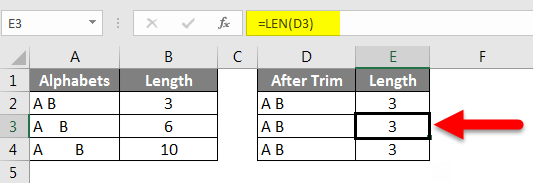
WEB Jan 2 2024 nbsp 0183 32 How to Remove Leading Spaces in Excel Cell 1 Remove Unwanted Leading Spaces in Excel Cell Using TRIM Function 2 Remove Non Breaking Leading Spaces in Excel Cell 3
WEB How to Remove Leading Spaces in Excel In this article first we will see how to identify spaces between cells These spaces may create a problem while working with formulas WEB Mar 23 2023 nbsp 0183 32 3 quick ways to remove extra spaces between words or delete all spaces from Excel cells You can use trim formula Excel Find amp replace or special Excel add
WEB Dec 19 2023 nbsp 0183 32 This article shows how to remove extra spaces in Excel with TRIM CLEAN SUBSTITUTE etc functions Find amp Replace PowerQuery and VBA code