Excel Remove First Two Characters In Cell Excel Formula To Remove First Two Characters In A Cell Printable Templates Free Excel Formula To Remove First Two Characters In A Cell Printable Templates Free Remove First Character Excel Formula Exceljet Remove Characters From Right Excel Formula Exceljet Riset Remove Unwanted Characters Excel Formula Exceljet Nov 21 2019 nbsp 0183 32 In this video learn some quick and easy ways to remove the first character from a text string in cells in Excel using formulas Text to Columns amp VBA
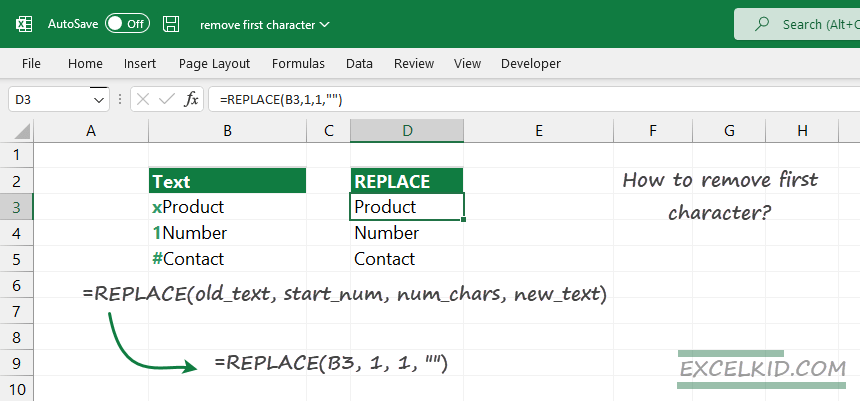
To remove the first character in a cell you can use the REPLACE function In the example shown the formula in D5 is REPLACE A1 1 1 quot quot Excel makes it easy to remove characters from the left of a string by providing two options Using the REPLACE function and Using the RIGHT function In this section you ll learn how to use both of these functions to strip characters using these two functions
Remove Unwanted Characters Excel Formula Exceljet H ng D n How Do I Remove First 3 Characters From Left In Excel L m C ch N o X a 3 K T How To Remove Last Character In Excel A Shout How To Get The First Two Characters Of A String In JavaScript Coding Beauty PHP String Replace First Two Characters Example How To Remove First Last X Characters Or Certain Position Characters From Text In Excel Excel 2013 Autotak How To Remove First Character 5 Ways From A Cell String In Excel Solved Write A Function That Takes Three Values As Chegg
Excel Remove First Two Characters In Cell
 Excel Remove First Two Characters In Cell
https://spreadsheetplanet.com/wp-content/uploads/2020/09/Remove-and-delete-duplicate-values.png
Formulas that allow you to quickly and easily remove the first or last character from a cell in Excel Sections Remove First Character from a Cell Remove Last Character from a Cell Notes Remove First Character from a Cell RIGHT A2 LEN A2 1 The RIGHT function gets the text from the right side of the cell
Templates are pre-designed files or files that can be used for numerous purposes. They can save effort and time by providing a ready-made format and design for creating various type of material. Templates can be used for individual or expert projects, such as resumes, invitations, flyers, newsletters, reports, discussions, and more.
Excel Remove First Two Characters In Cell
How To Remove The First Character From A Cell In Excel Excelkid
H ng D n How Do I Remove First 3 Characters From Left In Excel L m C ch N o X a 3 K T
How To Remove Last Character In Excel A Shout

How To Get The First Two Characters Of A String In JavaScript Coding Beauty
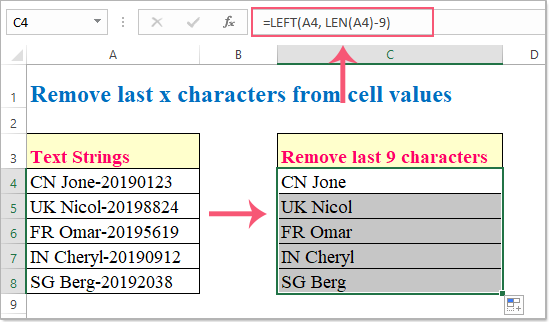
How To Remove First Last X Characters Or Certain Position Characters From Text In Excel
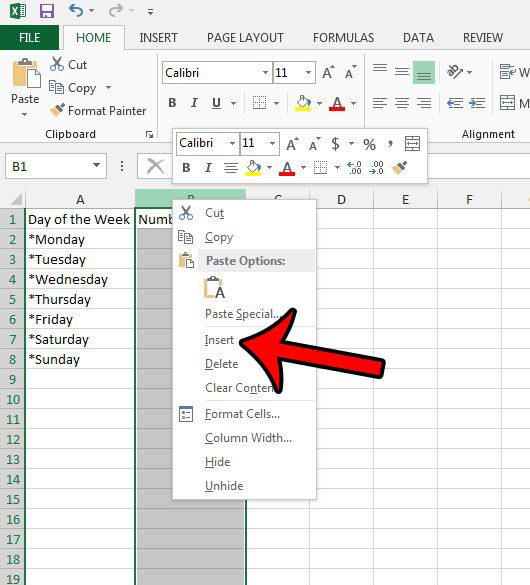
Excel 2013 Autotak

Dec 18 2023 nbsp 0183 32 To use the REPLACE function to remove the first 2 characters in Excel Select cell B2 Write the formula REPLACE A2 1 2
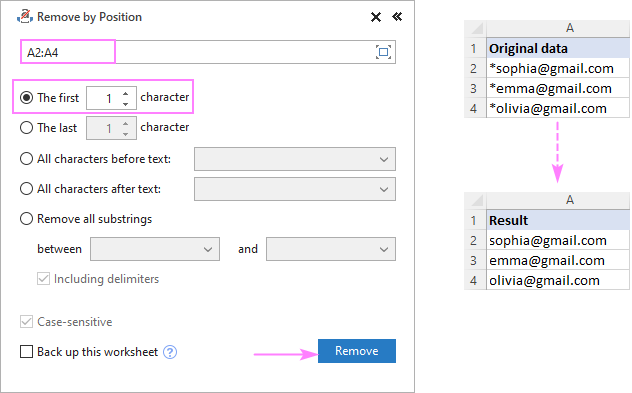
5 days ago nbsp 0183 32 This tutorial demonstrates different quick tricks to remove first or last N characters from a cell or a string in Excel 1 Remove first N characters with formulas In this part I introduce three different ways to quickly remove first N characters from a string 1 1 Remove first N characters with RIGHT REPLACE function
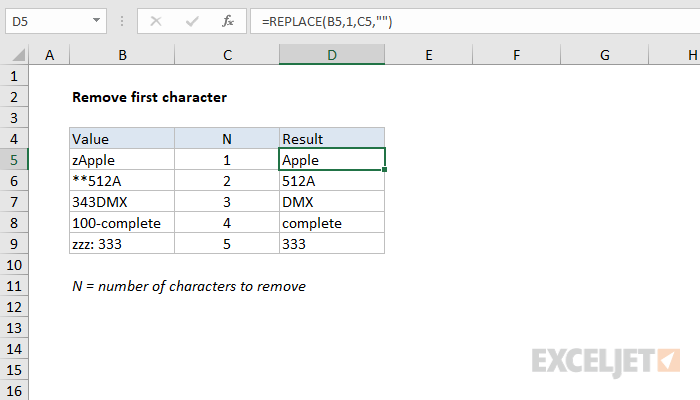
Mar 13 2023 nbsp 0183 32 The tutorial looks at how to delete everything before after a specific character or between two characters by using Excel formulas custom function Find and Replace or a special tool
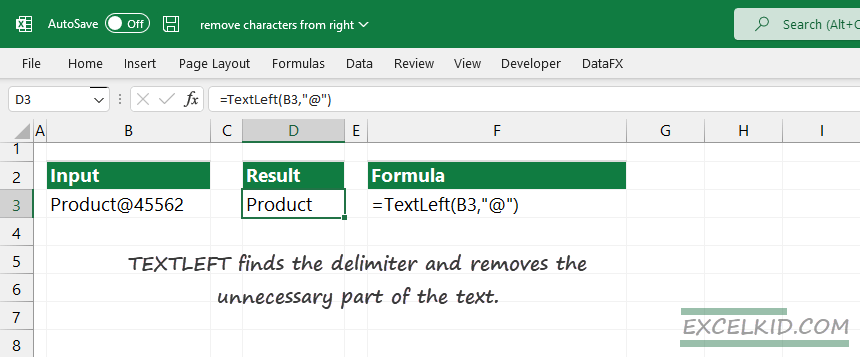
Mar 10 2023 nbsp 0183 32 See how to quickly remove characters from Excel cells using formulas or Find amp Replace feature delete certain text from multiple cells at once strip off first or last character remove spaces before text and more

Jun 26 2024 nbsp 0183 32 Removing the first two characters in Excel is a straightforward task once you know the right formula By using Excel s built in functions you can easily trim the first two characters off any text in your spreadsheet This guide will walk you through the steps to accomplish this
Jan 16 2023 nbsp 0183 32 Method 1 Remove first or last x characters from text strings with formulas Method 2 Remove first or last x characters from text strings with User Defined Function Method 3 Remove first last x characters or certain position characters without any formulas Method 4 Remove both first x and last x characters from text strings with formula Nov 11 2021 nbsp 0183 32 Method 1 Using RIGHT and LEN Functions to Remove the First Character in Excel Steps Insert a new column next to the Student ID column Select the first cell in the new column D5 In that cell copy the following formula RIGHT C5 LEN C5 1 Here C5 is the cell reference of the first cell of the column Student ID
Using a combination of RIGHT and LEN is the most suitable way to remove the first character from a cell or from a text string This formula simply skips the first character from the text provided and returns the rest of the characters