Excel Open Csv Change Delimiter Change Delimiter In A Csv File 7 Solutions YouTube How To Change Excel CSV Delimiter To Comma Or Semicolon How To Change Excel CSV Delimiter Logic App Converting Csv Format Table Into Custom Delimiter Column Vrogue Excel CSV Change Delimiter And Date Format YouTube 1 By just double click the CSV file Excel will be opened and the file will be displayed correctly Am I correct wilson Jan 31 2011 at 6 17
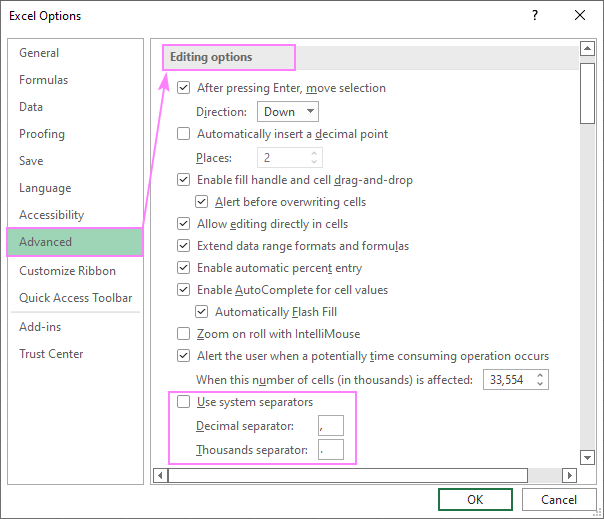
Open Advanced Options by following File Options Advanced In the Editing options section find Use system operators Uncheck it to override the system settings Set Decimal separator to comma and Thousands separator to period Clicking OK ensures that Excel uses semicolon as the delimiter 1 Just use as delimeter and opening file with double click will separte it in columns in MS Excel
Excel CSV Change Delimiter And Date Format YouTube Open CSV Files In Excel With The Correct Seperator delimiter Opening CSV Files With Excel Quick Tip On Delimited Text Files YouTube How To Change Delimiter When Saving Excel File As CSV Open CSV Files In Excel With The Correct Seperator delimiter Open CSV Files In Excel With The Correct Seperator delimiter Open CSV Files In Excel With The Correct Seperator delimiter Excel How Can I Convert A Pipe Delimited Text File To A Csv With Each How To Open CSV With Delimiter In Excel 6 Simple Ways
Excel Open Csv Change Delimiter
 Excel Open Csv Change Delimiter
https://i.ytimg.com/vi/Qvu1HTcBSJE/maxresdefault.jpg
131 For those that have control over the source data apparently Excel will auto detect the format of a CSV field unless the CSV column is in this format Data Here eg 20 5 5 0404 123 351 3 6 123 number percent number date string how Excel interprets
Templates are pre-designed documents or files that can be used for different functions. They can save effort and time by supplying a ready-made format and design for creating different sort of material. Templates can be utilized for personal or expert tasks, such as resumes, invitations, leaflets, newsletters, reports, presentations, and more.
Excel Open Csv Change Delimiter
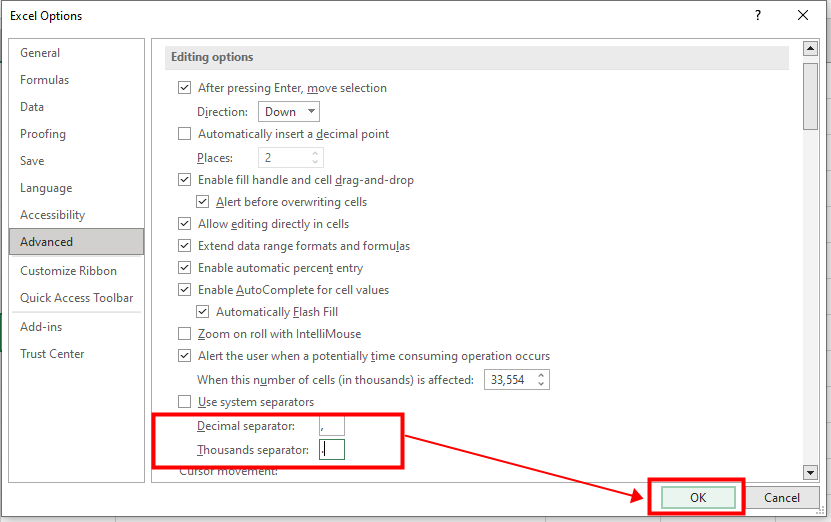
How To Change Delimiter When Saving Excel File As CSV

Open CSV Files In Excel With The Correct Seperator delimiter
Opening CSV Files With Excel Quick Tip On Delimited Text Files YouTube
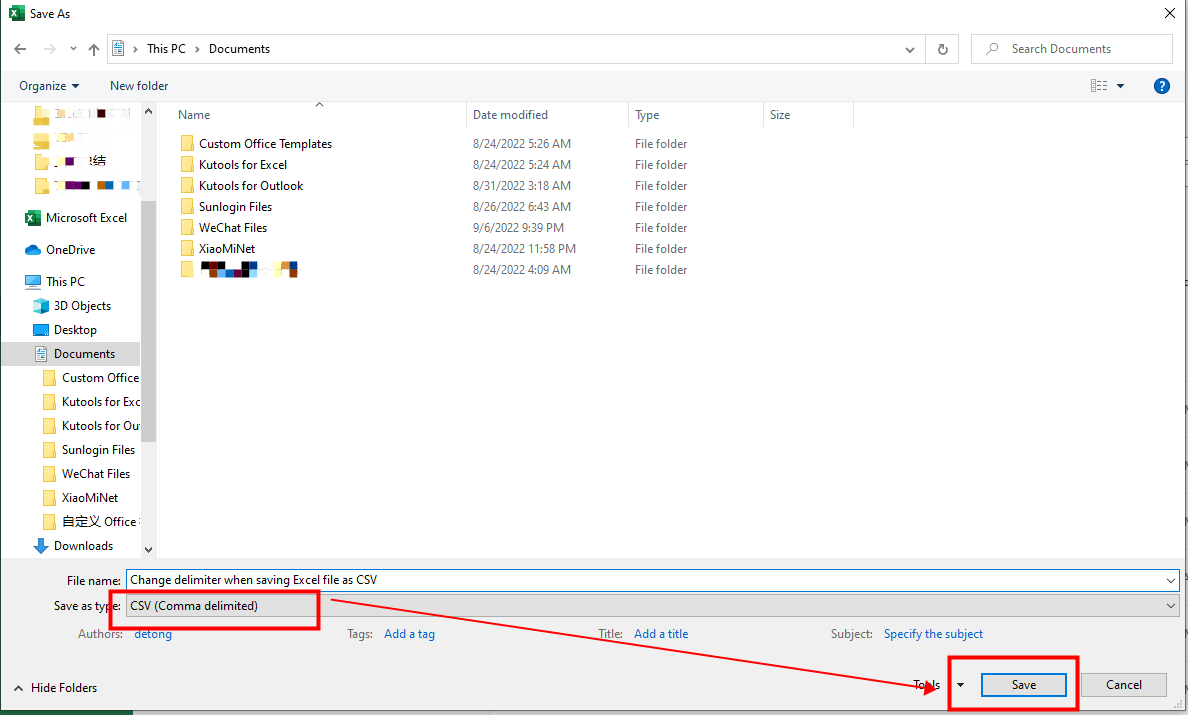
How To Change Delimiter When Saving Excel File As CSV

Open CSV Files In Excel With The Correct Seperator delimiter

Open CSV Files In Excel With The Correct Seperator delimiter

1 Opening CSV with Delimiter Through Excel Power Query Editor 2 Applying Text Import Wizard to Import CSV with Delimiter 3 Indicating Delimiter in CSV File for Opening in Excel 4 Opening CSV with Delimiter Using Text to Columns Feature 5 Embedding VBA Code in Excel to Import CSV with Delimiter 6
How to make excel open CSV files and automatically split the comma delimited column Ask Question Asked 7 years ago Modified 2 years 11 months ago Viewed 63k times 6 I get these reports everyday in CSV format In the previous version of excel 2007 when I opened these files they were already split into columns

Go to File Open and browse to the location that contains the text file Select Text Files in the file type dropdown list in the Open dialog box Locate and double click the text file that you want to open If the file is a text file txt Excel starts the Import Text Wizard

The csv files have columns delimited with semicolons not commas but also a valid format Using a German Windows Excel setup the opened file is displayed correctly the columns are separated where the semicolons existed in the csv file

How to change the delimiter in Excel Changing the delimiter in Excel can help resolve issues with parsing CSV files Here s how to do it Open the CSV file in Excel Start by opening the CSV file in Excel by using the Open command and selecting the file from your computer
Change default delimiters in excel Ask Question Asked 6 years 2 months ago Modified 1 year 10 months ago Viewed 64k times 15 I am using Excel for Mac 2016 on macOS Sierra software Although I have been successfully copying and pasting CSV files into excel for some time now recently they have begun to behave in an odd way To start Import Text Wizard automatically change the file extension from csv to txt and then open the text file from Excel Or enable the From Text Legacy feature and start importing CSV to Excel In step 3 of the wizard select the column containing values with leading zeros and change its format to Text
Stands for comma separated values A text file that uses a comma to separate values Each line of the file is a data record Each record consists of one or more fields separated by commas The use of the comma as a field separator Delimiter is the source of the name for this file format