Excel Macro Not Running Automatically ARC Troubleshooting Chart Microsoft Excel Macro Not Working Here s How You Troubleshoot It Outlook 365 Rules Not Running Automatically Solutions 2022 Top Stories Published By Let s Excel In September Of 2017 Medium Outlook Rules Not Running On Shared Mailbox 4 Fixes 2023 Paste your recorded code in the Sub procedure between the Sub and End Sub lines Close the Visual Basic Editor you don t have to save anything Save the workbook as an Excel Macro Enabled Workbook xlsm and close it The next time you open the workbook the code you added to the Workbook Open procedure will run automatically
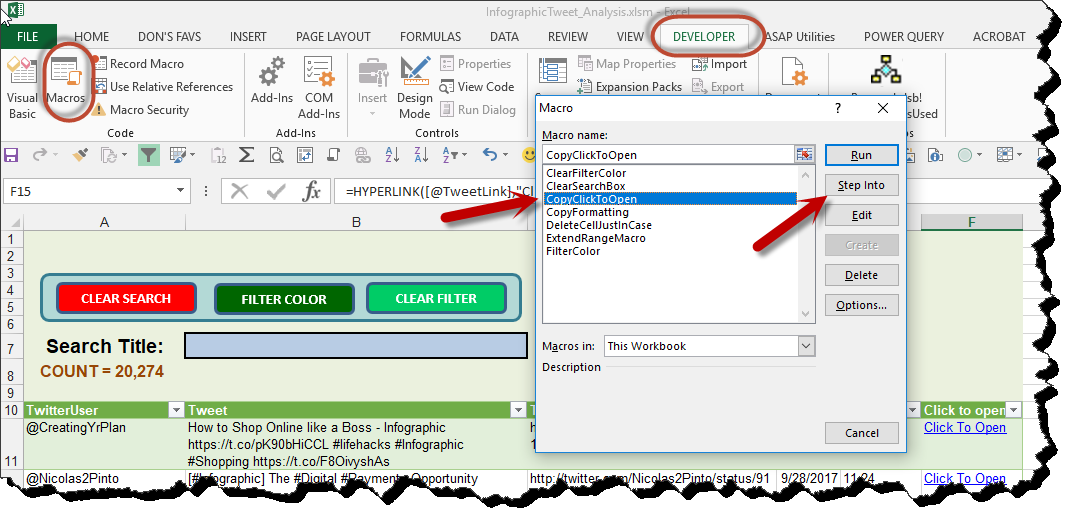
EXCEL VBA works with F5 but will not run automatically when cell values are changed Column E cells E3 E5 have Functions that calculate to a dollar amount or 0 00 This is the formula pulling from SUM MEDENT Proposal Creator B15 15 If the result is 0 00 the line is hide if it is greater than 0 it is unhide There are several ways to run a macro in Microsoft Excel A macro is an action or a set of actions that you can use to automate tasks Macros are recorded in the Visual Basic for Applications programming language You can always run a macro by clicking the Macros command on the Developer tab on the ribbon
Outlook Rules Not Running On Shared Mailbox 4 Fixes 2023 SharePoint Search Crawl Not Working Fixed Incremental And Full Crawl Timed Macro Not Running Questions Suggestions Keyboard Maestro How To Automatically Run Macro When Cell Formula Result Changes My Outlook Rules Not Running Automatically MAILTOH Rules Are Not Running Automatically In Outlook 365 Microsoft Community Cannot Run Macros On Excel But Same File Would Would Work On My Run Excel Vba On Windows 10 Tablet Caqwejunkies ARL Import Failed And It Is Not Running Automatically Community
Excel Macro Not Running Automatically

https://lh4.googleusercontent.com/p8uCergRKzvo9Uhq2kwYTgZUucQm4zYRvnzljp7Ekkj40eE3ztO_D_L30PITJdp2oa1twm8PJ6rbihGjK0UuxSyie-zK4ca9_sa7VStonAQizwXCr_XAcVNlk8BlOgfRXqPyfgU9=s0
In Microsoft Office Excel Microsoft Visual Basic for Application VBA macro code that is contained behind a worksheet or workbook may not work correctly Cause This will occur if both of the following conditions are true The code in question is contained inside an automatically running subroutine such as an Auto Open or Auto Close
Pre-crafted templates use a time-saving service for producing a varied series of files and files. These pre-designed formats and designs can be made use of for numerous individual and expert projects, consisting of resumes, invites, leaflets, newsletters, reports, presentations, and more, streamlining the material production process.
Excel Macro Not Running Automatically
Admin Notifications In Outlook Complete Guide 2023

SharePoint Search Crawl Not Working Fixed Incremental And Full Crawl
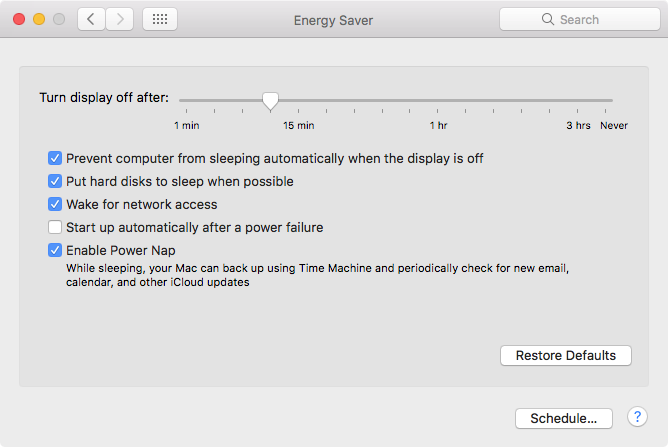
Timed Macro Not Running Questions Suggestions Keyboard Maestro
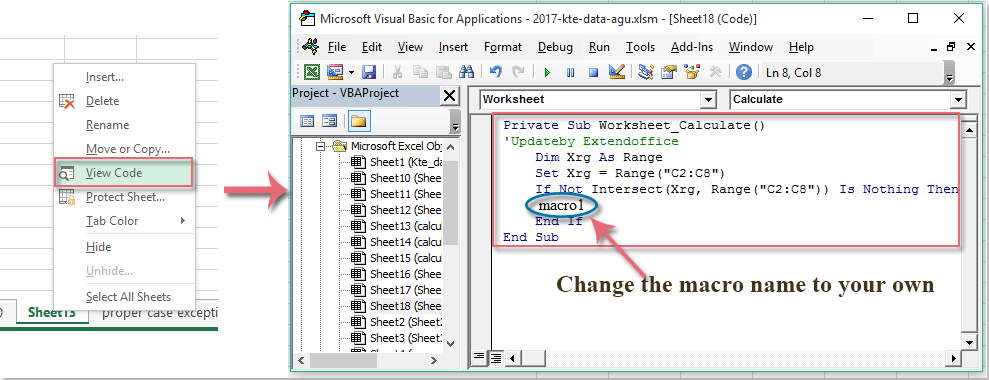
How To Automatically Run Macro When Cell Formula Result Changes

Rules Are Not Running Automatically In Outlook 365 Microsoft Community
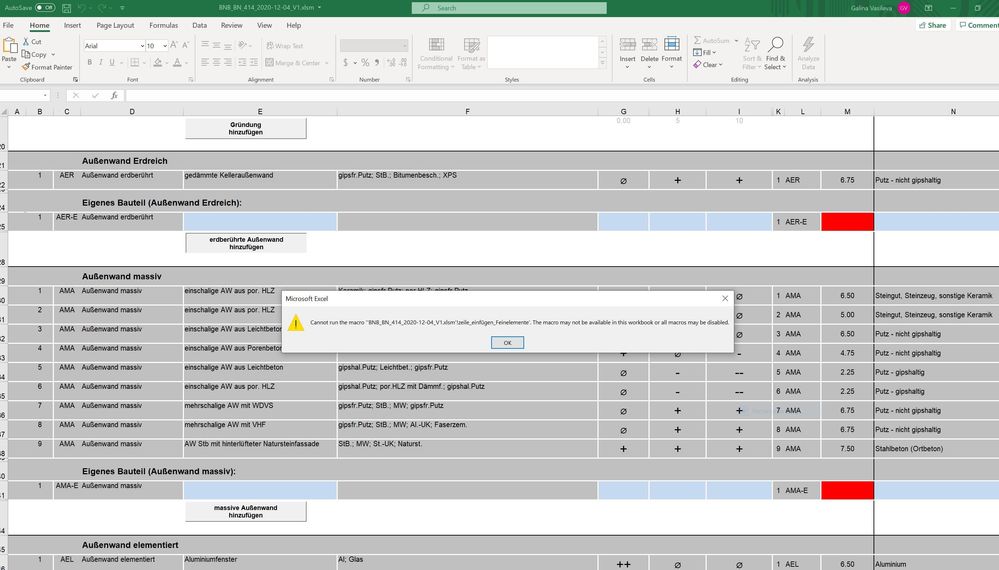
Cannot Run Macros On Excel But Same File Would Would Work On My

Automatically run a macro when opening a workbook Microsoft Support Automatically run a macro when opening a workbook Excel for Microsoft 365 Excel for Microsoft 365 for Mac Excel 2021 More You might want a macro you recorded to run automatically when you open a specific workbook
If I manually change the value in cell F1 the macro runs However when I add a new value in the date column that causes the calculation in cell F1 to update nothing happens Some of the other topics offer solutions using the intersect function however those are giving me the same results
Follow the steps to do the task Firstly go to the File tab and select Options from the Backstage View Secondly select Trust Center in the Excel Options dialogue box Thirdly click on Trust Center Settings Fourthly go to the Macro Settings in the Trust Center dialogue box

Method 1 Running a Macro Automatically for a Specific Workbook Download Article 1 Make sure the Developer tab is displayed on your editing ribbon If it isn t and you re using a Windows computer go to the File tab and click Options Customize ribbon Under Main tabs check the box next to Developer
Microsoft security Accessibility center Learn how to change the settings that enable or disable macros in Excel and more Change the macro security settings to control which macros run when you open a workbook
1 Add the File in Trusted Locations An easy way to open the file is by adding it to the Trusted Locations section of Excel When you add a file or folder to Trusted Locations it is considered safe to use and macros or any other active content in the file can run without any warning Solution Add New Trusted Location Reason 4 Macro Functionality May be Hindered by Workbook Protection Solution Unblock Properties of Excel File Reason 5 Other s Excel File Content Solution Enable All Content How to Fix Macro Settings Grayed Out in Excel Things to Remember Conclusion Related Articles
Run VBA Macro from the Developer Tab The most common method for running a macro is from the Developer tab in the Excel ribbon This tab is hidden by default so you will need to enable the Developer tab in your desktop Excel app first Press the Macros command in the Code section This will open the Macro menu which lists all the macros