Excel List All Unique Values In A Range How To Count Unique Values In Excel Sheetaki Count Unique Values Excel Historylimfa List All Unique Values In A Column Excel Formula Printable Templates Free Python Count Unique Values In A List 4 Ways Datagy Excel VBA Count Unique Values In A Column 3 Methods ExcelDemy Web May 9 2015 nbsp 0183 32 Under Data use the quot Text to Columns quot button and in the wizard select quot delimited quot and quot comma quot This will split the data into separate bits which will allow the next step to grab the unique values Then under Data use quot Advanced Filter quot for each column and select quot Copy to another location quot for quot List range quot select a column from the newly
Web To extract only unique values from a list or column you can use an array formula based on INDEX MATCH and COUNTIF In the example shown the formula in D5 copied down is INDEX list MATCH 0 COUNTIF D 4 D4 list 0 where quot list quot is the Web Apr 15 2022 nbsp 0183 32 The syntax for this function is SORT array index order column where only the first argument is required Using the first list of unique customers we created above and sort it immediately you would use this formula SORT UNIQUE A2 A10 As you can see the UNIQUE formula is the required array argument for the SORT function By default
Excel VBA Count Unique Values In A Column 3 Methods ExcelDemy Excel SORT Function Excel One Minute Quick Reference Chris Menard How To Count Unique Values In Excel LaptrinhX Excel UNIQUE Function Exceljet Listagg Unique Values How To Use The Excel UNIQUE Function ExcelFind How To Get Unique Values In Excel 5 Easy Ways Exceldemy Www vrogue co How Do I Get Unique Values In Data Validation List In Excel YouTube 7 Ways To Generate Unique Values List In Excel Www vrogue co
Excel List All Unique Values In A Range
 Excel List All Unique Values In A Range
https://sheetaki.com/wp-content/uploads/2022/03/excel_unique_count_featured.png
Web This example uses the UNIQUE function to extract unique values When UNIQUE is provided with the range B5 B16 which contains 12 values it returns the 7 unique values seen in D5 D11 These are returned directly to the COUNTA function as an array like this COUNTA quot red quot quot amber quot quot green quot quot blue quot quot
Templates are pre-designed files or files that can be used for different purposes. They can save effort and time by providing a ready-made format and layout for creating various kinds of material. Templates can be utilized for personal or expert projects, such as resumes, invitations, leaflets, newsletters, reports, discussions, and more.
Excel List All Unique Values In A Range
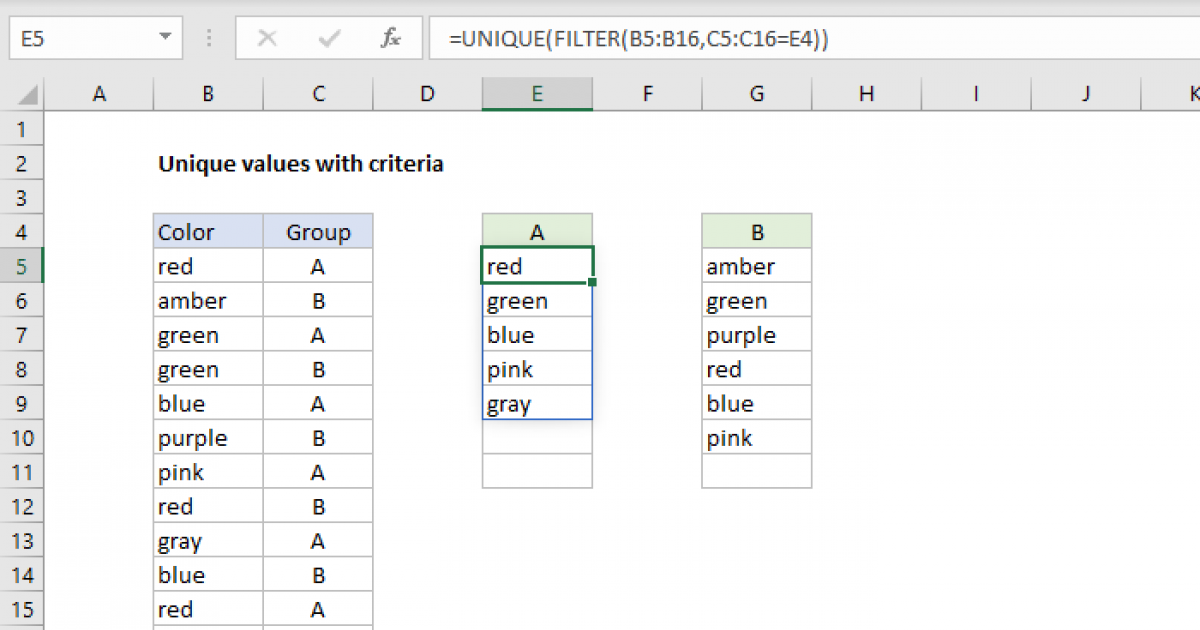
Excel List All Distinct Values In A Column Printable Templates

Excel SORT Function Excel One Minute Quick Reference Chris Menard

How To Count Unique Values In Excel LaptrinhX
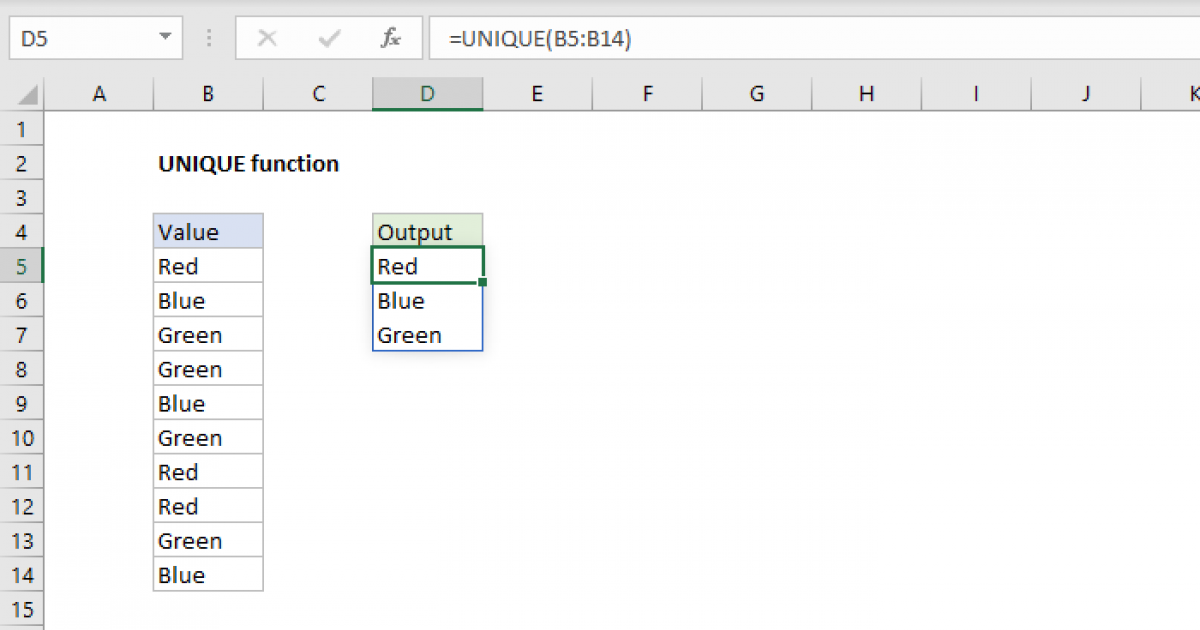
Excel UNIQUE Function Exceljet
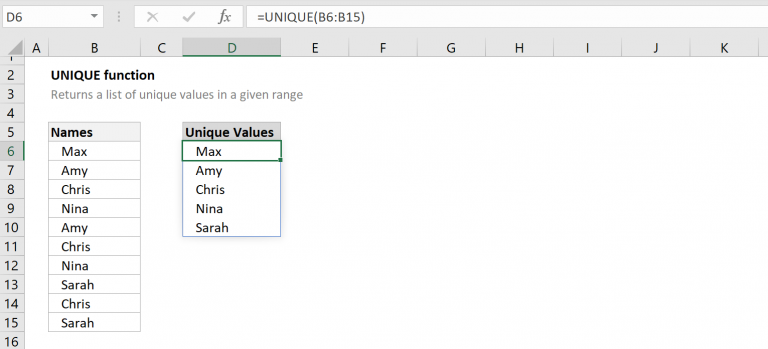
How To Use The Excel UNIQUE Function ExcelFind

How To Get Unique Values In Excel 5 Easy Ways Exceldemy Www vrogue co

Web To extract unique values from more than one range at the same time you can use the UNIQUE function with the VSTACK function In the example shown the formula in cell H5 is UNIQUE VSTACK range1 range2 range3 Where range1 C5 C16 range2 D5 D15 and range3 F5 F13 are named ranges

Web Mar 21 2023 nbsp 0183 32 To extract a list of unique values in Excel use one of the following formulas Array unique values formula completed by pressing Ctrl Shift Enter IFERROR INDEX A 2 A 10 MATCH 0 COUNTIF B 1 B1 A 2 A 10 COUNTIF A 2 A 10 A 2 A 10 lt gt 1 0 quot quot Regular unique values formula

Web Apr 12 2023 nbsp 0183 32 The UNIQUE function in Excel returns a list of unique values from a range or array It works with any data type text numbers dates times etc The function is categorized under Dynamic Arrays functions The result is a dynamic array that automatically spills into the neighboring cells vertically or horizontally

Web Aug 23 2020 nbsp 0183 32 If you would like to see a list of unique values without necessarily needing to store the list you can utilize a cell Filter ctrl shift L Apply a filter to your data and click the filter arrow to see a list showing all the unique values within that

Web The Excel UNIQUE function returns a list of unique values in a list or range Values can be text numbers dates times etc Purpose Extract unique values from range Return value Array of unique values Arguments array Range or array from which to extract unique values by col optional How to compare and extract
Web Windows Web In Excel there are several ways to filter for unique values or remove duplicate values To filter for unique values click Data gt Sort amp Filter gt Advanced To remove duplicate values click Data gt Data Tools gt Remove Duplicates Web Enter it in C2 and do a fill down Name the range B2 B8 quot BlanksRange quot and the range C2 C8 quot NoBlanksRange quot The two ranges must have the same number of rows they don t have to be on the same rows though Enter some values in the cells from A2 through A8 Try changing them You ll see the lists in columns B and C change dynamically A
Web 1 You can t break the data down to one column If you can do that then all you need to do is attach an assist column that puts an index for those that are unique and then collect the values with an index in the final column Eric F Oct 10 2018 at 18 36 cybernetic nomad I can use helper columns