Excel Insert Picture Based On Cell Value How To Insert Picture Based On Cell Value In Excel Boom Zur Wahrheit Pegs Insert Button Excel 2016 Mondoberfl che K rper Hoch Excel Importing Multiple Images Using Filepath Based On Cell Value Insert The File Path And How To Filter Based On Cell Value Using Excel VBA 4 Methods How To Add Your Favorite Fonts In Adobe Illustrator Lecture 20 YouTube WEB Feb 21 2023 nbsp 0183 32 How it works The IMAGE function inserts pictures into cells from a web source location along with alternative text All you need to do is enter into a cell IMAGE source alt text sizing height width where Required Source The URL path using an quot https quot protocol of the picture file
WEB There are several options to insert picture in cell With the IMAGE function using a web URL path IMAGE function Microsoft Support Insert Picture in Cell from Excel ribbon Paste Picture in Cell from the clipboard Switch from Picture over Cells to Picture in Cell WEB Select the cell Click on the cell where you want the image to appear based on the cell value Go to the Insert tab Navigate to the Insert tab in the Excel ribbon at the top of the window Click on Pictures Select the quot Pictures quot option from the Insert tab
How To Add Your Favorite Fonts In Adobe Illustrator Lecture 20 YouTube Trending Excel Formula To Change Cell Color Based On Date Most Complete Formulas Diamond Indulge Delicious How To Set Color In Excel Based On Value Influenza Nickel Hypocrite Oldal n H l Utal Excel Automatic Color Fill Value Whitney Sikl Nyak 30 Excel Copy Value From One Cell To Another Formula PNG Formulas Pictures Insert Vba The 18 New Answer Brandiscrafts Cannainfo Blog Excel Vba On Cell Change Example Politicslasopa How To Automatically Hide Rows Based On Formula Driven Cell Value YouTube
Excel Insert Picture Based On Cell Value
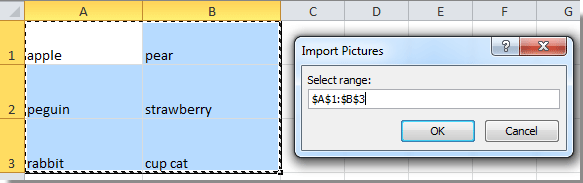 Excel Insert Picture Based On Cell Value
https://www.extendoffice.com/images/stories/doc-excel/Insert-image-based-on-cell/doc-insert-image-based-on-cell-3.png
WEB Mar 4 2024 nbsp 0183 32 You can see this is really a formula B2 Image that references the cell with the data type by using a dot notation to extract a piece of data from the data type Tip You can copy and paste as values so the image will then be disconnected from the data type Insert an Image in a Cell with Power BI Organization Data Types
Templates are pre-designed files or files that can be utilized for various purposes. They can conserve effort and time by supplying a ready-made format and layout for creating different type of content. Templates can be utilized for individual or expert jobs, such as resumes, invites, flyers, newsletters, reports, presentations, and more.
Excel Insert Picture Based On Cell Value

Excel VBA Macro Send Email With Picture Based On Cell Value img Src With Variable YouTube

Trending Excel Formula To Change Cell Color Based On Date Most Complete Formulas

Diamond Indulge Delicious How To Set Color In Excel Based On Value Influenza Nickel Hypocrite
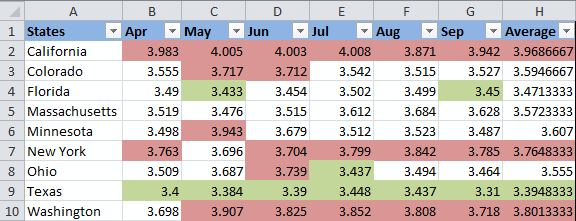
Oldal n H l Utal Excel Automatic Color Fill Value Whitney Sikl Nyak
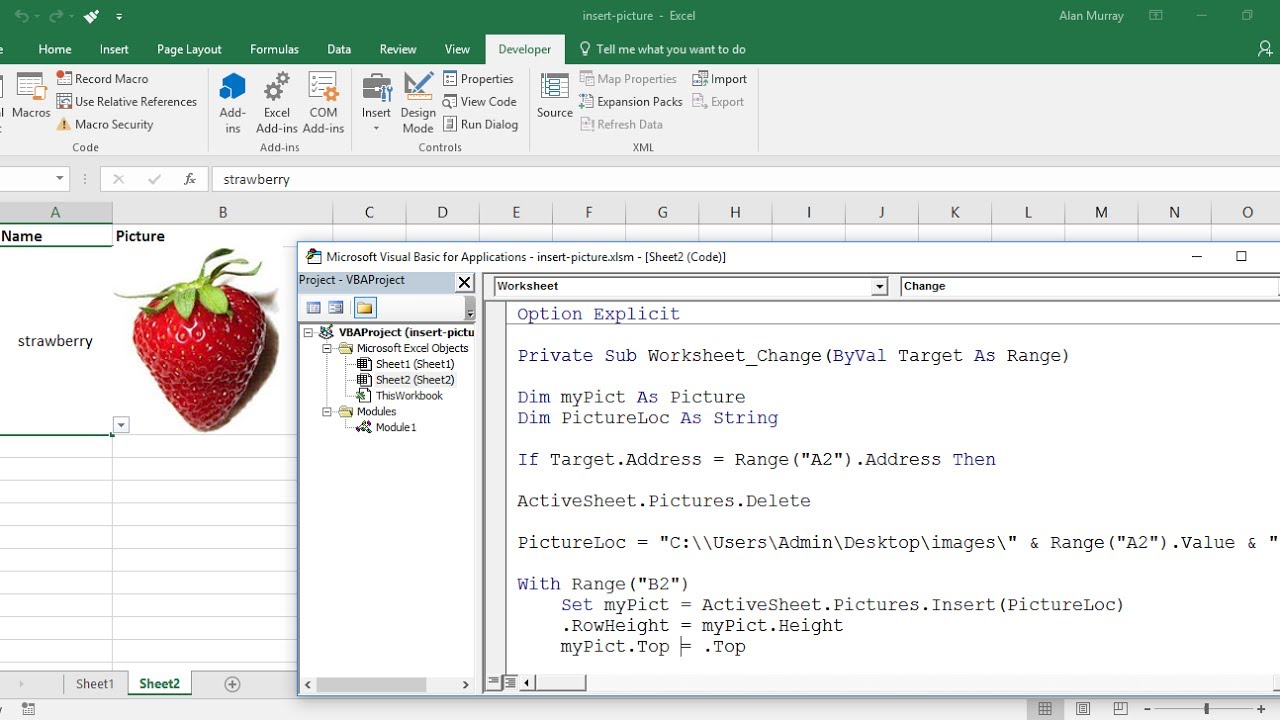
Pictures Insert Vba The 18 New Answer Brandiscrafts
Cannainfo Blog
WEB Apr 26 2023 nbsp 0183 32 The IMAGE function in Excel is designed to insert pictures into cells from a URL The following file formats are supported BMP JPG JPEG GIF TIFF PNG ICO and WEBP The function takes a total of 5 arguments of which only the first one is required
WEB Here is the step on creating the excel function without macros that will make you change image dynamically based on certain cell value There are two excel functions used in this spreadsheets VLOOKUP and INDIRECT to form dynamic image function

WEB Dec 20 2023 nbsp 0183 32 When you have a larger dataset and you want to export an image from the particular cell values a linked picture might be the best option As the linked picture will be changed automatically if you change any cell values In this guiding session I ll demonstrate 4 ways to link a picture to a cell value in Excel with proper explanation

WEB In many cases you may need to insert image dynamically in cell based on cell value For example you want the corresponding images to be dynamically changed with the different values you entering in a specified cell This article will show you how to achieve it

WEB Key Takeaway Excel s IF function can be used to display images in a cell based on a result This is useful for visualizing data and providing a quick way to interpret information The Camera tool in Excel can be used to insert images into cells This allows for dynamic images that can change based on the underlying data
WEB Sep 26 2023 nbsp 0183 32 See how to insert images into Excel cells from your local drive or from URL Create interactive dashboards using lookup on pictures WEB Aug 25 2022 nbsp 0183 32 All you need to do is type the following into a cell IMAGE source alt text sizing height width where Required source is the URL path of the image file using an https protocol NOTE Supported file formats include BMP JPG JPEG GIF TIFF PNG ICO and WEBP
WEB Dec 20 2023 nbsp 0183 32 1 Combining INDEX and MATCH Functions With the help of INDEX and MATCH functions we will create a new named range Then we will link this named range with the required images with a dropdown menu Switching between those names in the dropdown menu will allow us to choose which image to Insert Steps