Excel Index Match Return Multiple Values In One Cell Without Textjoin Vlookup To Return Multiple Values In One Cell In Excel 3 Methods Excel INDEX MATCH To Return Multiple Values In One Cell ExcelDemy Excel VLookup Return Multiple Values In One Cell Separated By A Comma Excel INDEX MATCH To Return Multiple Values In One Cell ExcelDemy VLOOKUP Return Multiple Values Horizontally Free Excel Tutorial INDEX MATCH with multiple criteria enables you to look up and return values even if there are no unique values to look for This is not achievable with any other lookup formula without inserting helper
Normally an INDEX MATCH formula is configured with MATCH set to look through a one column range and provide a match based on given criteria Without concatenating values in a helper column or in the formula INDEX B3 D11 4 2 INDEX retrieves the value at row 4 column 2 To summarize INDEX gets a value at a given location in a range of cells based on numeric position When the range is one dimensional you
VLOOKUP Return Multiple Values Horizontally Free Excel Tutorial Return Multiple Values With Single Vlookup Formula In Google Sheets Lookup Return Multiple Values In One Cell In Excel Easy Formula Excel INDEX MATCH To Return Multiple Values In One Cell ExcelDemy VLOOKUP To Return Multiple Values Function With Examples How To Vlookup To Return Multiple Values In One Cell In Excel How To Vlookup To Return Multiple Values In One Cell In Excel Bangla 3 Excel Returning Multiple Values In A Single Cell That Match Criteria How To Fix INDEX MATCH Not Returning Correct Value In Excel
Excel Index Match Return Multiple Values In One Cell Without Textjoin
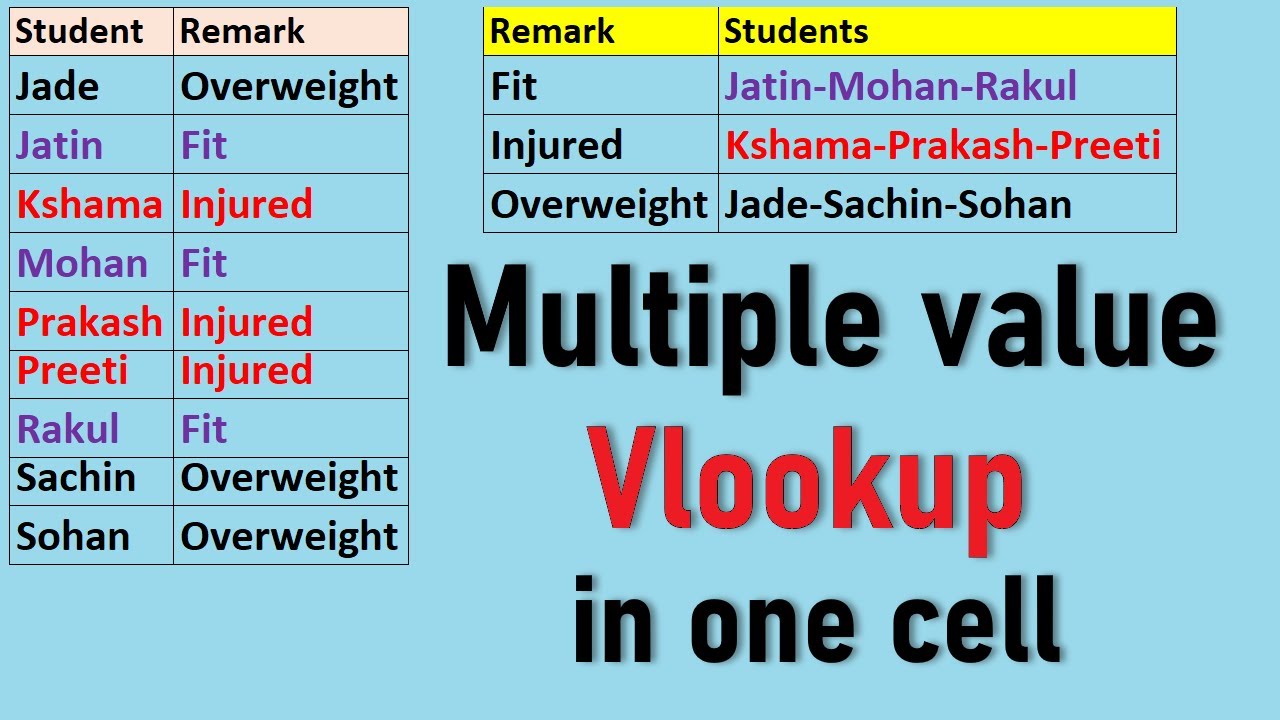 Excel Index Match Return Multiple Values In One Cell Without Textjoin
https://i.ytimg.com/vi/t5YKbAUAtLg/maxresdefault.jpg
When you want to look up a value in a table based on another cell you
Templates are pre-designed files or files that can be utilized for numerous purposes. They can conserve effort and time by supplying a ready-made format and design for producing different kinds of material. Templates can be utilized for personal or professional jobs, such as resumes, invites, flyers, newsletters, reports, presentations, and more.
Excel Index Match Return Multiple Values In One Cell Without Textjoin
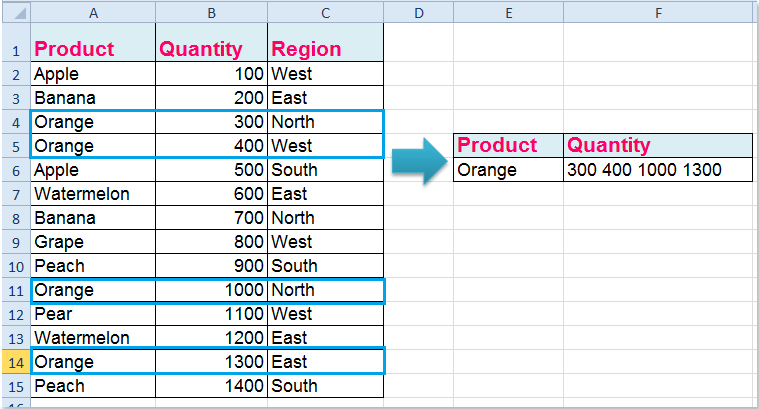
How To Vlookup To Return Multiple Values In One Cell In Excel
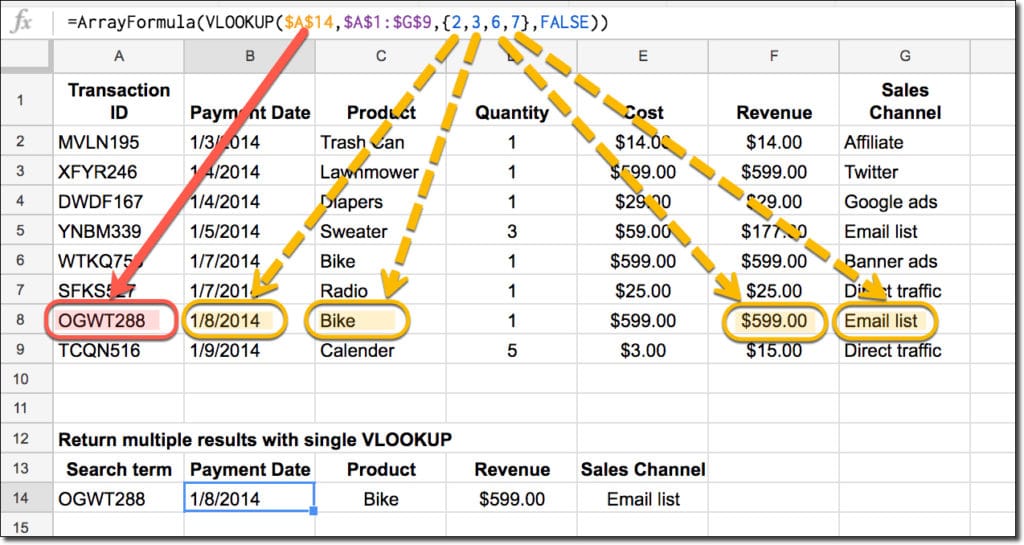
Return Multiple Values With Single Vlookup Formula In Google Sheets

Lookup Return Multiple Values In One Cell In Excel Easy Formula

Excel INDEX MATCH To Return Multiple Values In One Cell ExcelDemy
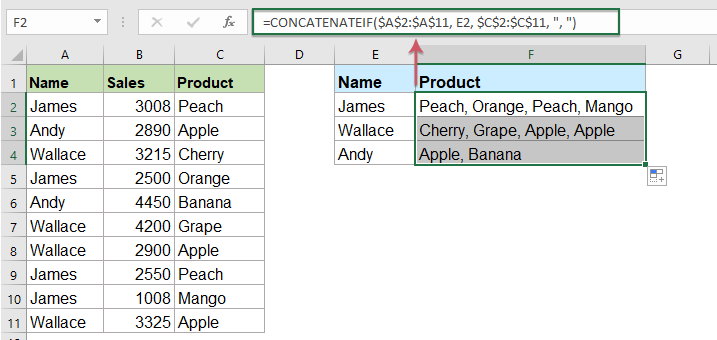
How To Vlookup To Return Multiple Values In One Cell In Excel
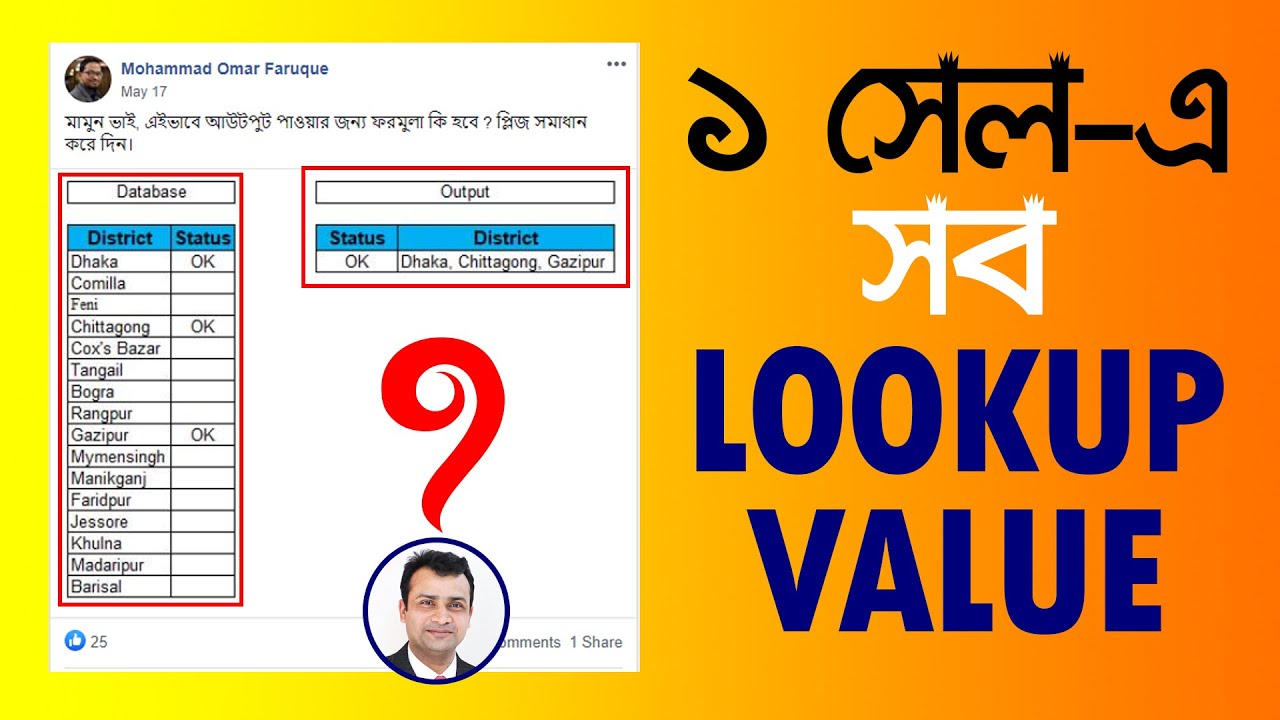
How To Vlookup To Return Multiple Values In One Cell In Excel Bangla 3
The logical test in the IF formula D2 A 2 A 20 checks whether the name cell D2 is the same as that in range A2 A20 It goes

Method 1 INDEX and AGGREGATE Places all returned answers in

To lookup and retrieve multiple matches in a comma separated list in a single cell you can use the IF function with the TEXTJOIN function In the example shown the formula in F5 is TEXTJOIN

To look up a value based on multiple criteria in separate columns use this generic formula INDEX return range MATCH 1
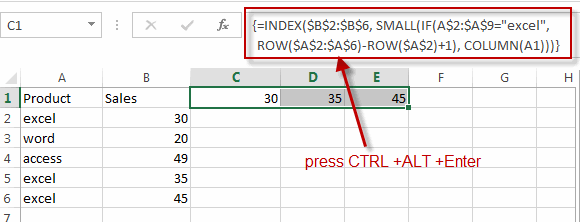
33 rowsUsing an approximate match searches for the value 1 in column A finds the largest value less than or equal to 1 in column A which is 0 946 and then returns the value from column C in the same row 100
I figured out how to automate if the match is the exact name and this is This particular formula looks up the value in cell A17 in the range A2 A13
You can also use the INDEX MATCH functions with multiple criteria to