Excel Group Rows By Same Cell Value Excel Group Auto Outline Bdaminnesota Mysql Query To Check For Same Cell Value Access Table Stack Overflow Group Rows And Columns In Excel Sheet In PHP EasyXLS Guide How To Group Rows In Google Sheets 2 Min Easy Guide How To Group Rows By Cell Value In Excel 3 Simple Ways ExcelDemy Web Oct 28 2022 nbsp 0183 32 To group by rows in Excel start by selecting the adjacent rows you want to use You can do this by dragging your cursor through the row headers or by selecting the first row holding Shift and then selecting the last row in the range Go to the Data tab and select the Outline drop down arrow Pick quot Group quot in the menu
Web Step by step guide on selecting and grouping rows in Excel To group rows based on a cell value in Excel follow these steps Select the rows containing the cell values you want to use for grouping Go to the quot Data quot tab in the Excel ribbon Click on the quot Group quot button in the quot Outline quot group Web Use an outline to quickly display summary rows or columns or to reveal the detail data for each group You can create an outline of rows as shown in the example below an outline of columns or an outline of both rows and columns 1 To display rows for a level click the appropriate outline symbols 2
How To Group Rows By Cell Value In Excel 3 Simple Ways ExcelDemy How To Group Rows With Same Value In Excel 6 Useful Ways EasyXLS Blog Archive Export Excel File And Grouping Rows Or Columns In ASP Classic Excel Group Rows By Value And Cell With Data Stack Overflow How To Group Rows By Cell Value In Excel 3 Simple Ways ExcelDemy How To Group And Collapse Rows In Microsoft Excel How To Group Rows By Cell Value In Excel 3 Simple Ways ExcelDemy How To Group Rows By Cell Value In Excel 3 Simple Ways ExcelDemy How To Use Group And Outline In Microsoft Excel Group Rows And Columns And Save Views YouTube
Excel Group Rows By Same Cell Value
 Excel Group Rows By Same Cell Value
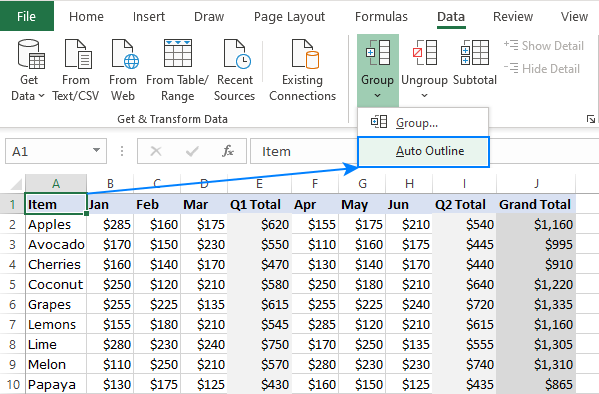
https://cdn.ablebits.com/_img-blog/group-columns/auto-outline-columns.png
Web Aug 29 2023 nbsp 0183 32 You need to group the data manually to group rows by cell value Divide your data into different levels Select each level individually and group it using the Group option
Templates are pre-designed files or files that can be utilized for various purposes. They can save effort and time by offering a ready-made format and design for creating different kinds of material. Templates can be used for individual or expert jobs, such as resumes, invites, flyers, newsletters, reports, presentations, and more.
Excel Group Rows By Same Cell Value

How To Group Rows By Cell Value In Excel 3 Simple Ways ExcelDemy

How To Group Rows With Same Value In Excel 6 Useful Ways
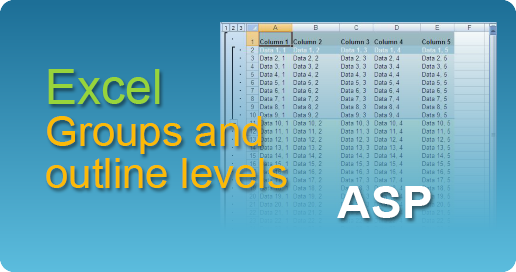
EasyXLS Blog Archive Export Excel File And Grouping Rows Or Columns In ASP Classic

Excel Group Rows By Value And Cell With Data Stack Overflow

How To Group And Collapse Rows In Microsoft Excel

How To Group Rows By Cell Value In Excel 3 Simple Ways ExcelDemy
Web Dec 24 2023 nbsp 0183 32 Method 1 Using Subtotal Feature to Group Rows with Same Value When we want to group rows with same value the Subtotal feature is a good option to sort entries Also Subtotal offers several functions to execute within the groups Step 1 Place the cursor in any cell within the dataset

Web Dec 24 2023 nbsp 0183 32 Method 1 Group Cells with Same Value in Excel Using the Subtotal Feature The easiest way is to use the Subtotal feature in Excel to group cells with same value For example we will group all the cells with same value in the Country column Let s see how we can do that Step 1
Web May 18 2011 nbsp 0183 32 You can group rows based on a similar values using this formula Example Name Place Rajesh Markapur Rajesh Vijayawada Suresh Minneapolis Mahesh Guntur Mahesh Chennai Brijesh Markapur Sateesh Bubaneshwar Sateesh Markapur And if you want to group these data on the basis of name as below

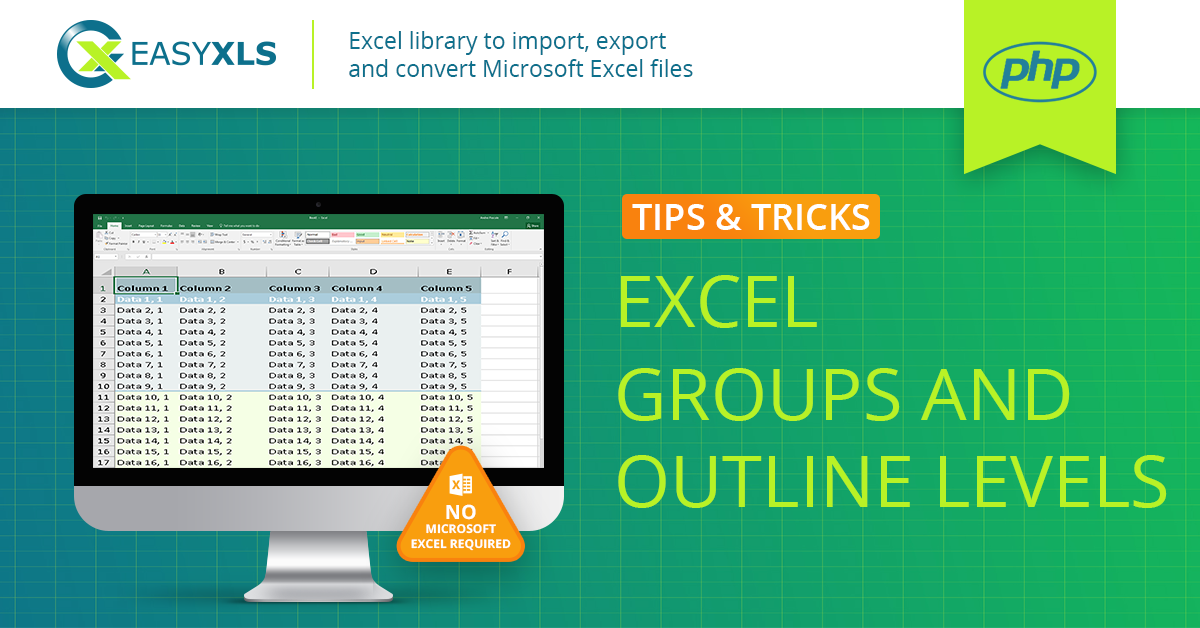
Web Dec 24 2023 nbsp 0183 32 How to Group Rows in Excel by Name 3 Effective Ways How to Group Time Intervals in Excel 3 Suitable Ways How to Group Columns Next to Each Other in Excel 2 Easy Ways How to Create Multiple Groups in Excel 4 Effective Ways How to Group Rows with Same Value in Excel 6 Useful Ways Group Rows with Plus Sign on

Web Mar 17 2023 nbsp 0183 32 Grouping rows in Excel Grouping in Excel works best for structured worksheets that have column headings no blank rows or columns and a summary row subtotal for each subset of rows With the data properly organized use one of the following ways to group it How to group rows automatically create an outline
Web Feb 24 2014 nbsp 0183 32 Put the number 1 in the first row quot group quot column cell C1 Then put the following formula in cell C2 and drag down IF B1 A2 C1 C1 1 when the cells match the group number is the same otherwise it increments Simple sample Formula view of Web Jan 9 2019 nbsp 0183 32 I am trying to group multiple cells in Excel to give me an end value of the total of times those three cells exist for example if the Country is quot UK quot the Method is quot Method1 quot and Weight is quot 400 quot Stack Overflow
Web Method 1 Group Rows in Excel Using the Group Option In this method we will look at the Group Rows option in the ribbon in Excel to group rows containing similar data As an example we will use the following dataset that we saw earlier Here we will group all the rows for the Central region Select all rows containing the Central region