Excel Get Data From Multiple Text Files Excel TheSpreadsheetGuru Remove Line Breaks From Multiple Text Free Download Sql Unable To Get Data From Multiple Tables Based On Some Comparison Stack Overflow Power BI Get Data From Excel Everything You Need To Know RADACAD Load Multiple Text Files Into SQL Server In Informatica 3 I have hundreds of text files in a folder and I need to extract a single line from each one and put the info into excel The text files contain all the metadata for individual photographs and I need to take out just the GPS coordinates
You can import data into Excel from a wide variety of data sources and the sections that follow show you how For more information on what to do with your data once it s imported see How data journeys through Excel Newer versions macOS Office 2013 From Table Range File Excel Workbook File Text CSV File XML File JSON File PDF File Folder There are two ways to import data from a text file with Excel you can open it in Excel or you can import it as an external data range To export data from Excel to a text file use the Save As command and change the file type from the drop down menu There are two commonly used text file formats
Load Multiple Text Files Into SQL Server In Informatica Load Multiple Text Files Into SQL Server In Informatica Ms Excel Import Xml File Vvticorner Remove Lines In Multiple Text Files Software Join Multiple Text Files Into One Software Load Multiple Text Files Into SQL Server In Informatica Load Multiple Text Files Into SQL Server In Informatica Cannot Print To Pdf Excel Calibre Font Crowdkse Vectorworks Delete Duplicate Lines Bcper
Excel Get Data From Multiple Text Files
 Excel Get Data From Multiple Text Files
https://www.thespreadsheetguru.com/wp-content/uploads/2022/10/DataFromImageInExcel.png
The most common file types for Excel users are CSV and Excel workbooks So these are the two file types covered in this post If you have other files such as txt XML or JSON etc you can still use the techniques in this post but it will require some changes to the process Table of Contents
Pre-crafted templates use a time-saving option for developing a diverse variety of documents and files. These pre-designed formats and layouts can be utilized for different personal and expert jobs, consisting of resumes, invites, flyers, newsletters, reports, presentations, and more, enhancing the material creation process.
Excel Get Data From Multiple Text Files
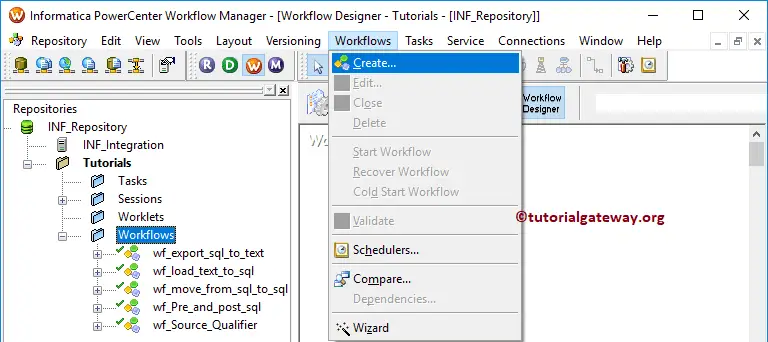
Load Multiple Text Files Into SQL Server In Informatica

Load Multiple Text Files Into SQL Server In Informatica

Ms Excel Import Xml File Vvticorner
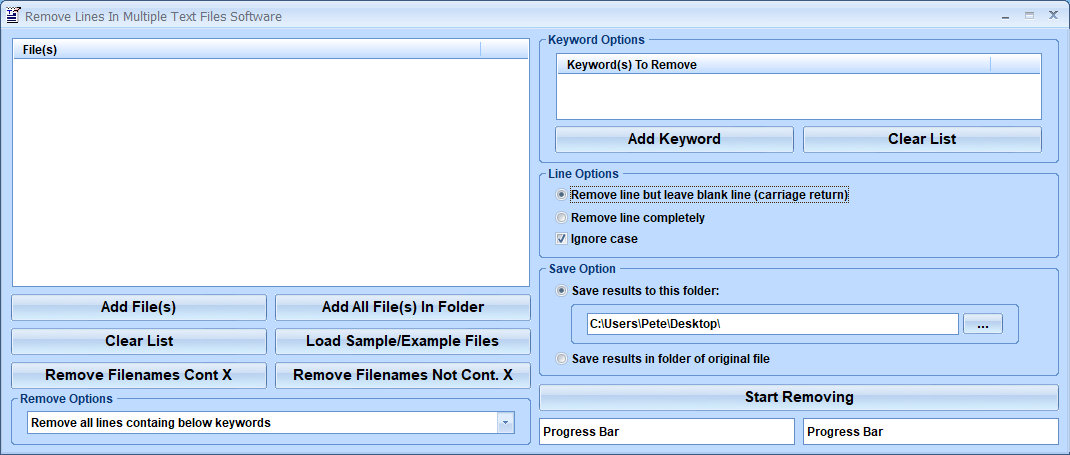
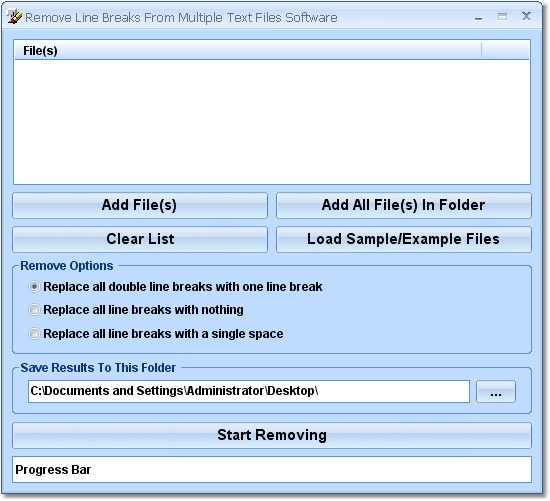
Remove Lines In Multiple Text Files Software
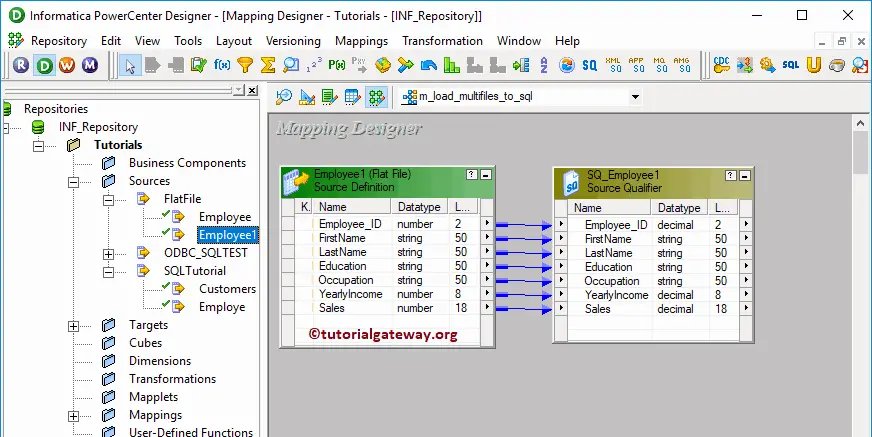
Load Multiple Text Files Into SQL Server In Informatica
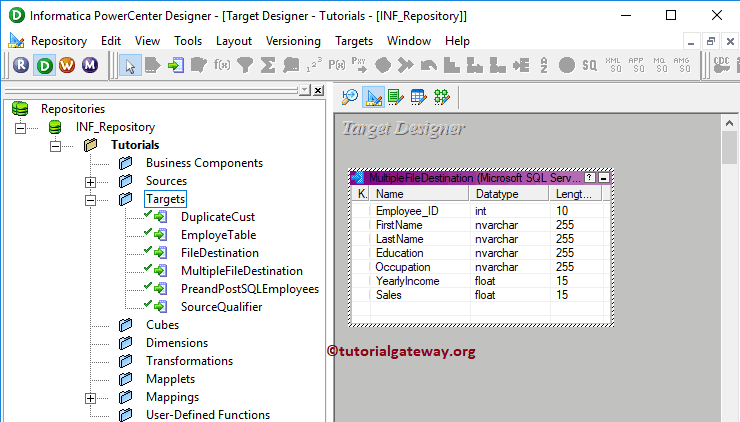
Load Multiple Text Files Into SQL Server In Informatica

Introduction In this Excel tutorial we will discuss how to import multiple text files into Excel on one worksheet This is a crucial skill for anyone working with large datasets as it allows for easy access and analysis of data from various sources all in one place
1 Enable a workbook you want to import text files and press Microsoft Visual Basic for Applications copy and paste below VBA code to the VBA Import multiple text files from one folder to one sheet to display a dialog and select a folder which contains text files you want to import See screenshot Kutools for ExcelInsert File at Cursor

Steps to Combine Data From Multiple Text Files to Excel Example of Transformation in Power Query Remove File Extension txt from File Name in Power Query Add New Custom Column At End and Get Purchase Price Per Unit Move the Source Name Column to End in Power Query Sample Files Combine Text txt Files in Folder to Excel

Go to the Data tab Get External Data From Text Then in the Import Text File dialog box double click the text file that you want to import and the Text Import Wizard dialog will open Step 1 of 3 Original data type If items in the text file are separated by tabs colons semicolons spaces or other characters select Delimited If all of the items in each column are the same length

Hover your cursor on From File and click on From Folder In the Folder dialog box enter the file path of the folder that has the files or click on Browse and locate the folder Click OK In the dialog box that opens click on the combine button Click on Combine Load
STEPS First open Excel Then select File In the File window click Open After that choose Browse As a result a dialog box will pop out There select your desired text file and press Open The Text Import Wizard will appear Subsequently select Finish Here is the set up We have a folder that contains hundreds of Excel files And just to make this a bit trickier let s assume that at any time new workbooks can be added to the folder or some workbooks can be removed
How to get data from multiple CSV or text files into Excel worksheet automatically with VBA Details also available at https www exceltrainingvideos get